
Introduction
This manual provides detailed instructions for the installation, operation, and maintenance of your Septekon P30 2K Wired WiFi Outdoor Security Camera. Please read this manual thoroughly before using the product to ensure proper setup and functionality. Keep this manual for future reference.
Product Features
- 2K Ultra Clear Image & Advanced Night Vision: Equipped with a 3MP high-definition lens (2304x1296 resolution) and 8 advanced infrared LEDs, providing ultra-clear night vision up to 65ft in total darkness.
- Real-Time Motion Alert & Smart Siren: Receive instant alerts on your mobile phone when motion is detected. The AI motion detection can trigger a siren alarm to deter intruders.
- Improved Dual Wi-Fi Antenna: Features an enhanced dual antenna for a stronger and more stable 2.4G WiFi connection. Note: This camera requires continuous power from an outlet and supports 2.4G WiFi only.
- Two-Way Audio: Communicate directly through the camera using the built-in microphone and speaker.
- Secure Recording & Multi-user Access: Utilizes an Encryption Protocol for secure access. Supports local storage via a micro SD card (up to 128GB, not included) and cloud storage. Multiple guest accounts can be created for family and friends.
- IP66 Weatherproof Rating: Designed for outdoor use, resistant to dust and water.
- Amazon Alexa Compatibility: Integrate with Amazon Alexa for voice control and live view on compatible devices.
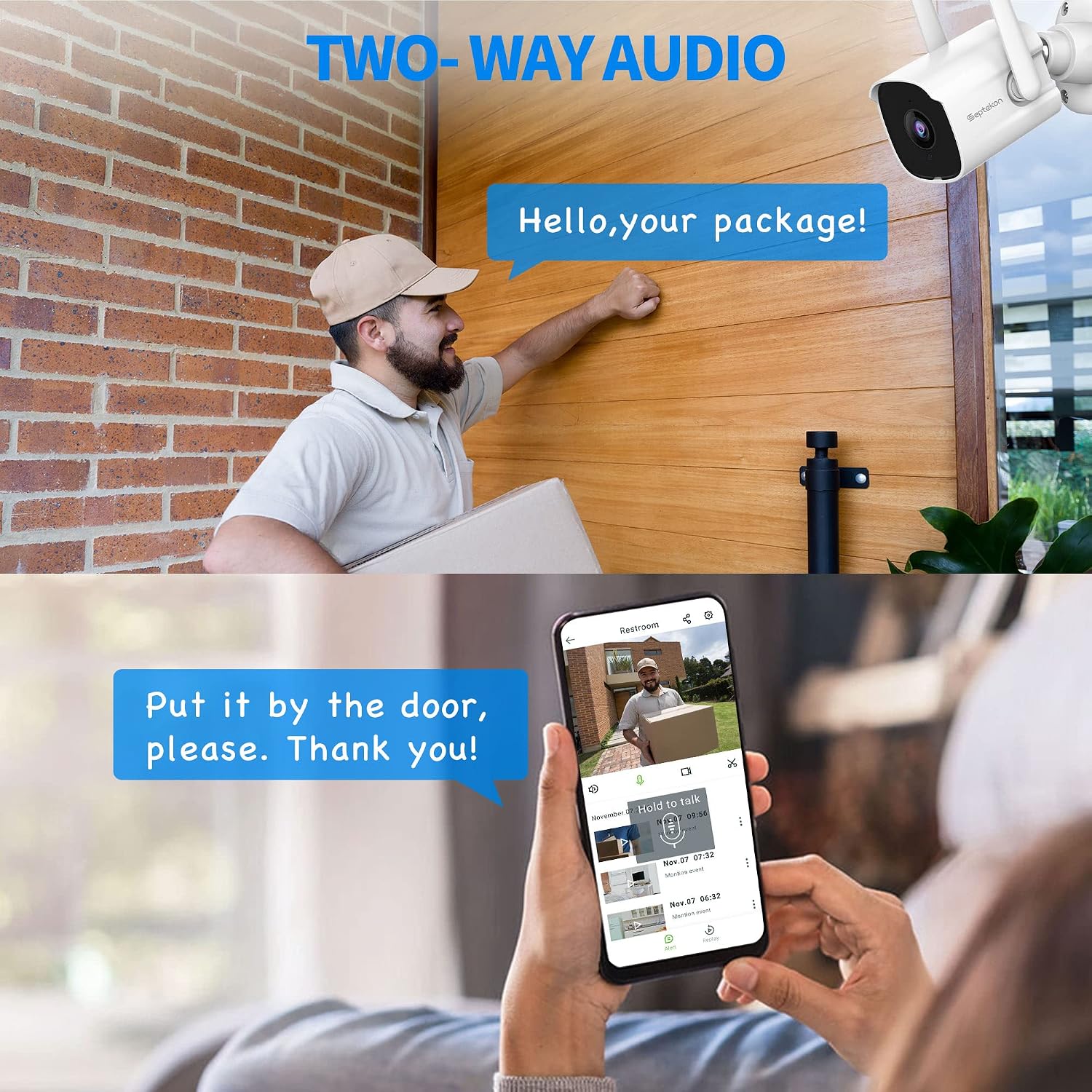
Image: The Septekon P30 camera provides 2K ultra-clear video, capable of capturing fine details like a car's license plate from a distance.

Image: Demonstrates real-time motion detection alerts sent to a smartphone and the camera's advanced night vision capabilities, showing clear images in low light.
Setup Guide
- Unpack and Inspect: Carefully remove all components from the packaging. Verify that all parts are present and undamaged.
- Choose Installation Location: Select an outdoor location that provides the desired viewing angle and is within range of your 2.4G WiFi network. Ensure a power outlet is accessible.
- Mount the Camera:
- Use the provided mounting screws and anchors to securely attach the camera to a wall or suitable surface.
- Adjust the camera angle to cover the desired monitoring area.
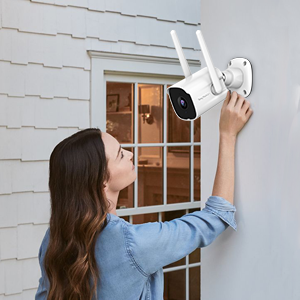
Image: A person is shown mounting the Septekon P30 camera on an outdoor wall, illustrating the installation process.
- Power On: Connect the camera to a power outlet using the provided power adapter. The camera will power on and enter pairing mode.
- Download the App: Search for the "Septekon" app on the App Store (iOS) or Google Play Store (Android) and install it on your smartphone.
- Pair the Camera:
- Open the Septekon app and create an account or log in.
- Follow the in-app instructions to add a new device. Select your camera model.
- Connect the camera to your 2.4G WiFi network. Ensure your phone is also connected to the same 2.4G network during setup. Note: 5G WiFi networks are not supported.
- Scan the QR code displayed on your phone with the camera lens when prompted.
- Once connected, you can name your camera and begin live viewing.
Operating Instructions
Live View
Open the Septekon app and select your camera from the device list to access the live video feed. You can view real-time footage from anywhere with an internet connection.
Two-Way Audio
While in live view, tap the microphone icon in the app to speak through the camera's speaker. Tap the speaker icon to listen to audio from the camera's surroundings.

Image: Illustrates the two-way audio feature, allowing communication with visitors or delivery personnel through the camera and smartphone app.
Motion Detection & Alerts
Configure motion detection sensitivity and alert settings within the app. When motion is detected, you will receive instant notifications on your phone. You can also activate the smart siren feature to deter unwanted visitors.

Image: Shows the camera's real-time alert system and smart siren feature, designed to notify users and deter intruders upon motion detection.
Night Vision
The camera automatically switches to advanced night vision mode in low-light conditions, providing clear black and white images up to 65 feet.
Recording & Storage
The camera supports continuous recording or event-based recording. Footage can be stored in two ways:
- Micro SD Card: Insert a micro SD card (up to 128GB, not included) into the designated slot on the camera for local storage.
- Cloud Storage: Subscribe to the Septekon cloud storage service for secure, encrypted storage of your video footage. This allows for easy review, download, and sharing of recordings.
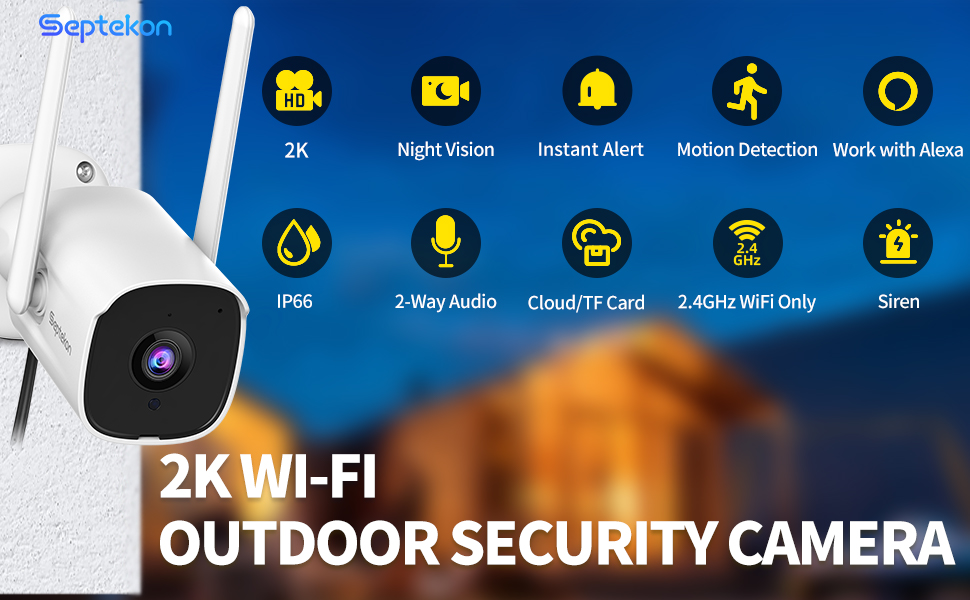
Image: Displays the cloud storage interface within the Septekon app, highlighting features like enterprise-class encryption, playback, and download options for recorded video.
Multi-user Access
Share camera access with family and friends by creating guest accounts within the Septekon app. This allows multiple users to view live feeds and recordings simultaneously.
Amazon Alexa Integration
Enable the Septekon skill in your Amazon Alexa app. Once linked, you can use voice commands to view your camera feed on compatible Alexa-enabled devices (e.g., "Alexa, show me the backyard").
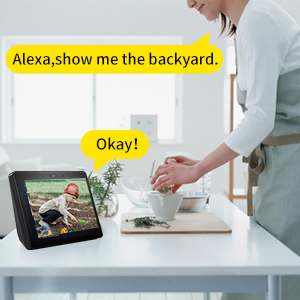
Image: A user interacting with an Amazon Echo Show, demonstrating how to use Alexa voice commands to view the camera feed.
Maintenance
- Cleaning: Regularly clean the camera lens with a soft, dry cloth to ensure clear image quality. Do not use harsh chemicals or abrasive materials.
- Firmware Updates: Check the Septekon app periodically for available firmware updates. Keeping your camera's firmware up-to-date ensures optimal performance and security.
- Power Connection: Ensure the power cable remains securely connected and free from damage.
Troubleshooting
- Camera not connecting to WiFi or frequently disconnecting:
- Ensure your router is broadcasting a 2.4G WiFi signal. This camera does not support 5G WiFi.
- Verify the camera is within range of your WiFi router. Obstacles like thick walls can weaken the signal.
- Restart your router and the camera.
- Check for any firmware updates in the Septekon app.
- Poor image quality or unclear night vision:
- Clean the camera lens to remove any dust or smudges.
- Ensure there are no obstructions blocking the camera's view, especially at night.
- Verify the camera is receiving adequate power.
- Motion detection not working or false alarms:
- Adjust the motion detection sensitivity settings in the app.
- Define specific motion detection zones to reduce unwanted alerts from busy areas.
- Environmental factors like extreme cold or heat can sometimes affect sensor performance.
- Two-way audio issues:
- Ensure your phone's microphone and speaker are enabled for the Septekon app.
- Check the volume settings on your phone and within the app.
- Verify a stable internet connection for both the camera and your phone.
Specifications
| Brand | Septekon |
| Model | P30 |
| Video Capture Resolution | 3 MP (2304x1296) |
| Connectivity Technology | Wired, Wireless (2.4G Wi-Fi only) |
| Power Source | Corded Electric |
| Night Vision Range | Up to 65 Feet |
| International Protection Rating | IP66 |
| Viewing Angle | 105 Degrees |
| Storage Options | Micro SD Card (up to 128GB), Cloud Storage |
| Controller Type | Amazon Alexa, App |
| Mounting Type | Wall Mount |
| Material | Plastic |
| Item Weight | 3.21 pounds (for 4-pack) |
Warranty and Support
For warranty information and technical support, please refer to the official Septekon website or contact Septekon customer service directly. Contact details can typically be found on the product packaging or the Septekon official website.