
1. Introduction
This manual provides essential information for the safe and efficient operation, maintenance, and troubleshooting of your ILIFE A10s Robotic Vacuum Cleaner. Please read this manual thoroughly before using the product and retain it for future reference.
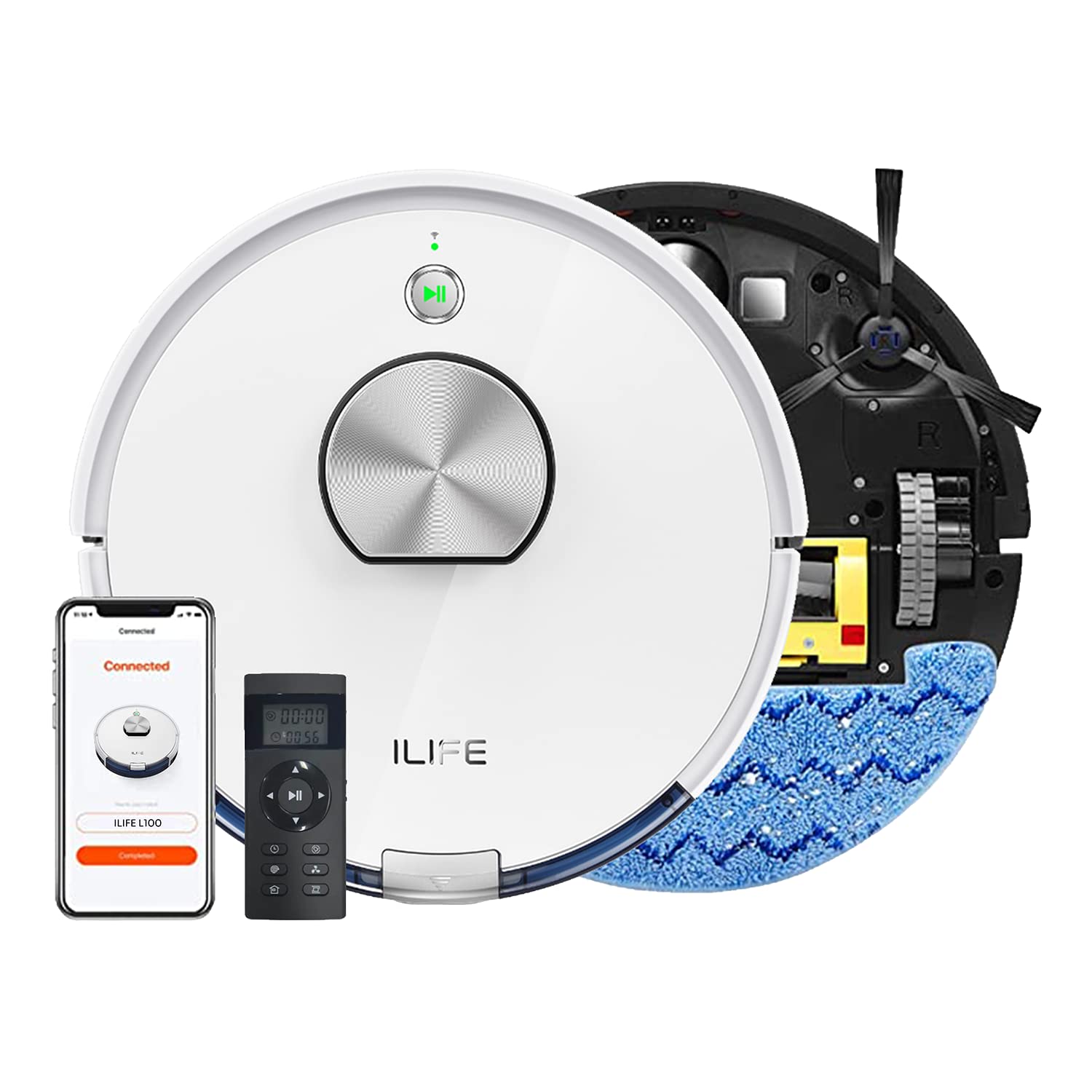
The ILIFE A10s Robotic Vacuum Cleaner, designed for efficient home cleaning.
2. Safety Instructions
To reduce the risk of injury or damage, observe the following safety precautions:
- Read all instructions before operating the robot.
- Do not allow children or pets to play with the robot. Supervise children when the robot is operating.
- Do not use the robot in wet environments or near water.
- Remove loose cables, small objects, and fragile items from the cleaning path before operation.
- Ensure the charging dock is placed on a level surface against a wall, with adequate clear space around it.
- Do not use the robot to pick up large debris, liquids, or burning/smoking materials.
- Only use the original power adapter and charging dock provided with the robot.
3. Product Overview
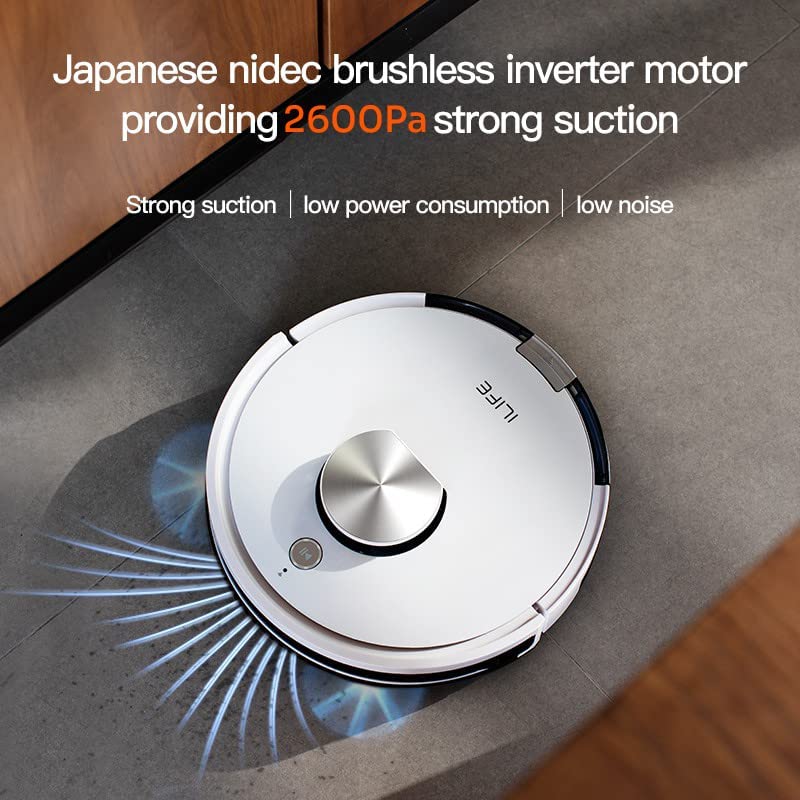
The ILIFE A10s is a versatile robotic vacuum cleaner featuring powerful suction, customized schedule cleaning, and both vacuuming and mopping capabilities. It is suitable for hard floors and low-pile carpets.
Components
- Main Robot Unit
- Charging Dock
- Power Adapter
- Dustbin
- Water Tank (for mopping)
- Side Brushes
- Main Brush
- High-Performance Filter
- Cleaning Tool
Top view of the ILIFE A10s Robotic Vacuum Cleaner, showing its sleek design.
Bottom view of the ILIFE A10s Robotic Vacuum Cleaner, illustrating the main brush and side brushes.
4. Setup
4.1 Unpacking
Carefully remove all components from the packaging. Ensure all packing materials are removed from the robot and its accessories.
4.2 Charging Dock Placement
Place the charging dock on a hard, level surface against a wall. Ensure there is at least 1 meter (3 feet) of clear space on both sides and 2 meters (6 feet) in front of the dock for optimal navigation.
The ILIFE A10s Robotic Vacuum Cleaner automatically returning to its charging station.
4.3 Initial Charging
Connect the power adapter to the charging dock and plug it into a wall outlet. Place the robot onto the charging dock. For first-time use, charge the robot for at least 5-6 hours to ensure the battery is fully conditioned.
4.4 App Installation and Pairing
Download the official ILIFE app from your smartphone's app store. Follow the in-app instructions to pair your ILIFE A10s with your device. This enables advanced features like customized scheduling, zone cleaning, and multi-floor mapping.
5. Operating Instructions
5.1 Powering On/Off
Press and hold the power button on the robot for a few seconds to power it on or off.
5.2 Starting a Cleaning Cycle
Press the power button once to start an automatic cleaning cycle. Alternatively, use the mobile app or voice commands (via Alexa) to initiate cleaning.
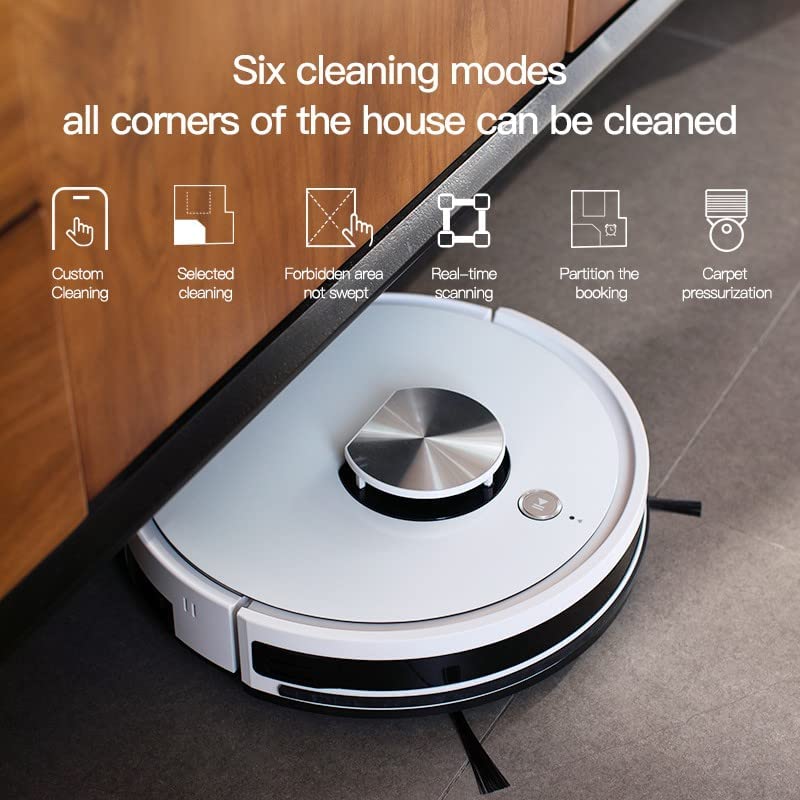
5.3 Cleaning Modes
The ILIFE A10s offers multiple cleaning modes for various needs:
- Custom Cleaning: Define specific areas to clean via the app.
- Selected Cleaning: Choose specific rooms or zones for cleaning.
- Forbidden Area: Mark areas the robot should avoid.
- Real-time Scanning: The robot maps its environment in real-time for efficient navigation.
- Partition Cleaning: Divide your home into sections for targeted cleaning.
- Carpet Pressurization: Automatically increases suction power when detecting carpets.

Illustration of various cleaning modes and mapping features available with the ILIFE A10s.
5.4 Mopping Function
Attach the water tank and mopping pad to enable the wet mopping function. The robot features an independent motor that drives the water tank to mop the floor with vibrating and friction movements. You can adjust between 3 levels of water flow via the app.
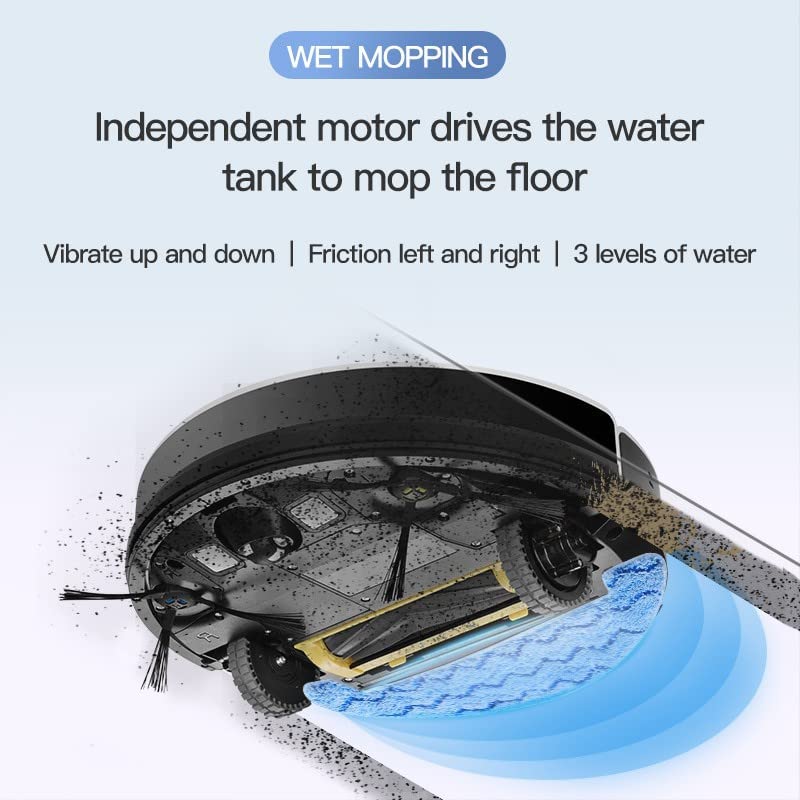
The wet mopping function of the ILIFE A10s Robotic Vacuum Cleaner, showing water tank and cleaning action.

The Patent Vibrating Water Tank of the ILIFE A10s, capable of 12,000 vibrations/min for deep cleaning.
5.5 Multi-floor Mapping and Scheduling
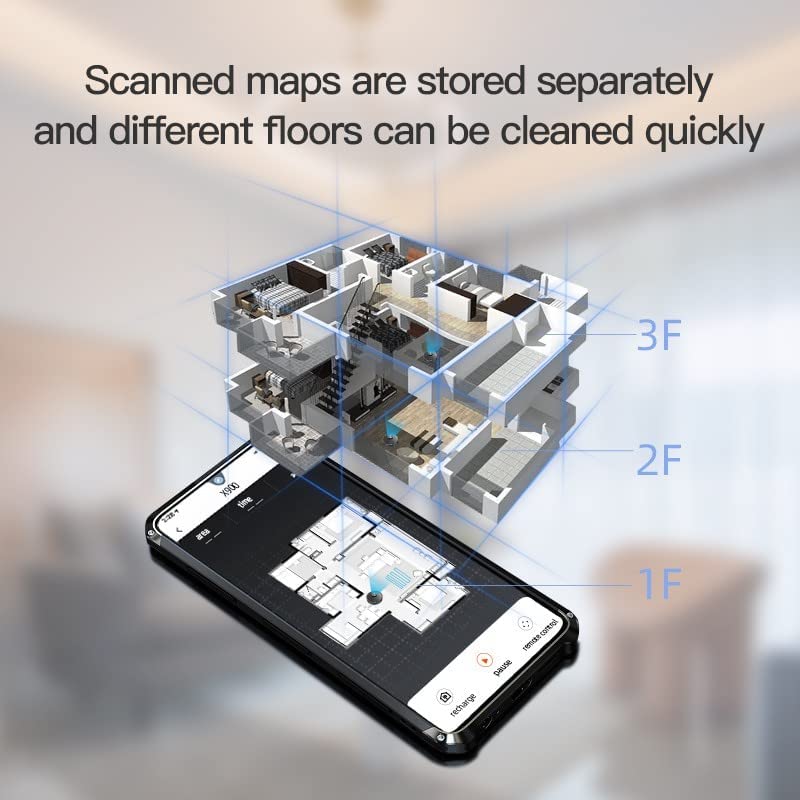
The A10s can store scanned maps for different floors, allowing quick cleaning. You can also set customized cleaning schedules for specific rooms or times using the mobile application.

The ILIFE A10s supports multi-floor mapping and allows scheduling cleanings for specific rooms.
5.6 Automatic Recharge
When the battery level is low, the robot will automatically return to its charging dock. It will resume cleaning from where it left off after being fully charged.
5.7 Product Videos
Demonstration of ILIFE A10s Robotic Vacuum Cleaner features and operation.
Overview of ILIFE A10s Robotic Vacuum Cleaner capabilities.
6. Maintenance
Regular maintenance ensures optimal performance and extends the lifespan of your ILIFE A10s.
6.1 Dustbin Cleaning
Empty the Cellular Dustbin after each use. The advanced design separates larger debris from fine dust, maintaining suction power. Remove the dustbin, open it, and discard collected debris. Clean the filter as described below.

Detailed diagram of the Cellular Dustbin for the ILIFE A10s, showing components for cleaning.
6.2 Filter Cleaning/Replacement
Tap the filter to remove loose dirt. For thorough cleaning, rinse the filter under running water. Ensure the filter is completely dry before reinserting it into the dustbin. Replace the filter every 3-6 months, depending on usage.
6.3 Brush Cleaning
- Main Brush: Remove the main brush cover and lift out the brush. Use the provided cleaning tool to remove hair and debris.
- Side Brushes: Periodically check side brushes for tangled hair or debris. Gently pull them off to clean and reattach. Replace if worn.
6.4 Water Tank and Mopping Pad Cleaning
After mopping, empty any remaining water from the tank. Rinse the water tank and mopping pad with clean water. Allow them to air dry completely before storage or next use.
6.5 Sensor Cleaning
Wipe the cliff sensors, wall sensors, and charging contacts on the robot and charging dock with a clean, dry cloth to ensure proper operation.
7. Troubleshooting
If your ILIFE A10s encounters an issue, refer to the following common solutions:
| Problem | Possible Cause | Solution |
|---|---|---|
| Robot does not power on | Low battery; Power button not pressed correctly | Charge the robot; Press and hold the power button for 3 seconds. |
| Robot not charging | Charging contacts dirty; Charging dock not powered | Clean charging contacts; Ensure power adapter is plugged in. |
| Robot gets stuck frequently | Obstacles in path; Cliff sensors dirty | Clear obstacles; Clean cliff sensors. |
| Poor cleaning performance | Dustbin full; Brushes tangled; Filter clogged | Empty dustbin; Clean brushes; Clean/replace filter. |
| Mopping function not working | Water tank empty; Mopping pad not attached | Fill water tank; Attach mopping pad correctly. |
For persistent issues, please contact ILIFE customer support.
8. Specifications
| Feature | Detail |
|---|---|
| Model | A10s |
| Brand | ILIFE |
| Item Weight | 5 kg 920 g |
| Controller Type | Alexa, Voice Control, App Control |
| Batteries Included | Yes |
| Suction Power | Up to 2600Pa |
| Cleaning Modes | Custom, Selected, Forbidden Area, Real-time Scanning, Partition, Carpet Pressurization |
| Mopping Feature | Vibrating Water Tank, 3 Water Levels |
| Navigation | Smart Laser Navigation and Mapping |
| Dustbin Type | Cellular Dustbin |
9. Warranty and Support
Your ILIFE A10s Robotic Vacuum Cleaner comes with a 1 Year Onsite Service warranty. For product knowledge, product demonstrations, home installation, product service, or pre-sale queries, please contact ILIFE customer support.

ILIFE India Pan India Offices and support contact number: 1800 258 5433.


