
1. Introduction
Thank you for choosing the ProfiCook PC SM 1237 A Cordless Immersion Blender. This manual provides essential information for the safe and efficient use, maintenance, and troubleshooting of your new appliance. Please read these instructions carefully before first use and keep them for future reference.

Image 1.1: The ProfiCook PC SM 1237 A Cordless Immersion Blender.
2. Safety Instructions
Always observe basic safety precautions when using electrical appliances to reduce the risk of fire, electric shock, and personal injury.
- Read all instructions before operating the appliance.
- Do not immerse the motor unit in water or other liquids. Only the blending shaft is designed for immersion.
- Keep hands, hair, and clothing, as well as spatulas and other utensils, away from moving blades during operation to prevent injury.
- The blades are sharp. Handle with care when cleaning.
- This appliance is not intended for use by persons (including children) with reduced physical, sensory or mental capabilities, or lack of experience and knowledge, unless they have been given supervision or instruction concerning use of the appliance by a person responsible for their safety.
- Children should be supervised to ensure that they do not play with the appliance.
- Do not use the appliance if the power cord, plug, or the appliance itself is damaged. Contact customer service for repair.
- Only use the USB-C charging cable and power adapter supplied with the appliance.
- Do not operate the appliance near hot surfaces or open flames.
- Ensure the appliance is switched off before assembling, disassembling, or cleaning.
- Do not overfill containers when blending to prevent spills.
- Exercise caution when blending hot liquids to avoid scalding.
3. Product Overview
Familiarize yourself with the components and controls of your ProfiCook PC SM 1237 A Immersion Blender.
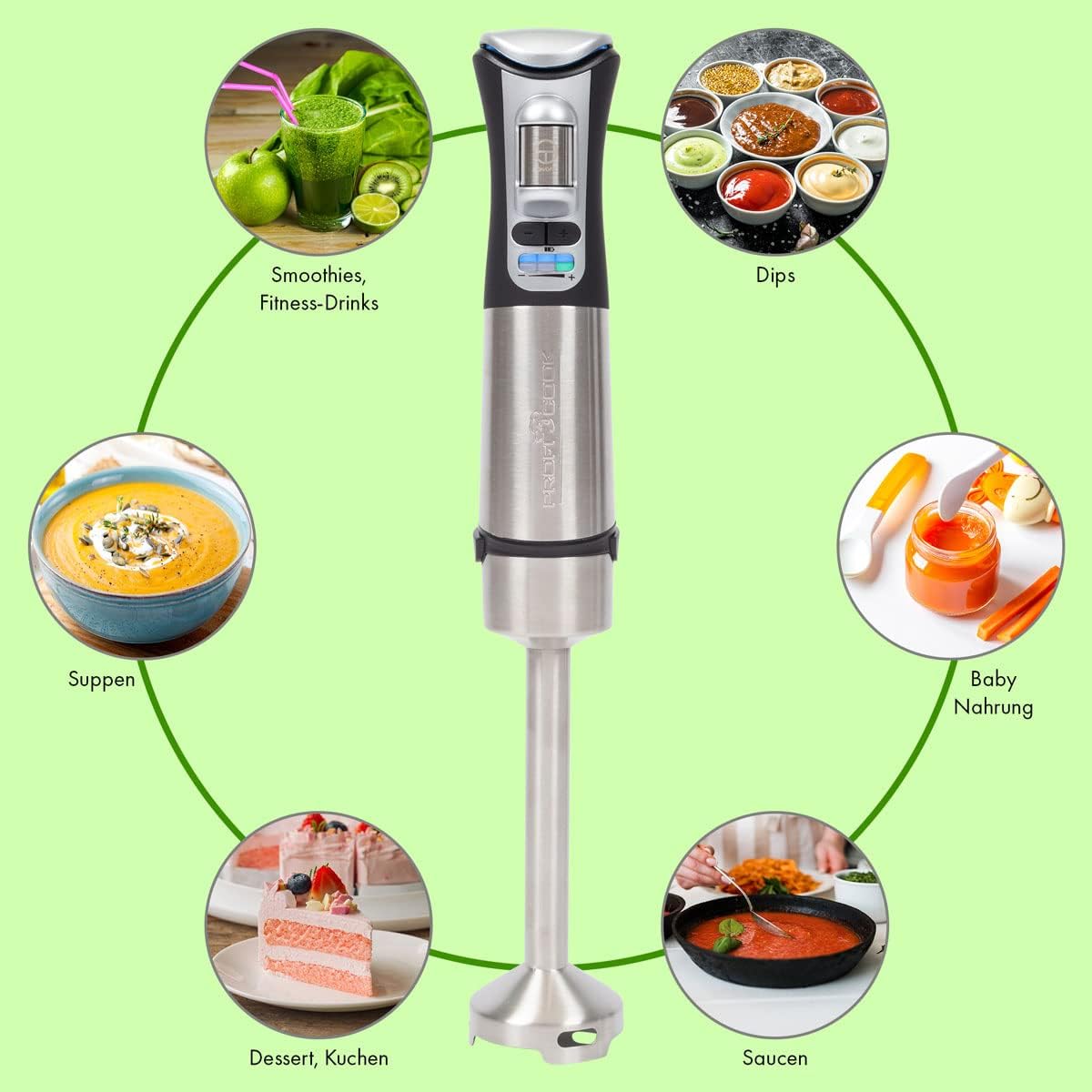
Image 3.1: Overview of the immersion blender's controls and charging port.
Components:
- Motor Unit: Contains the powerful Longlife motor, battery, and control panel.
- Blending Shaft: Detachable stainless steel shaft with a sharp blade and extra-wide mixing head.
- USB-C Charging Cable: For connecting the blender to the power adapter.
- Power Adapter: For charging the appliance from a wall outlet.
Control Panel Features:
- Safety Switch: (1) Must be pressed before activating the ON/OFF switch.
- LED Status Display: (2) Shows various statuses.
- ON/OFF Touch Switch: (3) Activates and deactivates the blender.
- Speed Adjustment Buttons: (4) Use '+' and '-' to select one of the 3 speed levels.
- Battery Status Indicator (Blue LED): (5) Displays the current battery charge level.
- Speed Level Indicator (Green LED): (6) Shows the selected speed level (1-3).
4. Setup
Before using your immersion blender for the first time, follow these steps:
- Unpack: Carefully remove all components from the packaging. Retain the packaging for storage or future transport.
- Clean: Wash the detachable blending shaft in warm soapy water, rinse thoroughly, and dry completely. Wipe the motor unit with a damp cloth.
- Assemble: Align the blending shaft with the motor unit and twist until it locks securely into place. Ensure it is firmly attached before use.

Image 4.1: Illustration of how to attach the removable stainless steel blending shaft to the motor unit.
5. Charging the Battery
The ProfiCook PC SM 1237 A is powered by a 7.4V lithium-ion battery, offering cordless convenience. Ensure the battery is fully charged before first use.
- Connect: Plug the USB-C charging cable into the charging port located on the top of the motor unit.
- Power On: Connect the other end of the USB-C cable to the provided power adapter, and then plug the adapter into a standard wall outlet.
- Monitor: The LED display will indicate the charging status. A full charge typically takes approximately 2.5 hours.
- Disconnect: Once fully charged, unplug the power adapter from the wall outlet and then disconnect the USB-C cable from the blender.
A fully charged battery provides up to 25 minutes of continuous operation, depending on the load and speed setting.

Image 5.1: The included USB-C charging cable and power adapter.
6. Operation
Using your cordless immersion blender is straightforward. Follow these steps for optimal results:
- Prepare Ingredients: Cut larger ingredients into smaller pieces for easier blending. Place ingredients in a suitable container (e.g., a tall beaker, pot, or bowl).
- Immerse Blender: Submerge the blending shaft into the ingredients. Ensure the blade guard is fully covered to prevent splashing.
- Activate: Press and hold the Safety Switch (1) on the top of the motor unit, then press the ON/OFF Touch Switch (3) to start the blender.
- Select Speed: Use the Speed Adjustment Buttons (4) ('+' and '-') to choose one of the three available speed levels. The Speed Level Indicator (6) will show the selected speed.
- Blend: Move the blender gently up and down and in circular motions to ensure all ingredients are processed evenly.
- Finish: Release the ON/OFF Touch Switch (3) to stop the blender. Wait for the blades to stop completely before removing the blender from the container.
The extra-wide mixing head is designed to minimize splashing and ensure efficient blending. The blender is suitable for both cold and hot dishes, such as smoothies, sauces, shakes, purees, and soups.
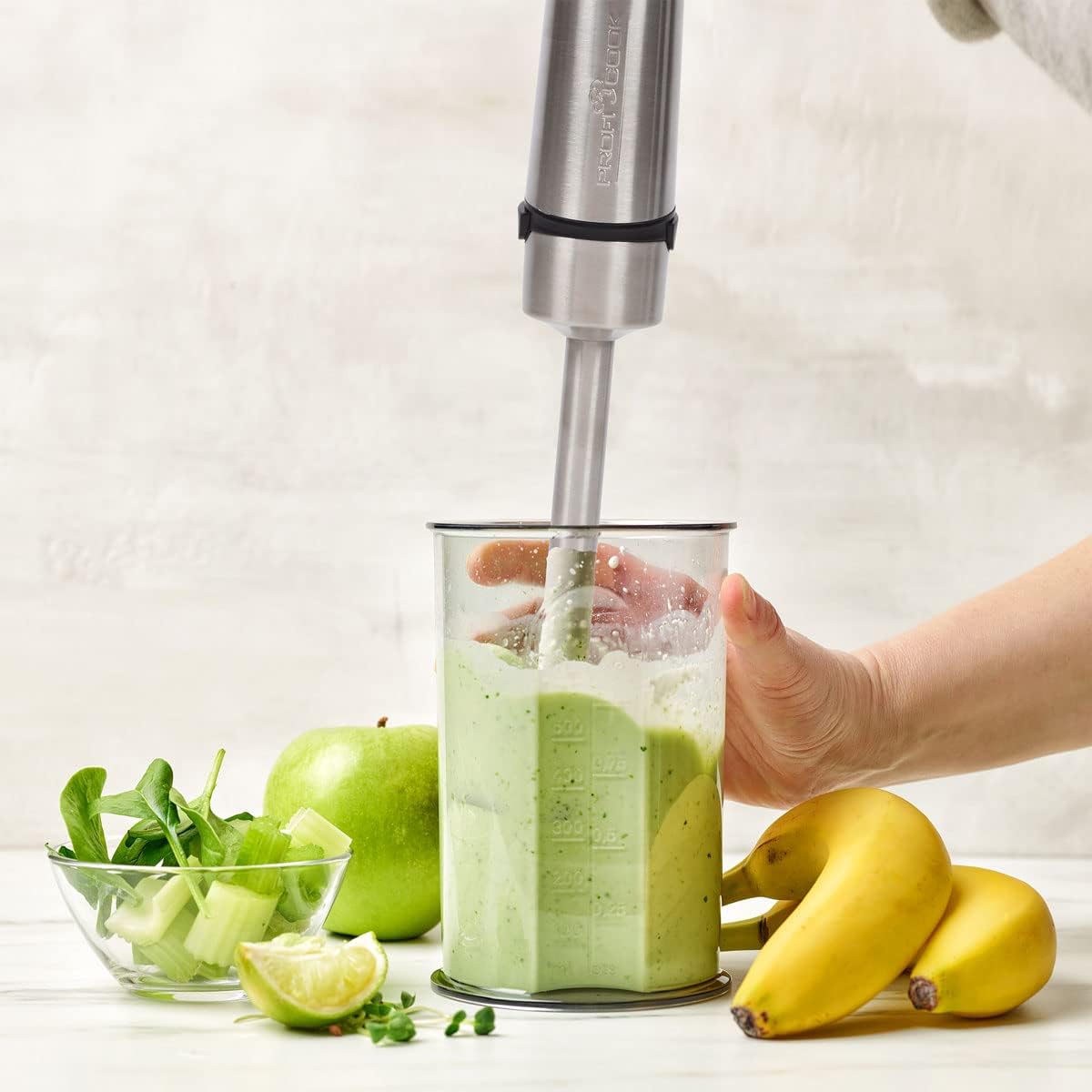
Image 6.1: Blending a smoothie with the ProfiCook immersion blender.

Image 6.2: The immersion blender can be used directly in pots for hot dishes.
7. Cleaning and Maintenance
Regular cleaning and proper maintenance will ensure the longevity and optimal performance of your immersion blender.
Cleaning:
- Disconnect: Always ensure the blender is switched off and disconnected from the charging cable before cleaning.
- Detach Blending Shaft: Twist and pull the blending shaft to detach it from the motor unit.
- Wash Blending Shaft: Wash the blending shaft, including the blade, under running water with a mild detergent. Use a brush if necessary to remove food residue. Caution: The blades are very sharp. Handle with extreme care.
- Clean Motor Unit: Wipe the motor unit with a damp cloth. Do not immerse the motor unit in water or any other liquid.
- Dry: Ensure all parts are thoroughly dry before reassembling or storing.
Maintenance:
- Store the blender in a dry place when not in use.
- Avoid dropping the appliance or subjecting it to strong impacts.
- Do not attempt to repair the appliance yourself. Contact qualified service personnel for any repairs.
8. Troubleshooting
If you encounter issues with your ProfiCook PC SM 1237 A, refer to the following table for common problems and solutions.
| Problem | Possible Cause | Solution |
|---|---|---|
| Blender does not turn on. | Battery is depleted. Safety switch not pressed. Blending shaft not properly attached. | Charge the battery. Press the safety switch before the ON/OFF switch. Ensure the blending shaft is securely locked. |
| Poor blending performance. | Too many ingredients. Ingredients are too large. Low battery. | Reduce the amount of ingredients. Cut ingredients into smaller pieces. Charge the battery. |
| Blender stops during operation. | Battery is depleted. Overload protection activated. | Charge the battery. Reduce the load, turn off, wait a few minutes, then restart. |
| Battery not charging. | Charging cable or adapter faulty. Not properly connected. | Check connections. Try a different USB-C port or adapter if available (ensure it meets specifications). |
If the problem persists after trying these solutions, please contact ProfiCook customer support.
9. Specifications
Technical details for the ProfiCook PC SM 1237 A Cordless Immersion Blender:
| Feature | Specification |
|---|---|
| Model Number | PC SM 1237 A (501237) |
| Power | 200 Watts |
| Voltage | 7.4 Volts (Battery) |
| Battery Type | Lithium-Ion, 2000 mAh |
| Battery Life | Up to 25 minutes (approx.) |
| Charging Time | Approx. 2.5 hours |
| Number of Speeds | 3 |
| Material | Stainless Steel, Polycarbonate |
| Color | Stainless Steel Black |
| Dimensions (L x W x H) | 10 x 5 x 1.27 cm (Product); 6P x 6l x 40H cm (Overall) |
| Weight | 650 g |
| Special Features | Removable blade, LED display, Ergonomic Soft Touch handle, Extra wide mixing head |
| Included Components | USB-C charging cable, Power adapter |

Image 9.1: Product dimensions of the immersion blender.
10. Warranty and Support
For warranty information, please refer to the warranty card included with your product or contact your retailer. For technical support or service inquiries, please contact ProfiCook customer service through their official website or the contact information provided with your purchase documentation.
