
Lauben 26BB Pet
Lauben Robot Vacuum 26BB Pet User Manual
Model: 26BB Pet
1. Introduction
Thank you for choosing the Lauben Robot Vacuum 26BB Pet. This intelligent robot vacuum is designed to provide effortless and thorough cleaning for your home, effectively handling pet hair, carpets, and hard floors. Equipped with advanced navigation and multiple cleaning modes, it ensures a spotless environment with minimal effort.
2. Package Contents
Carefully unpack your Lauben Robot Vacuum 26BB Pet and ensure all components are present. The package should include the following items:
- Lauben Robot Vacuum 26BB Pet unit
- Charging Dock
- Power Adapter
- Remote Control
- Side Brushes (set of 4)
- Main Brush
- HEPA Filter (pre-installed)
- Mopping Cloths (2 pieces)
- Cleaning Tool
- Virtual Wall Strip

Image: All components included with the Lauben Robot Vacuum 26BB Pet, including the main unit, charging dock, remote control, brushes, filters, and mopping cloths.
3. Setup
3.1 Initial Charging
Before first use, fully charge the robot vacuum. Place the charging dock against a wall in an open area, ensuring there are no obstacles within 1 meter to the sides and 2 meters in front. Connect the power adapter to the dock and a power outlet. Place the robot vacuum onto the charging dock; the indicator light will show charging status.

Image: The robot vacuum automatically returning to its charging dock, demonstrating its self-charging capability.
3.2 App Connection (Optional)
For enhanced control and scheduling, download the Lauben Vacuum Robot App. The app is available in German, English, and Czech. Follow the in-app instructions to connect your robot vacuum to your home Wi-Fi network.
3.3 Virtual Wall Setup
Use the included virtual wall strip to create boundaries for the robot, preventing it from entering specific areas. Place the strip flat on the floor where you want to block access.
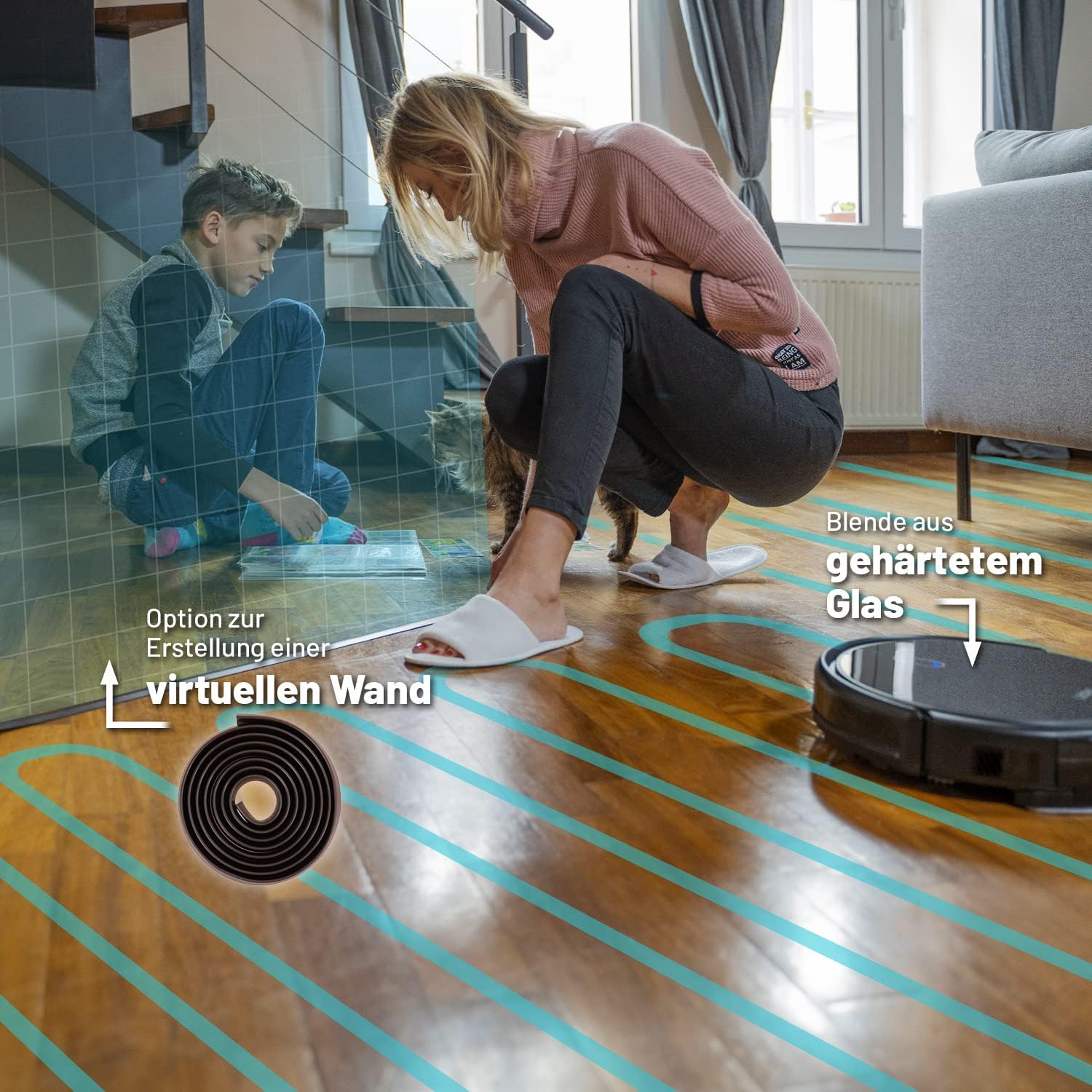
Image: The robot vacuum operating near a virtual wall strip, illustrating how to set up restricted areas.
4. Operating Modes
The Lauben Robot Vacuum 26BB Pet offers 6 distinct cleaning modes to suit various cleaning needs, controllable via the mobile app or remote control.
- Automatic Cleaning Mode: The robot intelligently navigates and cleans the entire accessible area.
- Edge Cleaning Mode: The robot cleans along walls and furniture edges.
- Spot Cleaning Mode: Focuses on a specific 2x2 meter area for intensive cleaning of concentrated dirt.
- Random Cleaning Mode: The robot cleans in a random pattern, suitable for smaller, less complex areas.
- MAX Cleaning Mode: Provides increased suction power for deeper cleaning, especially useful for carpets and heavily soiled areas.
- Standby Mode: The robot is in a low-power state, ready for the next cleaning cycle.
The robot features advanced gyroscopic navigation to create a map of its surroundings, ensuring thorough coverage and reliable cleaning completion.

Image: The mobile app interface displaying various cleaning modes and the robot's navigation map, alongside the physical remote control.
4.1 Suction and Mopping Functionality
The robot can vacuum and mop simultaneously. It features 3 suction power levels and 3 mopping intensity levels, allowing you to customize cleaning based on floor type and dirt level. The FloorSafe® Technology ensures precise water dosing for all floor types.

Image: The robot vacuum cleaning under low furniture, highlighting its slim design and ability to handle obstacles up to 1.5 cm.
5. Maintenance
Regular maintenance ensures optimal performance and extends the lifespan of your robot vacuum.
5.1 Dustbin and Filter Cleaning
After each cleaning cycle, empty the dustbin. The robot is bagless, making this process simple. The integrated HEPA filter captures particles as small as 0.1-0.3 micrometers, making it ideal for allergy sufferers and pet owners. Clean the HEPA filter regularly by tapping out dust or rinsing if washable (refer to specific instructions in the full manual).
5.2 Mopping Cloth Cleaning
Remove and clean the mopping cloth after each mopping session. It can be hand-washed or machine-washed according to care instructions.
5.3 Brush Cleaning
Periodically remove and clean the main brush and side brushes. Use the provided cleaning tool to remove tangled hair and debris.

Image: The robot vacuum's underside showing the universal brush, designed for effective cleaning of pet hair on various surfaces.
6. Troubleshooting
If you encounter issues with your Lauben Robot Vacuum, refer to the following common solutions:
- Robot not charging: Ensure the charging dock is properly connected to power and the robot is correctly aligned on the dock. Clean the charging contacts on both the robot and the dock.
- Robot stuck or not moving: Check for obstacles around the robot. Clean the drive wheels and sensors. The robot is equipped with anti-fall and anti-collision sensors to protect itself and your furniture.
- Poor cleaning performance: Empty the dustbin, clean the HEPA filter, and remove any tangled hair from the main and side brushes. Ensure the water tank is filled for mopping.
- App connectivity issues: Ensure your Wi-Fi network is stable and the robot is within range. Restart both the robot and your mobile device.
For persistent issues, consult the full user manual or contact Lauben customer support.
7. Specifications
| Brand | Lauben |
| Model | 26BB Pet |
| Color | Black |
| Product Dimensions | 33 x 33 x 7.7 cm |
| Control Method | App, Remote Control |
| Noise Level | Max. 62 dB (varies with suction level) |
| Cleaning Area per Charge | Up to 120 m² |
| Run Time per Charge | Up to 120 minutes |
| Filter Type | HEPA Filter |
8. Warranty and Support
For information regarding warranty coverage, terms, and conditions, please refer to the official Lauben website or the warranty card included with your product. For technical support, spare parts, or service inquiries, please contact Lauben customer service through the contact details provided in your product documentation or on the official Lauben website.
Related documents26BB Pet

Ask a question about this manual
Ask about setup, troubleshooting, compatibility, parts, safety, or missing instructions. Manuals+ will review the question and use this page’s manual context to help answer it.