1. Introduction
This manual provides instructions for the proper installation, operation, and maintenance of the WEP #948FC Filter Chamber. This component is designed as a replacement or accessory part for specific WEP desoldering stations.
Compatibility: The WEP #948FC Filter Chamber is ONLY compatible with the following WEP desoldering stations:
- WEP 948-III Desoldering Station
- WEP 948D-III Desoldering Station
- WEP 948D-I Desoldering Station
Ensure your desoldering station model matches one of the listed compatible units before attempting installation.
2. Included Components
The WEP #948FC Filter Chamber package includes the following parts:
- Glass Tube (temperature resistant)
- Spring Filter (with rubber retainer attached)
- Ceramic Filter
- Metallic Filter Protector

Image: All components of the WEP #948FC Filter Chamber, including the glass tube, spring filter, ceramic filter, and metallic filter protector, laid out separately.
3. Setup and Installation
Follow these steps to properly install the #948FC Filter Chamber into your compatible WEP desoldering station:
- Disassemble Existing Chamber: If replacing an old filter chamber, carefully remove the existing chamber from the desoldering gun handle. Refer to your desoldering station's main manual for specific disassembly instructions if needed.
- Assemble New Chamber: Ensure all components of the new #948FC Filter Chamber are correctly assembled. The spring filter (with rubber retainer) should be inserted into the glass tube, followed by the ceramic filter, and then the metallic filter protector.
- Insert into Desoldering Gun: Align the assembled filter chamber with the opening on the desoldering gun handle. Gently push and twist until it is securely seated. Ensure a tight seal to prevent air leaks, which can affect suction performance.
- Verify Connection: Once installed, lightly tug on the filter chamber to confirm it is firmly attached and does not wobble.
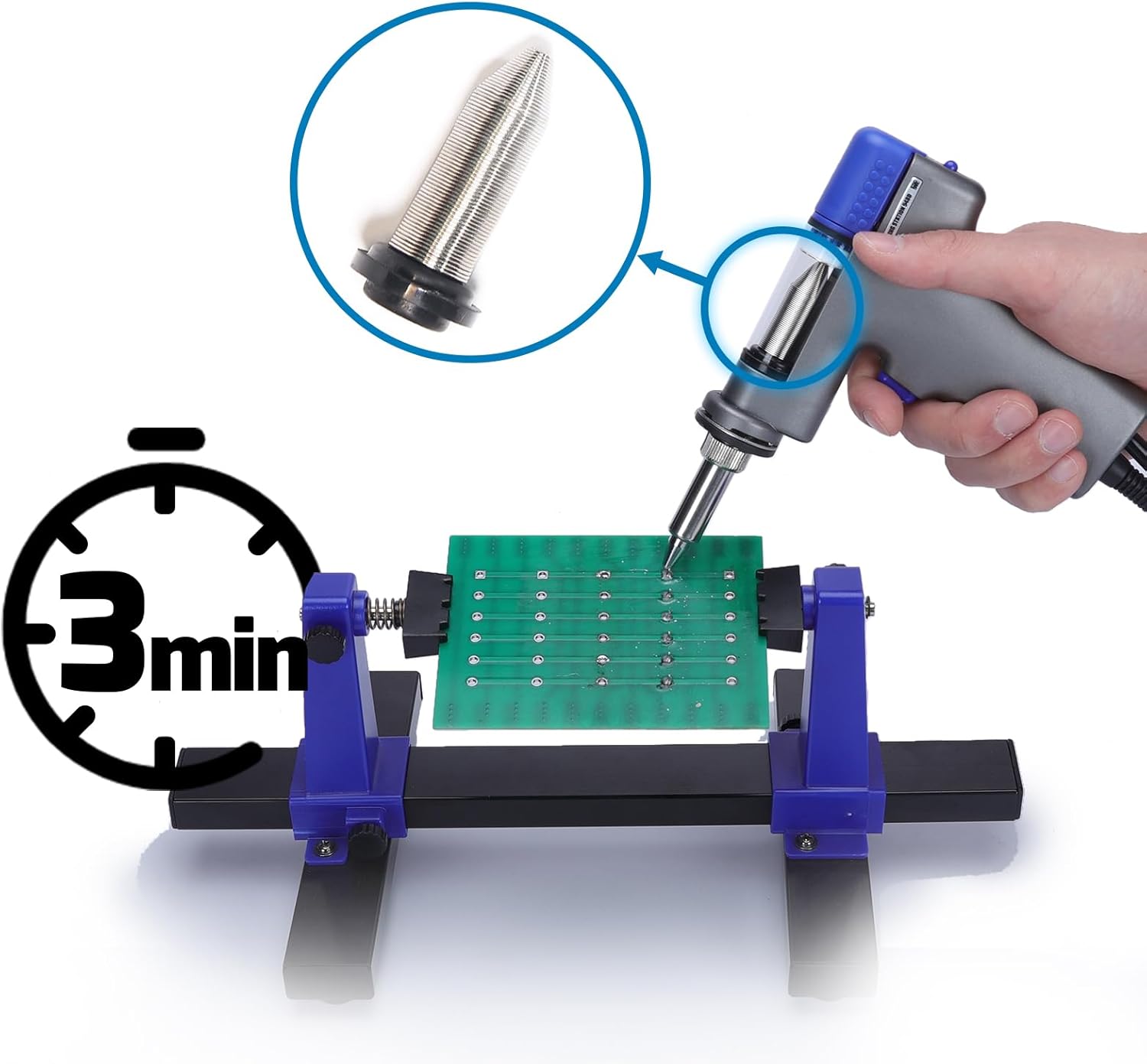
Image: A hand inserting the WEP #948FC Filter Chamber into the handle of a compatible WEP desoldering gun, illustrating the installation process.
4. Operating Instructions
The #948FC Filter Chamber functions as the collection point for molten solder during desoldering operations. Its primary role is to house the filters that capture solder and flux residue, preventing them from entering the pump mechanism of the desoldering station.
For detailed operating instructions of your desoldering station, including temperature settings and desoldering techniques, please refer to the specific user manual provided with your WEP 948-III, 948D-III, or 948D-I Desoldering Station.
Ensure the filter chamber is securely installed before powering on and using the desoldering station.
5. Maintenance
Regular maintenance of the filter chamber is crucial for optimal performance and longevity of your desoldering station. Solder and flux residue can accumulate, reducing suction efficiency if not cleaned.
- Disassembly for Cleaning: Power off and unplug the desoldering station. Allow the desoldering gun to cool completely. Carefully remove the filter chamber from the desoldering gun handle. Disassemble the glass tube, spring filter, ceramic filter, and metallic filter protector.
- Cleaning Components: Clean the glass tube and metallic filter protector using a suitable cleaning brush and isopropyl alcohol or a specialized flux cleaner. The spring filter can be cleaned by gently brushing off accumulated solder. The ceramic filter is the primary filtration element and will accumulate the most residue.
- Filter Replacement: The ceramic filter is a consumable part and should be replaced periodically, especially when it becomes heavily clogged or discolored, or if suction power noticeably decreases despite cleaning. The spring filter and metallic protector generally do not require replacement unless damaged.
- Reassembly: After cleaning and/or replacing components, reassemble the filter chamber in the correct order: spring filter (with rubber retainer) into the glass tube, then the ceramic filter, and finally the metallic filter protector. Ensure all parts are dry before reassembly.
- Reinstallation: Reinstall the cleaned and assembled filter chamber into the desoldering gun handle as described in the Setup section.
Perform cleaning as needed, typically after several hours of use or when you observe a reduction in desoldering efficiency.
6. Troubleshooting
If you experience issues with your desoldering station related to the filter chamber, consider the following:
- Reduced Suction Power:
- Cause: Clogged ceramic filter or spring filter.
- Solution: Disassemble and clean the filter chamber components. Replace the ceramic filter if heavily clogged.
- Solder Leaking from Chamber:
- Cause: Improperly seated filter chamber or damaged rubber retainer on the spring filter.
- Solution: Ensure the filter chamber is fully and securely inserted into the desoldering gun. Check the rubber retainer for damage and replace the spring filter if necessary.
- Difficulty Removing Chamber:
- Cause: Solder or flux residue has solidified, bonding the chamber to the gun.
- Solution: Ensure the gun is cool. Gently twist and pull. If stuck, apply a small amount of isopropyl alcohol around the base to help loosen residue.
For issues not resolved by these steps, please contact technical support.
7. Specifications
| Part Number | WEP #948FC |
| Item Model Number | WEP #948FC Filter Chamber |
| Specific Uses | Desoldering |
| Included Components | Glass Tube, Spring Filter, Ceramic Filter, Metallic Filter Protector |
| Item Weight | 0.634 ounces (approx. 0.02 Kilograms) |
| Package Dimensions | 7.17 x 4.57 x 0.91 inches |
| Material (Retainer) | Rubber |
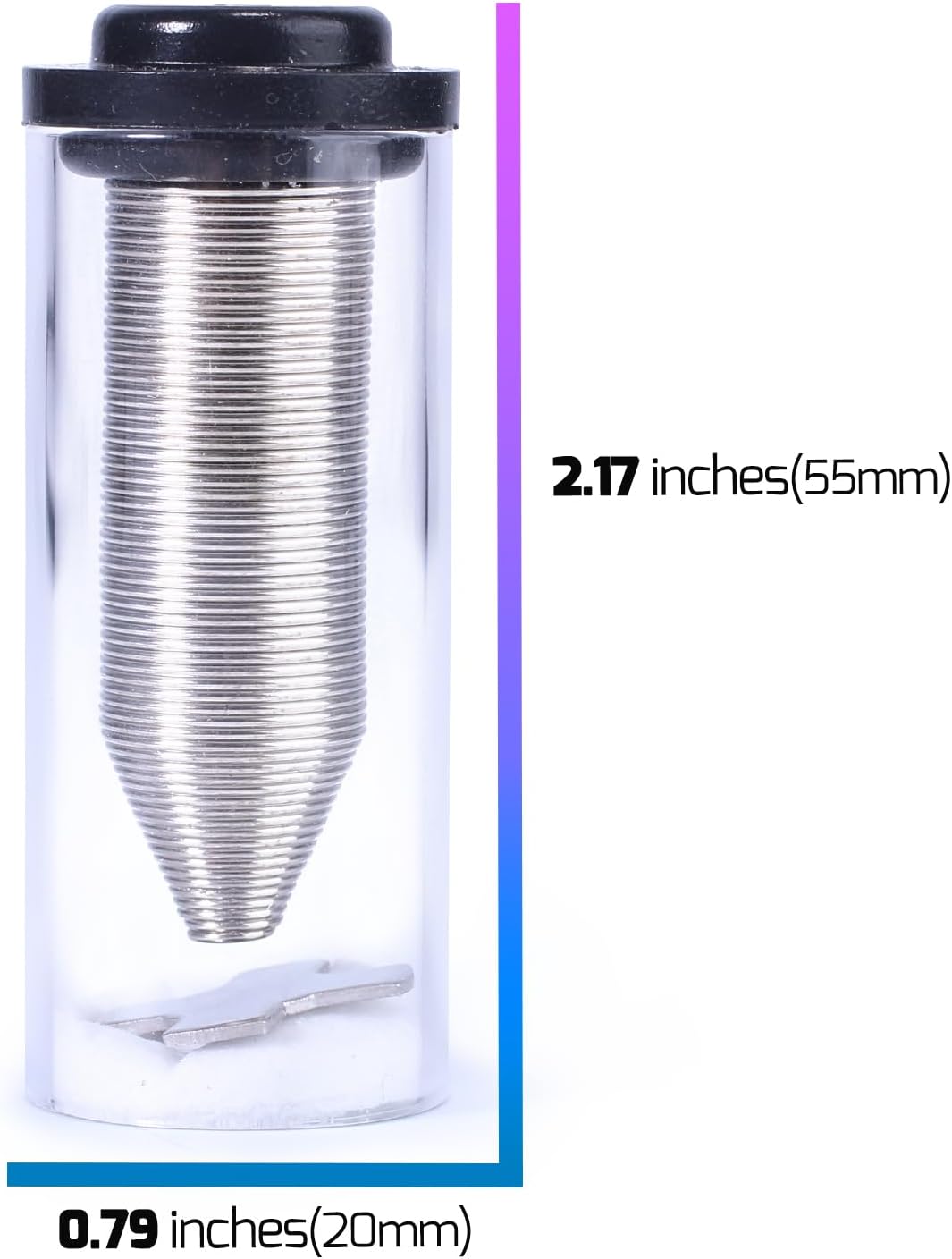
Image: Visual representation of the WEP #948FC Filter Chamber with approximate dimensions: 2.17 inches (55mm) in length and 0.79 inches (20mm) in diameter.
8. Warranty and Support
The WEP #948FC Filter Chamber and its included accessories are covered by a 1-year USA technical support.
For any queries, technical assistance, or compatibility concerns, please contact our dedicated support team. We offer 24-hour assistance via the Buyer-Seller Messaging System on the platform where you purchased this product.
When contacting support, please provide your product model number (#948FC) and a clear description of your issue.


