
TCL TCL 40XL
TCL 40XL 2023 Unlocked Cell Phone User Manual
Model: TCL 40XL | Brand: TCL
1. Introduction and Overview
The TCL 40XL is a versatile unlocked cell phone designed for the US market, offering a robust set of features for daily communication and entertainment. It combines a large display, powerful battery, and advanced camera system to provide a comprehensive smartphone experience.
This manual provides essential information on setting up, operating, maintaining, and troubleshooting your TCL 40XL device.
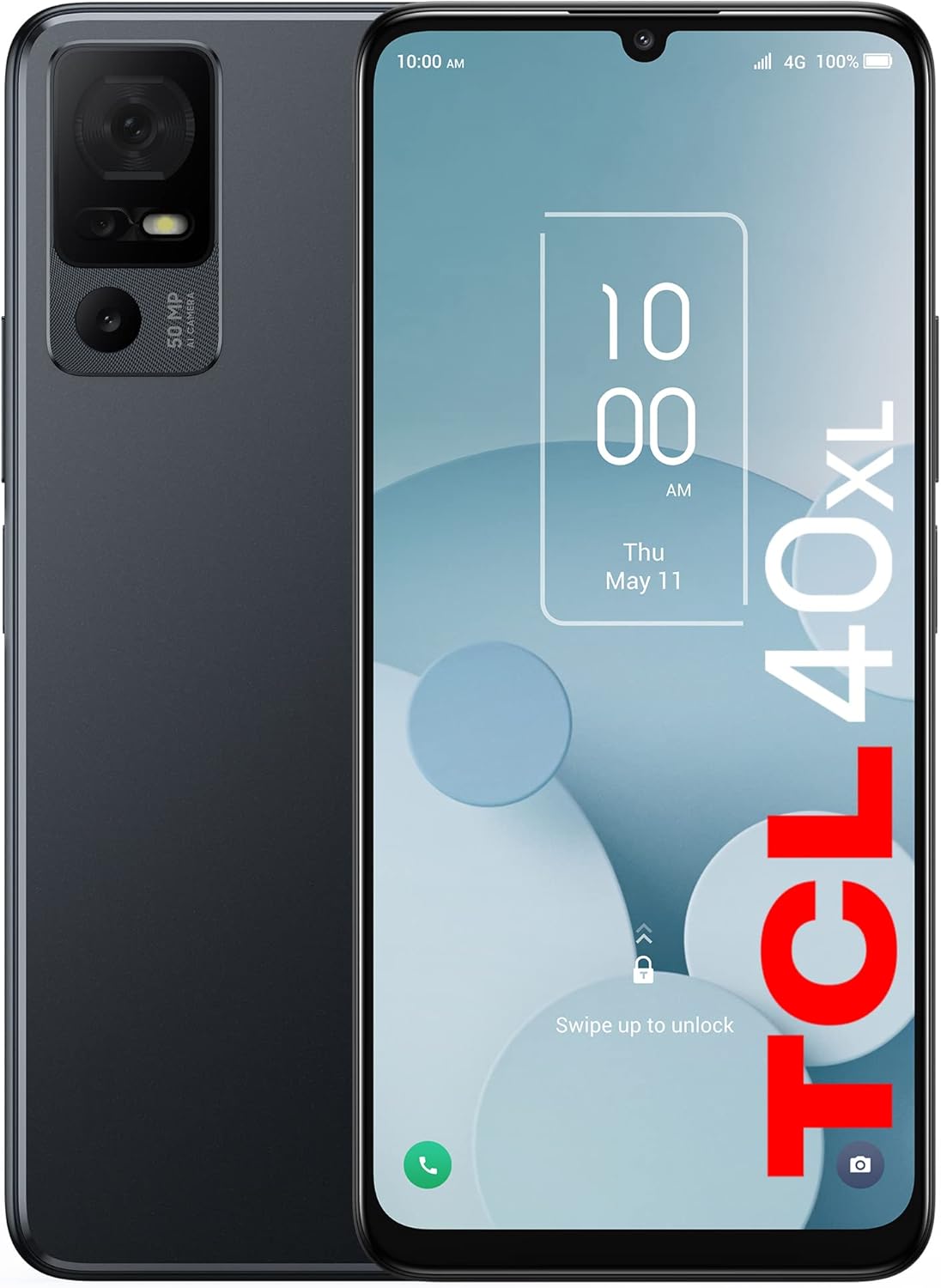
Figure 1: Front and back view of the TCL 40XL smartphone in dark gray.
Key Features:
- 6.75-inch Large Screen Display: Enjoy a cinematic viewing experience with a 20:9 aspect ratio and dual stereo speakers.
- 128GB Internal Storage: Ample space for apps, photos, and videos, expandable up to 512GB with a microSD card.
- MediaTek Helio Processor with 4GB RAM: Ensures fast and efficient performance for multitasking and app usage on Android 13.
- 50MP AI Triple Camera: Capture high-resolution images in various lighting conditions with a 50Mpx main camera, 2Mpx depth sensor, and 2Mpx macro lens. Features an 8Mpx front camera.
- 5000mAh Long-Life Battery: Provides extended usage time, reducing battery anxiety throughout the day.
- US Carrier Compatibility: Works with major US carriers including Verizon, AT&T, and T-Mobile, and many MVNOs.
2. What's in the Box
Upon unboxing your TCL 40XL, ensure all the following items are present:
- 1 x TCL 40XL Cell Phone
- 1 x Quick Guide
- 1 x LCD Sticker
- 1 x 18W Charger (9V 2A)
- 1 x USB Cable
3. Setup
3.1. Inserting the SIM Card and microSD Card
The TCL 40XL uses a 4FF (Nano-SIM) card. You can also expand storage using a microSD card (up to 512GB, sold separately).
- Locate the SIM card tray on the side of the device.
- Insert the SIM ejector tool (not included, typically comes with SIM cards or can be a paperclip) into the small hole next to the tray.
- Gently push until the tray pops out.
- Place your Nano-SIM card into the designated slot on the tray with the gold contacts facing down.
- If using a microSD card, place it into the dedicated microSD slot on the tray.
- Carefully push the tray back into the device until it clicks into place.

Figure 2: Illustration of SIM and microSD card insertion into the TCL 40XL.
3.2. Initial Power On and Setup Wizard
- Press and hold the Power button (located on the side) until the TCL logo appears.
- Follow the on-screen instructions to complete the initial setup. This typically includes:
- Selecting your language (English, Chinese, Korean, Polish, Portuguese, German, Vietnamese, Spanish, French are supported).
- Connecting to a Wi-Fi network.
- Setting up your Google account.
- Configuring security options (PIN, pattern, fingerprint, facial recognition).
Video 1: An overview of the TCL 40XL Cell Phone, highlighting its features and design. This video is provided by the seller, TCL Direct-US.
4. Operating the Device
4.1. Display and Navigation
The TCL 40XL features a 6.75-inch HD+ display, providing a large and immersive viewing area. Navigation is intuitive with the Android 13 operating system.
- Touchscreen Gestures: Swipe, tap, pinch-to-zoom for various functions.
- Home Screen: Customize with widgets and app shortcuts.
- Notifications Panel: Swipe down from the top of the screen to access notifications and quick settings.

Figure 3: The 6.75-inch HD+ display of the TCL 40XL, designed for an enhanced viewing experience.
Video 2: A quick highlight video of the TCL 40XL 2023 Phone. This video is provided by the seller, TCL Direct-US.
4.2. Camera Features
Capture precious moments with the TCL 40XL's triple camera system:
- Rear Cameras:
- 50MP AI Main Camera: For high-resolution photos in various lighting.
- 2MP Depth Camera: Enhances portrait mode with background blur.
- 2MP Macro Camera: For detailed close-up shots.
- Front Camera: 8MP for selfies and video calls.

Figure 4: The TCL 40XL's triple AI camera in action, capturing a scenic view.
Video 3: A short promotional video showcasing the TCL 40XL's triple camera with 50MP AI capabilities. This video is provided by the seller, TCL Direct-US.
4.3. Battery Management
The 5000mAh battery provides extended usage. To optimize battery life:
- Adjust screen brightness.
- Enable Smart charging mode to slow down battery aging.
- Close unused apps running in the background.
- Utilize power-saving modes when battery is low.

Figure 5: The TCL 40XL's battery status and estimated usage times for various activities.
4.4. Connectivity
The TCL 40XL supports 4G LTE for mobile data and Wi-Fi for internet access. It includes a 3.5mm audio jack for headphones.
- Network Bands:
- 2G-GSM: 850/900/1800/1900
- 3G-WCDMA: B2/B4/B5
- 4G-FDD LTE: B2/B4/B5/B12/B13/B25/B26/B66/B71
- 4G-TDD LTE: B41(HPUE)
- Wi-Fi Calling: Supported on T-Mobile, Ultra Mobile, Google Fi, Lycamobile, Mint Mobile, Simple Mobile, Tello, Ting, Family Mobile, MetroPCS, Pure talk, H2O, Republic.
- Important Note: The TCL 40XL does not support 5G network or NFC.

Figure 6: Detailed compatibility chart for major US carriers and Wi-Fi calling support.
5. Maintenance
Proper maintenance ensures the longevity and optimal performance of your TCL 40XL.
- Cleaning: Use a soft, lint-free cloth to clean the screen and body. Avoid harsh chemicals.
- Software Updates: Regularly check for and install system updates to ensure your device has the latest features and security patches. Go to Settings > System > System update.
- Storage Management: Periodically clear cache, delete unnecessary files, and uninstall unused apps to free up storage space.
- Battery Care: Avoid extreme temperatures. Do not let the battery completely drain frequently.
6. Troubleshooting
Here are solutions to common issues you might encounter:
| Problem | Solution |
|---|---|
| Device not turning on | Ensure the battery is charged. Connect to the charger and wait a few minutes before attempting to power on again. |
| Poor network signal | Check your location for network coverage. Restart the device. Verify SIM card is properly inserted. |
| Apps crashing or freezing | Clear the app's cache (Settings > Apps > [App Name] > Storage > Clear cache). Restart the app or device. Ensure sufficient RAM (4GB) and storage. |
| Battery draining quickly | Reduce screen brightness, disable unused features (Wi-Fi, Bluetooth, GPS when not needed), close background apps. Check battery usage in Settings. |
| Fingerprint sensor not responding | Ensure your finger is clean and dry. Re-register your fingerprint in Settings > Security. |
If issues persist, consider performing a factory reset (Settings > System > Reset options > Erase all data (factory reset)). Note: This will erase all data on your device. Back up important information before proceeding.
7. Specifications
| Feature | Detail |
|---|---|
| Operating System | Android 13.0 |
| Display Size | 6.75 Inches |
| Resolution | 1280 x 720 (HD+) |
| Processor | MediaTek Helio (Octa-core) |
| RAM | 4 GB |
| Internal Storage | 128 GB (Expandable up to 512GB via Micro SD) |
| Rear Camera | 50MP + 2MP + 2MP (AI Triple Camera) |
| Front Camera | 8MP |
| Battery Capacity | 5000 mAh |
| Audio Jack | 3.5 mm |
| Dimensions (L x W x H) | 6.61 x 3.01 x 0.35 inches |
| Item Weight | 12.6 ounces |
| Color | Dark Grey |
| Wireless Technologies | Cellular (4G LTE), Wi-Fi, Bluetooth, GPS |
| SIM Type | Nano-SIM (Single SIM) |
8. Warranty and Support
The TCL 40XL comes with a one-year limited US manufacturer warranty.
For further assistance, you may refer to the official User Manual PDF:
Related documentsTCL 40XL


Ask a question about this manual
Ask about setup, troubleshooting, compatibility, parts, safety, or missing instructions. Manuals+ will review the question and use this page’s manual context to help answer it.