
Introduction
Thank you for choosing the SKEAP Digital Hanging Scale. This manual provides essential information for the proper setup, operation, and maintenance of your new scale. Designed for precision and durability, this scale is ideal for weighing a variety of items, including fish, luggage, and packages, with a maximum capacity of 110lb (50kg).
Product Features
- Accurate Weighing: Provides reliable and precise results with an increment of 0.001kg / 0.01oz / 0.01lb, from 50g / 0.11 lb to 50kg / 110lb.
- Durable and Comfortable Handle: Equipped with a durable ABS plastic rubber-coated handle for comfortable grip when weighing heavy objects.
- Multifunctional: Features weighing unit conversion, data lock, auto shut-off, and tare functions.
- Blue Backlit LCD Display: Ensures easy readability of values day and night.
- High Strength Hook: Crafted from premium stainless steel, the large and durable hook is concealed in a back slot for convenience and safety.
- Portable Design: Extra-wide soft plastic handle and compact size make it easy to carry.
Setup
Battery Installation
The SKEAP Digital Hanging Scale requires 2 AAA batteries (included). To install or replace batteries:
- Locate the battery compartment on the back of the scale.
- Slide open the battery compartment cover.
- Insert the 2 AAA batteries, ensuring correct polarity (+/-).
- Close the battery compartment cover securely.
Power On/Off
To power on the scale, press the POWER button. The display will light up and show "0.000". To power off, press and hold the POWER button for a few seconds, or the scale will automatically shut off after a period of inactivity to conserve battery life.
Operating Instructions
Unit Conversion
With the scale powered on, press the UNIT button to cycle through the available weighing units: kilograms (Kg), pounds (Lb), ounces (Oz), and Jin (Jin).

Image: The scale's display showing different weight units (Kg, Oz, Lb) for selection.
Tare Function
The tare function allows you to subtract the weight of a container or other items to get an accurate measurement of the contents. To use the tare function:
- Hang the empty container or item you wish to tare on the scale's hook.
- Wait for the display to stabilize and show the weight of the container.
- Press the TARE button. The display will reset to "0.000".
- Place the items you want to weigh inside the container. The display will now show only the net weight of the items.

Image: Visual guide illustrating the three steps of using the tare function with a basket and apples.
Weighing Procedure
- Ensure the scale is powered on and set to your desired unit.
- If using a container, perform the tare function as described above.
- Carefully attach the item to be weighed to the scale's hook.
- Lift the scale by its handle, holding it steady.
- Wait for the display to stabilize. The weight will be shown and automatically locked (indicated by a "LOCK" icon on the display).

Image: The SKEAP Digital Hanging Scale in use, demonstrating weighing both luggage and a fish, highlighting its versatility.
Data Lock Function
The scale features an automatic data lock function. Once the weight stabilizes, the reading will lock on the display, allowing you to view the measurement even after removing the item. A "LOCK" icon will appear on the screen.

Image: Close-up of the scale's display showing a stable, locked weight reading with a lock icon.
Auto Shut-off Function
To conserve battery power, the scale will automatically turn off after a period of inactivity. This feature helps extend the life of your AAA batteries.

Image: The scale next to an 'AUTO OFF' symbol, indicating its power-saving feature.
Product Details and Usage Examples

Image: A collage showcasing various detailed features of the SKEAP scale, such as the large backlit LCD, laser-etched buttons, non-slip handle, high-strength hook, hook storage, and dustproof design.

Image: A comparative display highlighting the SKEAP scale's extra-wide and soft handle for comfort versus a narrow and thin handle on a generic scale that can cause discomfort.
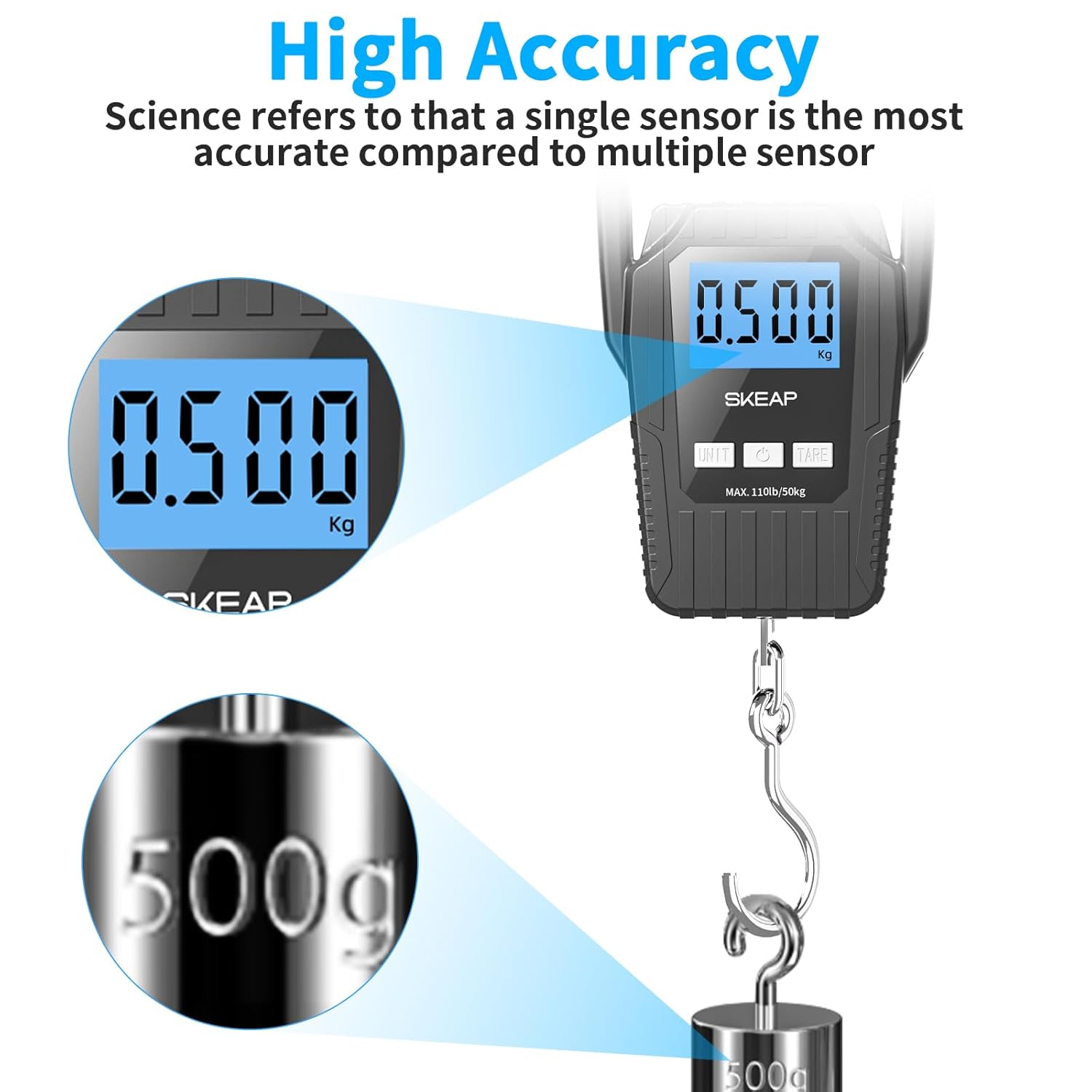
Image: An illustration emphasizing the high accuracy of the SKEAP scale, showing a 500g weight being precisely measured.

Image: A display of the scale's multifunctionality, showing it being used to weigh luggage, fish, boxes, and various fruits and vegetables.

Image: Examples of the scale's diverse applications, including fishing, luggage, vegetable, and express parcel weighing.
Official Product Video
Video: This video provides a comprehensive overview of the SKEAP Digital Hanging Scale, demonstrating its features and basic usage.
Specifications
| Brand | SKEAP |
| Model Number | SKEAP-002 |
| Color | Black |
| Display Type | LCD (Backlit) |
| Weight Limit | 110 Pounds / 50 Kilograms |
| Readout Accuracy | 0.01 Pounds / 0.001 Kilograms |
| Material | Stainless Steel & ABS Plastic |
| Item Weight | 5.6 ounces / 0.35 Pounds |
| Product Dimensions | 7.24 x 4.57 x 1.46 inches |
| Batteries | 2 AAA batteries (included) |
Maintenance
- Cleaning: Wipe the scale with a soft, damp cloth. Do not use abrasive cleaners or immerse the scale in water.
- Storage: Store the scale in a cool, dry place. Ensure the hook is securely stored in its back slot to prevent damage or injury.
- Battery Care: Remove batteries if the scale will not be used for an extended period to prevent leakage and damage.
Troubleshooting
- No Display/Low Battery: If the display does not turn on or shows a low battery indicator, replace the 2 AAA batteries.
- Inaccurate Readings: Ensure the scale is held steady and not touching any surfaces during weighing. Re-tare the scale if using a container. Avoid weighing items exceeding the maximum capacity (110lb/50kg).
- "Err" Message: This usually indicates an overload. Remove the item immediately to prevent damage to the scale.
Warranty and Support
SKEAP is committed to providing high-quality products. For any questions, concerns, or support needs regarding your digital hanging scale, please refer to the contact information provided with your purchase or visit the official SKEAP store online. Please retain your proof of purchase for warranty claims.