
Introduction
Thank you for choosing the Moser 1430-0050 Professional Cord/Cordless Hair and Beard Clipper. This versatile grooming tool is engineered for precision and durability, offering both corded and cordless operation for maximum flexibility. Designed for professional and home use, it provides a reliable solution for maintaining hair and beard styles with ease. Please read this manual thoroughly before first use to ensure safe and optimal performance of your clipper.

Image: Front view of the Moser 1430-0050 clipper, showcasing its sleek design and blade.
Safety Information
WARNING: Always keep the trimmer away from water sources. Do not use the trimmer on infants or children. Always unplug the trimmer from the power source before cleaning or maintaining it. Always store the trimmer in a dry place when not in use. Always follow the manufacturer's instructions for charging and maintaining the battery.
- Do not immerse the clipper in water or any other liquid.
- Keep the appliance out of reach of children.
- Ensure the power cord is not damaged before use.
- Use only the charger supplied with the appliance.
- Do not operate the clipper if it has been dropped or damaged.
- Avoid using the clipper in direct sunlight or near heat sources.
- Always turn off the clipper before attaching or removing guide combs.
Package Contents
Please check the box for the following items:
- Moser 1430-0050 Hair and Beard Clipper
- Charging Adapter
- 4 Attachment Guide Combs (3mm, 6mm, 9mm, 12mm)
- Cleaning Brush
- Blade Oil
- Blade Guard

Image: The Moser 1430-0050 clipper displayed with its complete set of accessories, including guide combs, charger, oil, and cleaning brush.
Setup
- Initial Charge: Before first use, fully charge the clipper. Connect the charging adapter to the clipper and plug it into a suitable power outlet. The charging indicator light will illuminate. A full charge typically takes several hours.
- Blade Oiling: Apply a few drops of the supplied blade oil to the teeth of the clipper blade before first use. Turn on the clipper for a few seconds to distribute the oil evenly. This ensures smooth operation and extends blade life.
- Attaching Guide Combs: Select the desired guide comb (3mm, 6mm, 9mm, or 12mm) based on the cutting length. Align the comb with the clipper blade and push it firmly until it clicks into place. Ensure it is securely attached before use.
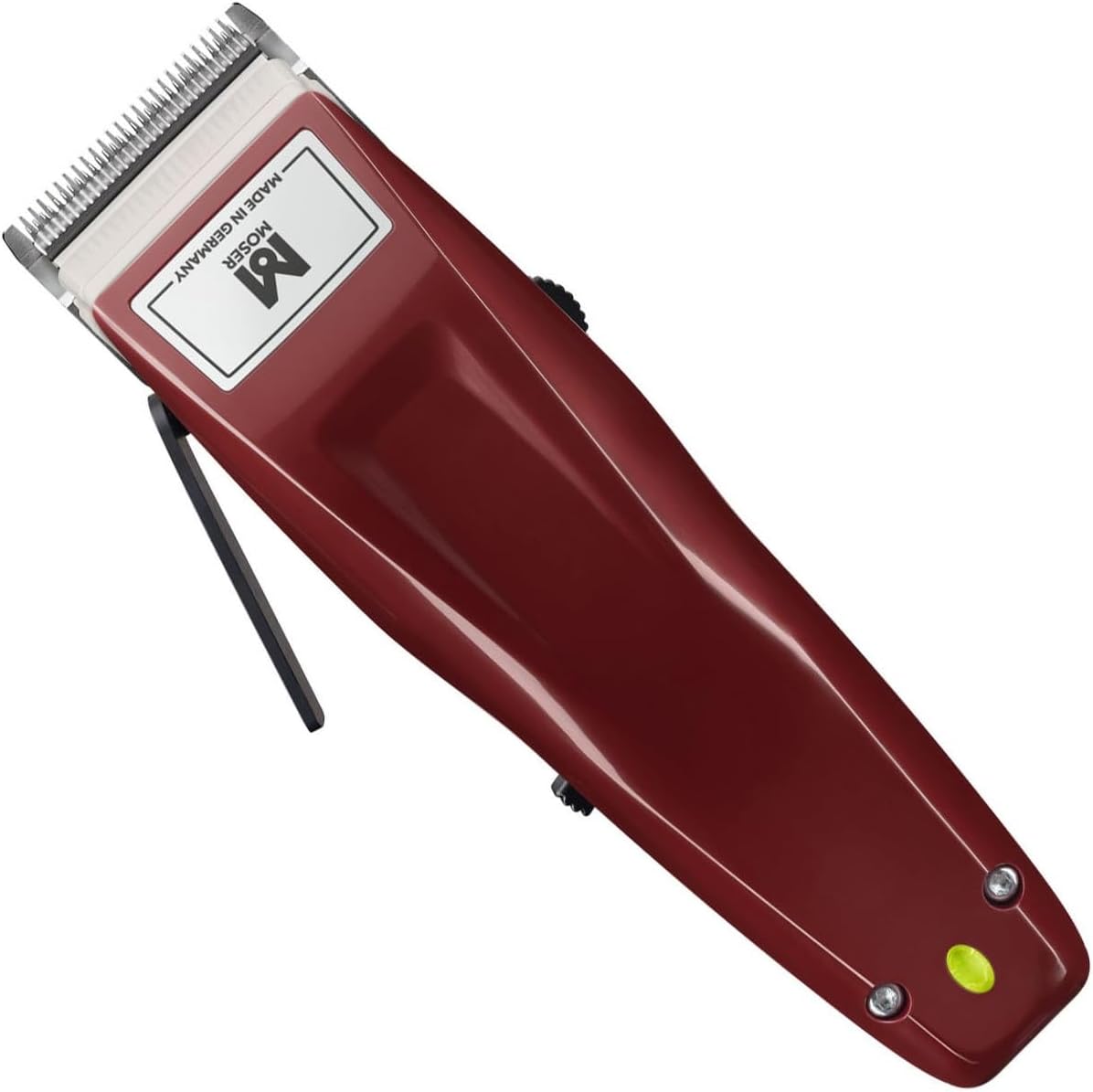
Image: An angled view of the Moser 1430-0050 clipper, highlighting the blade and body design.
Operating Instructions
General Operation
- Power On/Off: Use the power switch located on the side of the clipper to turn it on or off.
- Corded Use: The clipper can be used directly with the power cord connected, even if the battery is low or depleted.
- Cordless Use: For maximum flexibility, use the clipper on battery power after a full charge.
Adjusting Cutting Length
The Moser 1430-0050 features an adjustable cutting length lever on the side of the clipper, allowing for fine-tuning of the blade's position.
- Move the lever up or down to adjust the cutting length without a guide comb. This is ideal for very short cuts or detailing.
- When using guide combs, the lever can still be used for slight variations in length.

Image: Side view of the Moser 1430-0050 clipper, clearly showing the adjustable cutting length lever.
Hair and Beard Trimming
- Always start with clean, dry hair.
- For best results, move the clipper against the direction of hair growth.
- Use smooth, even strokes. Do not press too hard.
- For beard trimming, use a smaller guide comb or the adjustable lever for precise shaping.

Image: A person using the Moser 1430-0050 clipper to trim a man's beard, demonstrating its application.
Maintenance
- Cleaning the Blades: After each use, turn off and unplug the clipper. Use the supplied cleaning brush to remove any hair clippings from the blades. For a more thorough cleaning, the blade set can be carefully removed (refer to manufacturer's specific instructions if available, otherwise proceed with caution).
- Oiling the Blades: Regularly apply a few drops of blade oil to the cutting blades. This should be done after every few uses or if the clipper starts to pull hair. Turn on the clipper for a few seconds to allow the oil to spread.
- Storage: Store the clipper in a dry place, away from direct sunlight and extreme temperatures. Use the blade guard to protect the blades when not in use.

Image: A detailed close-up of the Moser 1430-0050 clipper's high-grade steel blade, showing its precision teeth and "Made in Germany" engraving.
Troubleshooting
| Problem | Possible Cause | Solution |
|---|---|---|
| Clipper does not turn on. | Battery is depleted or not charged. | Charge the clipper fully. Ensure the power adapter is properly connected. |
| Clipper pulls hair. | Blades are dull, dirty, or not oiled. | Clean the blades thoroughly and apply blade oil. If problem persists, blades may need sharpening or replacement. |
| Poor cutting performance. | Hair buildup in blades, insufficient oil, or incorrect technique. | Clean and oil blades. Ensure you are cutting against the direction of hair growth. |
| Clipper makes unusual noise. | Blades are not properly aligned or lubricated. | Ensure blades are clean and well-oiled. If noise persists, contact customer support. |
Specifications
- Model Number: 1430-0050
- Product Dimensions: 19.69 x 19.69 x 11.02 inches
- Item Weight: 2 Grams (0.07 ounces)
- Power Source: Battery Powered (Cord/Cordless operation)
- Blade Material: High Grade Steel
- Batteries: 2 AA batteries required (included)
- Manufacturer: Moser
- First Available Date: February 16, 2024
Warranty and Support
For information regarding the product warranty, please refer to the warranty card included in your product packaging or visit the official Moser website.
If you encounter any issues or have questions not covered in this manual, please contact Moser customer support through their official website or the contact information provided with your purchase.
Official Moser Website: www.moser-profiline.de (Note: This is a general link, specific support contact may vary by region.)

