
Introduction
The Dial PEC-A-1300-1M Portable Evaporative Cooler is designed to provide efficient and economical cooling for areas up to 500 square feet. This unit utilizes the natural process of evaporation to cool the air, making it an ideal solution for patios, homes, garages, and RVs. Its portable design with wheels and a fold-down handle allows for easy relocation.
Key Features:
- 2-Way Airflow: Features manual horizontal louvers and fixed vertical louvers for directed airflow.
- High Efficiency Motor: Ensures quiet fan operation while providing powerful cooling.
- Versatile Water Fill Options: Includes a manual fill door and a garden hose attachment with float valve auto shut-off for continuous water supply.
- Water Level Indicator: A convenient window allows for easy monitoring of the water level.
- Enhanced Portability: Equipped with wheels and a fold-down carrier handle for effortless movement.
- Three Speed Settings: Offers High, Medium, and Low fan speeds for customized comfort.
Setup
Unboxing and Placement:
Carefully remove the evaporative cooler from its packaging. Place the unit on a flat, stable surface. Ensure there is adequate space around the cooler for proper airflow, ideally at least 12 inches from walls or other obstructions. The unit is designed for freestanding use.

Figure 1: Front view of the Dial PEC-A-1300-1M Portable Evaporative Cooler, showing its compact design and front grille.
Filling the Water Reservoir:
The PEC-A-1300-1M has a 5-gallon water reservoir. You can fill it manually or connect a garden hose for continuous water supply.
- Manual Fill: Locate the manual fill door on the side of the unit. Open the door and pour clean water into the reservoir until the water level indicator window shows it is full. Do not overfill.
- Garden Hose Attachment: For continuous operation, connect a standard garden hose to the attachment port at the back of the unit. The built-in float valve will automatically shut off the water supply once the reservoir is full, preventing overflow.
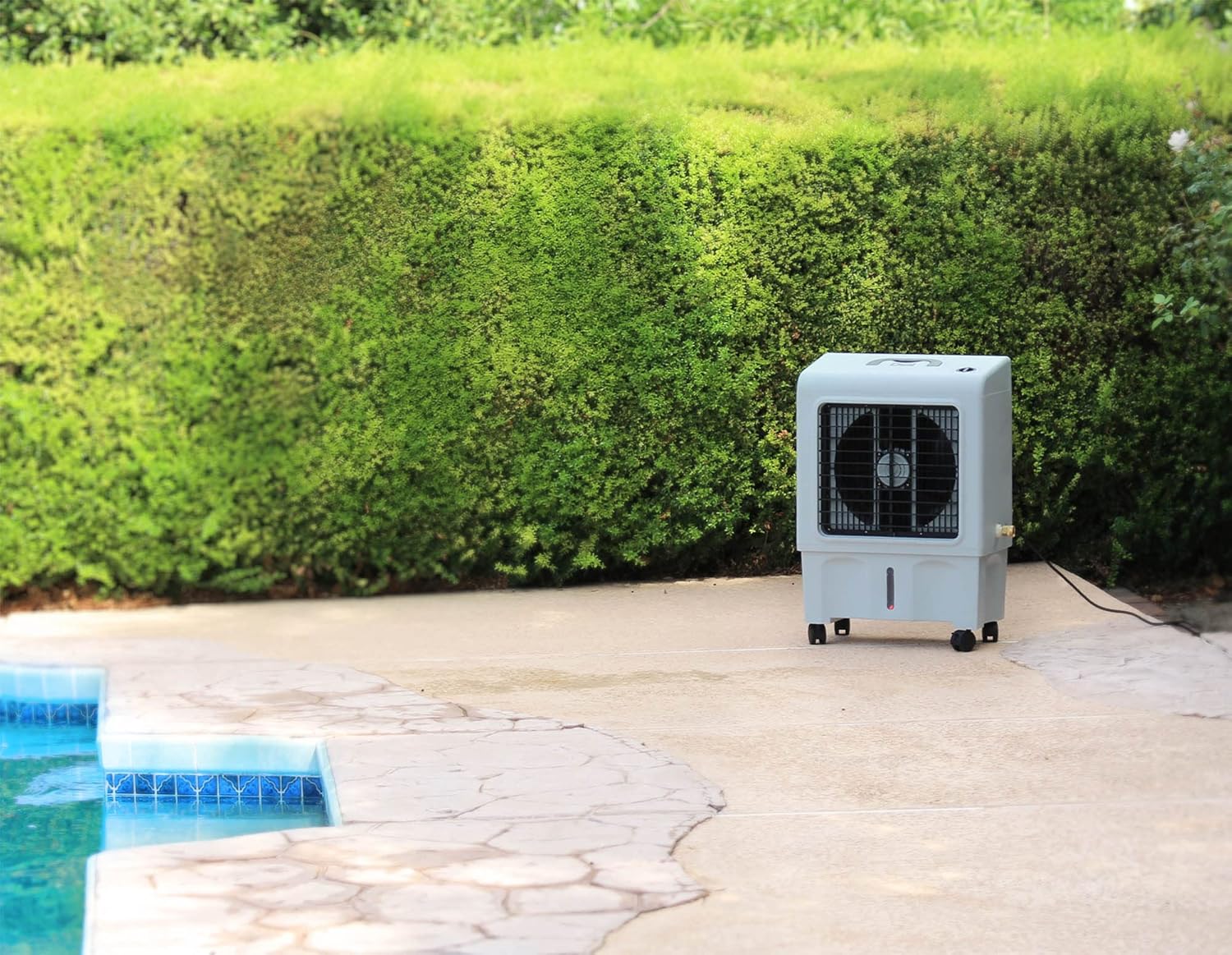
Figure 2: Rear view of the cooler, highlighting the garden hose attachment point for continuous water supply.

Figure 3: Side view of the cooler, illustrating the water level indicator window for easy monitoring of the reservoir.
Official Product Video: Features Overview
Video 1: This video provides a detailed overview of the Dial PEC-A-1300-1M Portable Evaporative Cooler's features, including its economical cooling capabilities, quiet operation, and various water filling options. It demonstrates the unit in an outdoor patio setting.
Operating Instructions
Control Dial:
The unit is operated using a single control dial located on the top of the cooler. This dial allows you to select between different fan speeds and cooling modes.

Figure 4: Top view of the cooler, displaying the main control knob for fan and cooling settings.
- OFF: Turns the unit off.
- FAN LOW/MEDIUM/HIGH: These settings operate the fan without engaging the water pump, providing air circulation.
- PUMP ONLY: Activates the water pump to wet the cooling pads without the fan running. This can be used to pre-wet the pads before cooling.
- COOLING LOW/MEDIUM/HIGH: These settings activate both the fan and the water pump, initiating the evaporative cooling process. Select the desired fan speed for cooling.
Airflow Adjustment:
The unit features 2-way airflow. The horizontal louvers can be manually adjusted to direct the airflow up or down, while the vertical louvers are fixed to distribute air broadly.
Portability:
With integrated wheels and a fold-down carrier handle, the cooler can be easily moved to different locations as needed. Always ensure the unit is on a level surface during operation.

Figure 5: The evaporative cooler positioned on a patio, demonstrating its portability and suitability for outdoor use.
Maintenance
Regular maintenance ensures optimal performance and longevity of your evaporative cooler.
Daily/Weekly Maintenance:
- Water Reservoir: Check the water level daily. If using manual fill, refill as needed. If using the garden hose attachment, ensure the float valve is functioning correctly.
- Clean Exterior: Wipe down the exterior of the unit with a soft, damp cloth to remove dust and dirt.
Monthly/Seasonal Maintenance:
- Drain and Clean Reservoir: Regularly drain the water reservoir to prevent mineral buildup and algae growth. Unplug the unit, locate the drain plug at the bottom, and remove it to empty the water. Clean the inside of the reservoir with a mild detergent and water, then rinse thoroughly.
- Inspect Cooling Pads: Over time, cooling pads can accumulate mineral deposits. Inspect them for excessive buildup. If heavily soiled, they may need to be cleaned or replaced. Refer to the specific instructions for pad removal and cleaning in the full product manual.
- Store Properly: Before long periods of non-use (e.g., winter), ensure the unit is completely drained and dry. Store it in a cool, dry place, preferably covered, to protect it from dust and damage.
Troubleshooting
If you encounter issues with your evaporative cooler, refer to the following common troubleshooting steps:
| Problem | Possible Cause | Solution |
|---|---|---|
| Unit does not turn on. | No power supply; unit unplugged; power switch off. | Ensure the unit is plugged into a working outlet. Check the power switch and turn it on. |
| No cooling effect. | Low or no water in reservoir; pump not operating; cooling pads dry. | Check water level and refill. Ensure the control dial is set to a "COOLING" mode. Inspect pump for obstructions. |
| Unpleasant odor. | Stagnant water or algae growth in reservoir. | Drain and thoroughly clean the water reservoir. Use fresh water. |
| Water leakage. | Overfilling the reservoir; loose hose connection. | Do not overfill the reservoir. Ensure garden hose connection is tight. Check drain plug is securely in place. |
| Fan not blowing air. | Fan motor issue; control dial not set to fan mode. | Ensure the control dial is set to a "FAN" or "COOLING" mode. If problem persists, contact customer support. |
For more detailed troubleshooting or issues not listed here, please refer to the comprehensive troubleshooting guide in the complete user manual or contact Dial customer support.
Specifications
| Attribute | Detail |
|---|---|
| Brand | Dial |
| Model Name | PEC-A-1300-1M |
| Mounting Type | Freestanding |
| Special Feature | Portable |
| Color | Grey |
| Air Flow Capacity | 1300 Cubic Feet Per Minute (CFM) |
| Controls Type | Knob |
| Reservoir Capacity | 5 Gallons |
| Floor Area Coverage | Up to 500 Square Feet |
| Recommended Uses | Residential |
| Included Components | Fan, Handle, Manual |
| Noise Level | 71 dB |
| Number of Speeds | 3 |
| Product Dimensions (D x W x H) | 11.8"D x 16.5"W x 28.9"H |
| Voltage | 120 Volts |
| Manufacturer | Dial Manufacturing, Inc. |
| Item Weight | 17.5 pounds |
| UPC | 026529810302 |

Figure 6: Diagram showing the dimensions of the evaporative cooler.
Warranty and Support
The Dial PEC-A-1300-1M Portable Evaporative Cooler comes with a manufacturer's warranty. For specific details regarding the warranty period, coverage, and terms, please refer to the warranty description included with your product documentation.
For technical support, replacement parts, or any inquiries not covered in this manual, please contact Dial Manufacturing, Inc. customer service. You can often find contact information on the product packaging, the official Dial website, or by searching for "Dial Manufacturing, Inc. customer support" online.
Note: Always retain your proof of purchase for warranty claims.


