
1. Product Overview
The Waterdrop K19-SFK is an advanced countertop reverse osmosis water filter system designed to provide clean, healthy, and great-tasting water without the need for complex installation. Its compact and sleek design makes it suitable for various spaces, from kitchens to RVs.

Image: The Waterdrop K19-SFK Countertop Reverse Osmosis Water Filter System in Pure White - Alkaline.
2. Key Features
- Healthy Minerals: This countertop RO system adds beneficial minerals such as Potassium (K), Calcium (Ca), Sodium (Na), and Magnesium (Mg) to enhance water quality from clean to healthy. This also improves the flavor of cooking and the taste of drinking water.
- 7-Stage Filtration: Utilizing a 0.0001μm RO membrane, this system effectively reduces Total Dissolved Solids (TDS), PFOA, PFOS, Chlorine, Salt, Sediment, Lead, Odor, and other contaminants. It has been tested by SGS to ensure water safety and purity.
- Installation-Free Design: This countertop RO water filter system offers a plug-and-play setup, requiring no complex installation. Its compact dimensions (13.8"L x 7.9"W x 16.3"H) allow it to fit conveniently in various settings such as kitchens, bedrooms, offices, or RVs.
- Easy to Use: The smart RO purifier features an easy-to-read display screen and simple touch buttons, allowing users to adjust water volumes (4oz, 8oz, 16oz, 32oz) according to their needs. Its 170oz large water tank minimizes the frequency of refills.
- Efficient Filtration: The system boasts a 3:1 pure water ratio, significantly reducing water waste and potentially saving over 4000 bottles of water per year. The composite filter provides long-lasting protection for up to 12 months.

Image: A detailed diagram illustrating the 7-stage filtration process, including PP cotton, activated carbon fiber, scale inhibitor layer, RO membrane, activated carbon layer, alkaline mineralized layer, and LED purifier.

Image: The Waterdrop K19-SFK system shown in a kitchen, dining room, and living room, highlighting its versatile placement.
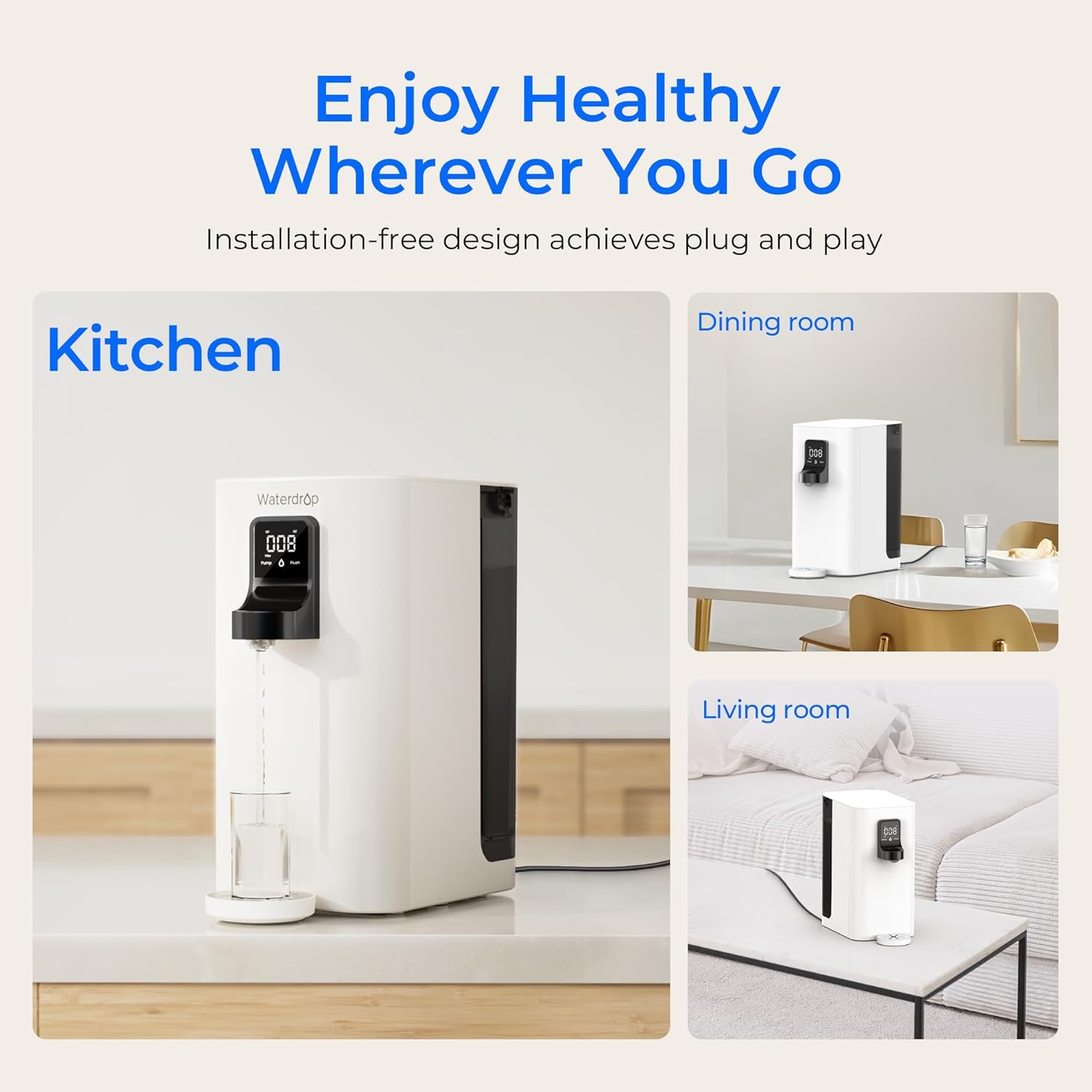
Image: The Waterdrop K19-SFK unit displaying its 170oz tank capacity and four customizable water volume options (4oz, 8oz, 16oz, 32oz).
3. Setup Guide
The Waterdrop K19-SFK is designed for quick and easy setup. Follow these steps to get your system ready for use:
- Unpack the System: Carefully remove all components from the packaging. Ensure all parts, including the main unit, water tank, and filter, are present and undamaged.
- Place the Unit: Position the system on a flat, stable countertop. Ensure there is enough space around the unit for proper ventilation and access to the water tank. The magnetic drip tray can be removed to accommodate taller bottles or jars.
- Install the Filter:
- Remove the top cover of the unit.
- Unwrap the new filter (WD-K19RF) from its protective plastic and foam.
- Align the filter with the slot and gently slide it in.
- Turn the filter clockwise until it locks securely into place.
- Replace the top cover.
- Fill the Water Tank: Fill the removable water tank with tap water up to the 'MAX' line. Place the filled tank back into the unit. The tank has a capacity of 170 ounces.
- Initial Flush: Before first use, it is recommended to flush the system. Dispense and discard at least two full tanks of water to ensure the filter is thoroughly rinsed and the system is ready for optimal performance.

Image: A diagram illustrating the simple twist and pull design for 3-second filter replacement.
Image: The Waterdrop K19-SFK unit with its transparent water tank, indicating fill levels.
4. Operating Instructions
The Waterdrop K19-SFK features an intuitive control panel for easy operation:
- Power On/Off: Press the power button on the top panel to turn the unit on or off.
- Dispensing Water: Place your cup or container on the drip tray. Press the water droplet button on the top panel to start dispensing water. Press it again to stop.
- Adjusting Water Volume: Use the 'VOL' button to cycle through preset water volumes (e.g., 4oz, 8oz, 16oz, 32oz) to dispense the desired amount.
- Temperature Control: Use the '°F' button to adjust the water temperature. This model can dispense hot water, eliminating the need for boiling or microwaving. The display screen shows the current temperature.
- UV Light Indicator: The display screen also indicates when the UV light is active, ensuring enhanced water purification.

Image: Close-up of the Waterdrop K19-SFK's highly sensitive touch control panel and intelligent display screen.
5. Maintenance
Regular maintenance ensures the longevity and optimal performance of your Waterdrop K19-SFK system:
- Filter Replacement: The composite filter (WD-K19RF) should be replaced approximately every 12 months, or as indicated by the system's filter life indicator. To replace, simply remove the top cover, twist the old filter counter-clockwise to unlock, lift it out, and install a new one following the setup instructions.
- Cleaning the Drip Tray: Regularly empty and clean the magnetic drip tray to prevent water overflow and maintain hygiene.
- Cleaning the Water Tank: Periodically clean the internal water tank with mild soap and water. Rinse thoroughly before refilling.
Image: A diagram illustrating the simple twist and pull design for 3-second filter replacement.
6. Troubleshooting
If you encounter any issues with your Waterdrop K19-SFK, refer to the following common troubleshooting tips:
- High TDS Alert: If the display screen shows a high TDS (Total Dissolved Solids) alert, it indicates that the water quality is below optimal. This may require flushing the system or replacing the filter. Ensure the water in the tank is below the dotted line if prompted.
- No Water Dispensing: Check if the unit is properly plugged in and powered on. Ensure the water tank is filled and correctly seated. If the filter life indicator is red, the filter may need replacement.
- Unusual Taste/Odor: Perform an initial flush by dispensing and discarding two full tanks of water. If the issue persists, the filter may need replacement.
7. Specifications
| Specification | Detail |
|---|---|
| Brand | Waterdrop |
| Model Name | WD (K19-SFK) |
| Product Dimensions | 15.5"L x 9.2"W x 17.5"H |
| Installation Type | Countertop |
| Power Source | Corded Electric |
| Maximum Flow Rate | 75 Liters Per Day |
| Upper Temperature Rating | 203 Degrees Fahrenheit |
| Filter Shelf Life | 12 Months |
| Item Weight | 16.17 pounds |
| Supported Water TDS Level Maximum | 700 PPM |
8. Warranty and Support
For detailed warranty information and customer support, please refer to the official Waterdrop user manual or contact WaterdropDirect, the seller on Amazon.
You can access the official User Manual (PDF) here.