
kwmobile 60763.01_m002863
kwmobile Replacement Earpads for DOQAUS Headphones
Instruction Manual
Product Overview
This manual provides instructions for the installation and maintenance of your new kwmobile replacement earpads, designed for DOQAUS over-ear headphones. These earpads are crafted from durable artificial leather on the exterior and soft foam on the interior, ensuring both comfort and protection for your ears.

Image: A pair of kwmobile replacement earpads, showcasing their black artificial leather finish and soft, circular design.
The replacement earpad set is an ideal solution for refreshing your headphones by replacing worn, damaged, or lost pads, extending the lifespan and comfort of your over-ear headphones.
Compatibility
These kwmobile replacement earpads are specifically designed to be compatible with DOQAUS over-ear headphones. Please verify your headphone model before proceeding with installation to ensure proper fit.

Image: An illustration showing a headphone with a checkmark, confirming compatibility with DOQAUS models. A warning sign indicates that these earpads are not compatible with DOQAUS CARE1 or CARE2 models, emphasizing the need to check the headphone model name.
Important Note:
These earpads are not compatible with DOQAUS CARE1 or CARE2 models. Always check the specific model name of your headphones prior to purchase and installation to ensure correct compatibility.
Setup and Installation
Installing your new kwmobile earpads is a straightforward process. Follow these steps carefully:
- Preparation: Before installing the new earpads, gently remove the old, worn-out pads from your headphones. Pay attention to how the old pads are attached, as this will guide the installation of the new ones. Refer to your headphone's original manual if you are unsure about the removal process.
- Alignment: Take one new earpad and align its mounting points with the corresponding fixtures on your headphone's ear cup. The earpads are designed to fit precisely.
- Attachment: Apply gentle, even pressure around the edges of the earpad to snap or slide it into place. Ensure all clips or grooves are securely engaged. You should feel a secure fit once properly installed.
- Repeat: Repeat the process for the other ear cup.
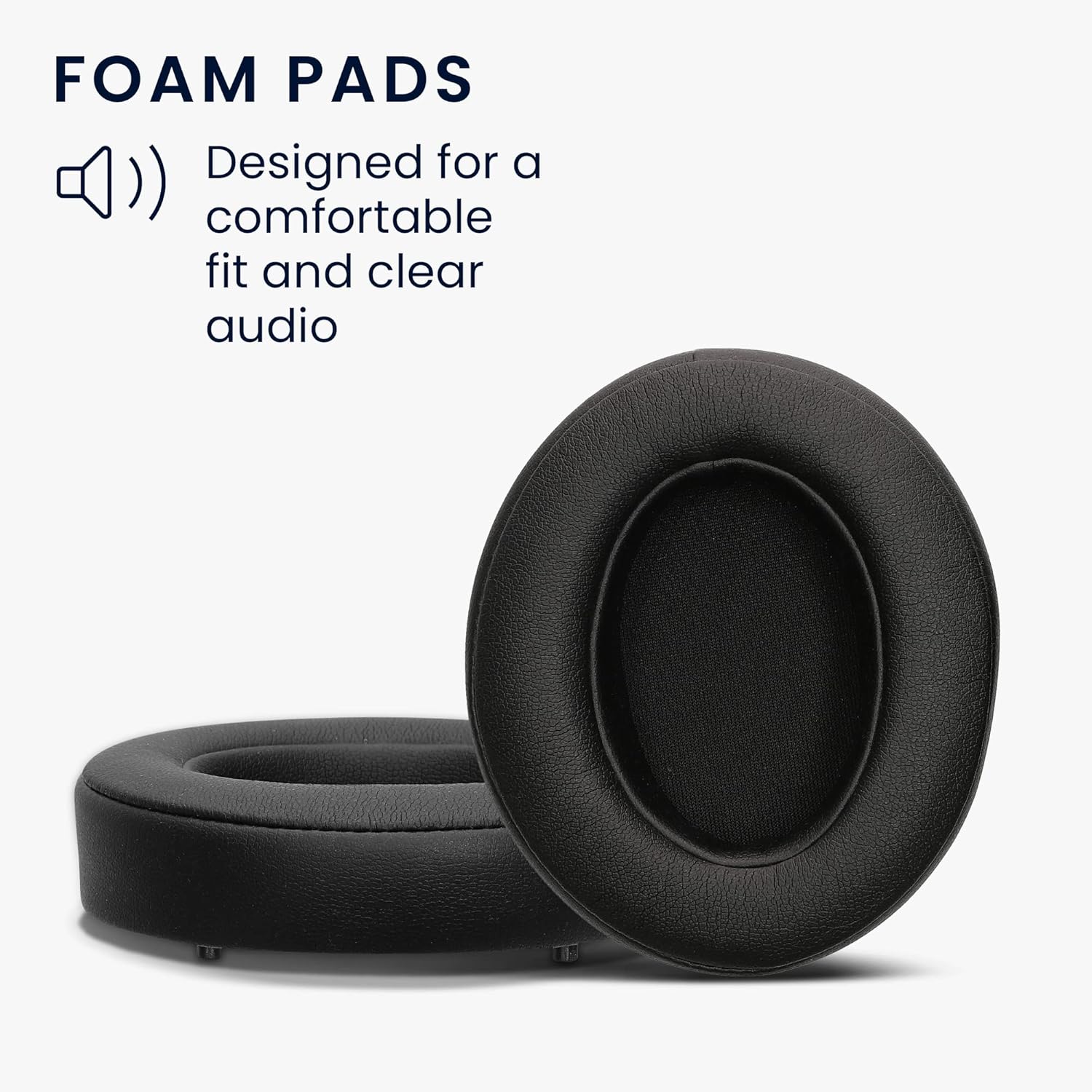
Image: Close-up of the foam pads, highlighting their design for comfortable fit and clear audio. This illustrates the internal structure that contributes to comfort.
Ensure the earpads are firmly attached and do not wobble, as a loose fit can affect sound quality and comfort.
Operating and Comfort
Once installed, your new kwmobile earpads are ready for use. These pads are designed to enhance your listening experience through:
- Enhanced Comfort: The soft foam interior and artificial leather exterior provide a comfortable fit for extended listening sessions, reducing pressure on your ears.
- Improved Sound Isolation: A proper seal around your ears helps to isolate sound, enhancing audio clarity and bass response.
- Durability: The robust artificial leather is designed to withstand daily wear and tear, offering a long-lasting replacement solution.

Image: A user enjoying headphones, demonstrating the comfortable fit provided by the earpads during use.
Maintenance
To ensure the longevity and hygiene of your kwmobile replacement earpads, follow these simple maintenance guidelines:
- Cleaning: Wipe the artificial leather surface with a soft, damp cloth. For stubborn dirt, a mild soap solution can be used, but ensure no liquid seeps into the foam interior.
- Drying: Allow the earpads to air dry completely before using your headphones again. Do not use direct heat sources like hair dryers, as this can damage the material.
- Storage: When not in use, store your headphones in a clean, dry place, away from direct sunlight and extreme temperatures, which can degrade the material over time.
- Avoid Sharp Objects: Prevent contact with sharp objects that could puncture or tear the artificial leather.
Troubleshooting
If you encounter any issues with your kwmobile replacement earpads, consider the following common solutions:
| Problem | Possible Cause | Solution |
|---|---|---|
| Earpads do not fit or are loose. | Incorrect model compatibility or improper installation. | Verify your headphone model against the compatibility information. Re-install the earpads, ensuring they are correctly aligned and securely snapped into place. |
| Reduced sound quality or comfort. | Earpads not fully sealed or damaged. | Check for any gaps between the earpad and the headphone cup. Ensure the earpads are not damaged. If damaged, replacement may be necessary. |
| Material degradation (cracking, peeling). | Exposure to harsh chemicals, extreme temperatures, or prolonged direct sunlight. | Follow maintenance guidelines to avoid such issues. If degradation is significant, consider replacing the earpads. |
Specifications
- Product Dimensions: 9.5 x 8.5 x 2.1 cm (L x W x H)
- Weight: 40 grams
- Material: Polyurethane (PU) Artificial Leather, Foam
- Color: Black
- Compatible Devices: DOQAUS Over-Ear Headphones (excluding CARE1/CARE2 models)
- Model Number: 60763.01_m002863
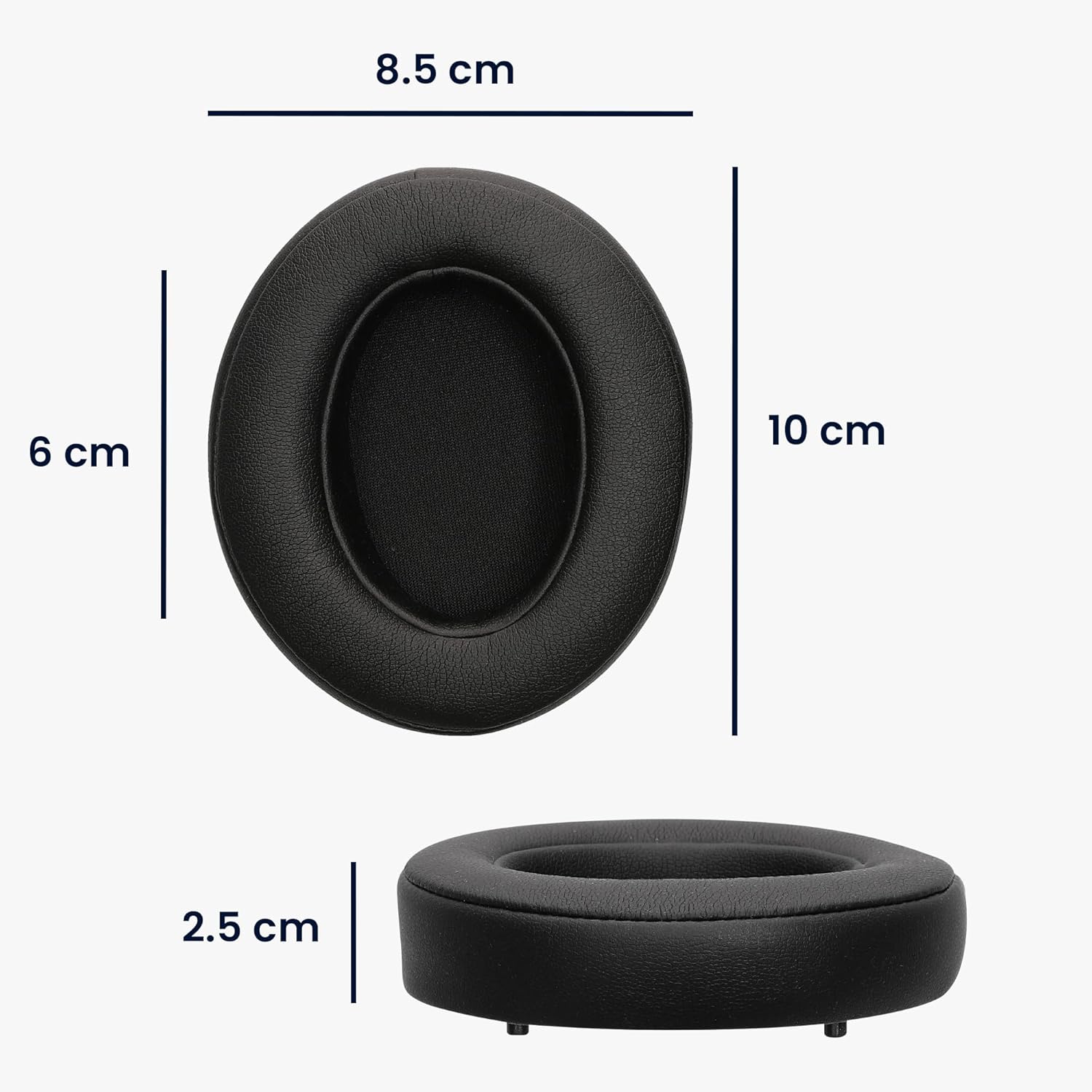
Image: Detailed dimensions of a single earpad, showing its length, width, and thickness for precise fitment.
Warranty and Support
kwmobile products are designed for quality and durability. While specific warranty details are not provided in this manual, for any product-related inquiries, technical support, or warranty claims, please contact kwmobile customer service through the retailer where you purchased the product or visit the official kwmobile website.
For more information and support, you may visit the kwmobile Store on Amazon.
Ask a question about this manual
Ask about setup, troubleshooting, compatibility, parts, safety, or missing instructions. Manuals+ will review the question and use this page’s manual context to help answer it.