
1. Introduction
This manual provides essential information for the safe and efficient operation of your PKM WT8+5 washer-dryer. Please read these instructions carefully before using the appliance and keep them for future reference. The PKM WT8+5 washer-dryer is designed for laundry care, offering an 8 kg washing capacity and a 5 kg drying capacity. It features an energy efficiency class A for washing and D for drying. The appliance includes 15 different programs, such as ECO 40-60, quick wash, hygiene + steam, and refresh + steam, suitable for various fabric types including cotton, synthetics, and wool. Electronic controls enable easy operation and precise program settings. With a spin efficiency class B and a maximum spin speed of 1400 rpm, laundry is efficiently spun to reduce drying time. Practical functions include a child lock, delayed start, and automatic load sensing.
2. Safety Instructions
Always follow basic safety precautions when using electrical appliances to reduce the risk of fire, electric shock, and injury.
- Ensure the appliance is properly grounded.
- Do not allow children to play on or in the appliance.
- Do not operate the appliance if it is damaged or malfunctioning.
- Unplug the appliance before cleaning or performing any maintenance.
- Do not wash or dry articles that have been soiled with flammable substances.
- Keep the area around the appliance clear of obstructions.
3. Setup and Installation
Proper installation is crucial for the performance and longevity of your washer-dryer.
3.1 Unpacking
Carefully remove all packaging materials and transport bolts from the appliance. Keep packaging materials out of reach of children.
3.2 Placement
Place the washer-dryer on a firm, level surface. Ensure there is adequate space around the appliance for ventilation and connections.
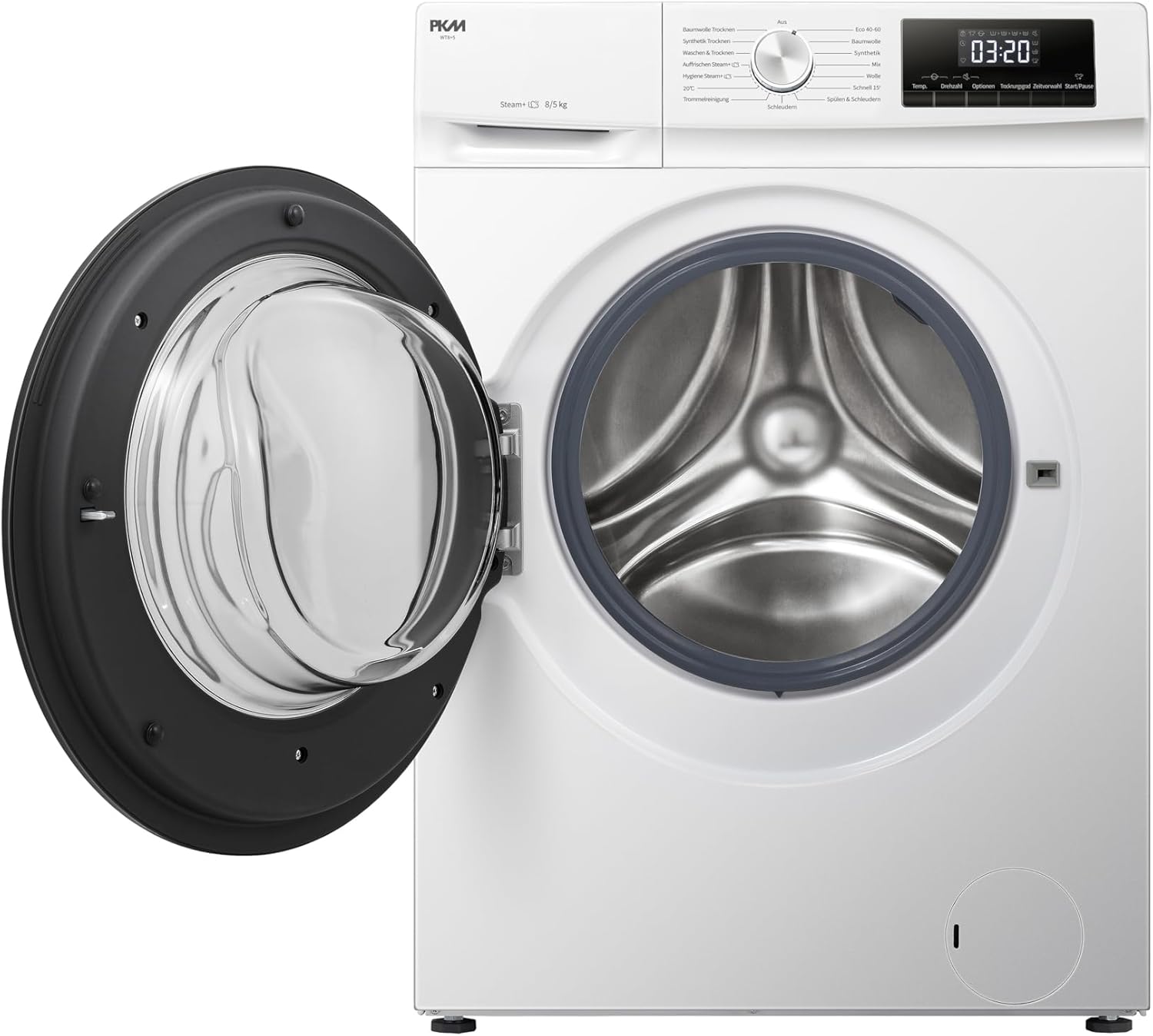
Figure 1: Front view of the PKM WT8+5 washer-dryer with the loading door open.

Figure 2: Side view of the PKM WT8+5 washer-dryer, illustrating the connections for water supply and drainage.
3.3 Water and Electrical Connections
Connect the water inlet hose to a cold water tap and the drain hose to a suitable drain. Plug the power cord into a grounded electrical outlet. Refer to local regulations for proper installation.
4. Operating Instructions
Follow these steps for effective washing and drying.
4.1 Control Panel Overview
The intuitive control panel allows for easy program selection and monitoring.

Figure 3: Control panel featuring the program selection dial and digital display for time and settings.
4.2 Loading Laundry
Open the door and load laundry into the drum. Do not overload the machine. The maximum washing capacity is 8 kg, and drying capacity is 5 kg.

Figure 4: Laundry loaded inside the drum of the washer-dryer, ready for a cycle.
4.3 Adding Detergent
Pull out the detergent dispenser drawer and add appropriate amounts of detergent and fabric softener to the designated compartments.

Figure 5: Detergent dispenser drawer, showing compartments for detergent and fabric softener.
4.4 Program Selection
Turn the program dial to select one of the 15 available programs. These include:
- ECO 40-60: Energy-efficient program for cotton and mixed fabrics.
- Quick Wash: For lightly soiled items requiring a fast cycle.
- Hygiene + Steam: For sterilizing and disinfecting textiles, ideal for allergy sufferers.
- Refresh + Steam: To refresh lightly worn clothes and remove allergens.
- Programs for Cotton, Synthetics, Wool, and more.
Additional features include a Child Lock for safety, Delayed Start to schedule cycles, and Automatic Quantity detection for optimized water and energy use.
4.5 Starting a Cycle
After selecting the program and any desired options, press the Start/Pause button to begin the cycle.
5. Maintenance and Care
Regular maintenance ensures optimal performance and extends the lifespan of your appliance.
5.1 Cleaning the Exterior
Wipe the exterior surfaces with a soft, damp cloth. Do not use abrasive cleaners or solvents.
5.2 Cleaning the Detergent Dispenser
Periodically remove and clean the detergent dispenser drawer to prevent residue buildup. Rinse it under running water.
5.3 Cleaning the Lint Filter
For models with a drying function, regularly clean the lint filter to maintain drying efficiency and prevent fire hazards. Consult the full manual for specific instructions on locating and cleaning the lint filter.
5.4 Drum Cleaning Program
Utilize the dedicated drum cleaning program (if available) to remove residue and odors from the drum.
6. Troubleshooting
If you encounter issues with your appliance, refer to the following common problems and solutions.
- Appliance does not start: Check if the power cord is plugged in, the door is closed properly, and a program is selected.
- Water not draining: Ensure the drain hose is not kinked or blocked. Check the drain filter for obstructions.
- Excessive noise or vibration: Verify that the appliance is level and that all transport bolts have been removed.
- Drying not effective: Clean the lint filter. Ensure the load size is appropriate for the drying capacity.
For persistent issues or error codes not listed, please contact customer support or a qualified technician.
7. Specifications
Key technical specifications for the PKM WT8+5 washer-dryer.
| Feature | Specification |
|---|---|
| Model Number | WT8+5 |
| Manufacturer | PKM |
| Washing Capacity | 8 kg |
| Drying Capacity | 5 kg |
| Product Dimensions (H x W x D) | 84.5 x 59.5 x 54 cm |
| Weight | 60 kg |
| Maximum Spin Speed | 1400 rpm |
| Number of Programs | 15 |
| Motor Type | Inverter Motor |
7.1 Energy Label Information
The appliance complies with energy efficiency standards. For detailed energy consumption data, refer to the energy label.

Figure 6: Energy label for the PKM WT8+5, detailing energy and water consumption, capacity, and noise levels.
You can find more information on the EU EPREL database: https://eprel.ec.europa.eu/qr/1359743
8. Warranty and Support
Your PKM WT8+5 washer-dryer comes with a manufacturer's warranty.
8.1 Warranty Information
The minimum warranty period provided by the supplier is 24 months. Please retain your proof of purchase for warranty claims.

Figure 7: Product data sheet, including warranty details and other technical specifications.
8.2 Customer Support
For technical assistance, spare parts, or service requests, please contact PKM customer support. Refer to the official PKM website or your purchase documentation for contact details.


