
1. Introduction
Thank you for choosing the VIMAR 30000.C Linea Illuminated Aligned Switch. This product is designed for reliable control of lighting circuits, offering a modern aesthetic with its absolute flatness and minimal protrusion. It features a replaceable button and an illuminable function for enhanced usability. This manual provides essential information for the safe installation, operation, and maintenance of your switch.
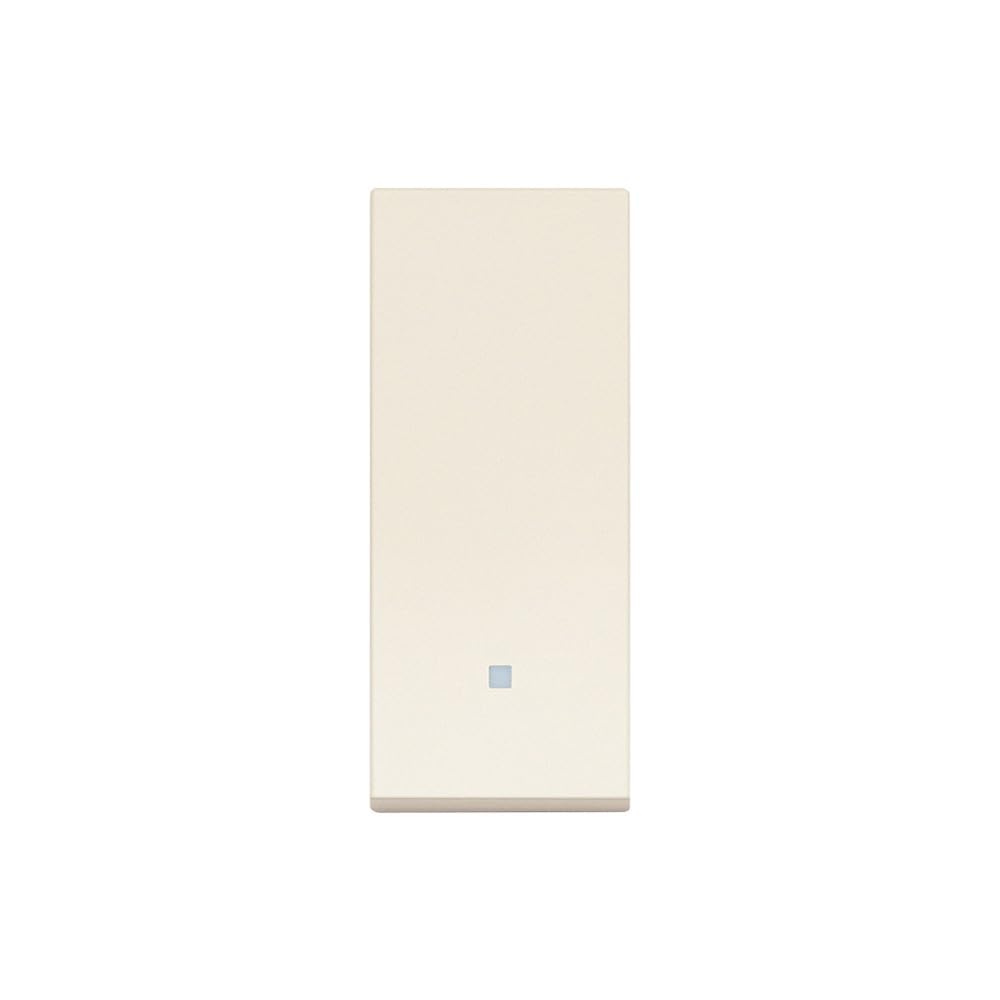
Figure 1: VIMAR 30000.C Linea Illuminated Aligned Switch in Hemp color. This image shows the front view of the switch, highlighting its flat design and aligned button.
2. Safety Information
WARNING: Electrical shock hazard. Installation should only be performed by a qualified electrician or authorized service personnel in accordance with all local and national electrical codes. Failure to follow these instructions may result in serious injury or death.
- Always disconnect power at the circuit breaker or fuse box before installing or servicing the switch.
- Verify that the power is off before proceeding with any work.
- Do not exceed the specified electrical ratings (10 AX, 250 V~, Max 100W for lamps with integrated power supply).
- Ensure all wiring connections are secure and properly insulated.
- Do not install in wet or damp locations unless specifically rated for such environments.
3. Package Contents
Please check the package for the following items:
- 1 x VIMAR 30000.C Linea Illuminated Aligned Switch (Hemp)
- Instruction Manual (this document)
If any items are missing or damaged, please contact your retailer or Vimar customer support.
4. Setup & Installation
Follow these steps for proper installation of your VIMAR 30000.C switch:
- Power Disconnection: Before beginning any work, ensure the main power supply to the circuit is turned off at the circuit breaker or fuse box. Use a voltage tester to confirm that the power is completely off.
- Prepare Wiring: Carefully remove the existing switch (if applicable) and expose the electrical wires. Identify the Line (hot), Load, and Ground wires.
- Connect Wires: Connect the electrical wires to the VIMAR 30000.C switch terminals. Ensure connections are tight and secure. Refer to the wiring diagram provided with the product packaging for specific connections. This switch is designed for 1-way operation.
- Mounting: The switch features a patented coupling mechanism for maximum installation accuracy. It is designed for perfect installation even on plasterboard. Align the switch with the wall box and secure it using the provided screws. The minimal protrusion and 5.7mm thickness ensure a sleek, aligned finish with the plaque.
- Install Plaque (Faceplate): Once the switch is securely mounted, attach the decorative plaque (faceplate) over the switch. The design ensures total alignment between the switch and the plaque.
- Power Restoration: Restore power at the circuit breaker.
- Test Functionality: Test the switch to ensure it operates correctly. The illuminable feature should function as expected, providing backlight options for a refined and distinctive effect.
The replaceable button design allows for easy customization or replacement if needed.
5. Operating Instructions
The VIMAR 30000.C Linea switch is a simple 1-pole (1P) switch designed for controlling lighting circuits up to 10 AX and 250 V~. It supports a maximum load of 100W for lamps with integrated power supply.
- Turning On/Off: Press the aligned button to toggle the connected light fixture on or off. The switch is designed to return to its starting position after being pressed.
- Illumination: The switch features an illuminable function, providing a subtle backlight. This enhances visibility in low-light conditions and adds a refined aesthetic.
- Sensory Experience: The switch's surface has a special laser processing and finish, offering a "velvet touch" sensory effect. This finish is resistant to scratches and dirt, ensuring durability over time.
6. Maintenance
The VIMAR 30000.C switch is designed for durability and minimal maintenance. Follow these guidelines to keep your switch in optimal condition:
- Cleaning: To clean the switch and faceplate, gently wipe with a soft, damp cloth. Do not use abrasive cleaners, solvents, or harsh chemicals, as these can damage the "velvet touch" finish and the switch material.
- Inspection: Periodically inspect the switch and faceplate for any signs of damage, loose connections, or wear. If any issues are observed, disconnect power and consult a qualified electrician.
- Button Replacement: The button is replaceable. If replacement is necessary, ensure power is disconnected before carefully prying off the existing button and snapping the new one into place.
7. Troubleshooting
If you experience issues with your VIMAR 30000.C switch, refer to the following common problems and solutions:
| Problem | Possible Cause | Solution |
|---|---|---|
| Light does not turn on/off. |
|
|
| Switch illumination is not working. |
|
|
| Switch feels loose in the wall. |
|
|
For issues not covered here, or if problems persist, please contact Vimar customer support or a qualified electrician.
8. Specifications
| Model Number | 30000.C |
| Brand | Vimar |
| Type | 1-pole (1P) Aligned Illuminable Switch |
| Rated Voltage | 250 V~ |
| Rated Current | 10 AX |
| Max Wattage | 100W (for lamps with integrated power supply, IEC 60669-1:2017) |
| Material | Copper Thermoplastic |
| Color | Hemp |
| Exterior Finish | Velvet Touch |
| Product Dimensions (L x W) | 2.07" x 1.57" |
| Item Weight | 0.06 Kilograms (2.11 ounces) |
| Mounting Type | Surface Mount |
| Switch Style | Push Button |
9. Warranty & Support
Vimar products are manufactured to high-quality standards. For specific warranty information, please refer to the warranty card included with your product or visit the official Vimar website. Keep your purchase receipt as proof of purchase.
For technical support, troubleshooting assistance, or to inquire about replacement parts, please contact Vimar customer service. Contact details can typically be found on the Vimar website or product packaging.