
1. Introduction
This manual provides essential information for the safe and efficient operation of your Strong SRT 24HE4023 24-inch HD TV. Please read this manual thoroughly before using the device and retain it for future reference. This television is designed for versatile use, compatible with both 230V and 12V power sources, making it suitable for home and mobile environments like camping. It features integrated DVB-T2/C/S2 tuners and a Hotel Mode for specialized settings.
2. Safety Information
Important Safety Instructions:
- Read all instructions before operating the TV.
- Keep the TV away from heat sources, direct sunlight, and moisture.
- Ensure proper ventilation around the TV. Do not block ventilation openings.
- Only use attachments/accessories specified by the manufacturer.
- Unplug the TV during lightning storms or when unused for long periods.
- Refer all servicing to qualified service personnel.
- Do not expose the TV to dripping or splashing liquids.
- The mains plug is used as the disconnect device; it shall remain readily operable.
Electrical Safety:
- Connect the TV only to the specified power supply (230V AC or 12V DC).
- Do not overload wall outlets or extension cords.
- Ensure the power cord is not walked on or pinched.
3. What's in the Box
Carefully unpack your TV and ensure all the following items are present:
- Strong SRT 24HE4023 24-inch HD TV
- TV Stand (components for assembly)
- Remote Control
- 2 x AAA Batteries (for remote control)
- Power Adapter (230V AC)
- 12V Car Adapter (if included with your specific model)
- User Manual (this document)

Image: The Strong SRT 24HE4023 TV shown with its included remote control.
4. Product Overview
4.1 Front View

Image: Front view of the Strong SRT 24HE4023 TV, displaying a vibrant landscape scene.
The front of the TV features the 24-inch HD display panel and the Strong brand logo typically located at the bottom center. An indicator light (power/standby) may also be present.
4.2 Rear and Side Connections

Image: Diagram illustrating the multiple connection possibilities on the Strong SRT 24HE4023 TV, including HDMI, USB, AV, Headphone, ANT, S/PDIF, SAT, and CI slot.
The Strong SRT 24HE4023 offers a comprehensive range of connectivity options:
- 2x HDMI 2.0: For connecting high-definition devices like Blu-ray players, game consoles, or set-top boxes.
- 1x USB 2.0: For media playback from USB storage devices.
- 1x AV in Mini: For connecting older analog devices.
- 1x Headphones: For private listening.
- 1x ANT in: For connecting a terrestrial or cable antenna (DVB-T2/C).
- S/PDIF (Coaxial): For digital audio output to an external audio system.
- 1x SAT in: For connecting a satellite dish (DVB-S2).
- 1x CI slot: For Conditional Access Modules (CAM) to decrypt encrypted channels.
- Ethernet: For wired network connection (if applicable to your model for browser/updates).
5. Setup
5.1 Stand Assembly
To attach the included stand:
- Place the TV face down on a soft, clean surface to prevent screen damage.
- Align the stand components with the screw holes on the bottom of the TV.
- Secure the stand using the provided screws. Do not overtighten.
Alternatively, the TV can be wall-mounted using a VESA-compatible bracket (not included). Refer to the wall mount manufacturer's instructions for installation.
5.2 Power Connection
This TV is compatible with both 230V AC and 12V DC power sources.
- For 230V AC (Home Use): Connect the provided AC power adapter to the TV's power input and then plug it into a standard wall outlet.
- For 12V DC (Mobile/Camping Use): Use a compatible 12V car adapter (may be sold separately or included) and connect it to the TV's 12V input and your vehicle's 12V power socket.
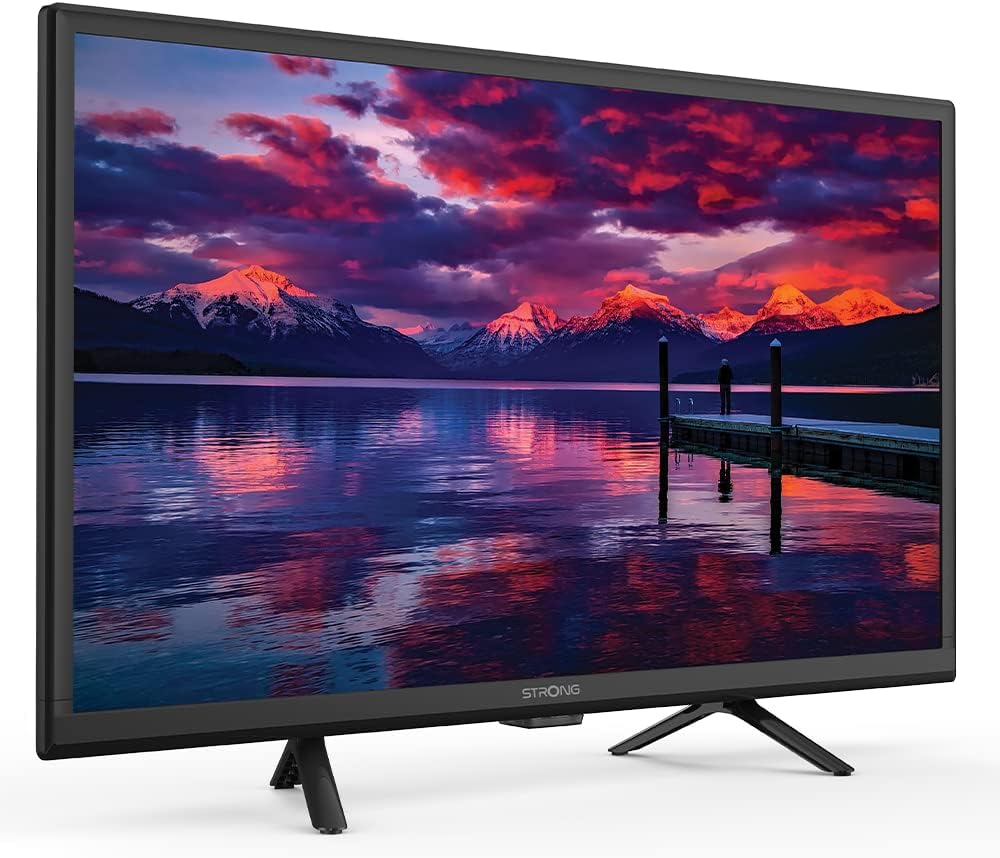
Image: The Strong SRT 24HE4023 TV installed in a camper van, highlighting its 12V compatibility for mobile use.
5.3 Antenna/Satellite Connection
- Terrestrial/Cable (DVB-T2/C): Connect your antenna or cable TV feed to the "ANT in" port.
- Satellite (DVB-S2): Connect your satellite dish cable to the "SAT in" port.
5.4 Connecting External Devices
Use the appropriate ports (HDMI, AV in Mini) to connect external devices such as DVD players, game consoles, or sound systems.
6. Operating Instructions
6.1 Initial Setup and Channel Scan
Upon first power-on, the TV will guide you through an initial setup process. This typically includes:
- Language selection.
- Country selection.
- Tuner type selection (Antenna, Cable, or Satellite).
- Automatic channel scan. Allow this process to complete to find all available channels.
6.2 Basic TV Functions
- Power On/Off: Use the power button on the remote or TV.
- Channel Selection: Use the CH+/- buttons or number pad on the remote.
- Volume Control: Use the VOL+/- buttons on the remote.
- Source Selection: Press the "Source" or "Input" button on the remote to switch between HDMI, AV, TV, etc.
- Menu Navigation: Use the directional arrows and OK button on the remote to navigate the on-screen menu.
6.3 Hotel Mode

Image: The Strong SRT 24HE4023 TV displayed in a room, indicating its Hotel Mode functionality.
The Hotel Mode feature allows for advanced control over TV settings, often used in hospitality environments. This mode typically includes options to:
- Set a default power-on channel or input.
- Limit maximum volume.
- Disable certain menu functions for guests.
- Clone settings to multiple TVs.
Accessing and configuring Hotel Mode usually involves a specific key sequence on the remote control. Refer to the on-screen menu or contact customer support for detailed instructions on activating and managing Hotel Mode.
6.4 Media Playback via USB

Image: A close-up view of the USB port on the TV, demonstrating how to connect a USB device for media playback.
You can play multimedia files (photos, music, videos) from a USB storage device.
- Insert your USB drive into the USB 2.0 port on the TV.
- The TV may automatically detect the USB device and prompt you to open the media browser. If not, select the USB source from the input menu.
- Navigate through your files using the remote control and select the desired media to play.
6.5 On-Screen Program Guide (EPG) and Timer
The Electronic Program Guide (EPG) provides information about current and upcoming TV programs.
- Press the "EPG" button on your remote control to access the program guide.
- Navigate through channels and program listings.
- You can set timers to remind you of upcoming programs or to automatically switch to a specific channel at a set time. Consult the on-screen menu for timer settings.
7. Maintenance
To ensure the longevity and optimal performance of your TV:
- Cleaning the Screen: Gently wipe the screen with a soft, lint-free cloth. For stubborn marks, use a screen-specific cleaning solution applied to the cloth, not directly to the screen.
- Cleaning the Cabinet: Use a soft, dry cloth to wipe the TV cabinet. Do not use abrasive cleaners or solvents.
- Ventilation: Ensure the ventilation openings on the back of the TV are not blocked to prevent overheating.
- Power Cord: Regularly check the power cord for any damage. If damaged, replace it with an approved cord.
8. Troubleshooting
If you encounter issues with your TV, refer to the following common problems and solutions:
| Problem | Possible Cause | Solution |
|---|---|---|
| No power | Power cord not connected; no power from outlet. | Check power cord connection; test outlet with another device. |
| No picture, but sound is present | Incorrect input source selected; backlight issue. | Press "Source" button to select correct input; check brightness settings. |
| No sound, but picture is present | Volume muted or too low; incorrect audio output settings. | Unmute volume or increase level; check audio settings in menu. |
| Poor picture quality | Weak antenna signal; incorrect picture settings. | Adjust antenna position; perform channel scan; reset picture settings. |
| Remote control not working | Batteries depleted or incorrectly inserted; obstruction. | Replace batteries; ensure correct polarity; remove obstructions between remote and TV. |
If the problem persists after trying these solutions, please contact customer support.
9. Specifications
| Feature | Detail |
|---|---|
| Model Name | SRT24HE4023 |
| Brand | Strong |
| Screen Size | 24 Inches (61 cm visible diagonal) |
| Display Technology | LED-LCD |
| Resolution | 768p (HD) |
| Aspect Ratio | 16:9 |
| Power Input | 230 Volts AC / 12 Volts DC compatible |
| Power Consumption | 21 watts |
| Item Weight | 5.28 pounds (2.4 Kilograms) |
| Product Dimensions (LxWxH) | 5.67 x 21.77 x 14.56 inches |
| Connectivity Technology | Ethernet, USB |
| Special Features | Flat screen, Hotel Mode, DVB-T2/C/S2 Tuners, On-Screen Program Guide with Timer |
| Included Components | TV, Stand, Remote Control, 2x AAA Batteries |
10. Warranty and Support
Your Strong SRT 24HE4023 TV is covered by a manufacturer's warranty. Please refer to the warranty card included in your product packaging for specific terms and conditions, including the warranty period and coverage details.
For technical support, service, or further inquiries, please contact Strong customer service through their official website or the contact information provided in your product documentation. When contacting support, please have your model number (SRT24HE4023) and serial number ready.


