
Product Overview
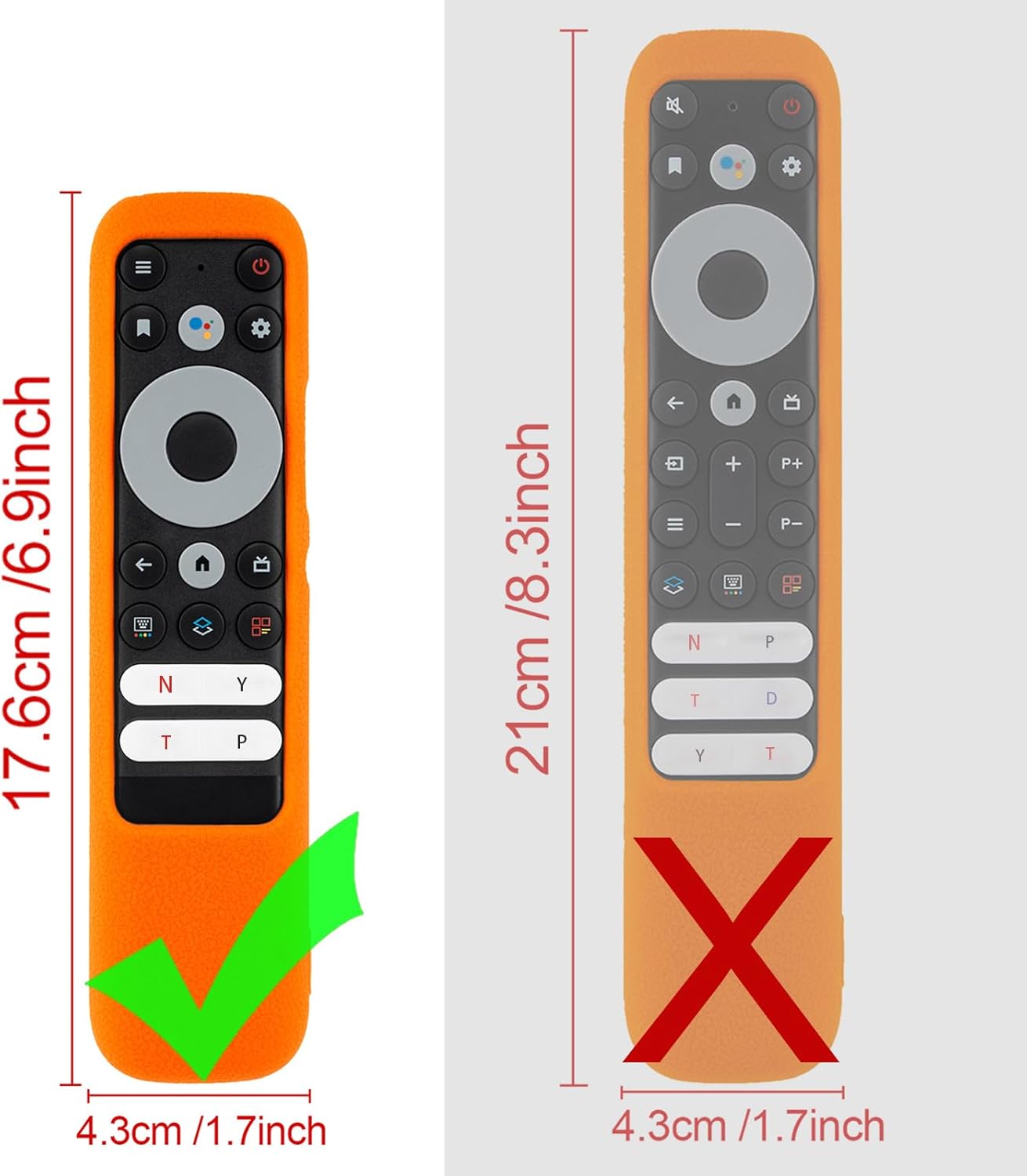
This silicone protective case is specifically designed for the TCL RC902N FMR1 smart voice remote control. It provides comprehensive protection and enhances usability without obstructing any functions.
- Precise Fit: Engineered with accurate cutouts for full access to all ports, buttons, and functions of the remote.
- Enhanced Grip & Protection: Features a humanized texture design to prevent slipping and skidding. The durable silicone material offers good shock absorption, reducing damage from accidental drops.
- Safe Material: Made from friendly environmental silicone, which is flexible, durable, skin-friendly, and comfortable to hold. It is harmless to pets, children, and families.
- Anti-Lost Feature: Includes a lanyard for portability and to prevent loss. The remote can be hung by the sofa or near the TV. Bright color options make the remote easier to locate.
- Package Contents: 1 x Remote Case, 1 x Lanyard. (Note: Remote control is NOT included.)
Setup and Installation
Follow these steps to properly install your TCL RC902N FMR1 remote control into the silicone protective case and attach the lanyard.
- Prepare the Case: Gently stretch the silicone case to widen the opening slightly.
- Insert the Remote: Carefully slide your TCL RC902N FMR1 remote control into the case, starting from the top (button end). Ensure all buttons align with the case's cutouts.
- Adjust for Fit: Once the remote is fully inside, gently adjust the case to ensure a snug fit and that all ports and sensors are unobstructed.
- Attach Lanyard: Thread the included lanyard through the designated loop hole at the bottom of the case. Secure it firmly.
Operating Instructions
The CHUNGHOP silicone case is designed to enhance your remote control experience. No special operating procedures are required beyond normal remote control usage.
- Full Functionality: The case provides full access to all buttons, ports, and the voice control microphone, ensuring uninterrupted use of your remote.
- Improved Grip: The textured surface of the silicone case offers a secure and comfortable grip, reducing the likelihood of accidental drops.
- Lanyard Use: Utilize the attached lanyard to hang your remote in a convenient and visible location, such as on a doorknob or hook, to prevent misplacement.
- Visibility: The bright color of the case (if applicable) significantly improves the remote's visibility, making it easier to find in dimly lit rooms or cluttered spaces.


Maintenance
Maintaining your silicone protective case is simple, ensuring its longevity and hygiene.
- Cleaning: The silicone material is washable. If the case becomes dirty or stained, simply remove it from the remote control and wash it with water and mild soap. Rinse thoroughly and allow it to air dry completely before re-installing.
- Durability: The case is designed to be durable and resistant to wear and tear. Avoid exposing it to sharp objects or extreme temperatures to prevent damage.

Troubleshooting
This section addresses common concerns regarding the silicone protective case.
- Remote Not Fitting: Ensure you have the correct model of remote control (TCL RC902N FMR1). The case is specifically designed for this model. Gently stretch the silicone during installation.
- Buttons Not Responding: Verify that the case is properly aligned and not obstructing any buttons. Adjust the case if necessary. The precise cutouts should allow full button functionality.
- Lanyard Detached: Re-thread the lanyard through the designated loop and ensure it is securely fastened to prevent accidental detachment.
- Glow-in-the-Dark Feature (for specific colors): If your case has a glow-in-the-dark feature, ensure it has been exposed to sufficient light (natural or artificial) for a period to charge its luminescence. The glow effect is temporary and fades over time in darkness.

Specifications
| Brand | CHUNGHOP |
|---|---|
| Model Number | RC902N FMR1 |
| Compatible Devices | TCL RC902N FMR1 Smart Voice Remote Control |
| Material | Silicone |
| Form Factor | Case |
| Color | Red (Other colors may be available separately) |
| Item Weight | 1.44 ounces |
| Package Dimensions | 9.33 x 3.94 x 0.79 inches |
| Special Features | Ergonomic, Shockproof, Anti-Lost (with lanyard), Washable, Anti-slip |

Warranty and Support
Specific warranty details for this product are not provided in the available information. For any product-related inquiries, support, or warranty claims, please contact CHUNGHOP customer service directly through their official channels or the retailer where the product was purchased.
You can visit the CHUNGHOP Store on Amazon for more information and contact options.