
Comfytemp K6108, K6133
Comfytemp Official Smart TENS Unit Replacement Pads User Manual
Model: K6108, K6133 Compatible
Brand: Comfytemp
Introduction
This manual provides essential information for the proper use, maintenance, and care of your Comfytemp Official Smart TENS Unit Replacement Pads. These pads are designed to provide effective pain relief and muscle stimulation when used with compatible Comfytemp TENS units, specifically models K6108 and K6133. Please read this manual thoroughly before first use to ensure optimal performance and safety.
Product Features
- Premium Electrode Pads: Experience all-day adhesion with 4 medical PET TENS pads (2 of 1-piece butterfly shape 5.2 x 2.4 and 2 of 2-piece line 3.5 x 2.8). Premium gel stays secure through intense workouts, yet allows painless removal from skin. Relieves muscle aches and pains in the shoulders, lower back, arms and legs. When the electrode pads lose adhesion, rinse it with water, scrape off surface residue, then air-drying, adhesion will renew, enabling reuse for 100+ cycles.
- Individual Seal Package: Sealed design for convenience of storage and use. Compatible with Comfytemp smart wireless TENS unit K6108 (ASIN: B0CGHXNKDV) K6133 (ASIN: B0DFT3BLY9).
- Suitable for All Parts: The TENS machine pads are applied to parts of the body, such as the back, shoulder, neck, and leg. The electrodes provide viscosity and conductivity with premium gel and easy installation and removal with a magnetic button.
- Soft & Safe: The electrode pads are certified by professional organizations and safe to use. With a non-irritating latex-free design, no need to worry about skin sensitization and other problems.
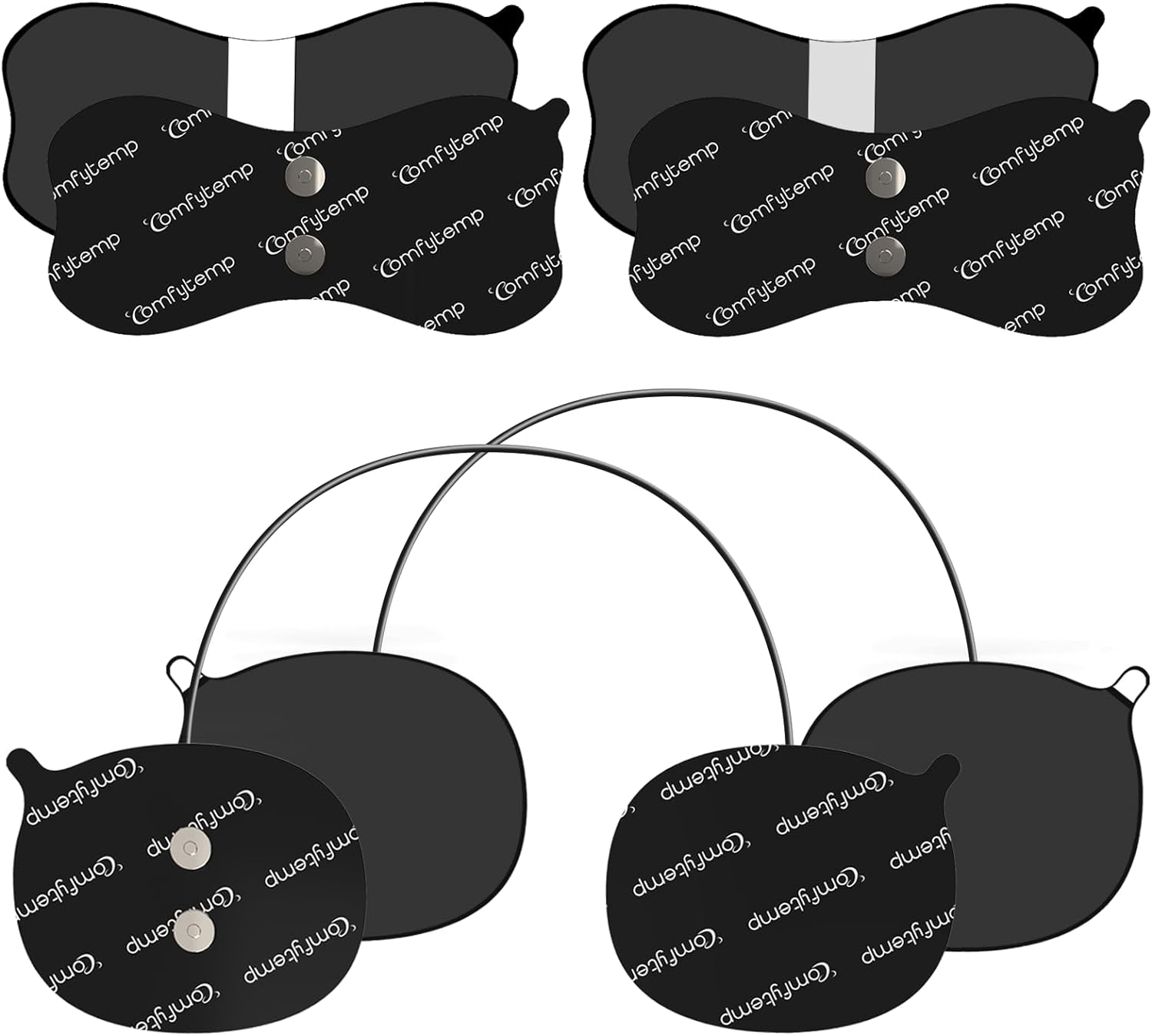
Image: Overview of the Comfytemp TENS Unit Replacement Pads, showing both butterfly and oval shapes.
Setup and Installation
- Prepare Skin: Clean the skin area where the pads will be applied. Ensure it is free of oil, dirt, lotions, or sweat. This is crucial for optimal adhesion and conductivity.
- Attach to TENS Unit: Connect the replacement pads to your compatible Comfytemp Smart Wireless TENS Unit (models K6108 or K6133) using the magnetic buckle. Ensure a stable and secure connection.
- Apply Pads: Carefully peel the protective film from the adhesive side of the electrode pad. Apply the pad firmly to the desired area of the body. Ensure full contact with the skin.

Image: Detail of the strong magnetic buckle for stable connection to the TENS unit.

Image: Demonstrates the superior adhesive performance of the pads during activity.
Operating Instructions
Once the pads are securely attached to both the TENS unit and your skin, refer to your Comfytemp Smart Wireless TENS Unit's specific user manual (K6108 or K6133) for detailed operating instructions, including program selection, intensity adjustment, and session duration.
These replacement pads are designed for use on various body parts to target pain relief:
- Target Areas: Back, Shoulder, Neck, Leg, Waist, Abdomen, Arm, Ankle.
- Pad Types: The package includes two types of pads: butterfly shape (5.2 x 2.4 inches) and line shape (3.5 x 2.8 inches) for versatile application.
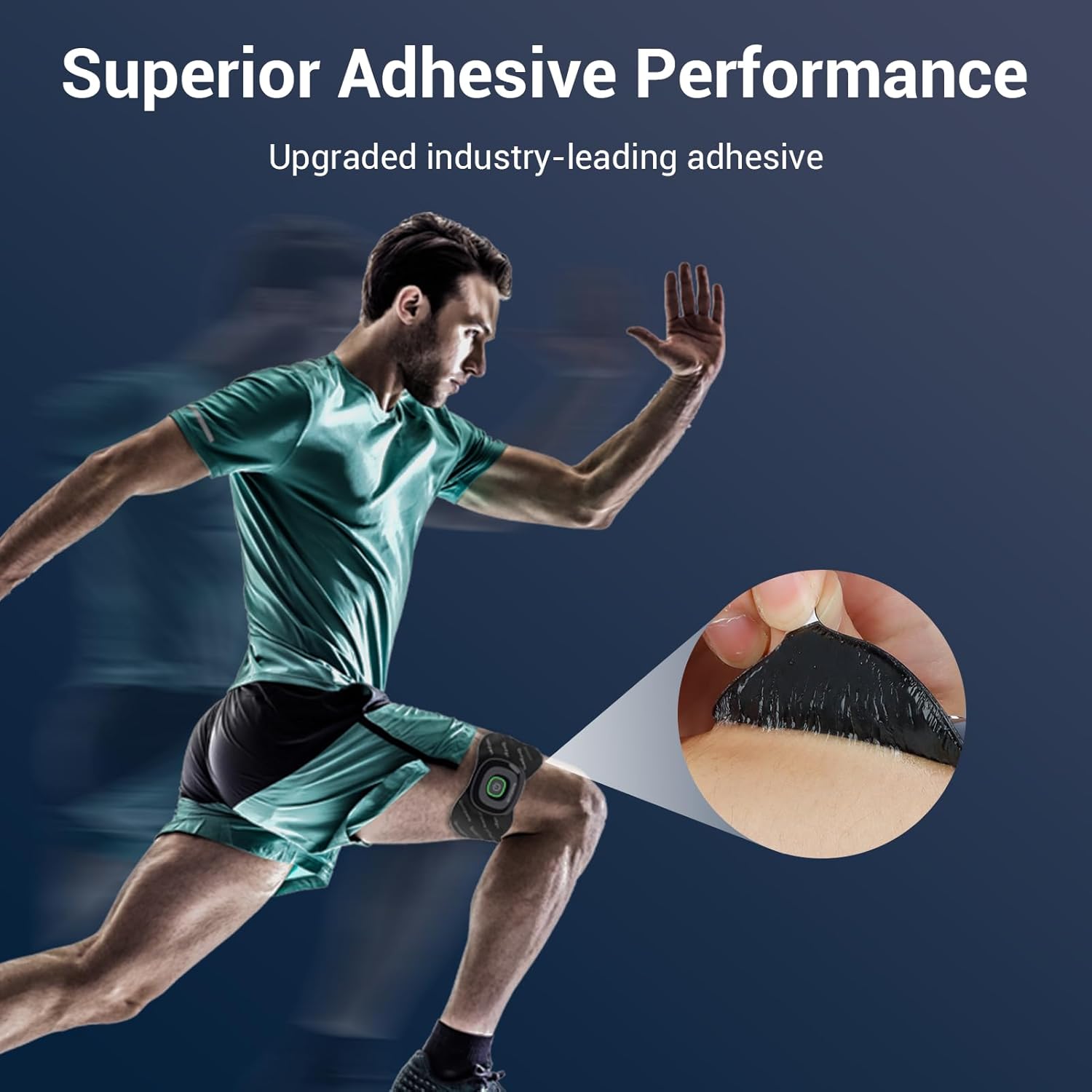
Image: Illustration of the two pad types and their dimensions, highlighting their suitability for various body parts.

Image: Visual guide to target pain relief areas using the TENS pads, including waist, abdomen, shoulder, ankle, arm, and leg.
Maintenance and Storage
- Cleaning Pads: If the electrode pads lose adhesion, rinse them gently with water. Scrape off any surface residue.
- Drying Pads: After rinsing, allow the pads to air-dry completely. Do not wipe them with a cloth or paper towel, as this can damage the adhesive gel.
- Restoring Adhesion: Air-drying will renew the adhesion, enabling reuse for 100+ cycles under proper care.
- Storage: After each use, place the pads back onto their original protective film and store them in their sealed individual packaging. This helps preserve their adhesive quality and extends their lifespan.

Image: Highlights the reusability and skin-safe design of the electrode pads.
Troubleshooting
| Problem | Possible Cause | Solution |
|---|---|---|
| Pads not sticking well | Skin not clean; pads are dirty or dry; pads have reached end of life. | Clean skin thoroughly before application. Rinse pads with water and air-dry to restore adhesion. If adhesion does not return after cleaning, replace pads. |
| No sensation or weak sensation | Pads not making full contact; poor connection to TENS unit; TENS unit issue. | Ensure pads are firmly pressed onto skin. Check magnetic connection to TENS unit. Refer to your TENS unit's manual for troubleshooting its operation. |
Specifications
- Pad Material: Medical PET
- Adhesive: Premium quality gel, non-irritating, latex-free.
- Pad Dimensions:
- Butterfly Shape: 5.2 x 2.4 inches (2 pieces)
- Line Shape: 3.5 x 2.8 inches (2 pieces)
- Reusability: Up to 100+ cycles with proper maintenance.
- Compatibility: Comfytemp Smart Wireless TENS Unit models K6108 (ASIN: B0CGHXNKDV) and K6133 (ASIN: B0DFT3BLY9).
- Package Dimensions: 6.54 x 4.06 x 0.71 inches
- Weight: 3 ounces
- Manufacturer: Shenzhen Yicaiwangluo Technology Co.,Ltd
- Date First Available: November 5, 2023

Image: Cross-section diagram illustrating the medical-grade layers of the electrode pads.
Warranty and Support
Comfytemp is committed to providing excellent customer support for its products.
- Warranty: This product comes with a 365-day warranty from the date of purchase.
- Returns: Enjoy a 30-day free return policy.
- Customer Support: For any inquiries or assistance, please contact Comfytemp customer support. We aim to provide quick support within 24 hours.
- Legal Disclaimer: Statements regarding dietary supplements have not been evaluated by the FDA and are not intended to diagnose, treat, cure, or prevent any disease or health condition.
Ask a question about this manual
Ask about setup, troubleshooting, compatibility, parts, safety, or missing instructions. Manuals+ will review the question and use this page’s manual context to help answer it.