
1. Introduction
This manual provides essential instructions for the safe assembly, operation, and maintenance of your Nasitip 12V Licensed Chevrolet Silverado Kids Ride-On Electric Car. Please read this manual thoroughly before initial use and retain it for future reference. This product is designed for children aged 3 to 8 years.
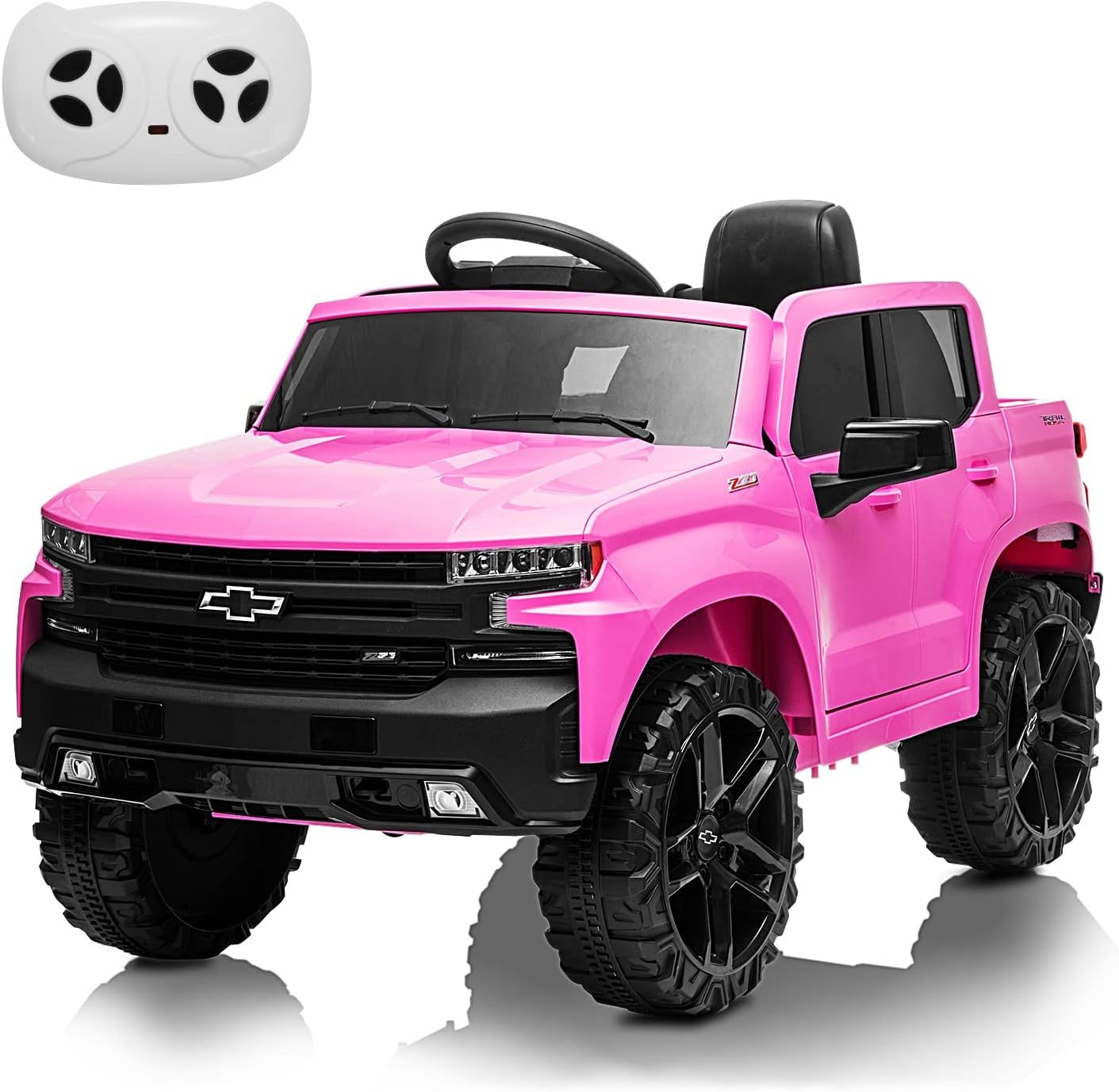
Image 1.1: The Nasitip 12V Licensed Chevrolet Silverado Kids Ride-On Electric Car in pink, shown with its remote control.
2. Safety Guidelines
WARNING: To reduce the risk of injury, adult supervision is required. Never use in roadways, near motor vehicles, on or near steep inclines or steps, swimming pools or other bodies of water. Always wear shoes, and never allow more than one rider.
- Adult Assembly Required: This product contains small parts and sharp edges in its unassembled state.
- Supervision: Constant adult supervision is mandatory during operation.
- Age and Weight Limits: Suitable for children aged 3-8 years, with a maximum weight capacity of 66 lbs (30 kg).
- Protective Gear: Always ensure the child wears appropriate safety gear, such as a helmet and knee pads (not included).
- Seat Belt: Always fasten the adjustable seat belt before operation.
- Operating Environment: Use only on flat, dry surfaces. Avoid sand, loose dirt, gravel, steep inclines, public roads, or areas with traffic.
- Battery Safety: Only use the provided charger. Do not short-circuit the battery terminals.
- Certifications: This product is certified by ASTM F963, CPSIA, and CPC for safety standards.
3. Package Contents
Please verify that all components are present before beginning assembly:
- 1 x Ride-On Electric Car (Main Body)
- 1 x Charger
- 1 x Remote Control
- 1 x User Manual (This Document)
- Assembly Hardware (Screws, washers, etc. - typically pre-packaged)
4. Assembly Instructions
Follow these steps carefully for proper assembly. Adult assembly is required.
4.1. General Overview of Features

Image 4.1: Key features of the ride-on car, including the lockable door, integrated control panel, rear truck bed, and adjustable seat belt.
Familiarize yourself with the main components before starting assembly.
4.2. Wheel Installation
- Attach the wheels to the axles, ensuring all washers and pins are securely in place.
- Secure with the provided caps or nuts.
4.3. Steering Wheel and Seat Installation
- Connect the steering column to the main body and secure the steering wheel.
- Install the seat, ensuring it clicks into place or is secured with screws.
4.4. Battery Connection
- Locate the battery compartment (usually under the seat or hood).
- Connect the red terminal wire to the positive (+) terminal and the black terminal wire to the negative (-) terminal.
- Close the battery compartment securely.
5. Charging Instructions
The vehicle is powered by a 12V 4.5AH rechargeable battery. Proper charging ensures optimal performance and battery longevity.
- Initial Charge: Before first use, charge the battery for 8-12 hours. Do not overcharge for more than 18 hours.
- Regular Charging: After each use, recharge the battery for 8-12 hours.
- Charging Port: Locate the charging port on the vehicle (refer to the diagram in the physical manual if available).
- Connection: Plug the charger into a standard wall outlet, then connect the charger's plug to the vehicle's charging port.
- Indicator: The charger may have an indicator light to show charging status (e.g., red for charging, green for fully charged).
- Disconnection: Once charging is complete, disconnect the charger from the vehicle first, then from the wall outlet.
IMPORTANT: Only use the charger supplied with this product. Do not allow children to charge the battery.
6. Operating Instructions
Your ride-on car offers both manual operation by the child and parental remote control.
6.1. Vehicle Controls

Image 6.1: Overview of the remote control and the vehicle's dashboard, highlighting functions like speed, direction, multimedia, and lights.
- Power Button: Press to turn the vehicle on/off.
- Foot Pedal: Press to accelerate. Release to brake.
- Forward/Reverse Switch: Select driving direction.
- Speed Button: Adjust between 2 manual speeds (up to 2.2 mph).
- Horn Button: Activates the horn sound.
- Light Button: Turns LED headlights on/off.
- MP3/USB/FM Radio: Use the control panel to play music via Bluetooth, USB, or FM radio.
6.2. Parental Remote Control
The 2.4GHz remote control allows parents to safely guide the vehicle. The remote control has priority over manual operation.
- Pairing: Follow instructions in the physical manual to pair the remote control with the vehicle.
- Forward/Backward: Control the vehicle's movement.
- Left/Right: Steer the vehicle.
- Speed Selection: Adjust between 3 speeds (1.8-3.7 mph).
- Stop Button: Emergency brake function.
6.3. Slow Start Function

Image 6.2: The slow start feature ensures a smooth acceleration, preventing sudden jolts for the rider.
The vehicle is equipped with a slow start function, which provides gradual acceleration to prevent sudden jolts and ensure a comfortable ride for the child.
6.4. Multimedia Functions
The integrated control panel allows for various entertainment options:
- Bluetooth: Connect a mobile device to play audio wirelessly.
- USB Port: Insert a USB drive with MP3 files to play music.
- FM Radio: Tune into local FM radio stations.
7. Maintenance
Regular maintenance helps prolong the life of your ride-on car.
7.1. Cleaning
- Wipe the vehicle with a soft, damp cloth. Do not use abrasive cleaners or solvents.
- Avoid spraying water directly onto electrical components.
7.2. Battery Care
- Charge the battery after each use.
- If storing for an extended period, charge the battery once a month to prevent deep discharge.
- Store the battery in a cool, dry place.
7.3. Storage
- Store the vehicle indoors in a dry area when not in use.
- Protect from direct sunlight and extreme temperatures.

Image 7.1: The rear storage bin provides space for toys and other small items.
8. Troubleshooting
If you encounter issues, refer to the table below for common problems and solutions.
| Problem | Possible Cause | Solution |
|---|---|---|
| Vehicle does not move | Battery is low or not connected; Power switch off; Loose wire connection; Overload protection activated. | Charge battery; Turn on power switch; Check all wire connections; Reduce load, wait for reset. |
| Vehicle runs slowly | Low battery; Overloaded; Operating on unsuitable surface. | Recharge battery; Reduce weight; Use on flat, hard surfaces. |
| Remote control not working | Remote batteries dead; Remote not paired; Interference. | Replace remote batteries; Re-pair remote control; Move to an area with less interference. |
| No sound from multimedia | Volume too low; Incorrect mode selected; Device not connected properly. | Increase volume; Select correct input mode (Bluetooth, USB, FM); Reconnect device. |
9. Specifications
| Feature | Detail |
|---|---|
| Model Number | BDM-0928 |
| Product Dimensions | 42.91" L x 28.34" W x 25.19" H |
| Item Weight | 55 lbs |
| Weight Capacity | 66 lbs (30 kg) |
| Recommended Age | 3 - 8 years |
| Battery | 12V 4.5AH |
| Charge Time | 8-12 hours |
| Run Time | 1-2 hours (depending on usage) |
| Speed Range | Manual: up to 2.2 mph (2 speeds); Remote: 1.8-3.7 mph (3 speeds) |
| Features | LED Lights, Control Pedal, Engine Sound, Horn, Spring Suspension, Slow Start, Parental Remote Control, Adjustable Seat Belt, Lockable Doors, Bluetooth, MP3, USB, FM Radio, Rear Storage Bin |
| Certifications | ASTM F963, CPSIA, CPC |

Image 9.1: Visual representation of product specifications.

Image 9.2: Product dimensions and recommended terrains for operation.
10. Warranty and Support
For warranty information, replacement parts, or technical assistance, please contact the retailer or manufacturer directly. Keep your purchase receipt as proof of purchase.
No official seller videos were found for this product.

