
Introduction
Thank you for choosing the Xanlite EG-TO2500RIP LED Flashlight. This powerful and versatile flashlight is designed for various applications, offering exceptional brightness, multiple lighting modes, and a durable, weather-resistant design. This manual provides essential information for the safe and effective use, maintenance, and troubleshooting of your device.

Image: A person holding the Xanlite flashlight, illuminating a vast starry sky, demonstrating its powerful beam.
Safety Instructions
Please read and understand all safety instructions before using the flashlight. Failure to follow these instructions may result in injury or damage to the product.
- Do not look directly into the LED beam: The high intensity light can cause temporary vision impairment or permanent eye damage.
- Keep out of reach of children: This product is not a toy.
- Avoid exposure to extreme temperatures: Do not store or use the flashlight in excessively hot or cold environments.
- Do not disassemble the flashlight: Disassembly may void the warranty and could lead to electric shock or damage.
- Use only the provided or compatible USB-C cable for charging: Using incorrect chargers may damage the battery or device.
- Dispose of batteries responsibly: Follow local regulations for lithium-ion battery disposal.
Package Contents
Verify that all items are present in the package:
- 1 x Xanlite EG-TO2500RIP LED Flashlight
- 1 x USB-C Charging Cable

Image: The flashlight with its components separated, illustrating the contents of the package.
Setup
Initial Charge
Before first use, fully charge the flashlight. Connect the provided USB-C cable to the flashlight's charging port and plug the other end into a compatible USB power source (e.g., computer, wall adapter). The charging indicator light will show the charging status (refer to the Operating Instructions for details).
Operating Instructions
Power On/Off
Press the power button located on the side of the flashlight to turn it on. Press it again to turn it off.
Changing Lighting Modes
With the flashlight on, press the power button repeatedly to cycle through the available lighting modes:
- Normal Mode (1200 Lumens): Provides bright, general illumination.
- Power Boost Mode (2500 Lumens): Delivers maximum brightness for demanding situations.
- Economic Mode (250 Lumens): Offers extended battery life with reduced brightness.
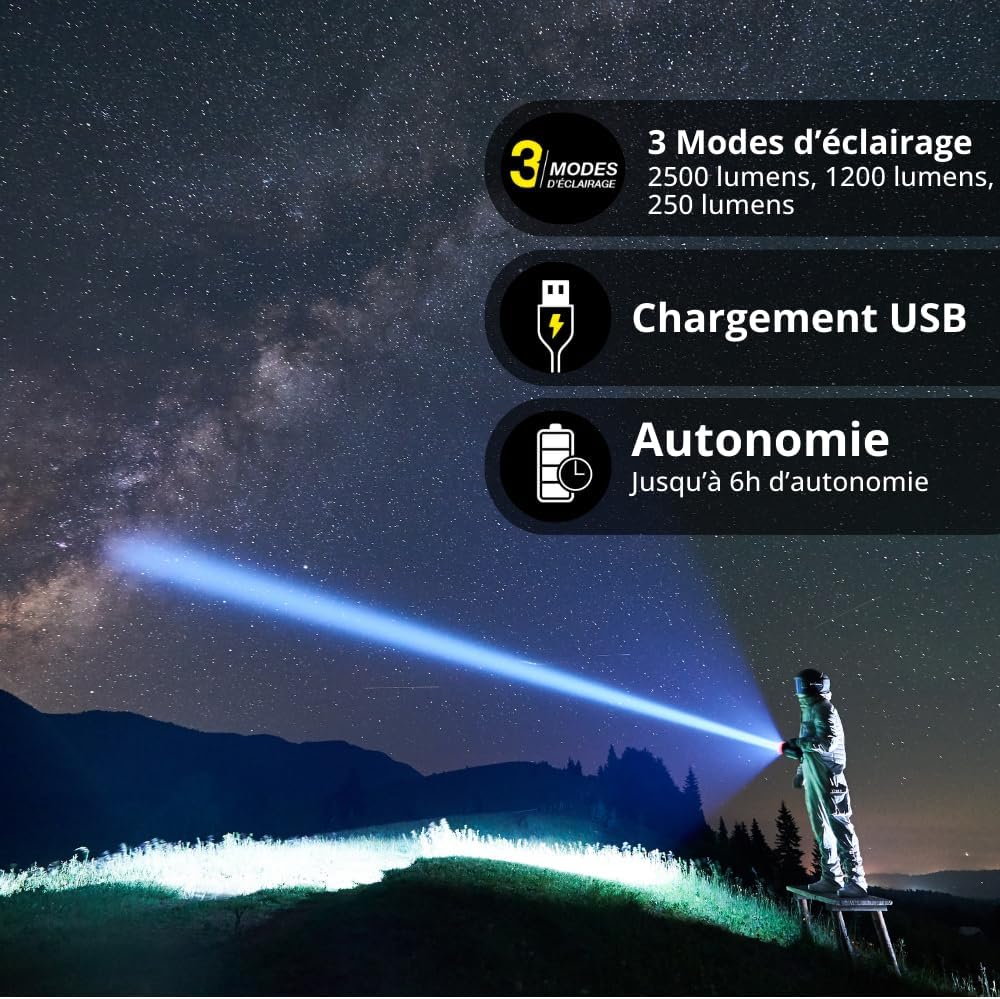
Image: An infographic showing the three lighting modes, USB charging, and battery autonomy, with a user demonstrating the flashlight's beam.
Charging the Flashlight
The flashlight is equipped with a rechargeable Lithium-ion battery. To charge, locate the USB-C port (usually protected by a rubber cover) and connect the provided USB-C cable. A charging indicator light will illuminate to show the charging status. The light will change color or turn off when fully charged.
Maintenance
Cleaning
Wipe the flashlight with a soft, damp cloth. Do not use abrasive cleaners or solvents, as they may damage the finish or internal components. Ensure the charging port cover is securely closed after charging to maintain IP44 rating.
Storage
Store the flashlight in a cool, dry place away from direct sunlight and extreme temperatures. For long-term storage, it is recommended to charge the battery periodically (every 3-6 months) to maintain battery health.
Troubleshooting
| Problem | Possible Cause | Solution |
|---|---|---|
| Flashlight does not turn on. | Battery is depleted. | Charge the flashlight using the USB-C cable. |
| Flashlight does not charge. | Charging cable or adapter is faulty; charging port is obstructed. | Try a different USB-C cable or power adapter. Ensure the charging port is clean and free of debris. |
| Light output is dim. | Battery is low; flashlight is in Economic Mode. | Recharge the battery. Cycle through modes to select Normal or Power Boost. |
Specifications
- Model: EG-TO2500RIP
- Light Source: LED
- Luminosity: 1200 Lumens (Normal), 2500 Lumens (Power Boost), 250 Lumens (Economic)
- Color Temperature: 6500K (Cold White)
- Beam Distance: Up to 200 meters
- Water Resistance: IP44 (Splash and Dust Resistant)
- Shock Resistance: IK08
- Power Source: Rechargeable Lithium-ion Battery
- Charging: USB-C
- Battery Life: Up to 6 hours (depending on mode)
- Material: Aluminum
- Dimensions: 40mm (Diameter) x 123mm (Length)

Image: A close-up view of the flashlight head, indicating IK08 shock resistance and aluminum material.

Image: A technical diagram showing the dimensions of the Xanlite flashlight.
Warranty Information
Xanlite products are manufactured to high-quality standards. For specific warranty details, please refer to the warranty card included with your purchase or visit the official Xanlite website. Keep your proof of purchase for warranty claims.
Customer Support
If you encounter any issues or have questions regarding your Xanlite EG-TO2500RIP LED Flashlight that are not covered in this manual, please contact Xanlite customer support. Contact information can typically be found on the product packaging or the official Xanlite website.
