1. Introduction
Thank you for choosing the Xiaomi Electric Scooter 4. This manual provides essential information for the safe assembly, operation, and maintenance of your scooter. Please read this manual thoroughly before your first ride to ensure optimal performance and safety. Keep this manual for future reference.
3. Product Overview
The Xiaomi Electric Scooter 4 features an optimized design for a comfortable and stable ride. Key components include a robust aluminum frame, 10-inch tubeless tires, and an intuitive handlebar display.

Figure 3.1: Side view of the Xiaomi Electric Scooter 4, showcasing its sleek black design and red cable accents.
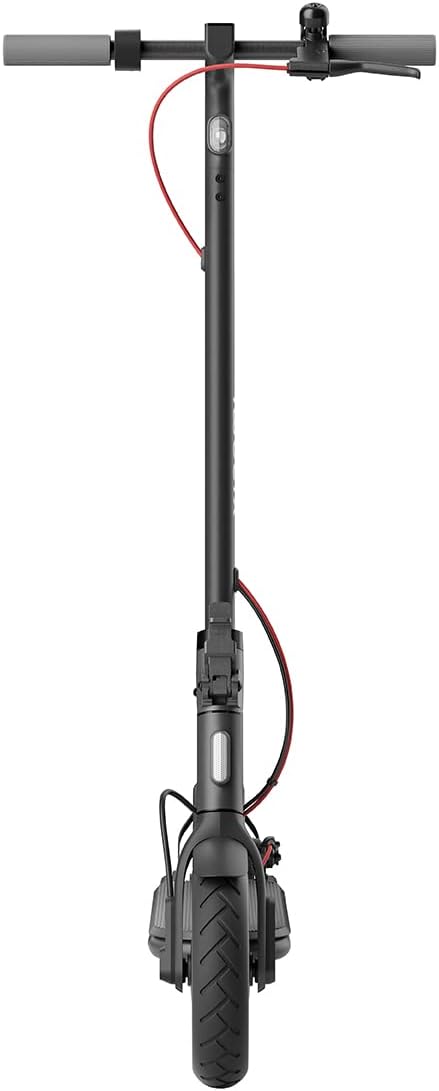
Figure 3.2: Front view of the scooter, highlighting the front wheel and handlebar assembly.

Figure 3.3: Top-down view of the handlebars, showing the central display, bell, and brake levers.
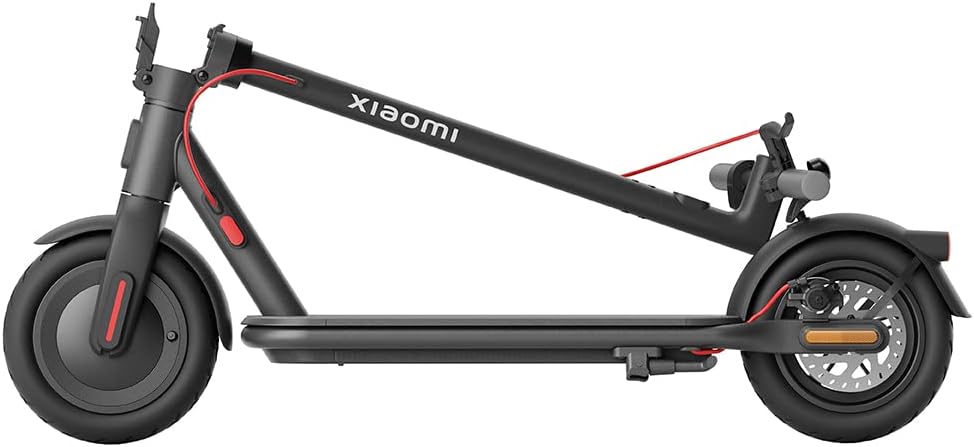
Figure 3.4: The scooter in its folded configuration, demonstrating its portability for storage or transport.

Figure 3.5: Size comparison illustrating the improved dimensions of the Xiaomi Electric Scooter 4 compared to the Electric Scooter 3, offering a more comfortable ride with increased length, height, handlebar width, and deck width.

Figure 3.6: Close-up of the 10-inch tubeless tires, designed for improved shock absorption, stability on uneven roads, and reduced puncture risk due to their deeper tread pattern.

Figure 3.7: Diagram illustrating the powerful 600W brushless Hall motor, enabling the scooter to reach speeds of up to 25 km/h and climb inclines of up to 16%.

Figure 3.8: Visual representation of the three adjustable speed levels: Pedestrian, Standard, and Sport, allowing riders to adapt to various riding conditions and preferences.
5. Operating Instructions
5.1 Power On/Off
- To power on, press and hold the power button on the handlebar display until the screen illuminates.
- To power off, press and hold the power button until the display turns off.
5.2 Riding Modes
The scooter offers three riding modes to suit different environments and preferences:
- Pedestrian Mode: Maximum speed of 6 km/h. Ideal for crowded areas or when walking alongside the scooter.
- Standard Mode: Maximum speed of 20 km/h. Suitable for general urban commuting.
- Sport Mode: Maximum speed of 25 km/h. Provides maximum power and speed for experienced riders on open roads.
To switch between modes, short press the power button while the scooter is on.
5.3 Riding the Scooter
- Place one foot on the deck and push off with the other foot to gain initial momentum.
- Once moving, gently press the accelerator lever to engage the motor.
- Maintain balance and steer by leaning and turning the handlebars.
- To brake, gently squeeze the brake levers. For emergency stops, apply both brakes firmly.
5.4 Xiaomi Home App Integration
Connect your scooter to the Xiaomi Home app on your smartphone for advanced features and control:
- View real-time riding data (speed, battery level, mileage).
- Lock/unlock the scooter.
- Update firmware.
- Adjust settings and preferences.
The app provides a comprehensive overview and control over your scooter's functions.
7. Troubleshooting
If you encounter issues with your Xiaomi Electric Scooter 4, please refer to the following common troubleshooting tips:
| Problem | Possible Cause | Solution |
|---|
| Scooter does not power on | Low battery; loose connections | Charge the battery; check all cable connections. |
| Reduced range or power | Under-inflated tires; battery degradation; riding uphill frequently | Check and adjust tire pressure; ensure full charge; consider riding mode. |
| Brakes feel loose or ineffective | Brake cable adjustment needed; worn brake pads | Adjust brake cable tension; inspect and replace brake pads if necessary. |
| Unusual noises during operation | Loose components; debris in wheels | Inspect the scooter for loose parts and tighten; clear any debris from wheels. |
For more complex issues, consult the Xiaomi Home app or contact customer support.
9. Warranty and Support
The Xiaomi Electric Scooter 4 comes with a limited warranty. For detailed warranty terms and conditions, please refer to the warranty card included with your product or visit the official Xiaomi website. For technical support, spare parts, or service inquiries, please contact Xiaomi customer service or an authorized service center.
You can also find additional resources and FAQs on the Xiaomi Home app or the official Xiaomi support page: www.mi.com/global/support
