
1. Product Overview
The Definitive Technology Dymension DM20 is a slim center channel speaker designed to enhance home theater audio systems. It features a 5-driver array, including four 4-inch long-throw midrange woofers and one 1-inch aluminum oxide tweeter, engineered to deliver clear vocals and detailed sound. Its compact design allows for versatile placement options, including cabinet, shelf, or wall-mounting under a television. The speaker is timbre-matched with other Dymension series speakers, enabling seamless integration into a complete home audio setup.

2. Key Features
- Slim 5-Driver Array: Features four 4-inch long-throw midrange woofers and a 1-inch tweeter for dynamic sound and ultra-clear vocals.
- Crystal Clear Vocals: The custom aluminum oxide tweeter provides a smooth, extended high-frequency response with crisp transients for exceptional definition and clear dialogue.
- Detailed Midrange and Low-End Performance: Composite polymer cones optimize midrange detail and driver excursion for improved low-end performance.
- Versatile Placement: Its slim and compact design allows for flexible placement in cabinets, on shelves, or wall-mounted under a TV.
- Timbre-Matched: Consistent sound across Definitive Technology Dymension, Dymension CI, and Mythos speakers allows for building a cohesive home theater system.
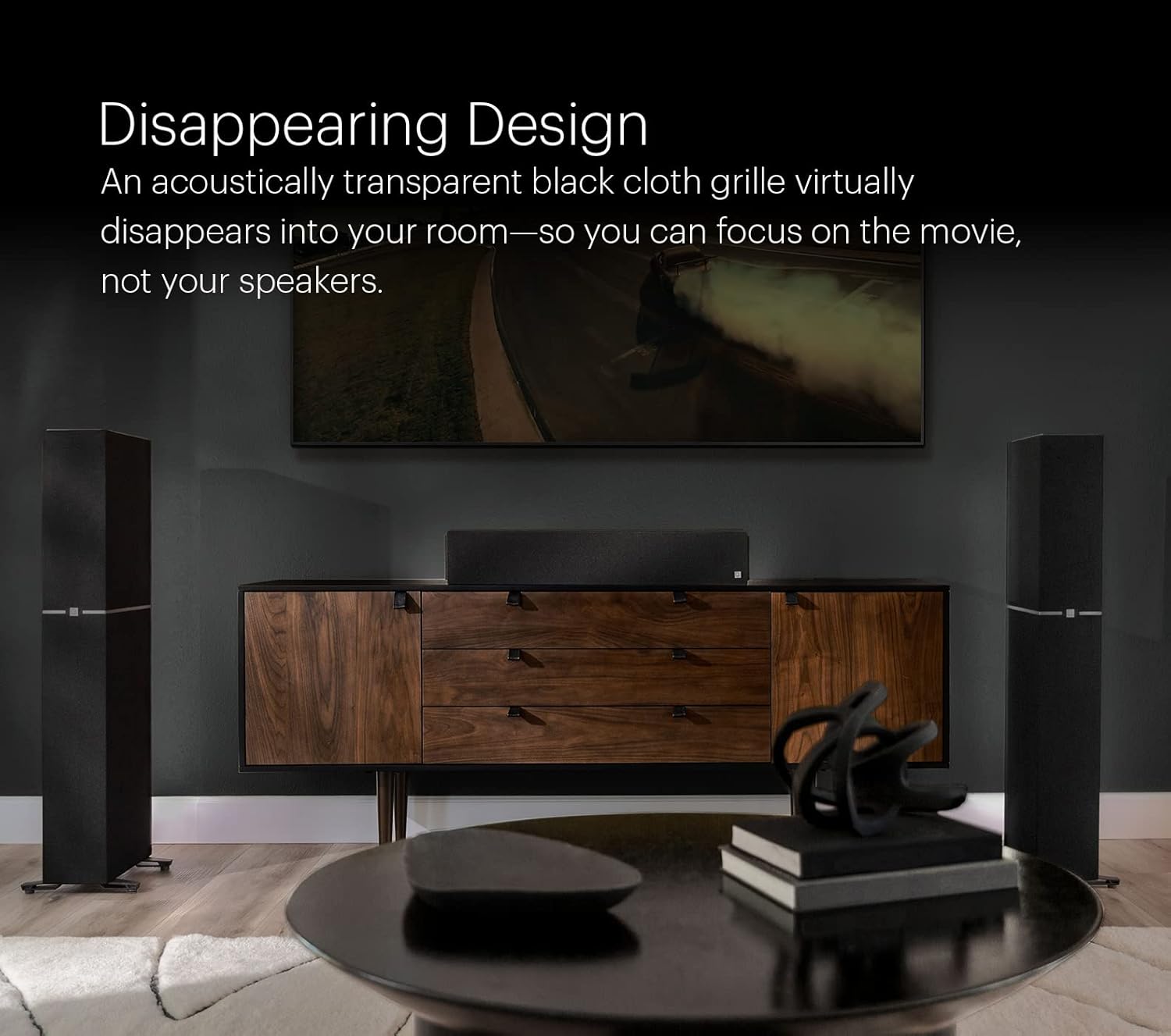
- Disappearing Design: An acoustically transparent black cloth grille allows the speaker to blend seamlessly into your room's decor.


Product Videos
DT Dymension Centers Shortened Product Overview
Video 1: A concise overview of the Definitive Technology Dymension Center Channel Speakers, highlighting their design and audio capabilities.
Massive Soundstage with Clarity
Video 2: Demonstrates the expansive soundstage and clarity delivered by the Dymension DM20 speaker, enhancing the audio experience.
3. Setup
3.1 Unpacking
Carefully remove the speaker and all accessories from the packaging. Retain the packaging for future transport or storage.
3.2 Placement
The DM20 is designed for flexible placement. For optimal performance in a home theater system, position the center channel speaker directly below or above the center of your television screen. Ensure it is placed on a stable, level surface or securely wall-mounted.
- On a Shelf or Cabinet: Place the speaker on a flat, stable surface. Its slim profile allows it to fit into most cabinetry.
- Wall-Mounting: The speaker can be wall-mounted under your TV. Refer to the mounting hardware instructions (if included) for secure installation.

3.3 Connections
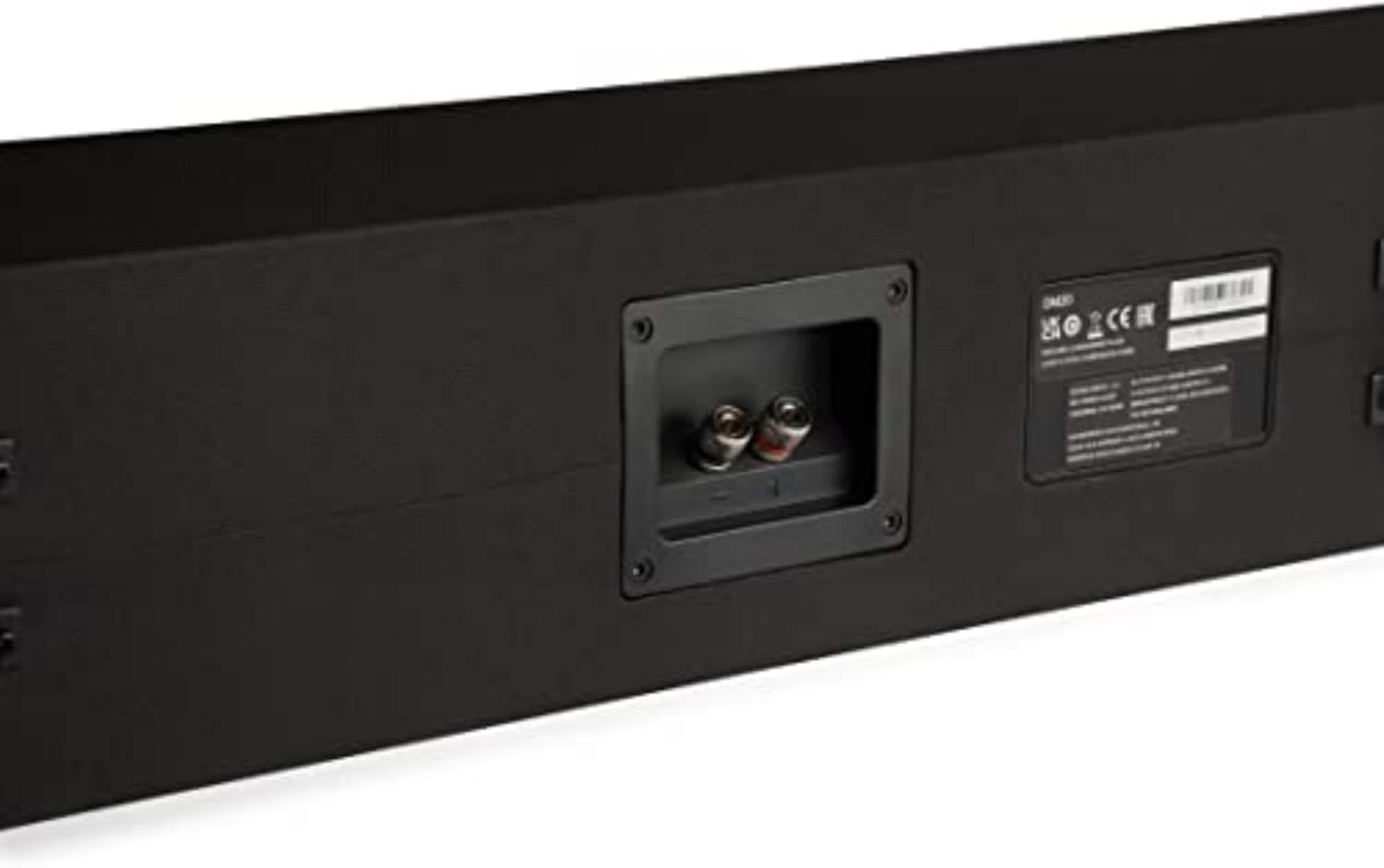
The DM20 is a passive speaker and requires connection to an audio/video receiver (AVR) or amplifier. Use high-quality speaker wire to connect the speaker to the center channel output of your AVR.
- Identify the positive (+) and negative (-) terminals on the back of the DM20 speaker and your AVR.
- Connect the positive (+) terminal of the speaker to the positive (+) terminal of the center channel output on your AVR.
- Connect the negative (-) terminal of the speaker to the negative (-) terminal of the center channel output on your AVR.
- Ensure all connections are secure to prevent signal loss or short circuits.
4. Operating Instructions
Once connected, the DM20 center channel speaker will operate as part of your home theater system. Ensure your AVR is properly configured to recognize the center channel speaker.
- AVR Calibration: Use your AVR's automatic room correction system (e.g., Audyssey, YPAO) to calibrate the speaker levels, distances, and equalization for optimal sound.
- Dialogue Enhancement: The DM20 is specifically designed to deliver clear dialogue. If your AVR has a dialogue enhancement feature, you may experiment with it to further improve vocal clarity.
- Timbre Matching: For a seamless soundstage, ensure all speakers in your system are timbre-matched. The DM20 is designed to integrate acoustically with other Definitive Technology Dymension series speakers.
5. Maintenance
To ensure the longevity and optimal performance of your Definitive Technology Dymension DM20 speaker, follow these simple maintenance guidelines:
- Cleaning: Use a soft, dry cloth to gently wipe the speaker cabinet. Avoid using harsh chemicals, solvents, or abrasive cleaners, as these can damage the finish.
- Grille Care: The acoustically transparent cloth grille can be carefully removed if needed for cleaning. Use a soft brush or a vacuum cleaner with a brush attachment on a low setting to remove dust. Reattach the grille securely.
- Environment: Avoid placing the speaker in direct sunlight, near heat sources, or in areas with high humidity. Ensure adequate ventilation around the speaker.
6. Troubleshooting
If you encounter issues with your DM20 speaker, refer to the following common troubleshooting steps:
- No Sound:
- Check all speaker wire connections at both the speaker and the AVR/amplifier. Ensure they are secure and correctly connected (positive to positive, negative to negative).
- Verify that the AVR/amplifier is powered on and set to the correct input source.
- Confirm that the center channel output is enabled and not muted in your AVR's settings.
- Distorted or Unclear Sound:
- Check speaker wire connections for any loose strands that might be touching each other or the opposite terminal.
- Reduce the volume level on your AVR/amplifier to see if distortion decreases.
- Ensure the speaker is not placed too close to walls or corners, which can cause excessive bass or resonance.
- Run your AVR's room correction calibration again.
- Uneven Soundstage:
- Confirm the speaker is centered relative to your viewing/listening position.
- Check speaker level settings in your AVR to ensure the center channel is balanced with other speakers.
7. Specifications
| Feature | Detail |
|---|---|
| Model Name | DM20 |
| Brand | Definitive Technology |
| Speaker Type | Component |
| Woofer Diameter | 4 Inches (x4) |
| Tweeter Diameter | 1 Inches (x1) |
| Speaker Maximum Output Power | 300 Watts |
| Product Dimensions | 6.5"D x 30.5"W x 5.3"H |
| Item Weight | 22.05 Pounds |
| Connectivity Technology | Auxiliary (Wired) |
| Mounting Type | Wall Mount |
| Included Components | Speaker, Literature Pack |
8. Warranty and Support
The Definitive Technology Dymension DM20 speaker comes with a limited warranty. For specific details regarding warranty coverage, duration, and terms, please refer to the 'Literature Pack' included with your product or visit the official Definitive Technology website.
For technical support, troubleshooting assistance beyond this manual, or service inquiries, please contact Definitive Technology customer support through their official channels.


