
Introduction
Thank you for choosing the MASTER & DYNAMIC MG20 Wireless Gaming Headphones. This manual provides detailed instructions for setting up, operating, maintaining, and troubleshooting your new headphones. Please read this guide thoroughly to ensure optimal performance and longevity of your device.
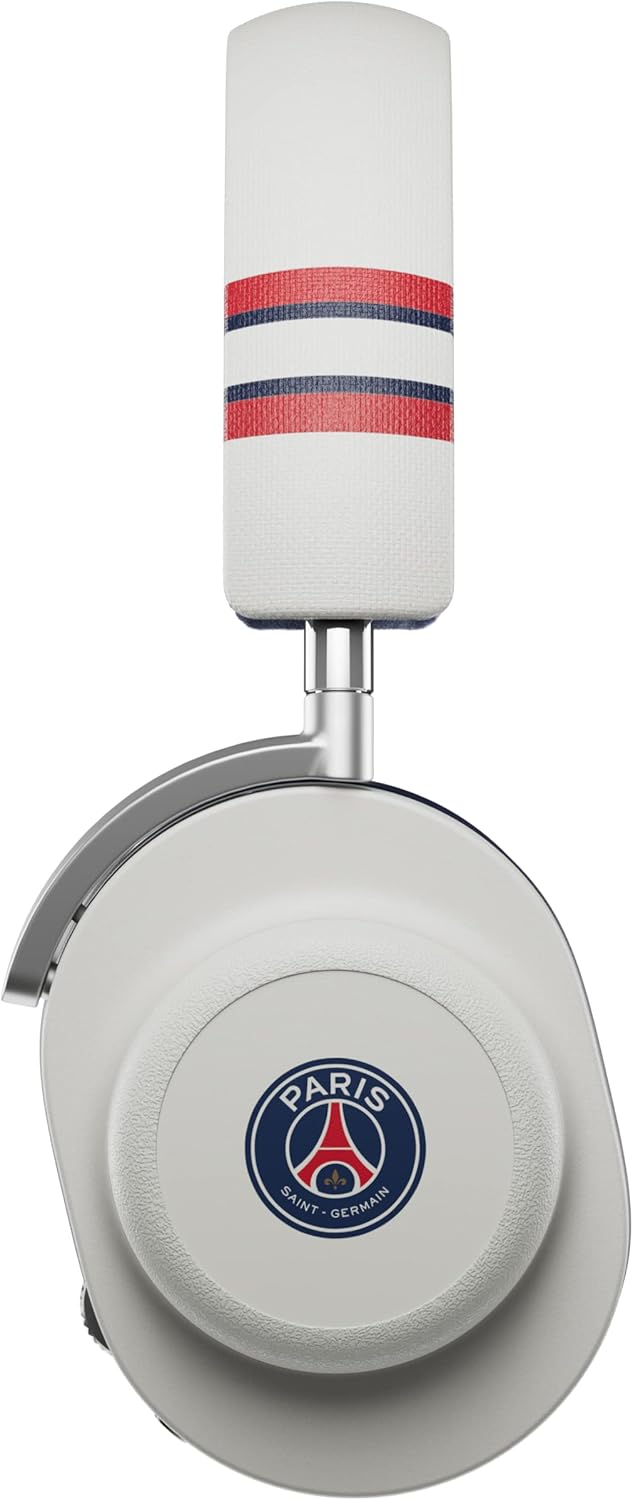
Image: The MASTER & DYNAMIC MG20 Wireless Gaming Headphones in White/Graphite Grey.
What's in the Box
Your MG20 Wireless Gaming Headphones package includes the following items:
- MG20 Wireless Gaming Headphones
- Detachable Boom Microphone
- USB-C Charging Cable
- USB-A Wireless Transmitter
- 3.5mm Audio Cable
- Quick Start Guide
- Carrying Pouch
Setup
1. Charging the Headphones
Before first use, fully charge your MG20 headphones. Connect the provided USB-C charging cable to the headphone's charging port and the other end to a USB power source. A full charge takes approximately 60 minutes and provides up to 22 hours of battery life.

Image: An optional charging stand, demonstrating a charging connection point.
2. Attaching the Boom Microphone
The MG20 headphones feature a detachable boom microphone for clear communication during gaming. Insert the microphone into the dedicated port on the left earcup until it clicks into place. Ensure it is securely connected.

Image: A close-up view of the detachable boom microphone attached to the headphone earcup.
3. Connecting via Wireless USB-A Transmitter
For low-latency wireless gaming, connect the USB-A wireless transmitter to your gaming console, PC, or other compatible device. The headphones will automatically pair with the transmitter when powered on.

Image: The USB-A wireless transmitter for low-latency connection.
4. Connecting via Bluetooth
To connect via Bluetooth (version 5.0), power on the headphones and activate Bluetooth pairing mode (refer to Operating Instructions for details). Select "MG20" from your device's Bluetooth menu. The headphones are compatible with laptops, desktops, gaming consoles, tablets, and cellphones.
5. Connecting via 3.5mm Audio Cable
For wired connection, plug the 3.5mm audio cable into the headphone's audio jack and the other end into your device's 3.5mm port.
Operating Instructions
Power On/Off
Press and hold the power button located on the earcup for 3 seconds to power the headphones on or off.
Volume Control
Use the volume wheel on the earcup to adjust the audio output level.
Microphone Mute
Press the mute button on the detachable boom microphone to mute or unmute your voice. An indicator light on the microphone will show its status.

Image: Detail of the microphone showing the mute button and status indicator.
Using the Companion App
Download the MASTER & DYNAMIC companion app for additional control and customization options, including equalizer settings and firmware updates. The app is available for compatible mobile devices.
Maintenance
Cleaning
Wipe the headphones with a soft, dry cloth. Do not use harsh chemicals or abrasive materials. For leather and canvas parts, follow specific care instructions for those materials.
Storage
When not in use, store the headphones in the provided carrying pouch to protect them from dust and scratches. Avoid exposing them to extreme temperatures or humidity.

Image: The MG20 headphones displayed on a stand, illustrating proper storage.
Troubleshooting
- No Sound: Ensure headphones are powered on and charged. Check volume levels on both headphones and connected device. Verify correct audio source selection on your device. For wireless connections, ensure the transmitter is properly connected or Bluetooth is paired.
- Microphone Not Working: Ensure the boom microphone is securely attached and not muted. Check microphone settings on your connected device.
- Connection Issues: For wireless connections, try re-pairing the headphones with the USB transmitter or re-connecting via Bluetooth. Ensure no other devices are interfering with the signal.
- Poor Audio Quality: Check for obstructions between headphones and source device. Ensure the audio source is of good quality. Try restarting both the headphones and the connected device.
Specifications
| Feature | Specification |
|---|---|
| Model Name | MG20 Wireless Gaming Headphones |
| Connectivity Technology | Wireless (Bluetooth 5.0) |
| Wireless Communication Technology | Bluetooth |
| Headphones Jack | 3.5 mm Jack |
| Audio Driver Type | Dynamic Driver |
| Audio Driver Size | 50 Millimeters |
| Battery Life | 22 Hours |
| Charging Time | 60 minutes |
| Material | Magnesium, Leather, Canvas |
| Earpiece Shape | Over-Ear |
| Item Weight | 12600 Milligrams (12.6 grams) |
| Product Dimensions | 6.72 x 7.77 x 3.27 inches |
| Compatible Devices | Laptops, Desktops, Gaming Consoles, Tablets, Cellphones |
| Control Method | App |
| Impedance | 32 Ohms |
Video: An official overview of the Master & Dynamic MG20 Wireless Gaming Headphones, showcasing key features and design.
Warranty and Support
MASTER & DYNAMIC products are designed for durability and performance. For warranty information, product registration, or technical support, please visit the official MASTER & DYNAMIC website or contact their customer service. Keep your proof of purchase for warranty claims.
For further assistance, you may also refer to the MASTER & DYNAMIC Store on Amazon.


