
Introduction
The Hot Wheels Monster Trucks Arena Smashers Glow-in-the-Dark Gunkster Playset provides an interactive play experience where the Gunkster Monster Truck confronts a glow-in-the-dark sludge monster. The playset features a dynamic base that moves and shakes, enhancing the impact of crashes and smashes. This manual provides essential information for setup, operation, maintenance, and specifications of your playset.
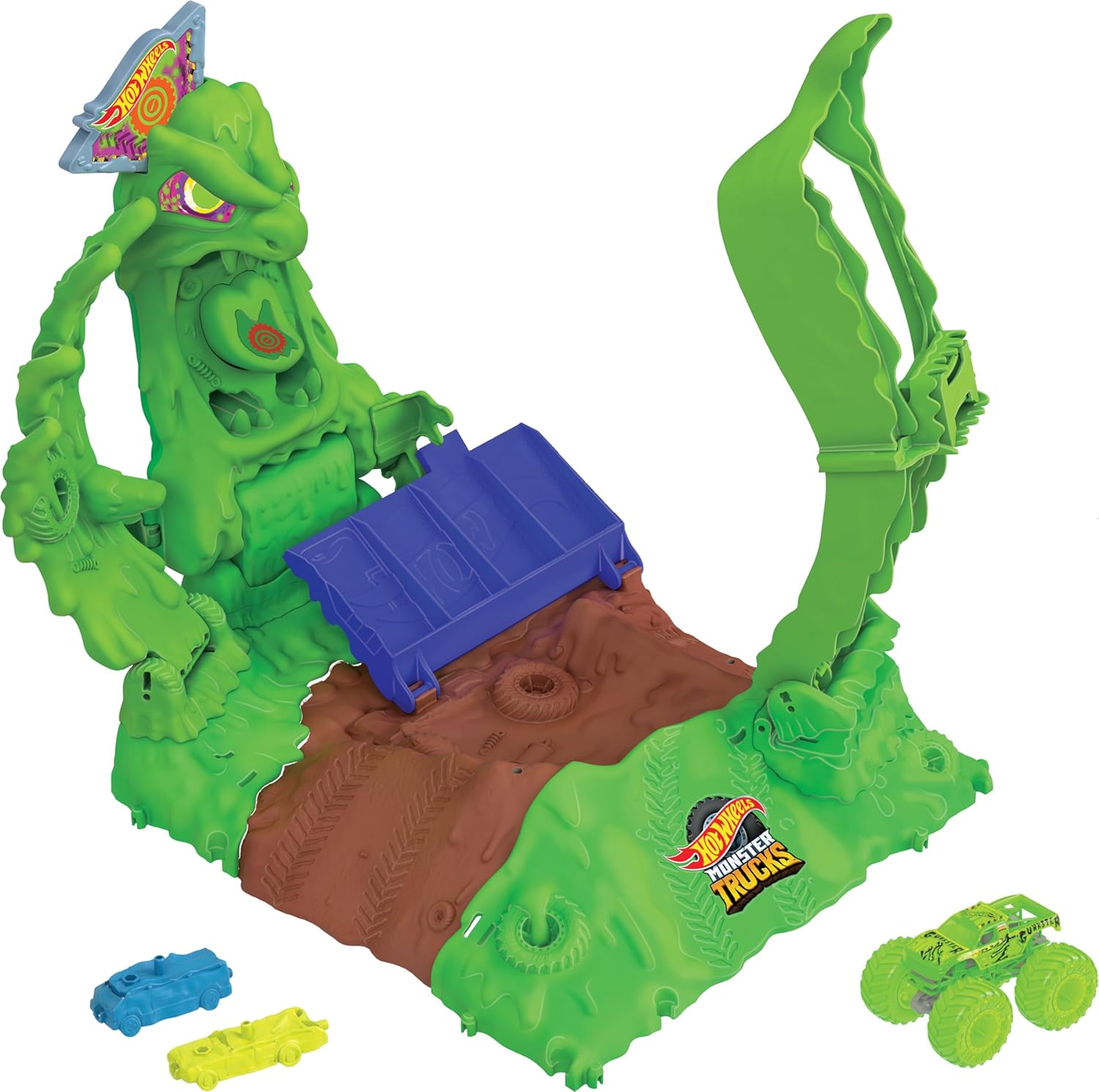
Image: The complete Hot Wheels Monster Trucks Arena Smashers Glow-in-the-Dark Gunkster Playset, featuring the green sludge monster, launch ramp, and included vehicles.
What's in the Box
- 1 Hot Wheels Monster Trucks Arena Smashers Glow-in-the-Dark Gunkster Playset
- 1 die-cast 1:64 scale Glow-in-the-Dark Gunkster Monster Truck
- 2 glow-in-the-dark crushable cars
Setup Instructions
- Unpack Components: Carefully remove all parts from the packaging.
- Assemble Playset: Connect the various sections of the playset as indicated in the included assembly guide. The pieces are designed to snap together without the need for additional tools.
- Position Crushable Cars: Place the two glow-in-the-dark crushable cars in the designated spots on the playset, such as the grandstands or special destruction zones.
- Prepare Gunkster Truck: Ensure the 1:64 scale Glow-in-the-Dark Gunkster Monster Truck is ready for launch.

Image: A hand preparing to launch the Gunkster Monster Truck towards the sludge monster on the playset.
Operating Instructions
- Launch Gunkster: Position the Glow-in-the-Dark Gunkster Monster Truck on the launch mechanism.
- Aim for Smash Spots: Aim the Gunkster truck towards the designated smash spots on the glow-in-the-dark sludge monster.
- Initiate Attack: Launch the Gunkster truck to hit the monster. The playset's base will move and shake with each impact.
- Defeat the Monster: Successfully hitting the monster in the correct spots will cause it to be defeated. Missing the target may result in the sludge monster 'attacking'.

Image: The Gunkster Monster Truck in action, impacting the sludge monster on the playset.
Glow-in-the-Dark Feature
The playset's glow-in-the-dark elements, including the sludge monster and included vehicles, require exposure to light to activate their luminescence. For optimal glow, expose the playset to bright light for a period before playing in a darkened environment.
Video: A demonstration of the Hot Wheels Monster Trucks Arena Smashers playset's glow-in-the-dark feature in a dark room.
Connecting to Other Sets
This playset is designed to connect with other Hot Wheels Monster Trucks Arena Smashers sets (sold separately) to create an expanded play arena. Follow the connection points on each set for seamless integration.
Video: A demonstration of the Hot Wheels Monster Trucks Arena Smashers playset, showing how to launch trucks and interact with the monster.
Video: A user demonstrating how to play with the Hot Wheels Monster Trucks Arena Smashers playset, including setting up cars and launching them.
Maintenance
- Cleaning: Wipe the playset and vehicles with a damp cloth to remove dust and debris. Avoid using harsh chemicals or abrasive cleaners.
- Storage: Store the playset in a cool, dry place away from direct sunlight when not in use.
- Inspection: Periodically inspect all parts for any signs of damage or wear. Discontinue use if any components are broken.
Troubleshooting
- Trucks not launching effectively: Ensure the launch mechanism is fully engaged and released with sufficient force. Check for any obstructions in the track.
- Glow-in-the-dark feature not working: Confirm that the glow-in-the-dark components have been exposed to bright light for an adequate period to charge.
- Playset components not connecting: Verify that all pieces are correctly aligned and firmly pressed together until they click into place. Refer to the assembly guide if needed.
Specifications
| Feature | Detail |
|---|---|
| Product Dimensions | 18.49 x 13.62 x 12.53 inches |
| Item Weight | 2.52 pounds |
| Item Model Number | HPN72 |
| Manufacturer Recommended Age | 4 years and up |
| Manufacturer | Mattel |
Warranty and Support
For warranty information or customer support, please refer to the contact details provided on the product packaging or visit the official Hot Wheels website. Keep your proof of purchase for any warranty claims.


