
Introduction
This manual provides essential information for the safe and efficient operation, maintenance, and troubleshooting of your Tomahawk Power 30" Battery Powered Push Sweeper, model eTOS30. Please read this manual thoroughly before using the product.

Figure 1: Tomahawk Power 30" Battery Powered Push Sweeper in operation.
1. Setup
1.1 Unboxing and Initial Assembly
Carefully remove all components from the packaging. Ensure all parts are present before proceeding with assembly. The handle can be adjusted to two different positions to suit the user's height.
Video 1: Detailed unboxing and assembly instructions for the 30" Battery-Powered Sweeper.
1.2 Handle Installation
- Turn the handle fittings on the sweeper so they are positioned vertically.
- Press the spring button located at the base of the handles.
- Insert the handle into the fitting until the button clicks into place, locking it securely.
- Repeat this process for the other side of the handle.
1.3 Fuse Installation
- Pull up the cover at the top of the sweeper to access the battery compartment.
- Locate the fuse terminal.
- Plug the provided fuse into the terminal.
- Replace the cover securely.
1.4 Initial Battery Charging
Before first use, fully charge the battery. Connect the charger to a standard electrical outlet and then to the charging port on the sweeper. The LED indicator on the charger will illuminate red while charging and turn green when fully charged. The sweeper can operate for up to 5 hours on a single charge.
2. Operating Instructions
2.1 Powering On and Sweeping
- Press the power switch located on top of the unit to engage the brushes.
- For optimal results, sweep in long, parallel strips, overlapping each pass by 6 to 12 inches to ensure complete coverage.
- The sweeper is self-propelled, requiring minimal effort to push.

Figure 2: Power and dust suppression controls.
2.2 Dust Suppression System
The sweeper features a built-in 1-gallon dust suppression system to actively reduce airborne dust during operation.
- To activate the dust suppression system, press the button next to the power switch.
- This system mists the floor as you sweep, preventing dust from kicking up into the air.
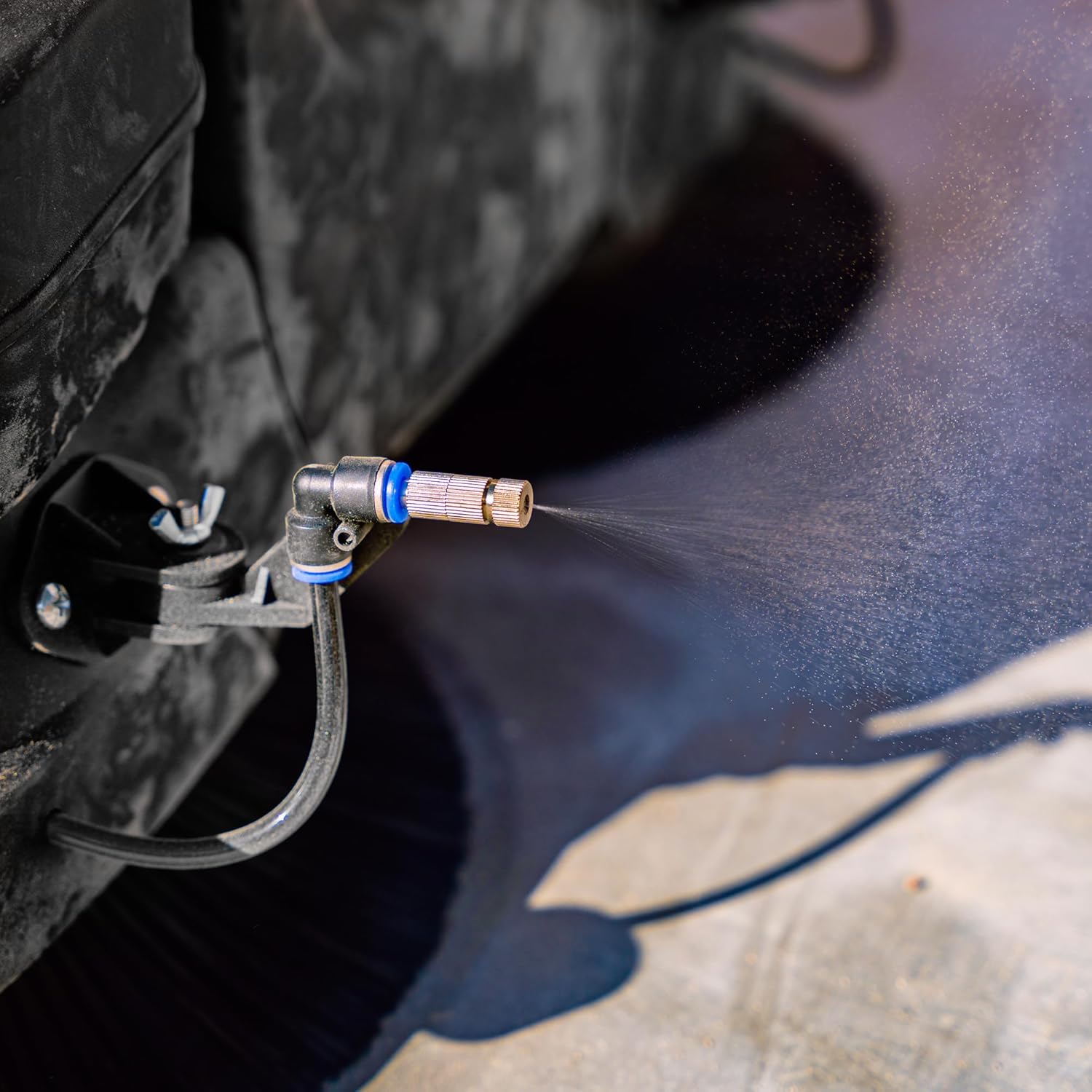
Figure 3: Dust suppression nozzle in action.
2.3 Brush Height Adjustment
The sweeper comes with an adjustable brush system to accommodate different surfaces and debris types.
- To change the brush height, turn the adjustment knob located on the top of the unit.
- Use levels 1-2 for flat, hard surfaces.
- Use levels 3-4 for damp leaves, sand, or uneven surfaces.
- Use levels 5-8 for heavy dirt and very uneven surfaces.

Figure 4: Brush height adjustment knob.
2.4 Versatile Use
The sweeper is designed for both indoor and outdoor use on wet or dry surfaces. Its compact and lightweight design allows it to easily fit through standard doorways and be transported between different areas, including multi-floor buildings via elevators.

Figure 5: Sweeper easily fits through standard doorways.
Video 2: Overview of the 30" Battery Powered Push Sweeper with Triple Power Brooms.
Video 3: Demonstrating how the Battery Powered Push Sweeper cleans more in less time.
3. Maintenance
3.1 Emptying the Dust Bin
The sweeper features a 13.5-gallon hopper bin capacity. To empty the bin:
- Lift the collection bin from the sweeper.
- Invert the bin over a waste receptacle to dispose of collected debris.
- Reattach the bin securely to the sweeper.

Figure 6: Emptying the sweeper's collection bin.
3.2 Battery Charging
Recharge the battery after each use or when the battery indicator shows low power. The battery lasts all day and is ready for use after an overnight charge.
3.3 Cleaning the Unit
Regular cleaning ensures optimal performance and longevity of your sweeper.
- After each use, clean the underside of the sweeper and any areas where dirt accumulates using compressed air, rags, and water.
- Ensure the air filters are kept clean during use to maintain effective dust suppression.

Figure 7: Spare parts and accessories diagram.
4. Troubleshooting
| Problem | Possible Cause | Solution |
|---|---|---|
| Ineffective debris pickup | Incorrect brush height setting, worn brushes, obstructed brushes. | Adjust brush height according to surface type. Inspect brushes for wear and replace if necessary. Check for and remove any obstructions. |
| Excessive dust during sweeping | Dust suppression system off, low water in tank, clogged nozzles, dirty air filter. | Activate dust suppression. Refill 1-gallon water tank. Clean dust suppression nozzles. Clean or replace air filter. |
| Battery not charging | Charger not properly connected, faulty charger, battery issue. | Ensure charger is securely connected to both the outlet and the sweeper. Check charger for damage. Contact support if issues persist. |
| Sweeper not moving smoothly | Obstructed wheels, low battery, uneven surface. | Check wheels for debris. Charge battery. Adjust brush height for uneven surfaces. |
5. Specifications
- Model: eTOS30
- Product Dimensions: 32.5 x 34 x 12.8 inches
- Item Weight: 51.9 pounds
- Sweeping Distance: 31 inches
- Hopper Bin Capacity: 13.5 Gallons
- Solution Tank: 1 Gallon (for dust suppression)
- Drive: Powered (Electric Drive)
- Wheel Size: 12 inches
- Handle Length: 41 inches
- Batteries: 1 Lithium Ion battery required (included)
6. Warranty & Support
6.1 Warranty Information
The Tomahawk Power 30" Battery Powered Push Sweeper is backed by a 2-year warranty. This warranty covers manufacturing defects and ensures reliable performance under normal operating conditions.
6.2 Customer Support
For any questions, technical assistance, or warranty claims, please contact Tomahawk Power customer support. Our U.S.-based support team and nationwide service network of certified technicians are available to assist you.
Refer to your product packaging or the official Tomahawk Power website for the most current contact information.


