1. Introduction
This manual provides essential information for the safe and efficient operation of your Orange Box-L Portable Bluetooth Speaker. Please read these instructions carefully before using the product and retain them for future reference.

Image 1.1: Front view of the Orange Box-L Portable Bluetooth Speaker, showcasing its classic orange finish and woven speaker grille.
2. What's in the Box
Carefully unpack your Orange Box-L and ensure all items are present. If any items are missing or damaged, please contact customer support.
- Orange Box-L Portable Bluetooth Speaker
- Power Cable
- Power Adaptor (not explicitly listed but implied for power cable)
- 3.5mm Aux Cable (implied from product images)
- User Manual (this document)

Image 2.1: The Orange Box-L speaker displayed with its retail packaging, indicating the included accessories.
3. Setup
3.1 Power Connection
- Connect the power cable to the power adaptor.
- Plug the power adaptor into the DC input port on the rear of the Orange Box-L.
- Insert the power cable into a suitable wall outlet.
3.2 Initial Power On
Locate the power switch on the top panel of the speaker. Flip the switch to the 'ON' position. The power indicator light will illuminate.

Image 3.1: Close-up of the top control panel, showing the on/off switch, Treble, Bass, and Volume knobs, AUX input, Bluetooth button, and indicator lights.
4. Operating Instructions
4.1 Bluetooth Pairing
The Orange Box-L supports Bluetooth 5.0 for wireless audio streaming.
- Ensure the speaker is powered on.
- Press and hold the Bluetooth button on the top panel until the Bluetooth indicator light begins to flash, indicating pairing mode.
- On your mobile device (smartphone, tablet, computer), navigate to the Bluetooth settings.
- Select "Orange Box-L" from the list of available devices.
- Once connected, the Bluetooth indicator light on the speaker will become solid.

Image 4.1: The Orange Box-L speaker positioned on a wooden shelf, highlighting its Bluetooth connectivity feature.
4.2 AUX Connection
For wired audio playback, use the 3.5mm AUX input.
- Connect one end of the 3.5mm AUX cable to the AUX input port on the top panel of the speaker.
- Connect the other end of the 3.5mm AUX cable to the headphone jack or audio output of your audio source device.
- The speaker will automatically switch to AUX input mode.
4.3 EQ Control
Adjust the sound to your preference using the Treble and Bass controls.
- Volume Knob: Rotate clockwise to increase volume, counter-clockwise to decrease.
- Treble Knob: Adjusts the high-frequency response. Turn clockwise for brighter sound, counter-clockwise for softer highs.
- Bass Knob: Adjusts the low-frequency response. Turn clockwise for more bass, counter-clockwise for less bass.
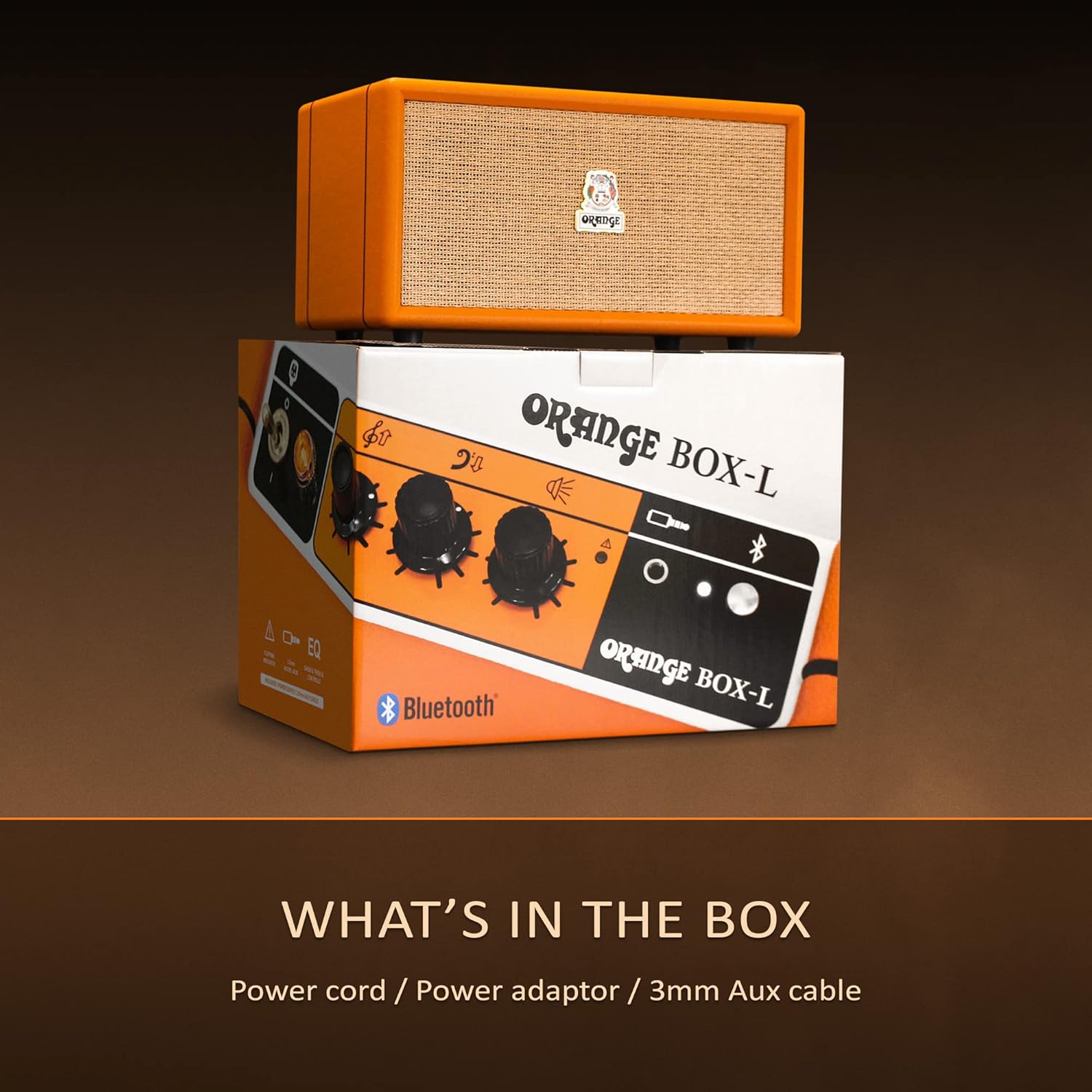
Image 4.2: The Orange Box-L speaker on a shelf, with overlaid icons indicating features like 3.5mm AUX connection, 50W RMS power, 4.3kg weight, EQ control, and an overload light.
5. Maintenance
To ensure the longevity and optimal performance of your Orange Box-L speaker, follow these maintenance guidelines:
- Cleaning: Use a soft, dry cloth to wipe the exterior surfaces. Do not use liquid cleaners or abrasive materials.
- Storage: Store the speaker in a cool, dry place away from direct sunlight and extreme temperatures.
- Handling: Avoid dropping or subjecting the speaker to strong impacts.
- Ventilation: Ensure the speaker's vents are not obstructed to prevent overheating.
6. Troubleshooting
If you encounter issues with your Orange Box-L, refer to the following common problems and solutions:
| Problem | Possible Cause | Solution |
|---|---|---|
| No power | Power cable not connected; Wall outlet not active | Check power cable connections; Try a different outlet |
| No sound | Volume too low; Incorrect input selected; Device not paired (Bluetooth) | Increase volume; Ensure correct input (Bluetooth/AUX); Re-pair Bluetooth device |
| Bluetooth disconnects | Device out of range; Interference | Move device closer to speaker; Avoid obstacles; Minimize other wireless devices |
| Distorted audio | Volume too high (speaker or source); Overload light active | Reduce volume on speaker and/or source device; Adjust EQ settings |
7. Specifications
Detailed technical specifications for the Orange Box-L Portable Bluetooth Speaker:
- Model: ORANGE-BOX-L
- Product Dimensions: 7.68 x 13.78 x 7.87 inches (19.5 x 35 x 20 cm)
- Item Weight: 13.2 pounds (6 kg)
- Power Output: 50W RMS (as indicated by image)
- Bluetooth Version: 5.0 (as indicated by image)
- Connectivity: Bluetooth, 3.5mm AUX input
- Manufacturer: Orange
- Date First Available: November 26, 2024
8. Warranty and Support
For warranty information and customer support, please refer to the official Orange website or contact your retailer. Keep your proof of purchase for warranty claims.
Online Support: Visit the Orange Store on Amazon


