
1. Introduction and Overview
This manual provides essential information for setting up, operating, and maintaining your OnePlus 11R 5G smartphone. Familiarize yourself with its features and functions to ensure optimal performance and longevity of your device.

Image: OnePlus 11R 5G smartphone, showcasing its design.
The OnePlus 11R 5G is a high-performance smartphone featuring a 6.7-inch 120 Hz Super Fluid AMOLED display, powered by the Snapdragon 8+ Gen 1 Mobile Platform. It includes a versatile 50MP triple camera system and supports 100W SUPERVOOC fast charging.

Image: Key features overview of the OnePlus 11R 5G.
2. Setup Guide
2.1 Unboxing and Initial Inspection
Carefully unpack all items from the box. Verify that the following components are present:
- OnePlus 11R 5G Smartphone
- SUPERVOOC 100 W Charger
- USB-A to USB Type-C Data Cable
- SIM Ejector Tool
- Protective Case
2.2 Inserting the SIM Card
- Locate the SIM card tray on the side of your device.
- Insert the SIM ejector tool into the small hole on the SIM tray and press gently until the tray pops out.
- Place your Nano-SIM card(s) into the tray with the gold contacts facing down. Ensure proper orientation.
- Carefully push the SIM tray back into the device until it clicks into place.
2.3 Initial Charging and Power On
- Connect the USB cable to the SUPERVOOC 100 W charger and then to your phone's USB Type-C port. Plug the charger into a power outlet.
- Allow the phone to charge for a few minutes before powering it on for the first time.
- Press and hold the Power button (usually on the right side) until the OnePlus logo appears on the screen.
- Follow the on-screen instructions to complete the initial setup, including language selection, Wi-Fi connection, and Google account setup.

Image: Side view of the OnePlus 11R 5G, illustrating button placement and SIM tray location.
3. Operating Instructions
3.1 Basic Navigation
The OnePlus 11R 5G operates on OxygenOS, based on Android 13, offering an intuitive touchscreen interface. Use gestures or on-screen navigation buttons to interact with the device.
- Tap: Select an item or open an app.
- Swipe: Navigate through screens, scroll lists, or dismiss notifications.
- Pinch: Zoom in or out on photos and web pages.
- Long Press: Access contextual menus or move app icons.
3.2 Power On/Off and Restart
- Power On: Press and hold the Power button until the device vibrates and the OnePlus logo appears.
- Power Off/Restart: Press and hold the Power button for a few seconds. A menu will appear with options to Power Off or Restart.
3.3 Volume Control
Use the Volume Up and Volume Down buttons on the left side of the device to adjust media volume, ringtone volume, and alarm volume.
3.4 Biometric Security (Fingerprint Recognition)
Your device features an in-display fingerprint sensor for secure unlocking and authentication. To set up:
- Go to Settings > Security & lock screen > Fingerprint Unlock.
- Follow the on-screen prompts to register your fingerprint. Ensure your finger covers the entire sensor area during registration.
4. Camera Features
The OnePlus 11R 5G is equipped with a powerful triple camera system to capture high-quality photos and videos.

Image: Detailed view of the 50 MP IMX890 Triple Camera System.
4.1 Camera Specifications
- Main Camera: 50MP with Sony IMX890 sensor (OIS supported)
- Ultrawide Camera: 8MP (120-degree Field of View)
- Macro Lens: For close-up shots
- Front (Selfie) Camera: 16MP with EIS support
4.2 Camera Modes and Features
Explore various modes to enhance your photography:
- Nightscape: For improved low-light photography.
- Ultra HDR: Captures more detail in highlights and shadows.
- Portrait Mode: Creates a depth-of-field effect for professional-looking portraits.
- Pro Mode: Manual controls for advanced users.
- Dual-View Video: Records from front and rear cameras simultaneously.
- Macro Mode: For extreme close-up photography.
- Video Nightscape & Video HDR: Enhance video quality in challenging lighting.

Image: Example of Portrait Mode photography.

Image: Illustration of TurboRAW HDR for enhanced low-light photos.
5. Display Features
Experience vibrant visuals and smooth interactions with the advanced display of the OnePlus 11R 5G.

Image: Features of the 120 Hz Super Fluid Display.
- Display Type: 6.7 Inches Super Fluid AMOLED
- Refresh Rate: 120 Hz (Adaptive Dynamic Frame Rate 40-120 Hz)
- Resolution: 2772 x 1240 pixels, 450 ppi
- Color Depth: 10-bit Color Depth, HDR10+ support
- Peak Brightness: 1450 Nits
5.1 HyperTouch Engine
The HyperTouch Engine ensures smooth and seamless tapping and scrolling with ultra-low latency and high touch accuracy.

Image: Illustration of the HyperTouch Engine technology.
6. Performance and Charging
The OnePlus 11R 5G delivers robust performance and rapid charging capabilities.
6.1 Processor and Memory
- Processor: Snapdragon 8+ Gen 1 Mobile Platform
- RAM: Up to 16GB LPDDR5X RAM
- Storage: 256GB Internal Storage
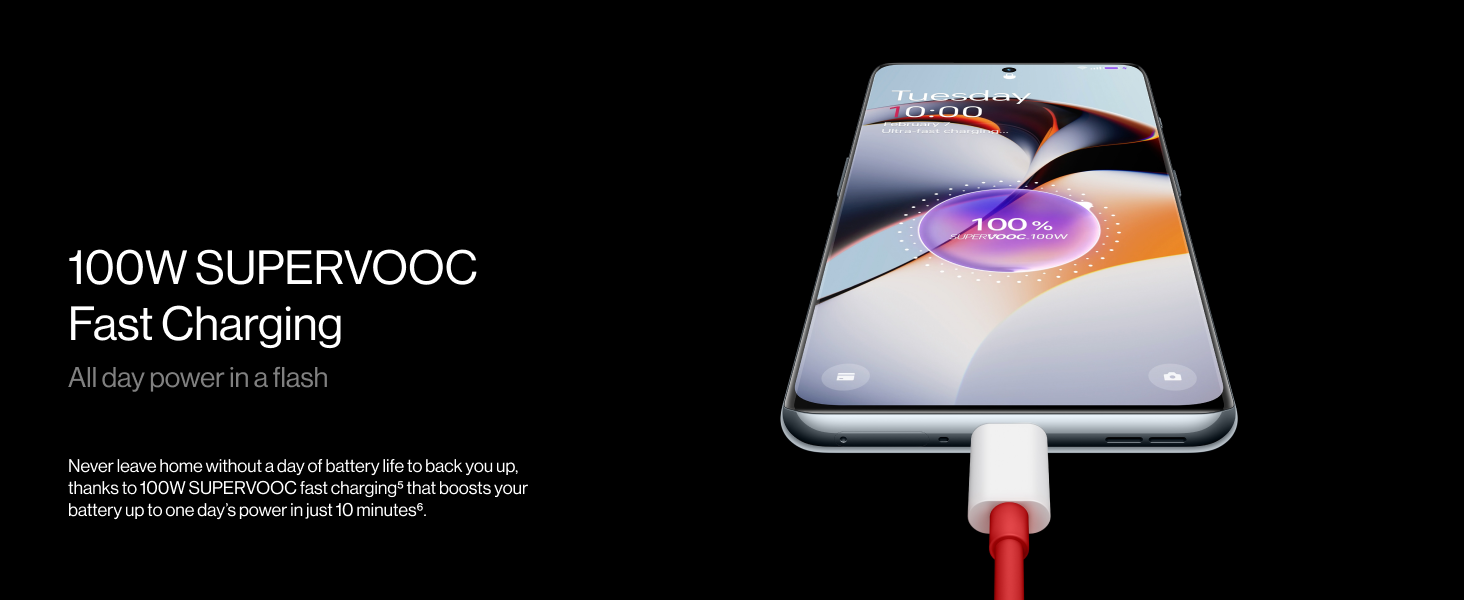
Image: Details of the Snapdragon 8+ Gen 1 Mobile Platform.
6.2 Cooling System
The device incorporates a HyperBoost Gaming Engine and Cryo-velocity Cooling System to manage heat during intensive use, ensuring sustained performance.

Image: Diagram of the HyperBoost and Cryo-velocity Cooling System.
6.3 100W SUPERVOOC Fast Charging
The OnePlus 11R 5G features 100W SUPERVOOC fast charging, allowing for rapid battery replenishment.
- Battery Capacity: 5000 mAh
- Charging Time: Approximately 40 minutes for a full charge.

Image: Illustration of 100W SUPERVOOC Fast Charging.
6.4 Charging Safety and Battery Health
The device incorporates a SUPERVOOC S Charging Management Chip and Battery Health Engine to optimize charging and prolong battery lifespan.

Image: Diagram of the SUPERVOOC S Charging Management Chip.
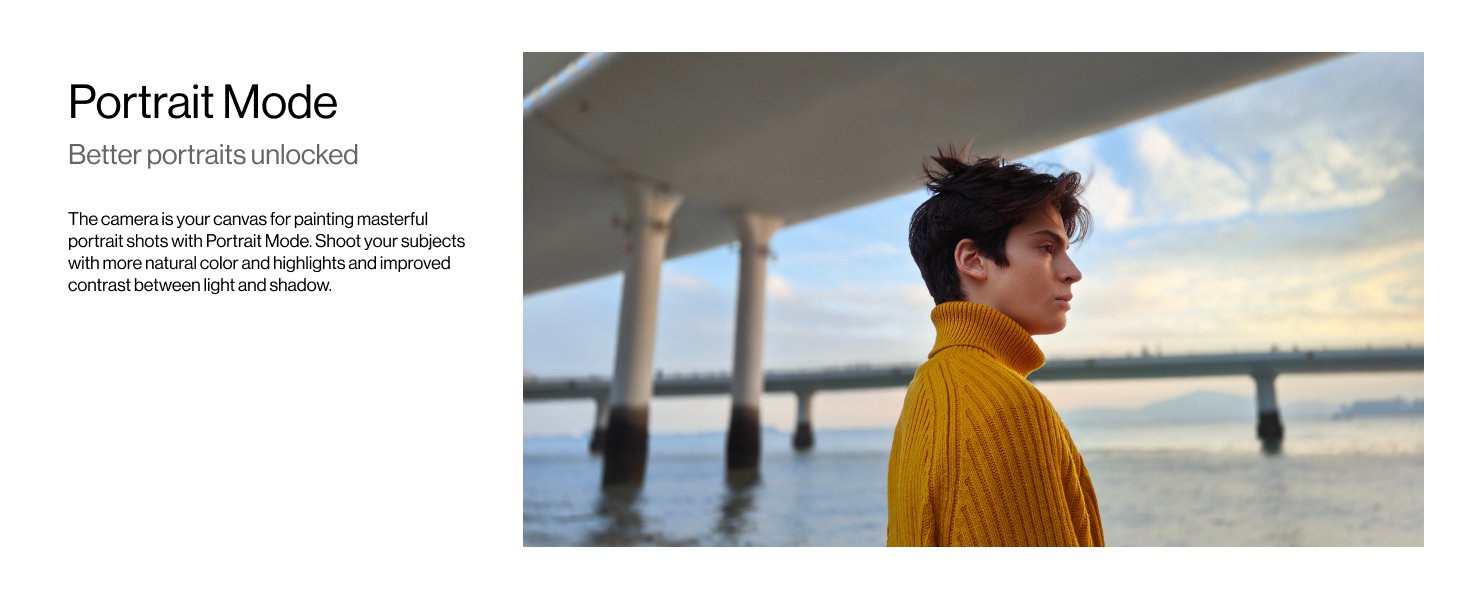
Image: Diagram illustrating the Battery Health Engine.
7. Maintenance
7.1 Cleaning Your Device
To keep your OnePlus 11R 5G in optimal condition:
- Use a soft, lint-free cloth to wipe the screen and back panel.
- Avoid using harsh chemicals, abrasive materials, or compressed air.
- Gently clean ports (USB-C, SIM tray) with a dry, soft brush if necessary.
7.2 Software Updates
Regularly check for and install software updates to ensure your device has the latest features, security patches, and performance improvements. Go to Settings > About device > OxygenOS version to check for updates.
7.3 Battery Care
To maximize battery life and health:
- Avoid extreme temperatures.
- Do not let the battery drain completely frequently.
- Use the original charger and cable provided.
7.4 Water Resistance
The OnePlus 11R 5G is rated as water resistant. This means it can withstand splashes and light exposure to water, but it is not waterproof. Avoid submerging the device in water or exposing it to high-pressure water jets.
8. Troubleshooting
If you encounter issues with your device, try the following basic troubleshooting steps:
8.1 Device Not Powering On
- Ensure the battery is charged. Connect the charger and wait a few minutes before attempting to power on.
- Press and hold the Power button for at least 10-15 seconds to force a restart.
8.2 Charging Issues
- Verify that the charger and cable are securely connected to both the phone and the power outlet.
- Try using a different power outlet.
- Inspect the charging port for any debris or damage.
- Use the original OnePlus charger and cable.
8.3 Apps Crashing or Freezing
- Close and reopen the problematic app.
- Clear the app's cache and data (Settings > Apps > [App Name] > Storage > Clear cache/Clear data).
- Ensure the app is updated to its latest version from the Google Play Store.
- Restart your phone.
8.4 Network Connectivity Problems
- Toggle Airplane Mode on and off.
- Restart your phone.
- Check your SIM card insertion.
- Reset network settings (Settings > System settings > Reset phone > Reset Wi-Fi, mobile & Bluetooth).
For more complex issues, please refer to the official OnePlus support website or contact customer service.
9. Specifications
Key technical specifications for the OnePlus 11R 5G:
| Feature | Specification |
|---|---|
| Brand | OnePlus |
| Model | 11R 5G |
| Operating System | OxygenOS based on Android 13 |
| Processor | Snapdragon 8+ Gen 1 Mobile Platform (2.4 GHz) |
| RAM | 16 GB LPDDR5X |
| Internal Storage | 256 GB |
| Display | 6.7 Inches, 120 Hz Super Fluid AMOLED, 2772 x 1240 pixels, 450 ppi, HDR10+ |
| Rear Camera | 50MP (Main, Sony IMX890, OIS) + 8MP (Ultrawide) + Macro Lens |
| Front Camera | 16MP (EIS supported) |
| Battery Capacity | 5000 mAh (Lithium-Ion) |
| Charging | 100W SUPERVOOC Fast Charging (USB Type C) |
| SIM Card Slot | Dual SIM (Nano) |
| Biometric Security | Fingerprint Recognition |
| Connectivity | 5G Cellular, Wi-Fi, Bluetooth, USB |
| Water Resistance Level | Water Resistant |
| Dimensions | 7.4 x 0.9 x 16.3 Centimeters |
| Weight | 205 Grams |
10. Warranty and Support
10.1 Warranty Information
Your OnePlus 11R 5G device comes with a 1-year manufacturer warranty from the date of purchase. In-box accessories, including batteries, are covered by a 6-month manufacturer warranty from the date of purchase. Please retain your proof of purchase for warranty claims.
10.2 Manufacturer and Support
The OnePlus 11R 5G is manufactured by Oppo Mobiles India Private Limited.
For technical support, service requests, or further assistance, please visit the official OnePlus support website or contact their customer service channels. Details can typically be found on the OnePlus official website or within the device's 'Settings > About device' section.


