
KORG EK50CSA
Korg Portable Keyboard (EK50CSA) Instruction Manual
Model: EK50CSA
1. Introduction
This manual provides essential information for the proper setup, operation, and maintenance of your Korg EK50CSA Portable Keyboard. Please read this manual thoroughly before using the instrument to ensure optimal performance and longevity.
The Korg EK50CSA is an arranger keyboard designed for musicians of all levels, offering a wide variety of sounds and styles, including a focus on Latin Music Styles and Sounds. It features intuitive controls, built-in speakers, and recording capabilities to support your musical creativity.
2. Setup
Unpacking and Contents
Carefully remove all components from the packaging. Ensure the following items are present:
- Korg EK50CSA Portable Keyboard
- AC adapter
- Sheet music stand
Power Connection
Connect the supplied AC adapter to the DC IN jack on the rear of the keyboard and then to a standard electrical outlet. The keyboard operates on 12 Volts (AC) and consumes 10 watts.
Initial Power On
Press the Power button to turn on the keyboard. The display will illuminate, indicating the device is ready for use.
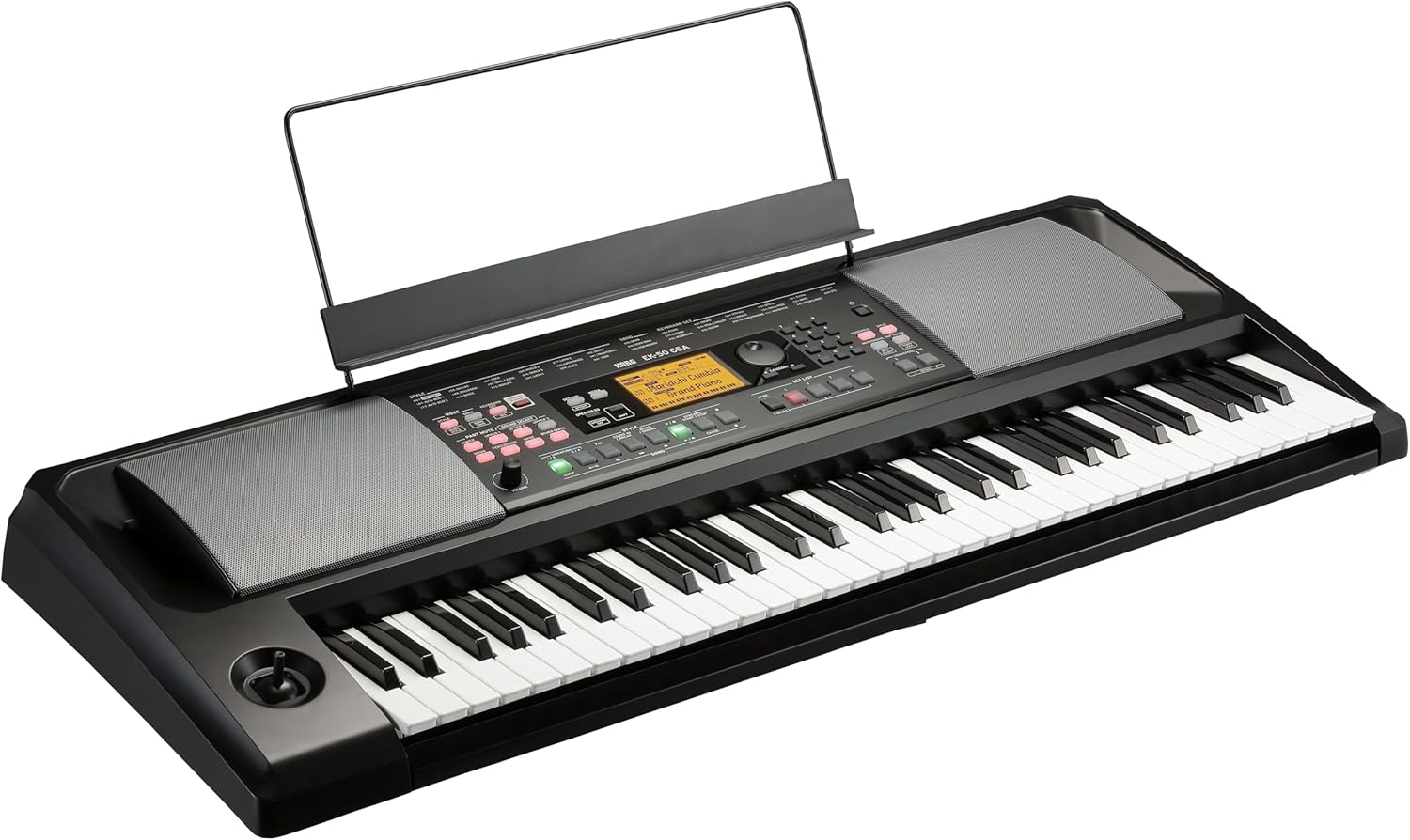
Figure 2.1: Korg EK50CSA Portable Keyboard with included music stand.
3. Operating the Keyboard
Overview of Controls
The EK50CSA features a bright, clear display in the middle of the operating panel, showing selected sound and style names in large characters for excellent visibility. Buttons are illuminated by LEDs, providing visual feedback for each function.

Figure 3.1: Detailed view of the Korg EK50CSA control panel and illuminated display.
Sound and Style Selection
The keyboard contains 686 realistic sounds and 356 Styles, including pianos, guitars, brass, sax, drums, and more, with a special focus on Latin Music Styles and Sounds. Use the dedicated buttons and the display to navigate and select your desired sounds and styles. The Split function allows you to divide the keyboard to play different sounds simultaneously.
Using Built-in Speakers
Powerful 2 x 10W stereo speakers are integrated into the instrument. These speakers can reproduce the keyboard's sounds and also audio from an external device connected to the input jack.

Figure 3.2: Close-up of the integrated speaker on the Korg EK50CSA.
Recording and Composition
The EK50CSA offers convenient one-touch recording to quickly capture musical ideas. It also includes a powerful and user-friendly 12-track sequencer for more advanced composition.
Adding Styles from KORG’s Library
The EK-50 CSA is expandable, allowing you to add additional Styles via a USB flash drive. This feature helps you customize and expand your playing experience with the EK Series.
4. Maintenance
To maintain your Korg EK50CSA, regularly wipe the plastic surfaces with a soft, dry cloth. Avoid using abrasive cleaners or solvents. Store the keyboard in a dry environment, away from direct sunlight and extreme temperatures, to prevent damage to its internal components and plastic body.
5. Troubleshooting
Common Issues and Solutions
- No Sound from Speakers: Ensure the volume is turned up and that no headphones are plugged into the 3.5mm jack. Check if the Speaker EQ or Speaker Off settings are enabled. If the issue persists, verify the power connection.
- Keyboard Freezes: If the keyboard becomes unresponsive, try performing a soft reset by turning the power off and then on again. For persistent issues, consult the full service manual or contact Korg support.
- USB Flash Drive Not Recognized: Ensure the USB flash drive is properly formatted and contains compatible files. Try reinserting the drive or using a different USB port.
6. Specifications
| Feature | Specification |
|---|---|
| Model Name | EK50CSA |
| Brand | KORG |
| Number of Keys | 61 |
| Item Weight | 22.8 pounds |
| Product Dimensions | 44.73 x 19.5 x 9.4 inches |
| Power Source | Corded Electric |
| Voltage | 12 Volts (AC) |
| Wattage | 10 watts |
| Output Wattage | 8 Watts |
| Connectivity Technology | Auxiliary |
| Connector Type | MIDI USB, USB Type A, USB Type B |
| Headphones Jack | 3.5mm Jack |
| Body Material | Plastic |
| Color | BLACK |
7. Warranty and Support
For warranty information and technical support, please refer to the documentation included with your product or visit the official KORG website. This product is subject to a 30-day refund/replacement return policy from the date of purchase.
You can also visit the KORG Store on Amazon for more information and resources.
Related documentsEK50CSA

Ask a question about this manual
Ask about setup, troubleshooting, compatibility, parts, safety, or missing instructions. Manuals+ will review the question and use this page’s manual context to help answer it.