
Introduction
Thank you for purchasing the JONATHAN Y JYL7111A Rechargeable Integrated LED Table Lamp. This portable and cordless accent light is designed to provide soft, dimmable illumination for various indoor settings. This manual provides essential information for safe and efficient use of your lamp.
Safety Information
- Read all instructions before use and retain for future reference.
- This product is for indoor use only. Do not expose to moisture or extreme temperatures.
- Do not attempt to disassemble or modify the lamp. This may void the warranty and pose a safety risk.
- Use only the provided charging cable or a certified USB-C cable for charging.
- Keep the lamp away from heat sources and direct sunlight.
- The integrated LED components are not replaceable.
Package Contents
Verify that all components are present in the package:
- JONATHAN Y JYL7111A Rechargeable Integrated LED Table Lamp
- USB-C Charging Cable
- User Manual (this document)
Setup
Your JONATHAN Y JYL7111A lamp comes pre-assembled. No complex setup is required. Simply remove the lamp from its packaging.

Image: The JYL7111A lamp ready for use on a wooden surface.
Before first use, ensure the lamp is fully charged. Refer to the "Charging" section for instructions.
Video: This video demonstrates the basic setup and assembly of the JYL7111B lamp, which shares similar setup principles with the JYL7111A model.
Operating Instructions
Power On/Off
To turn the lamp on or off, gently tap the touch sensor located on the base of the lamp.

Image: A hand activating the touch sensor on the lamp's base.
Dimming Function
To adjust the brightness, press and hold the touch sensor. The light will gradually dim or brighten. Release your finger when the desired brightness level is reached.
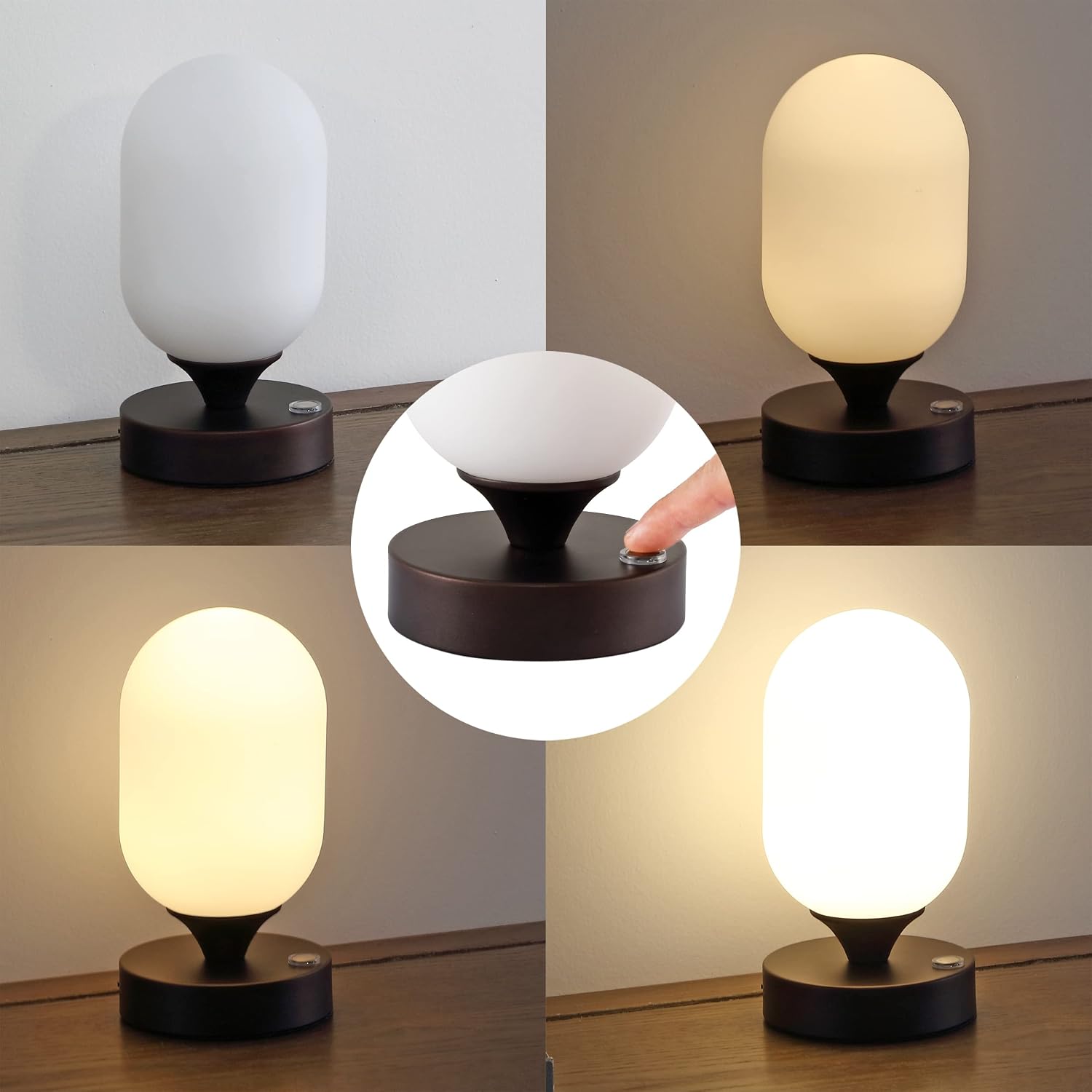
Image: Visual representation of the lamp's dimmable feature, showing various light intensities.
Video: This video demonstrates the JYL7111A product features, including the touch sensor and dimming capabilities.
Charging
The lamp is equipped with a rechargeable battery. To charge:
- Locate the USB-C charging port on the side of the lamp base.
- Insert the small end of the USB-C cable into the lamp's charging port.
- Connect the larger end of the USB-C cable to a compatible USB power adapter (not included) or a powered USB port.
- The charging indicator light will illuminate (typically red) while charging and change color (typically green) when fully charged.
- A full charge provides approximately 11 hours of illumination at maximum brightness.

Image: A close-up of hands connecting the USB-C charging cable to the lamp.
Maintenance
To ensure the longevity and appearance of your lamp:
- Cleaning: Disconnect the lamp from any power source before cleaning. Wipe the lamp with a soft, dry cloth. Do not use abrasive cleaners, solvents, or harsh chemicals, as these may damage the finish or glass.
- Storage: When not in use for extended periods, store the lamp in a cool, dry place.
Troubleshooting
| Problem | Possible Cause | Solution |
|---|---|---|
| Lamp does not turn on. | Battery is depleted. | Charge the lamp fully using the USB-C cable. |
| Lamp does not dim. | Incorrect operation of touch sensor. | Press and hold the touch sensor to activate the dimming function. |
| Charging indicator light does not turn green. | Lamp not fully charged or charging cable/adapter issue. | Ensure the lamp is connected to a working USB power source. Try a different USB-C cable or power adapter. Allow sufficient time for charging. |
| Light flickers or is inconsistent. | Low battery or internal issue. | Charge the lamp fully. If the issue persists after charging, contact customer support. |
Specifications
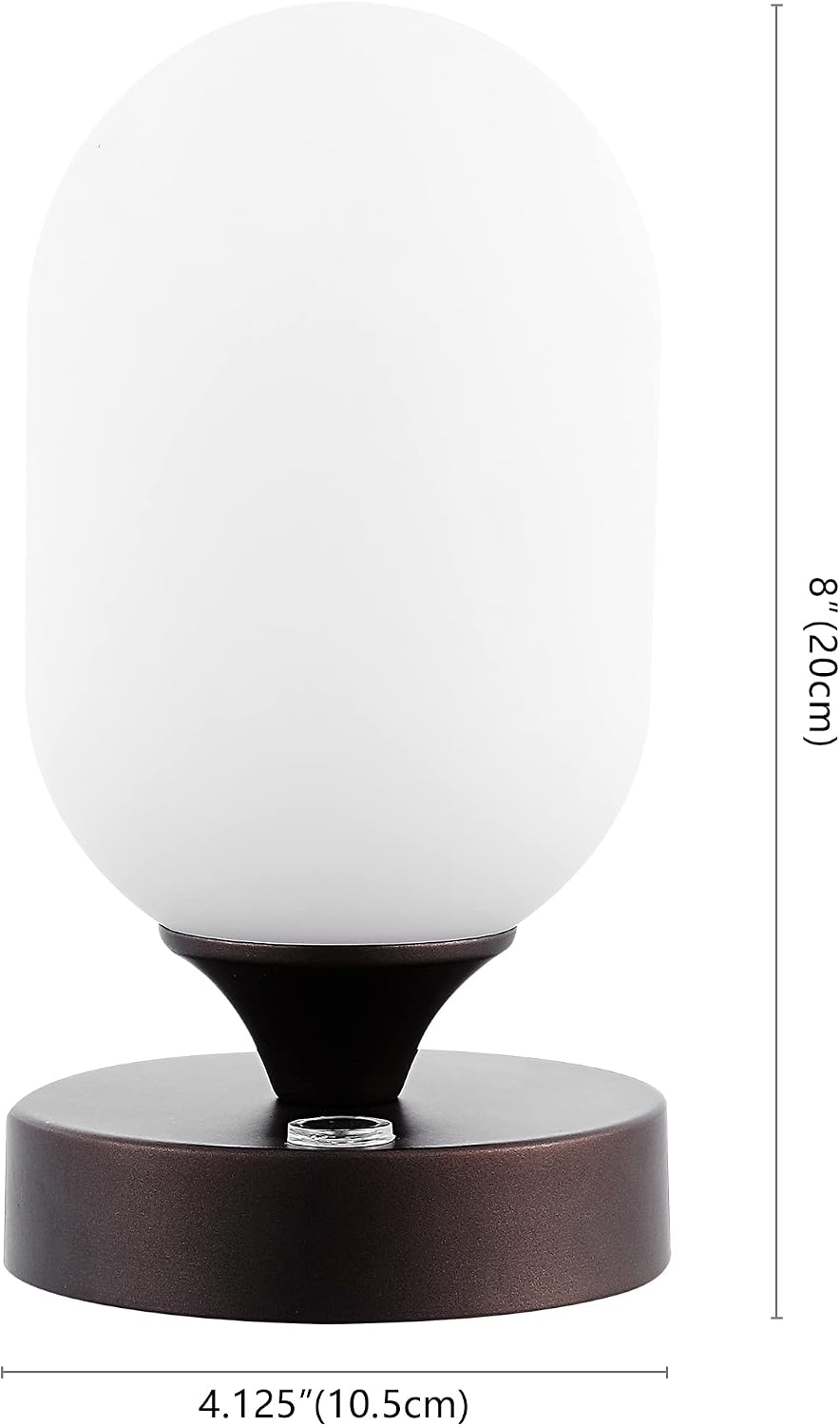
Image: Dimensions of the JYL7111A lamp.
| Feature | Detail |
|---|---|
| Model Number | JYL7111A |
| Dimensions (D x W x H) | 4.13"D x 4.13"W x 8"H |
| Item Weight | 1.32 Pounds |
| Light Source Type | Integrated LED |
| Wattage | 2 watts |
| Power Source | Rechargeable Battery (USB-C) |
| Control Method | Touch Sensor |
| Shade Material | Glass (Frosted) |
| Base Material | Iron |
| Indoor/Outdoor Usage | Indoor Only |
| Additional Features | Cordless, Dimmable, Portable, Rechargeable |
Warranty Information
JONATHAN Y provides a 30-day manufacturer warranty for defects only. This warranty covers manufacturing defects and does not cover normal wear and tear. Visible damages not noted upon delivery will be determined to be customer damage and will not be warranted. All products are inspected upon arrival, and worn, dirty, or stained merchandise will not be accepted for warranty claims.
For warranty information on this product, please contact the internet customer service center.
Support
If you have any questions, require assistance, or encounter issues not covered in this manual, please contact JONATHAN Y customer support. Refer to the product packaging or the official JONATHAN Y website for current contact information.


