
1. Introduction
Thank you for choosing the PETLIBRO Space Automatic Pet Feeder, Model PLAF107. This device is designed to provide fresh, portion-controlled meals for your cats and dogs, ensuring their nutritional needs are met even when you are away. Featuring advanced vacuum sealing technology and smart app control, this feeder helps maintain food freshness and simplifies pet feeding management. Please read this manual thoroughly before use to ensure proper operation and maintenance.

Image 1.1: The PETLIBRO Space Automatic Pet Feeder (white model) shown alongside a smartphone displaying its control application.
2. Important Safety Instructions
- Always use the original power adapter provided with the feeder to prevent damage and ensure safe operation.
- If using backup batteries, replace them every 6 months, especially if the feeder is not in continuous use, to ensure uninterrupted power.
- This feeder is suitable for all dogs and cats, with the exception of kittens under 3 months old.
- Only fill the feeder with dry pet food. Kibble size should be between 2mm and 18mm in diameter to prevent jamming.
- The feeder is designed for indoor use only. Do not expose it to rain or moisture.
- Keep the feeder out of reach of children and pets to prevent accidental operation or damage.
3. Package Contents
Please check the package contents to ensure all items are present and in good condition.
- 1 x PETLIBRO Space Automatic Pet Feeder (8L)
- 1 x Power Adapter
- 1 x User Manual
4. Product Overview
The PETLIBRO Space Automatic Pet Feeder combines an 8-liter food storage tank with an automatic dispensing system, featuring vacuum sealing for optimal food freshness. It includes a large 187mm stainless steel food bowl suitable for both cats and dogs, accommodating various kibble sizes.

Image 4.1: The feeder functions as both an 8L food storage unit and an automatic pet feeder.

Image 4.2: The large food tank can hold up to 34 cups of dry food, providing extended feeding without frequent refills.
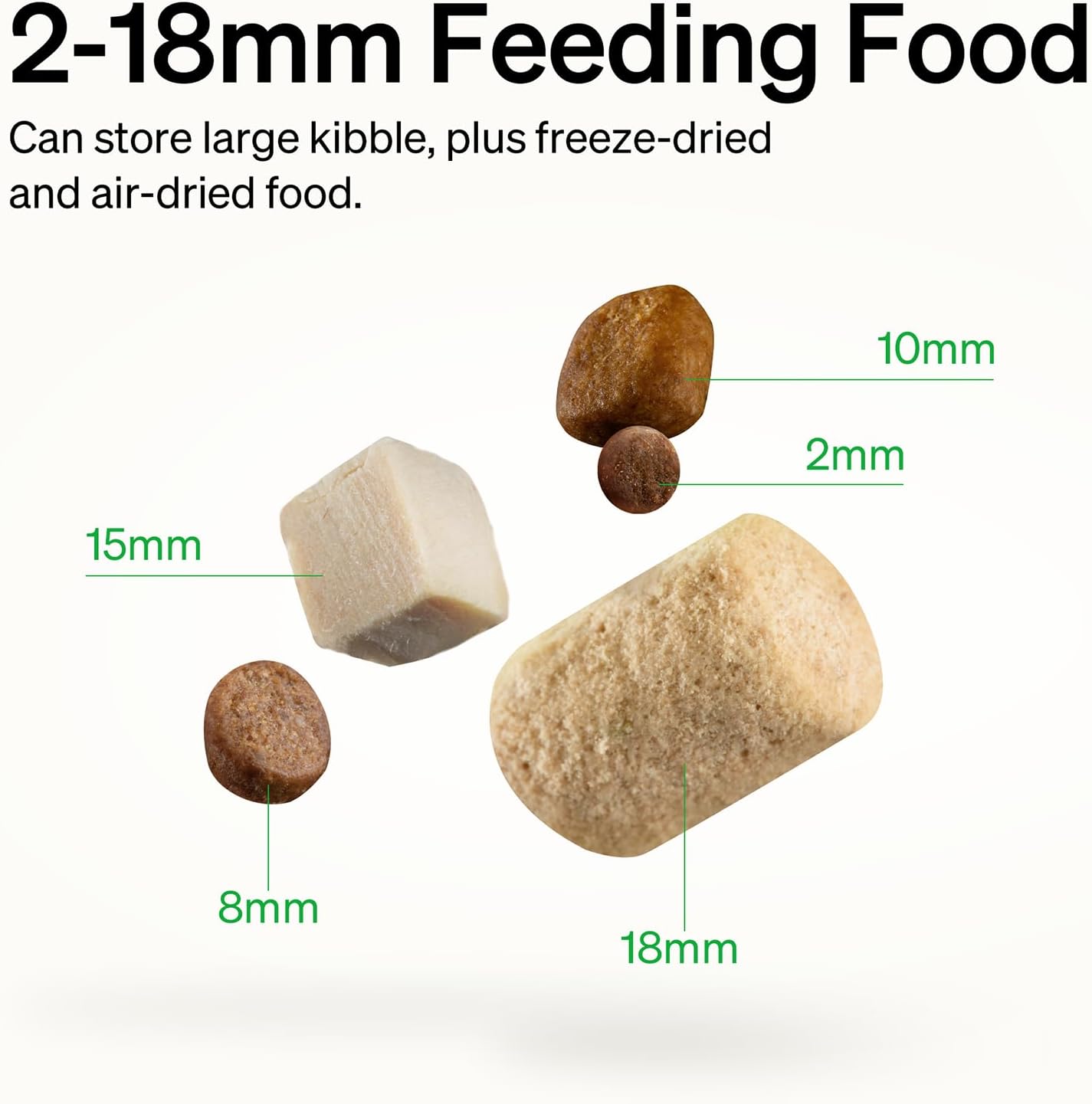
Image 4.3: The feeder supports kibble sizes from 2mm to 18mm in diameter.
5. Setup Guide
5.1 Power Connection
- Connect the power adapter to the feeder and plug it into a wall outlet.
- For backup power, insert four D-cell batteries (not included) into the battery compartment at the bottom of the feeder. This ensures continuous operation during power outages.
5.2 App Download and Wi-Fi Connection
The PETLIBRO app allows for remote control and scheduling.
- Download the "PETLIBRO" app from your smartphone's app store (iOS or Android).
- Open the app and follow the on-screen instructions to create an account and add your feeder.
- Ensure your Wi-Fi network is available (supports both 2.4GHz and 5GHz). The app will guide you through connecting the feeder to your home Wi-Fi.

Image 5.1: The PETLIBRO app provides an intuitive interface for managing your feeder.
5.3 Filling the Food Tank
- Open the lid of the food tank.
- Pour dry pet food into the tank, ensuring it is within the recommended kibble size (2-18mm).
- Close the lid securely to activate the vacuum sealing mechanism.
6. Operating Instructions
6.1 Setting Feeding Schedules via App
Use the PETLIBRO app to customize your pet's feeding plan.
- In the app, navigate to the feeding schedule section.
- You can set up 1 to 10 meals per day.
- Each meal can be configured with up to 48 portions, where 1 portion equals approximately 1/12 cup.
- Monitor feeding logs through the app to ensure your pets are fed according to the schedule.
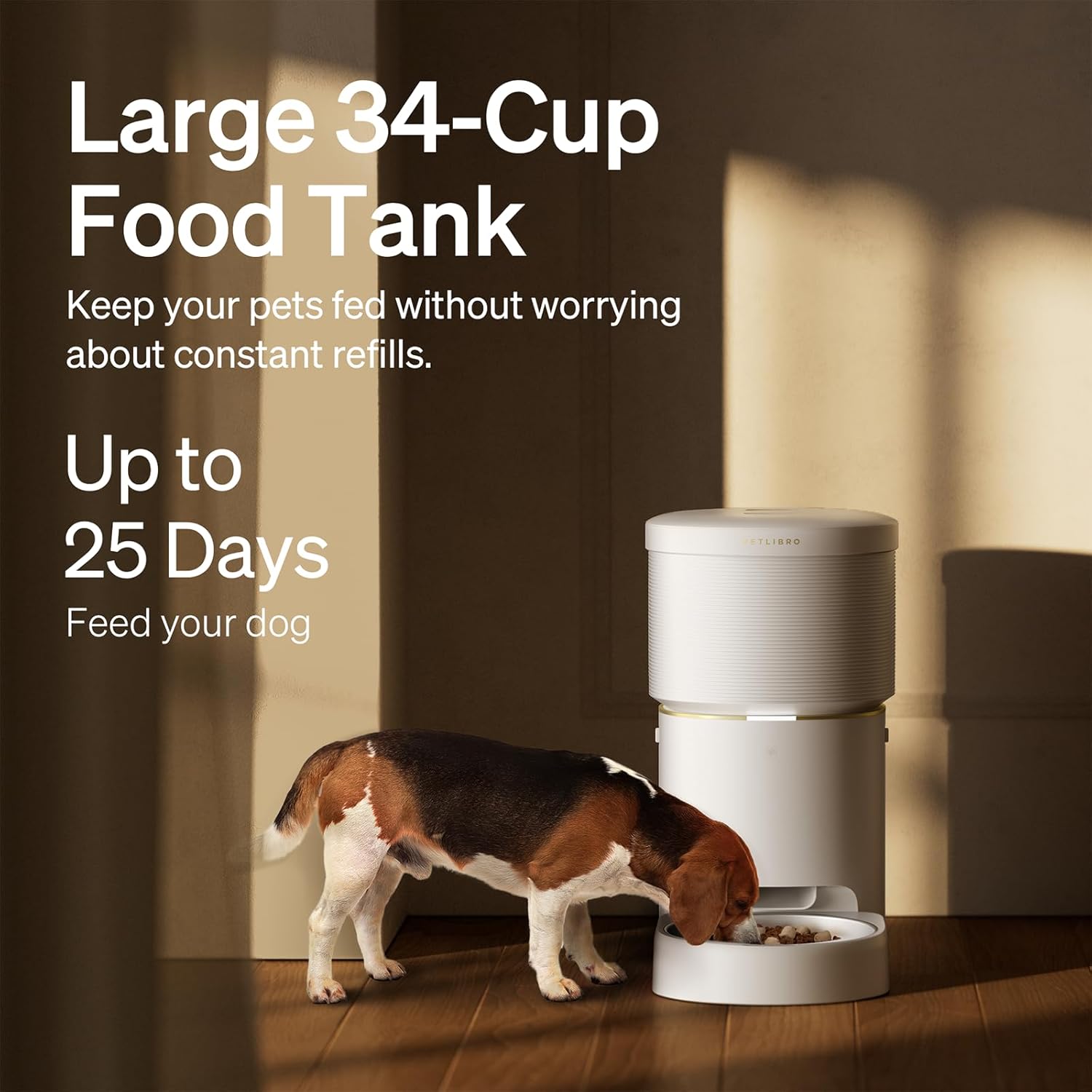
Image 6.1: Remote control feeding allows you to manage your pet's meals from anywhere.
6.2 Vacuum Sealing Technology
The feeder utilizes a vacuum pump to create a -20KPa low-pressure, low-oxygen environment, preserving food freshness and nutritional value.
- The vacuum sealing activates automatically after each dispensing cycle or when the lid is closed.
- You can also manually initiate the vacuum seal via a button on the feeder or through the app.
- This technology helps prevent oxidation, maintain crispiness, and deter pests like ants.

Image 6.2: The auto pressure control system preserves food nutrients and vitality.

Image 6.3: Vacuum sealing technology helps keep out pathogens and maintain food flavor and nutrition.
6.3 Smart Notifications
The feeder provides timely alerts to your smartphone and within the app for various conditions:
- Low food level
- Low battery level
- Food jamming
- Wi-Fi disconnection
- Feeder malfunction
7. Maintenance
7.1 Cleaning
Regular cleaning is essential to maintain hygiene and prevent food residue buildup.
- The feeder is designed for easy disassembly for deep cleaning.
- All removable parts, including the food tank and stainless steel bowl, can be hand washed with soap and hot water.
- Ensure all parts are completely dry before reassembling to prevent moisture damage.

Image 7.1: The feeder's components can be easily separated for thorough cleaning.
7.2 Battery Replacement
If using D-cell batteries for backup, replace them every 6 months to ensure reliable operation during power outages.
8. Troubleshooting
If you encounter issues with your PETLIBRO Space Automatic Pet Feeder, refer to the following common problems and solutions. For more detailed assistance, consult the official user guide PDF or contact customer support.
- Feeder not dispensing food: Check for food jamming (kibble size too large or moisture causing clumps). Ensure the food tank is not empty. Verify power connection and battery status.
- Wi-Fi disconnection: Ensure the feeder is within range of your router. Restart your router and the feeder. Reconnect the feeder via the PETLIBRO app. The feeder supports both 2.4GHz and 5GHz networks.
- Vacuum seal not working: Ensure the lid is securely closed. Check for any obstructions around the sealing mechanism. Clean the sealing gasket if necessary.
- No smart notifications: Verify app notification settings on your smartphone. Ensure the feeder is connected to Wi-Fi.
- Feeder indicator light is red: This typically indicates an error. Check the PETLIBRO app for specific error messages (e.g., food outlet blocked, vacuum seal failed, food quantity low).
For further assistance, please refer to the Official User Guide (PDF).
9. Product Specifications
| Model Name | PLAF107 |
| Brand | PETLIBRO |
| Capacity | 8 Liters (approx. 34 cups) |
| Dimensions (LxWxH) | 12.99 x 13.78 x 7.48 inches |
| Weight | 11.08 pounds |
| Material | Polyester (Note: Typically refers to internal components or lining, main body is usually plastic/ABS) |
| Kibble Size Compatibility | 2mm - 18mm diameter |
| Wi-Fi Support | 2.4GHz & 5GHz |
| Power Source | Power Adapter (included), 4 x D-cell batteries (backup, not included) |
| Target Species | Cats, Dogs |
| Special Features | Vacuum Sealing Technology, Smart App Control, Remote Feeding, Smart Notifications |
| Care Instructions | Hand Wash Only (removable parts) |
| Usage Environment | Indoor |
10. Warranty and Support
10.1 Warranty Information
The PETLIBRO Space Automatic Pet Feeder (Model PLAF107) comes with a 12-month warranty from the date of purchase. This warranty covers manufacturing defects and malfunctions under normal use. Please retain your proof of purchase for warranty claims.
Note: The warranty may not cover damage caused by improper use, unauthorized modifications, or failure to follow the instructions in this manual.
10.2 Customer Support
For any questions, technical support, or warranty inquiries, please contact PETLIBRO customer service.
- Refer to the Official User Guide (PDF) for detailed instructions.
- Visit the official PETLIBRO website for contact information and FAQs.


