
Introduction
This manual provides comprehensive instructions for the installation, operation, and maintenance of your Ejoyous S866 LCD Display. Designed for electric bikes and scooters, this display is compatible with 24V, 36V, and 48V systems, offering essential riding data and control over your electric system. Please read this manual carefully before use to ensure proper function and longevity of the product.
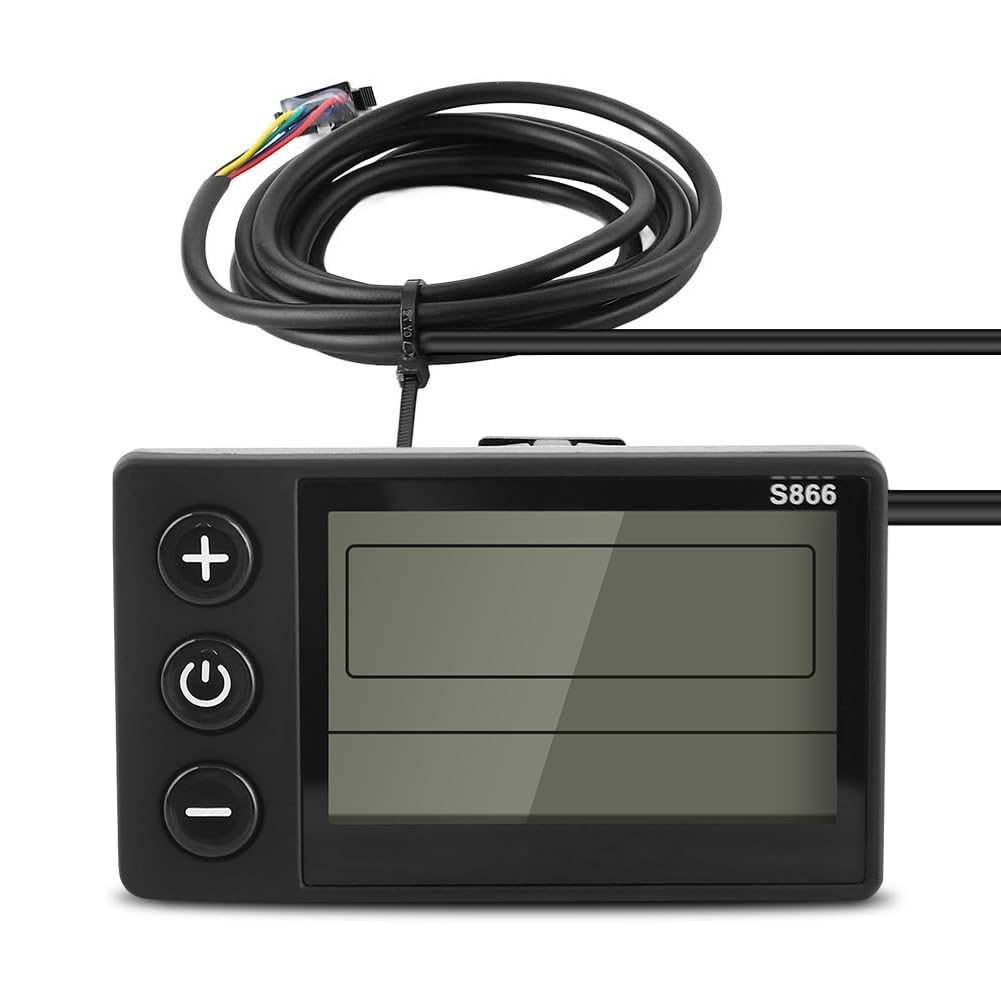
Image: The Ejoyous S866 LCD Display, a compact unit designed for electric bikes and scooters.
Product Features
The S866 LCD Display integrates several key functions to enhance your riding experience:
- Multi-Voltage Compatibility: Supports 24V, 36V, and 48V electric systems.
- Real-time Data Display: Shows current speed, battery level, assist indication, and riding mileage.
- Large Screen with Backlight: Ensures clear visibility of data in various lighting conditions, including dark environments.
- Durable Construction: Made from lightweight ABS material for long service life.
- IP65 Waterproof Rating: Provides protection against dust and water splashes, suitable for outdoor use.

Image: A close-up of the S866 LCD Display showing speed, battery level, assist level, and trip mileage.
Setup and Installation
The S866 LCD Display is designed for easy installation on handlebars with a diameter of 22.2mm (0.9 inches). No specialized tools are required for basic mounting.
Mounting the Display
- Identify a suitable position on your handlebar (22.2mm diameter) that does not obstruct your view or control of the bike/scooter.
- Loosen the screw on the display's mounting bracket.
- Place the display bracket around the handlebar and tighten the screw securely. Ensure the display is firmly attached and oriented for optimal viewing.

Image: The S866 LCD Display unit shown with its integrated handlebar mounting bracket.
Electrical Connection
Connect the display's SM plug to the corresponding connector on your electric bike or scooter's control system. Ensure the connection is secure to prevent intermittent power or data issues.

Image: The S866 LCD Display installed on an electric bike handlebar, showing its position relative to other controls.
Installation Video
Video: A demonstration of the Ejoyous S866 LCD Display, showcasing its physical appearance and components. This video provides a visual overview of the product before installation.
Operating Instructions
Power On/Off
- To power on the display, press and hold the Power button (central button with power symbol) for a few seconds.
- To power off the display, press and hold the Power button again until the screen turns off.
Button Functions
- '+' Button: Increases the assist level or navigates upwards in menu settings.
- '-' Button: Decreases the assist level or navigates downwards in menu settings.
- Power Button: Powers the unit on/off. Short press to cycle through display modes (e.g., Odometer, Trip Distance).
Display Information
The S866 display provides the following information at a glance:
- Speed: Current riding speed (km/h or mph).
- Battery Level: Graphical indicator of remaining battery charge.
- Assist Indication: Current pedal assist level (e.g., 1-5).
- Riding Mileage: Trip distance or total odometer reading.

Image: The S866 LCD Display clearly visible on an e-bike handlebar, demonstrating its readability during a ride.
Maintenance
Proper maintenance ensures the longevity and optimal performance of your S866 LCD Display.
- Cleaning: Wipe the display screen and body with a soft, damp cloth. Avoid using abrasive cleaners or solvents that could damage the screen or casing.
- Water Exposure: While the display has an IP65 waterproof rating, it is not designed for submersion. Avoid direct high-pressure water jets. If exposed to heavy rain, wipe dry as soon as possible.
- Storage: When not in use for extended periods, store the display in a dry, cool place away from direct sunlight and extreme temperatures.
- Cable Inspection: Periodically check the connection cable for any signs of wear, cuts, or damage. Ensure the SM plug connection remains secure.

Image: The S866 LCD Display highlighted with an IP65 waterproof rating, indicating its resistance to dust and water splashes.
Troubleshooting
If you encounter issues with your S866 LCD Display, refer to the following common problems and solutions:
| Problem | Possible Cause | Solution |
|---|---|---|
| Display does not power on. | Loose connection, no power from battery, faulty display. | Check all cable connections, ensure the e-bike battery is charged and connected. If issues persist, contact support. |
| Incorrect speed reading. | Incorrect wheel diameter setting, faulty speed sensor. | Access display settings to verify and adjust wheel diameter. Check speed sensor for damage or misalignment. |
| Buttons are unresponsive. | Dirt/debris under buttons, internal fault. | Clean around buttons. If buttons are stuck or unresponsive, contact support. |
| Display shows error code. | System malfunction. | Refer to your e-bike's controller manual for specific error code meanings. Often, a power cycle (turn off and on) can resolve temporary errors. |
Specifications
Below are the technical specifications for the Ejoyous S866 LCD Display:
- Brand: Ejoyous
- Model Number: S866 (Manufacturer Part Number: Ejoyousy1q4s2dkvo)
- Color: Black
- Display Type: LCD
- Screen Size: 22.2 millimeters (0.9 inches)
- Mounting Type: Handlebar Mount (suitable for 22.2mm handlebars)
- Connectivity Technology: USB (for internal communication, not user-accessible)
- Human Interface Input: Buttons
- International Protection Rating: IP65
- Included Components: S866 LCD Display, Manual

Image: A diagram illustrating the physical dimensions of the S866 LCD Display, including cable length and unit size.
Warranty and Support
For warranty information and customer support, please refer to the documentation included with your purchase or contact the seller directly. Keep your proof of purchase for any warranty claims.