
Introduction
The ZTE Watch Live 2 is a versatile smartwatch designed to be your optimal sports companion and daily assistant. It features a large 1.69-inch HD display, a lightweight design of only 33 grams, and comprehensive health monitoring capabilities. With over 90 sports modes and up to a week of battery life, it is built for an active lifestyle.

Image: The ZTE Watch Live 2 in black, showcasing its sleek design and digital watch face with time and weather information.
Getting Started: Setup
1. Charging the Device
Before first use, fully charge your ZTE Watch Live 2. Use the provided magnetic charger. Connect the charger to a USB power source (e.g., computer USB port or a 5V/1A USB adapter). Align the magnetic pins of the charger with the charging contacts on the back of the watch. The watch screen will indicate charging status.

Image: The back of the ZTE Watch Live 2 connected to its magnetic charging cable, illustrating the charging process.
2. Pairing with Your Smartphone
- Download the Z Sports App from your smartphone's app store (available for iOS and Android).
- Ensure Bluetooth is enabled on your smartphone.
- Open the Z Sports App and follow the on-screen instructions to create an account or log in.
- In the app, select "Add Device" or similar option and choose "ZTE Watch Live 2" from the list of available devices.
- Confirm the pairing request on both your watch and smartphone.

Image: The Z Sports App interface displayed on a smartphone, showing various settings and features that can be configured for the ZTE Watch Live 2.
Operating Your Watch
Display and Watch Faces
The ZTE Watch Live 2 features a large 1.69-inch HD IPS display, providing clear and vibrant visuals. You can customize your watch face from over 20 pre-installed options or personalize it with your favorite photo via the Z Sports App.

Image: A close-up view of the ZTE Watch Live 2's 1.69-inch HD screen, showing a grid of colorful application icons.

Image: Multiple screenshots from the Z Sports App demonstrating the wide variety of watch faces available and the option to personalize with a custom photo.
Health Monitoring
The Watch Live 2 provides comprehensive health monitoring features to help you track your well-being 24/7:
- Pedometer: Tracks your daily steps.
- Heart Rate Monitoring: Continuously monitors your heart rate.
- Blood Oxygen (SpO2) Measurement: Measures your blood oxygen saturation levels.
- Sleep Monitoring: Analyzes your sleep patterns and quality.
- Menstrual Cycle Counter: Helps track menstrual cycles for female users.

Image: The ZTE Watch Live 2 displaying heart rate information, alongside a smartphone screen showing detailed health monitoring data from the companion app.
Sports Modes
Choose from over 90 sports modes to accurately track your workouts. The watch can measure your heart rate, calories burned, and distance covered. It also features automatic workout detection for certain activities.
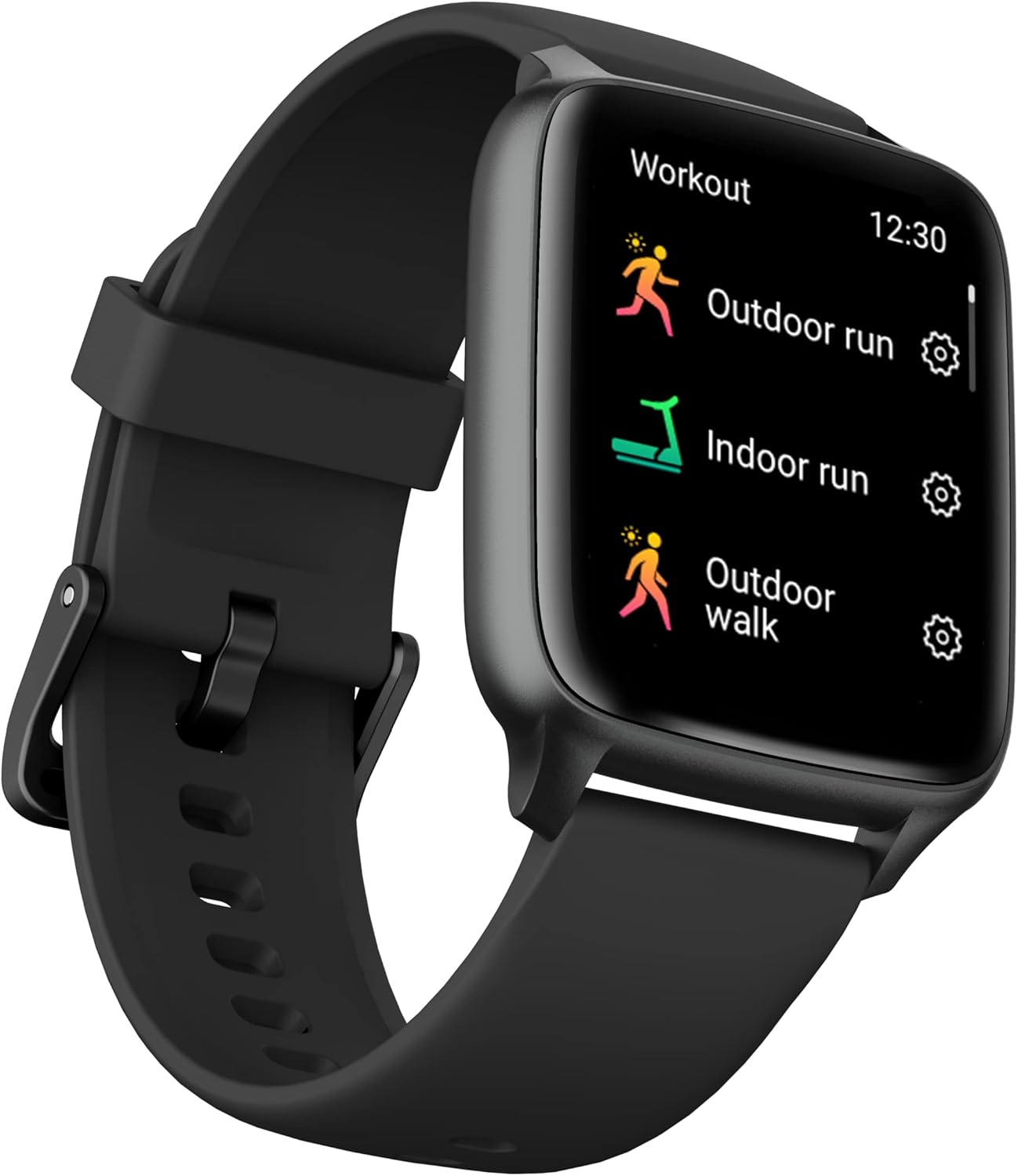
Image: The ZTE Watch Live 2 displaying its workout menu, listing various sports activities such as outdoor run, indoor run, and outdoor walk.

Image: The ZTE Watch Live 2 worn on a wrist, with a blurred background suggesting an active setting, highlighting its sports tracking capabilities.
Notifications and Connectivity
Stay connected with Bluetooth 5.1. Receive calls and notifications from your favorite apps directly on your watch. Useful functions include quick replies, "find my device," camera remote control, and weather forecasts.
Battery Life and Durability
Battery Life
The 230 mAh battery provides up to one week of autonomy, depending on usage. Charging is simple and convenient with the magnetic charger.
Water and Dust Resistance (IP68)
The ZTE Watch Live 2 is IP68 rated, making it resistant to dust and water. This allows you to wear it in various environments without concern for splashes or dust exposure.

Image: The ZTE Watch Live 2 with water droplets on its display, visually representing its IP68 water resistance rating.
Maintenance
To ensure the longevity and optimal performance of your ZTE Watch Live 2, follow these maintenance guidelines:
- Cleaning: Regularly wipe the watch screen and body with a soft, lint-free cloth. If necessary, dampen the cloth slightly with water. Avoid using harsh chemicals or abrasive materials.
- Strap Care: The 22mm strap is easily interchangeable. Clean the strap regularly, especially after workouts, to prevent skin irritation. For silicone straps, use mild soap and water. Ensure the strap is dry before wearing.
- Charging Contacts: Periodically inspect the charging contacts on the back of the watch and the magnetic charger for any dirt or debris. Clean gently with a dry cotton swab if needed.
- Storage: When not in use for extended periods, store the watch in a cool, dry place away from direct sunlight and extreme temperatures.

Image: A close-up view of the ZTE Watch Live 2's strap attachment point, illustrating the easily interchangeable 22mm strap design.
Troubleshooting
If you encounter issues with your ZTE Watch Live 2, refer to the following common troubleshooting steps:
- Watch not turning on: Ensure the watch is fully charged. Connect it to the magnetic charger and leave it for at least 30 minutes before attempting to turn it on again.
- Cannot pair with smartphone:
- Ensure Bluetooth is enabled on your smartphone and the watch.
- Make sure the watch is within the Bluetooth range of your phone.
- Restart both your watch and smartphone.
- Try unpairing and re-pairing the device through the Z Sports App.
- Check if the Z Sports App is updated to the latest version.
- Inaccurate health data:
- Ensure the watch is worn snugly on your wrist, but not too tight.
- Clean the sensors on the back of the watch.
- Avoid excessive movement during measurements (e.g., heart rate).
- Notifications not appearing:
- Check notification settings in the Z Sports App to ensure they are enabled for desired applications.
- Verify that your smartphone's notification settings allow the Z Sports App to send notifications.
- Ensure the watch is connected to your smartphone via Bluetooth.
- Short battery life:
- Reduce screen brightness.
- Limit the number of apps sending notifications to the watch.
- Disable continuous heart rate monitoring if not needed 24/7.
- Ensure the watch is fully charged each time.
Specifications
| Feature | Detail |
|---|---|
| Model Number | EW2201 |
| Display | 1.69-inch HD IPS |
| Dimensions (L x W x H) | 50 x 50 x 28 cm |
| Weight | 33 grams |
| Battery | 1 Lithium-polymer (230 mAh) |
| Battery Life | Up to 1 week (usage dependent) |
| Connectivity | Bluetooth 5.1 |
| Water Resistance | IP68 |
| Color | Black |
| Strap Size | 22 mm (interchangeable) |
| Health Sensors | Pedometer, Heart Rate, SpO2, Sleep Monitor, Menstrual Cycle Tracker |
| Sports Modes | 90+ |
Warranty and Support
ZTE products are designed for reliability and performance. For warranty information, please refer to the warranty card included with your product or visit the official ZTE support website. For technical assistance or customer service, please contact ZTE customer support through their official channels.
Note: Product specifications and features are subject to change without prior notice. For the most up-to-date information, please refer to the official ZTE website or product documentation.


