
Introduction
The Pets Alive Hamstermania electronic hamster toy provides interactive play with realistic movements and sounds. This manual outlines the necessary steps for setup, operation, and care to ensure optimal performance and enjoyment of your electronic pet.
What's in the Box
- 1 x Pets Alive Hamstermania Electronic Hamster Toy (Purple)
- 1 x Hamster Ball
- Instruction Manual
Setup
1. Battery Installation
The Hamstermania toy requires 2 AAA batteries (not included). Follow these steps to install them:
- Locate the battery compartment on the underside of the hamster toy.
- Using a small Phillips head screwdriver, unscrew the battery compartment cover.
- Insert 2 new AAA batteries, ensuring correct polarity (+/-).
- Replace the battery compartment cover and secure it with the screw.

Image: Underside of the Hamstermania toy, indicating the battery compartment.
Operating Instructions
1. Powering On/Off
To turn the hamster on, press the button located on its back. The hamster will begin to move and make sounds. To turn it off, press the button again.
2. Independent Play
Place the hamster on a flat, smooth surface. It will scurry around, making various hamster sounds and reacting to its environment by changing direction when encountering obstacles.

Image: Multiple Hamstermania toys demonstrating independent movement.
3. Hamster Ball Play
For enhanced play, place the hamster inside its clear plastic ball. Close the ball securely. The hamster will move within the ball, causing it to roll across surfaces, mimicking a real hamster in a ball.
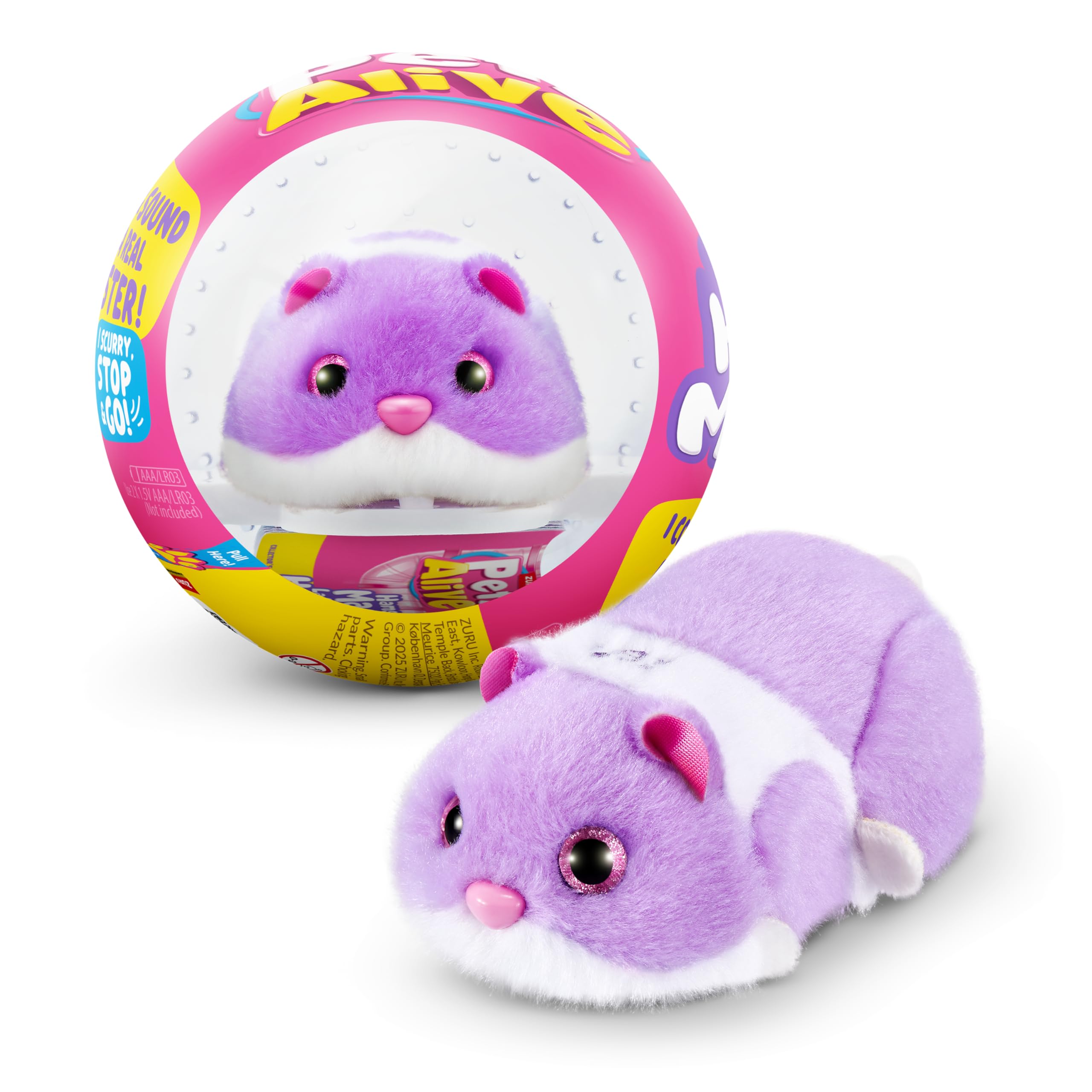
Image: Purple Hamstermania toy inside its clear plastic ball.
4. Interactive Sounds
The Hamstermania toy produces over 20 unique hamster sounds, adding to its realistic and engaging play experience.
Maintenance
- Cleaning: Wipe the hamster toy with a dry, soft cloth. Do not immerse in water or use harsh cleaning agents.
- Storage: When not in use, store the toy in a cool, dry place away from direct sunlight. Remove batteries if storing for extended periods to prevent leakage.
- Battery Replacement: Replace batteries when movements become sluggish or sounds are distorted.
Troubleshooting
| Problem | Solution |
|---|---|
| Hamster does not move or make sounds. |
|
| Hamster moves erratically or gets stuck. |
|
| Sounds are distorted or too quiet. |
|
Specifications
- Model Number: 9543D
- Product Dimensions: 4.53 x 4.53 x 4.53 inches
- Item Weight: 3.2 ounces
- Manufacturer Recommended Age: 36 months - 15 years
- Batteries: 2 AAA batteries required (not included)
- Manufacturer: ZURU
Safety Information
WARNING: CHOKING HAZARD - Small parts. Not for children under 3 years.
- Adult supervision is recommended during play.
- Do not mix old and new batteries. Do not mix alkaline, standard (carbon-zinc), or rechargeable (nickel-cadmium) batteries.
- Remove batteries if the product is not used for a long period.
- Dispose of batteries responsibly.
Product Videos
Pets Alive Hamstermania Official Video
This video demonstrates the key features and interactive play of the Pets Alive Hamstermania electronic hamster toy, including its movements and sounds.
Hamstermania Quick Look Preview
A short preview video showcasing the Hamstermania toy's movement and interaction with its ball.
Warranty and Support
For warranty information or product support, please contact ZURU customer service. Details can typically be found on the product packaging or the official ZURU website.
