
Zizo ZPV-DC-USBCLTN6FT-WH
Zizo POWERVAULT MFi Certified Fast Charge Cable USB-C to Lightning Cable User Manual
Model: ZPV-DC-USBCLTN6FT-WH
Product Overview
The Zizo POWERVAULT USB-C to Lightning Cable is designed to provide high-speed charging and efficient data transfer for your Apple devices. This MFi certified cable ensures compatibility and reliable performance with iPhones, iPads, and iPods. Its durable construction, featuring a premium ultra-strong nylon braided exterior, offers enhanced longevity and tangle-free use.
Key features include:
- High-Speed Charging: Capable of charging iPhone 8 and newer devices up to 50% in just 30 minutes when paired with a compatible USB-C PowerVault Charger.
- Flexible, Versatile, Durable: Constructed with a robust nylon braid and TPE material for superior flexibility and resistance to wear and tear.
- Data Sync: Supports seamless transfer of data, photos, and music to your USB-C enabled device.

Image: The Zizo POWERVAULT USB-C to Lightning Cable, showcasing its USB-C connector on one end and Lightning connector on the other, both featuring the Zizo branding.
Setup
Setting up your Zizo POWERVAULT cable is straightforward. Follow these steps to begin charging or syncing your device:
- Connect to Power Source: Insert the USB-C end of the cable into a compatible USB-C power adapter (wall charger, car charger, or power bank) or a USB-C port on a computer. For optimal fast charging, use a USB-C Power Delivery (PD) charger.
- Connect to Device: Insert the Lightning end of the cable into the charging port of your iPhone, iPad, or iPod. Ensure the connection is firm.
- Verify Connection: Your device should indicate that it is charging or connected for data transfer.
Compatible Devices: This cable is compatible with a wide range of Apple devices, including but not limited to: iPhone 14/13/12/11/X/XR/XS/8/7/6/6s/5/5s/5c, iPhone Pro 14/13/12/11, iPhone Pro Max 14/13/12/11/XS, iPhone Plus 14/8/7/6/6s, iPhone SE (1st, 2nd, 3rd Gen), iPhone mini 13/12, iPad Pro 10.5 in/9.7 in, iPad Air 3/2/1, iPad mini 5/4/3/2/1, iPad (9th Gen and older), iPod Touch (5th Gen and older), iPod nano (7th Gen), and Beats Pill+.
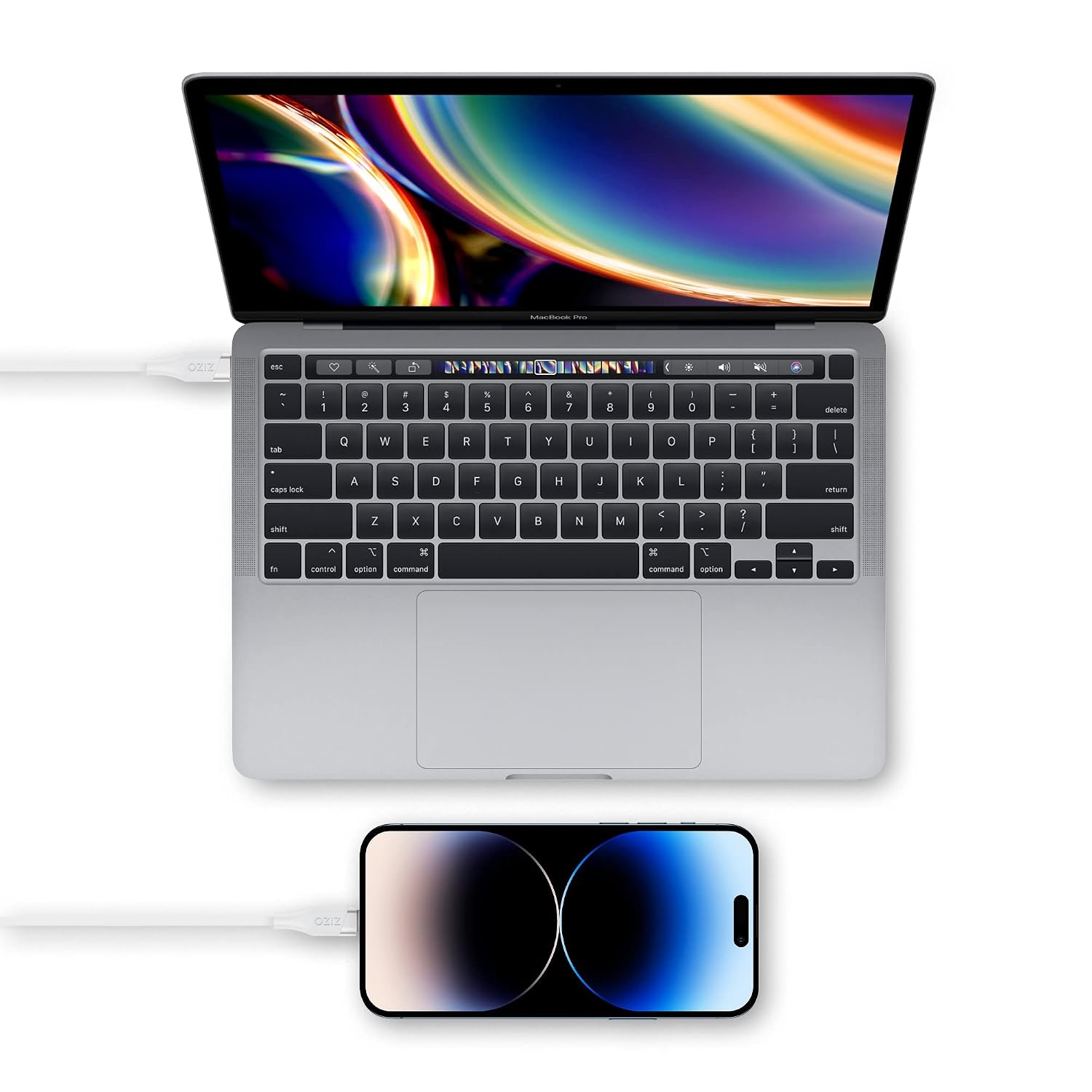
Image: The Zizo POWERVAULT cable connected from a MacBook Pro's USB-C port to an iPhone, demonstrating its use for both charging and data synchronization.
Operating Instructions
Charging Your Device
Once connected as described in the Setup section, your device will begin charging automatically. For optimal charging speed, especially for iPhone 8 and newer models, ensure you are using a USB-C Power Delivery (PD) wall adapter or power source that supports fast charging.

Image: An illustration highlighting the 30W output charging power capability of the Zizo POWERVAULT cable, indicating its fast charging potential.
Data Transfer
To transfer data (photos, videos, music, documents) between your Apple device and a computer with a USB-C port:
- Connect the USB-C end of the cable to your computer's USB-C port.
- Connect the Lightning end to your Apple device.
- Your computer should recognize the device. Follow the on-screen prompts on your computer and device to allow data access and begin transferring files.
Maintenance
Proper care and maintenance will extend the lifespan of your Zizo POWERVAULT cable:
- Avoid Extreme Bends: While the cable is designed to be flexible and durable, avoid sharp or extreme bends, especially near the connectors, to prevent internal wire damage.
- Store Properly: When not in use, coil the cable loosely. Avoid tangling or knotting the cable.
- Keep Clean: Gently wipe the cable and connectors with a dry, soft cloth to remove dust or debris. Do not use harsh chemicals or abrasive materials.
- Handle Connectors Carefully: Always pull from the connector housing, not the cable itself, when unplugging from a device or power source.

Image: A close-up view of the Lightning connector end of the Zizo cable, highlighting the durable TPE material used in its construction for enhanced longevity.

Image: The Zizo POWERVAULT cable shown in a flexible, bent position, illustrating its robust yet pliable design.
Troubleshooting
If you encounter issues with your Zizo POWERVAULT cable, try the following troubleshooting steps:
- Device Not Charging:
- Ensure both ends of the cable are securely connected.
- Try a different power adapter or USB-C port.
- Test the cable with a different compatible device to rule out device issues.
- Check the charging port on your device for any debris or lint.
- Slow Charging:
- Verify that your power adapter is a USB-C Power Delivery (PD) charger, especially for fast charging.
- Ensure the power adapter provides sufficient wattage for your device.
- Close unnecessary apps on your device that might be consuming power.
- Data Transfer Issues:
- Ensure your computer's USB-C port is functioning correctly.
- Restart both your computer and your Apple device.
- Confirm that you have granted permission for data access on your device when prompted.
- Try a different USB-C port on your computer.
If problems persist after trying these steps, please refer to the Support section.
Specifications
| Brand | Zizo |
| Model Number | ZPV-DC-USBCLTN6FT-WH |
| Connector Type | USB Type C to Lightning |
| Cable Type | Lightning Cable |
| Cable Length | 6 Feet (approx. 1.8 meters) |
| Compatible Devices | iPhone, iPad, iPod (as listed in Setup section) |
| Special Features | MFi Certified, Braided, High Speed, Tangle Free |
| Color | White |
| Outer Material | Nylon |
| Data Transfer Rate | 5 Gigabits Per Second |
Warranty Information
The Zizo POWERVAULT MFi Certified Fast Charge Cable comes with a Lifetime Warranty. This warranty covers manufacturing defects and ensures the product's quality and durability under normal use.
For detailed terms and conditions of the Lifetime Warranty, please refer to the official Zizo website or contact Zizo customer support.
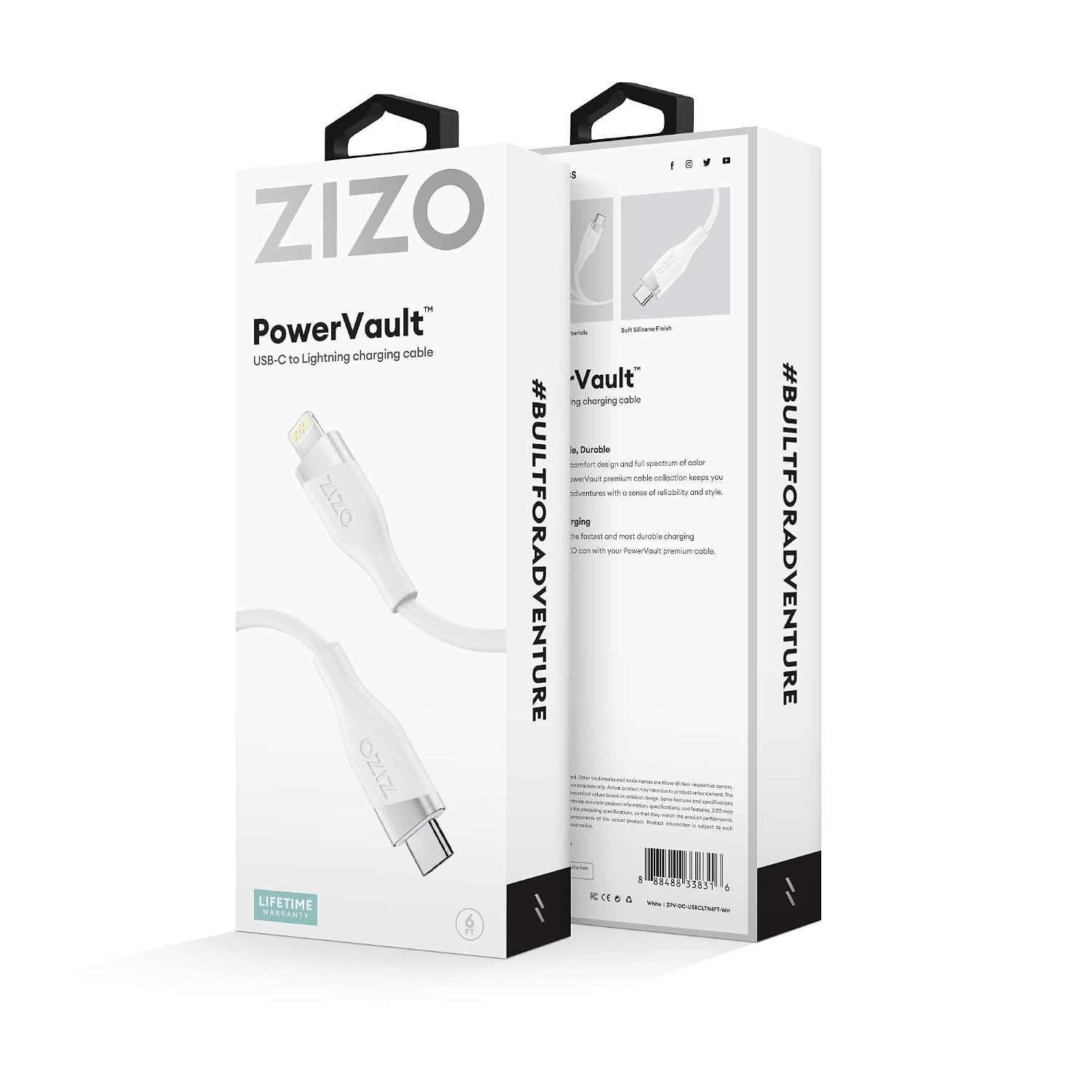
Image: The Zizo PowerVault cable packaging, clearly displaying the "LIFETIME WARRANTY" badge at the bottom left corner.
Support
For further assistance, technical support, or warranty claims, please contact Zizo customer service. You can typically find contact information on the product packaging, the official Zizo website, or through the retailer where you purchased the product.
When contacting support, please have your product model number (ZPV-DC-USBCLTN6FT-WH) and purchase details ready.
Ask a question about this manual
Ask about setup, troubleshooting, compatibility, parts, safety, or missing instructions. Manuals+ will review the question and use this page’s manual context to help answer it.