
Introduction
Thank you for choosing the Baseus Bipow Digital Display Power Bank 10000mAh 15W, model PPBD10. This portable charger is designed to provide efficient and reliable power for your electronic devices on the go. Featuring a clear digital display for battery status and versatile charging options, it ensures your devices stay powered when you need them most. Please read this manual carefully to understand the product's features, proper usage, and maintenance.
Product Overview

Image: The Baseus Bipow Digital Display Power Bank 10000mAh 15W, black color, showing its sleek design and digital display.
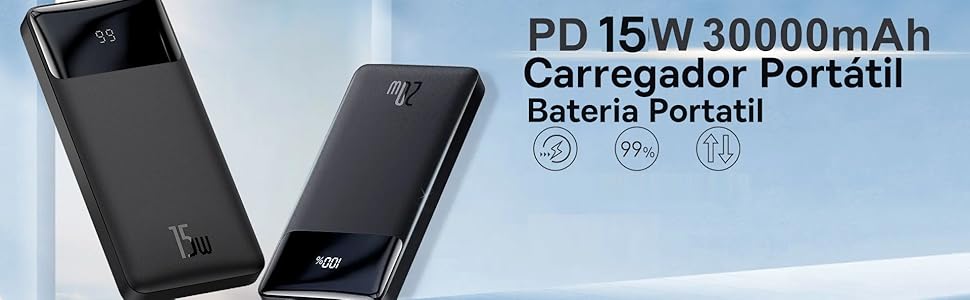
Image: A close-up of the power bank's digital display, indicating battery percentage and charging status, highlighting its two-way fast charging capability.
Key Features:
- 10000mAh Capacity: Provides multiple charges for most smartphones.
- 15W Fast Charging: Supports efficient power delivery to compatible devices.
- Digital Display: Clearly shows the remaining battery percentage.
- Two-Way Fast Charging: Allows for fast charging of both the power bank and connected devices.
- Multiple Ports: Equipped with Micro USB, USB Type-A, and USB Type-C ports for broad compatibility.
- NTC Temperature Protection: Integrated sensors monitor temperature to prevent overheating during charging.
Package Contents:
- Baseus Bipow Digital Display Power Bank 10000mAh 15W (Model PPBD10)
- Micro USB Cable
- User Manual (this document)
Setup
Initial Charging of the Power Bank:
- Before first use, fully charge your Baseus Bipow Power Bank.
- Connect the provided Micro USB cable or a USB-C cable (not included) to the corresponding input port on the power bank.
- Connect the other end of the cable to a compatible USB wall charger (not included).
- The digital display will show the charging progress. Allow the power bank to charge until the display shows 100%.
Note: For optimal charging speed, use a 15W or higher power adapter.
Operating Instructions
Charging Your Devices:
- Ensure the power bank has sufficient charge, as indicated by the digital display.
- Connect your device's charging cable to one of the power bank's output ports (USB Type-A or USB Type-C).
- Connect the other end of the cable to your device.
- The power bank will automatically begin charging your device. The digital display will show the power bank's remaining battery level.
- To stop charging, simply disconnect your device from the power bank.

Image: The power bank connected to a smartphone, demonstrating its ability to charge devices. The digital display shows the battery percentage.
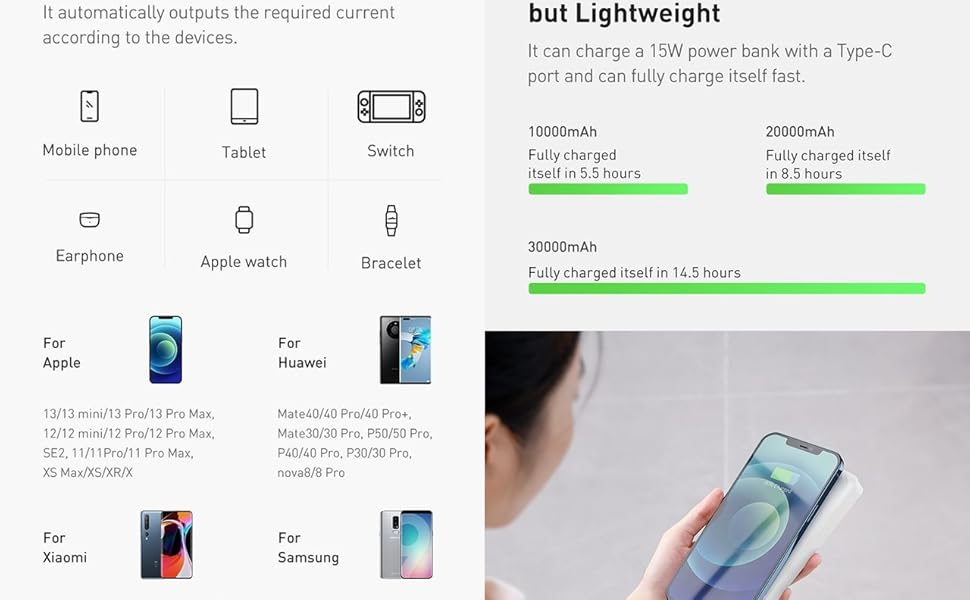
Image: The power bank simultaneously charging a tablet and a smartphone, showcasing its multi-device charging capability.
Compatibility:
The Baseus Bipow Power Bank is compatible with a wide range of devices, including:
- Smartphones (e.g., iPhone, Motorola, Samsung)
- Tablets
- Smartwatches
- Headphones
- GPS devices
- Other USB-powered devices

Image: The power bank shown with an iPhone, indicating compatibility with Apple 8-13 fast charging series.

Image: The power bank shown with various Android smartphones, highlighting compatibility with fast charging Huawei, Xiaomi, and Samsung devices.
Maintenance
- Storage: Store the power bank in a cool, dry place away from direct sunlight and extreme temperatures.
- Cleaning: Use a soft, dry cloth to clean the surface of the power bank. Do not use harsh chemicals or abrasive materials.
- Battery Care: To prolong battery life, fully charge the power bank at least once every three months, even if not in use. Avoid completely draining the battery frequently.
- Handling: Avoid dropping or subjecting the power bank to strong impacts, as this can damage internal components.
- Water Exposure: Keep the power bank away from water and other liquids.

Image: A close-up view of the power bank's upgraded texture, designed to be sweat-proof and anti-fingerprint for comfortable handling.
Troubleshooting
| Problem | Possible Cause | Solution |
|---|---|---|
| Power bank not charging | Cable or adapter issue, power bank fully charged, faulty port. |
|
| Device not charging from power bank | Power bank low on charge, cable issue, device incompatibility, faulty port. |
|
| Slow charging | Cable quality, adapter output, device input limits. |
|
| Power bank overheating | Overload, environmental temperature, internal fault. |
|

Image: A diagram illustrating the NTC Temperature Protection mechanism, showing how internal sensors detect and regulate temperature during charging to prevent overheating.
Specifications
| Feature | Detail |
|---|---|
| Brand | Baseus |
| Model Name | PPBD10 |
| Model Number | PPBD050001 |
| Battery Capacity | 10000mAh |
| Output Power | 15W |
| Output Current | 3 Amperes |
| Input Ports | Micro USB, USB Type-C |
| Output Ports | 2x USB Type-A, 1x USB Type-C |
| Color | Black |
| Special Features | Fast Charging, Digital Display, NTC Temperature Protection |
| Battery Type | Lithium Polymer (included) |
| Item Weight | 248 Grams |
| Item Dimensions (L x W x H) | Approx. 15 cm x 7 cm x 1 cm |
| External Test Certification | ANATEL: 19421-2-211440 |

Image: Technical drawing showing dimensions (153mm x 68.8mm x 29.5mm) for a 20000mAh version of the Bipow Power Bank. The 10000mAh model will have similar proportions but may vary slightly in thickness and weight.
Warranty and Support
The Baseus Bipow Digital Display Power Bank 10000mAh 15W (Model PPBD10) comes with a 1-year warranty provided by the reseller. Please retain your proof of purchase for any warranty claims.
For technical support or warranty inquiries, please contact your original point of purchase or visit the official Baseus website for further assistance.
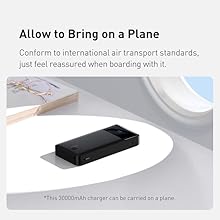
Image: The power bank with an airplane window in the background, indicating compliance with international air transport standards for carrying on a plane.


