
1. Introduction
Thank you for choosing the K&F CONCEPT 25L Professional Camera Backpack. This manual provides detailed instructions for the proper use, setup, and maintenance of your new camera bag. Designed for photographers, this backpack offers versatile storage, robust protection, and comfortable portability for your valuable equipment.
2. Key Features
2.1 Customizable Storage System
The backpack features a "Magic Chamber" design with two independent compartments. These can be configured from a 50:50 structure to a 20:80 structure, allowing flexible organization for various camera bodies, lenses, and accessories. The internal dividers are adjustable to suit your specific gear layout.

Figure 2.1: Internal layout showing 50:50 and 20:80 configurations with adjustable dividers.
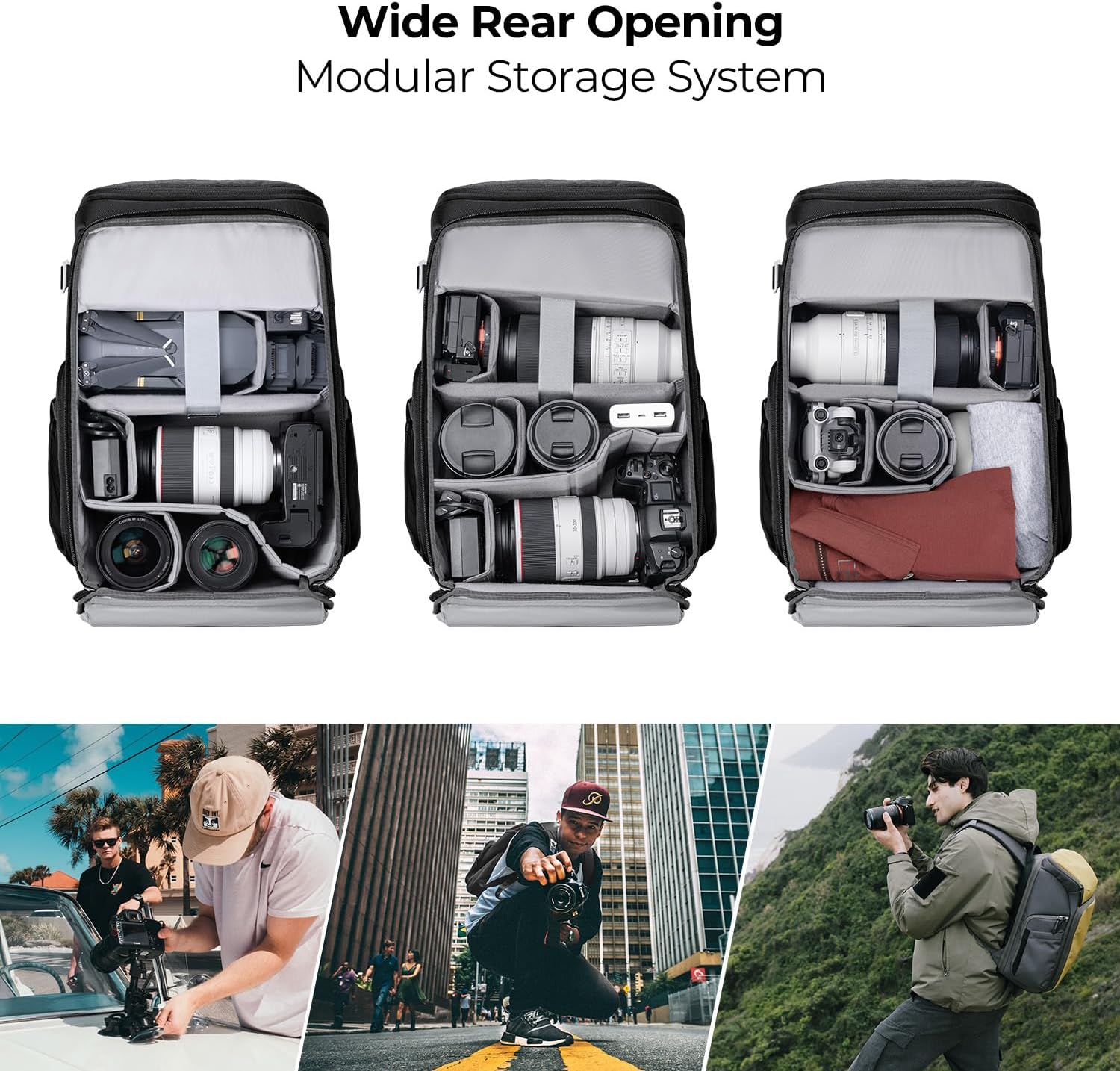
Figure 2.2: Examples of gear organization within the modular storage system, accommodating cameras, lenses, and a drone.
2.2 Quick Access Compartments
Dual-compartment design with top and side openings for quick access to your camera and essential accessories. This allows for rapid retrieval of equipment without fully opening the main compartment.
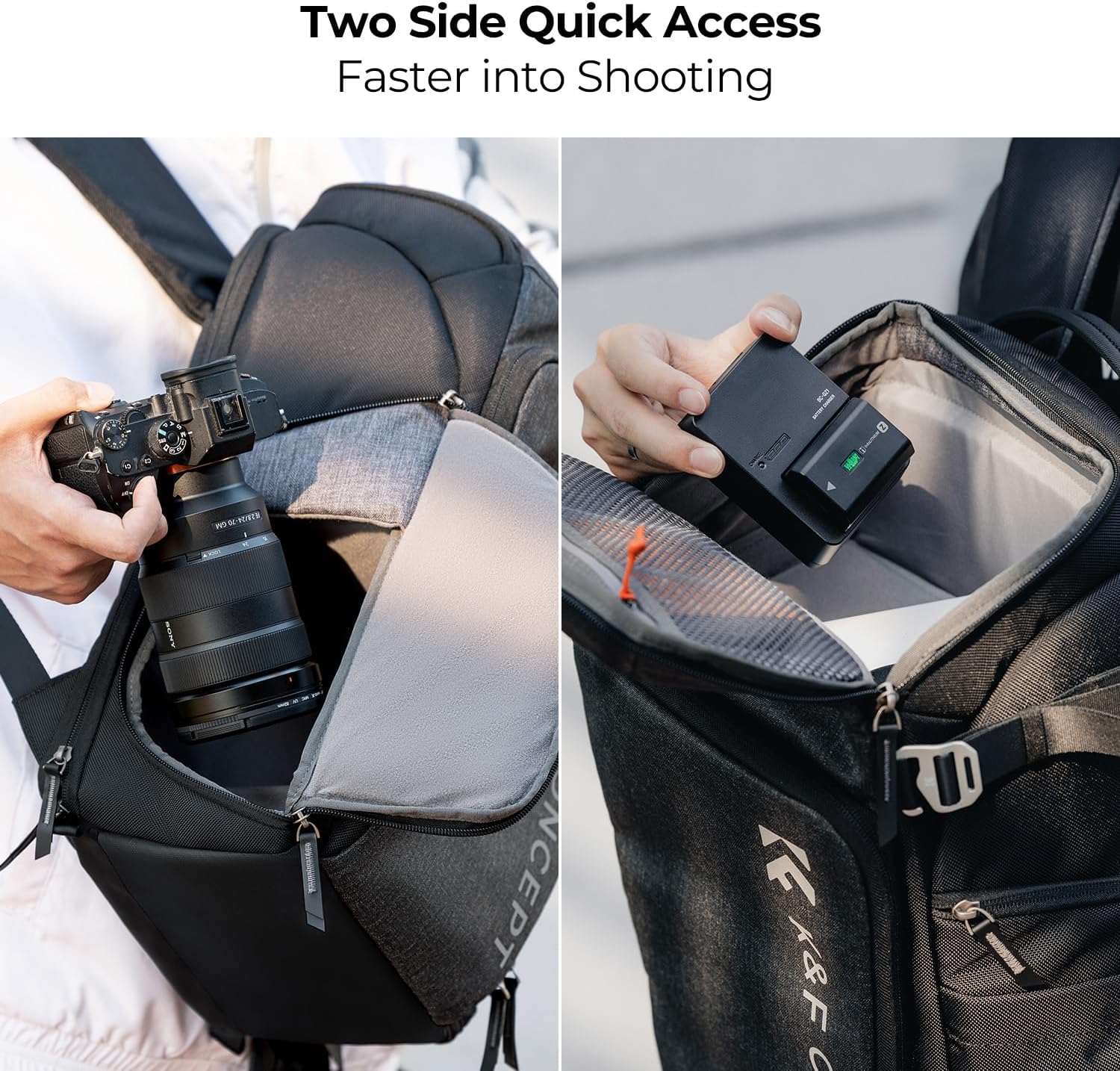
Figure 2.3: Quick access side pockets for camera body and battery charger.
2.3 Dedicated Laptop Compartment
An independent, padded compartment designed to securely hold a 16-inch laptop (maximum 360x250x25mm). This ensures your computer is protected from impacts and separated from camera gear.

Figure 2.4: Dedicated rear compartment for a 16-inch laptop.
2.4 Expandable Front Pouch
The front pouch can expand by 2-3 liters, providing additional space for accessories while maintaining stability for sensitive camera equipment.

Figure 2.5: Front pouch expansion up to 4L, with dimensions 35x22x5cm.
2.5 Tripod Carrying System
Equipped with external straps and a side pocket to securely carry a tripod, ensuring easy transport during outdoor photography sessions.
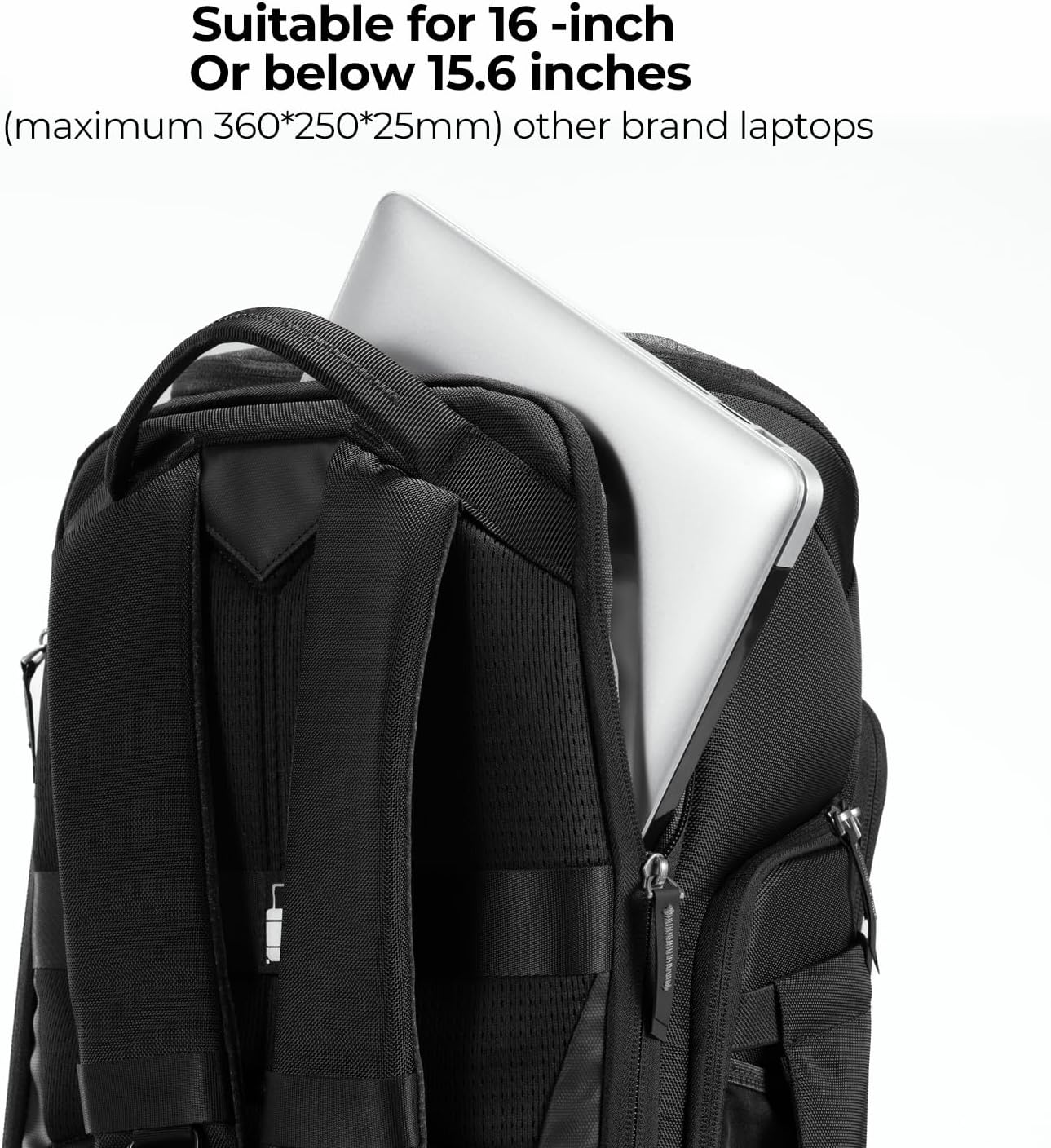
Figure 2.6: Tripod securely attached to the side of the backpack.
2.6 Weather Protection
The backpack includes a rainproof cover stored inside, offering an extra layer of protection against rain and moisture for your equipment.
2.7 Hidden Compressive Skeleton
Features hidden support fibers that prevent equipment from being compressed by external forces, enhancing gear protection and bag stability.

Figure 2.7: Diagram showing the hidden compressive skeleton within the backpack for enhanced gear protection.
3. Setup and Configuration
3.1 Adjusting Internal Dividers
The internal dividers are attached with Velcro. To customize your storage:
- Open the main compartment zipper.
- Gently detach the Velcro dividers from the interior walls.
- Rearrange the dividers to create custom-sized compartments for your camera bodies, lenses, and accessories.
- Press firmly on the Velcro to secure the dividers in their new positions.
3.2 Utilizing Expandable Pockets
- Front Pouch: Unzip the outer zipper on the front panel to expand the pouch for additional storage.
- Side Pockets: The side pockets are designed with elastic material to accommodate water bottles or other items. For larger items like a tripod, utilize the adjustable strap above the pocket.
4. Usage
4.1 Carrying Camera Gear
Place your camera body with an attached lens in a central, easily accessible compartment. Arrange additional lenses and accessories in surrounding padded sections. Ensure all gear is snug to prevent movement during transport.
4.2 Quick Access
To quickly access your camera, swing the backpack off one shoulder and open the side zipper closest to your body. This allows you to retrieve your camera without fully removing the backpack.
4.3 Attaching a Tripod
- Place one leg of your tripod into the elastic side pocket.
- Secure the upper part of the tripod to the backpack using the adjustable strap located above the side pocket. Tighten the strap to hold the tripod firmly against the bag.
5. Maintenance
5.1 Cleaning
For general cleaning, wipe the exterior of the backpack with a damp cloth. Do not machine wash or tumble dry. For stubborn stains, use a mild soap solution and rinse thoroughly.
5.2 Waterproof Cover
The included rainproof cover should be used in wet conditions to protect your gear. After use, allow the cover to air dry completely before storing it back in its compartment to prevent mildew.
6. Specifications
| Product Dimensions | 17.72 x 11.02 x 7.87 inches |
| Item Weight | 3.52 pounds (1.6 Kilograms) |
| Item Model Number | KF13.128V3 |
| Capacity Total | 25 Liters |
| Manufacturer | K&F CONCEPT |
| Date First Available | January 12, 2023 |
7. Product Videos
7.1 K&F Concept 25L Camera Backpack Overview
Video 7.1: An official overview of the K&F CONCEPT 25L Camera Backpack, highlighting its features and capacity for photographers.
8. Warranty and Support
For warranty information or technical support, please refer to the official K&F CONCEPT website or contact their customer service directly. Keep your purchase receipt for warranty claims.


