

1. Introduction
Thank you for choosing the ODK 40 Inch L-Shaped Computer Desk. This manual provides essential information for the safe assembly, operation, and maintenance of your new desk. Please read these instructions carefully before beginning assembly and retain them for future reference.
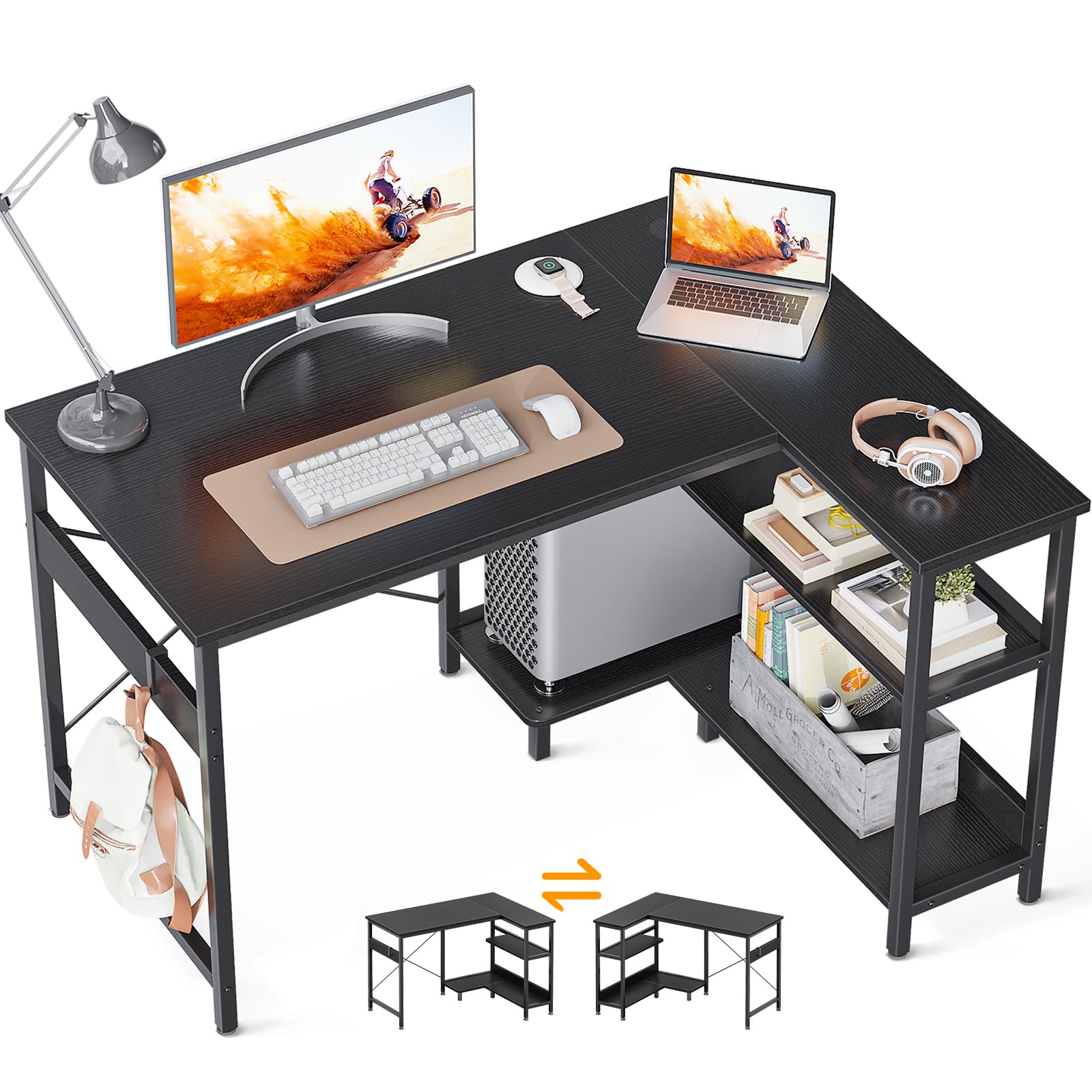
Image 1.1: The ODK 40 Inch L-Shaped Computer Desk, designed for home office and study use.
2. Safety Information
To ensure safe use and prevent injury or damage, please adhere to the following safety guidelines:
- Always assemble the desk according to the provided instructions.
- Ensure the desk is stable and properly positioned on a level surface to prevent tipping.
- Do not exceed the maximum weight recommendation of 110 pounds (50 kg) for the desk surface.
- Keep small parts and packaging materials away from children to avoid choking hazards.
- Regularly check all fasteners to ensure they remain tight.
3. Package Contents
Before assembly, verify that all components listed below are present and undamaged. If any parts are missing or damaged, please contact customer support.
- Desk Panels (L-shaped main desktop, shelf panels)
- Metal Frame Components
- Hardware Kit (screws, bolts, Allen wrench)
- Adjustable Non-slip Foot Pads
- Desk Organizer (side storage bag)
- PC Stand (integrated into shelf design)
- Instruction Manual

Image 3.1: The desk includes a convenient side storage bag for small items.

Image 3.2: Detail of the integrated two-tier open shelves and PC stand area.
4. Setup and Assembly
Assembly of the ODK L-Shaped Computer Desk is designed to be straightforward. Follow the step-by-step instructions provided in the included manual. All parts are clearly labeled to assist with identification.
4.1 Reversible Configuration
The L-shaped design allows for the storage shelves and PC stand to be configured on either the left or right side of the main desktop, depending on your preference and room layout. Carefully review the assembly steps to select your desired orientation before securing components.
4.2 Assembly Tips
- Clear a spacious area for assembly.
- Lay out all parts and hardware before starting.
- Do not overtighten screws until all components are loosely assembled, then tighten fully.
- Ensure the adjustable non-slip foot pads are properly installed and adjusted to level the desk on uneven floors.

Image 4.1: Dimensional diagram of the ODK L-Shaped Computer Desk, useful for planning your space.
5. Operating Instructions
The ODK L-Shaped Computer Desk is designed for versatile use in various settings, including home offices, bedrooms, and study areas.
5.1 Desktop Usage
The spacious desktop provides ample room for computers, monitors, keyboards, and other work or study essentials. Arrange your setup to maximize comfort and efficiency.
5.2 Storage Shelves and PC Stand
Utilize the two-tier open shelves for storing books, files, office supplies, or decorative items. The dedicated PC stand area is designed to accommodate your computer tower, keeping it off the floor and easily accessible.
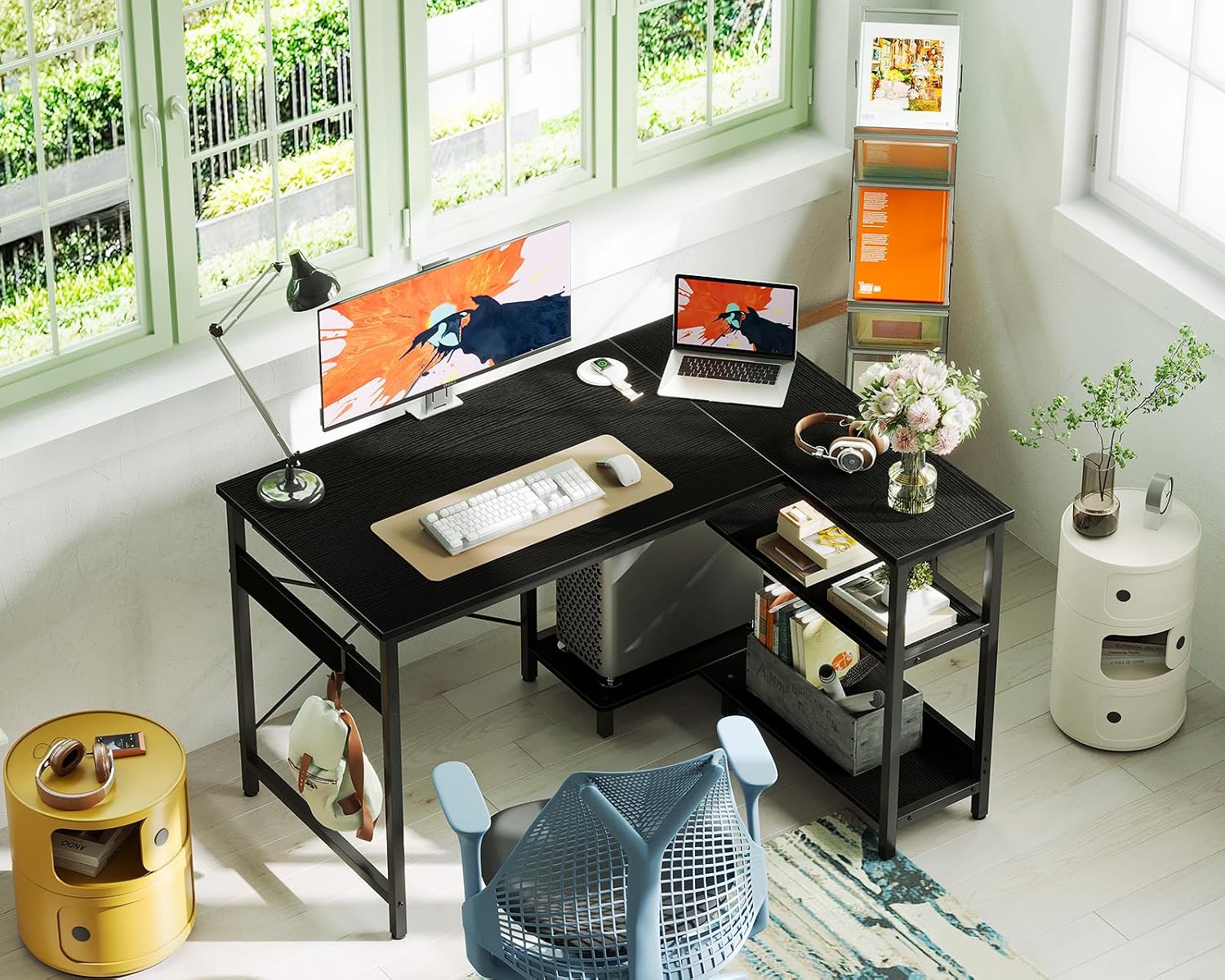
Image 5.1: An overhead view demonstrating the ample desktop space for a complete workstation setup.
6. Maintenance
Proper care will extend the life and appearance of your ODK L-Shaped Computer Desk.
- Cleaning: Wipe surfaces with a soft, damp cloth. Avoid harsh chemicals or abrasive cleaners, which can damage the finish.
- Spills: Immediately wipe up any spills to prevent moisture damage to the engineered wood.
- Protection: Use coasters for drinks and mouse pads to protect the desktop surface from scratches and heat.
- Inspection: Periodically check all screws and connections to ensure they are secure.

Image 6.1: Close-up of the desk's engineered wood surface with a black wood grain finish.
7. Troubleshooting
If you encounter any issues with your ODK L-Shaped Computer Desk, refer to the following common solutions:
- Desk Wobbles: Ensure all screws are tightened. Adjust the non-slip foot pads on the bottom of the desk legs to compensate for uneven flooring.
- Missing Parts: If any parts were missing upon delivery, please contact ODK customer support with your purchase details.
- Difficulty Assembling: Double-check the instruction manual to ensure all steps are followed correctly. Some parts may require firm but gentle pressure to align.
- Surface Scratches: While the desk is designed to be scratch-resistant, heavy objects or sharp items can cause damage. Consider using protective mats for high-traffic areas.

Image 7.1: Adjustable non-slip foot pads help stabilize the desk on uneven surfaces.
8. Specifications
| Feature | Specification |
|---|---|
| Brand | ODK |
| Model Number | B01XS011501 |
| Shape | Rectangular (L-shaped configuration) |
| Product Dimensions (D x W x H) | 40"D x 29.1"W x 29.5"H |
| Color | Black |
| Style | Modern |
| Base Material | Metal (Alloy Steel) |
| Top Material Type | Engineered Wood |
| Finish Type | Powder Coated |
| Special Feature | L-shaped, Reversible Storage Shelves |
| Recommended Uses | Writing, Working, Studying |
| Maximum Weight Recommendation | 110 Pounds (50 kg) |
| Number Of Shelves | 2 (open shelves) |
| Item Weight | 30.8 Pounds (14 kg) |
| Required Assembly | Yes |
9. Warranty Information
This ODK product comes with a Limited Warranty. For specific details regarding warranty coverage, terms, and conditions, please refer to the warranty card included with your purchase or contact ODK customer support.
10. Customer Support
If you have any questions, require assistance with assembly, or need to report missing/damaged parts, please contact ODK customer support. Our team is available to help resolve any issues you may encounter.
Please have your model number (B01XS011501) and purchase information ready when contacting support.
For more information, you may visit the official ODK store on Amazon: ODK Store


