
1. Introduction
This manual provides essential information for the setup, operation, maintenance, and troubleshooting of your iRobot Roomba 698 Connected Robot Vacuum. The Roomba 698 is designed to simplify floor cleaning with its intelligent navigation and powerful cleaning system.
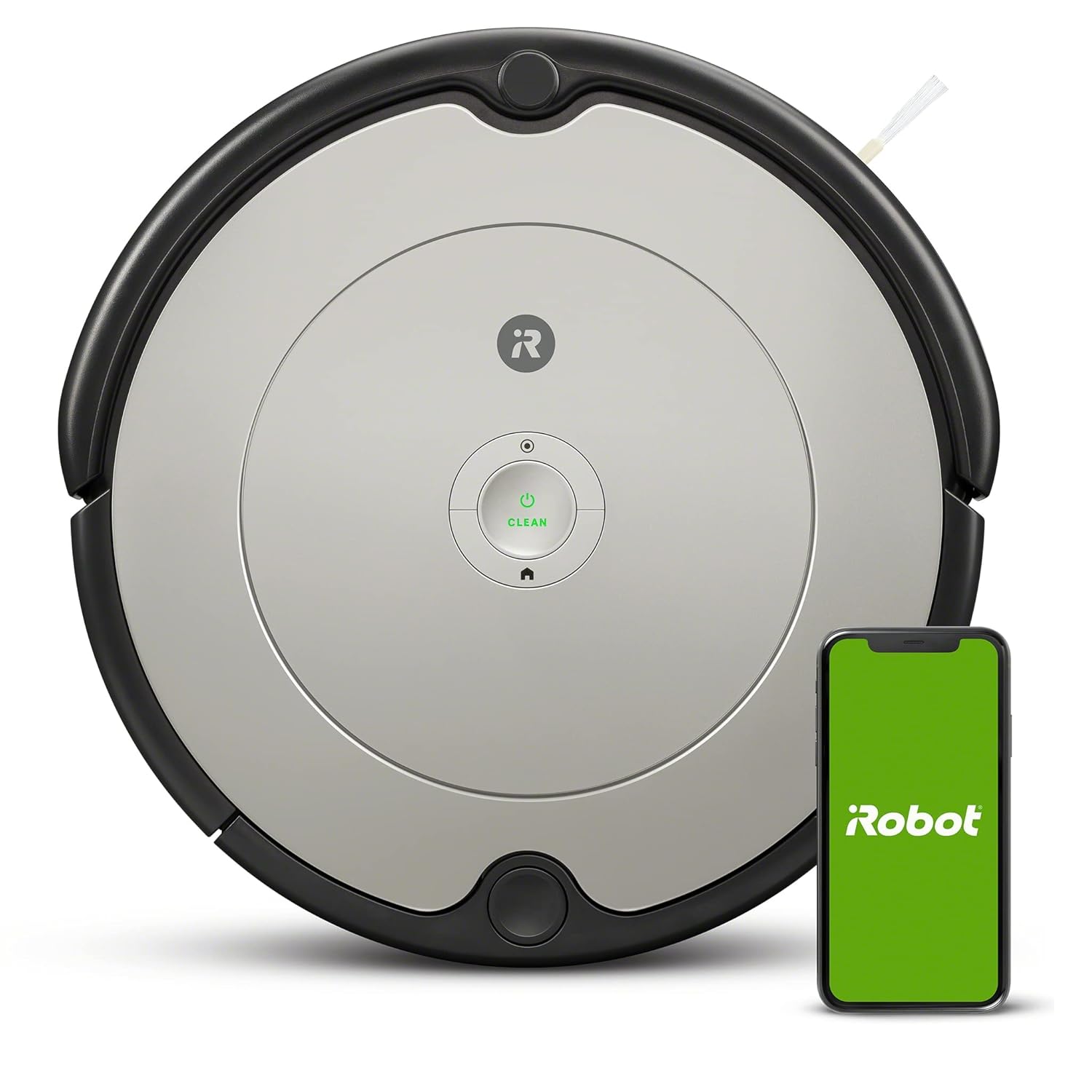
Figure 1.1: The iRobot Roomba 698 Robot Vacuum, shown with a smartphone displaying the iRobot Home App, highlighting its connected features.
2. What's in the Box
Verify that all components are present in the packaging:
- iRobot Roomba 698 Robot Vacuum
- Home Base Charging Station
- Line Cord (Charging Adapter)
- 1 Extra AeroVac Filter
- 1 Extra Edge-Sweeping Brush
- Instruction Guide (this manual)
3. Setup
- Place the Home Base: Position the Home Base charging station against a wall in an open, uncluttered area. Ensure there is at least 0.5 meters (1.5 feet) of clear space on each side of the Home Base and 1.2 meters (4 feet) in front of it.
- Connect Power: Plug the line cord into the Home Base and then into a wall outlet. Ensure the power indicator light on the Home Base illuminates.
- Charge the Robot: Place your Roomba onto the Home Base, aligning its charging contacts with those on the Home Base. The robot will emit a tone to confirm it is charging. Allow the robot to charge for at least 3 hours before its first use. The CLEAN button will glow solid green when fully charged.
- Download the iRobot Home App: For full functionality, download the iRobot Home App on your smartphone or tablet. Follow the in-app instructions to connect your Roomba 698 to your Wi-Fi network. This enables features like scheduling, cleaning preferences, and voice assistant compatibility.
4. Operating Your Roomba
4.1 Starting a Cleaning Cycle
- Manual Start: Press the large CLEAN button on the top of your Roomba once to wake it up, then press it again to start a cleaning cycle.
- App Control: Use the iRobot Home App to start, pause, or stop cleaning cycles from anywhere.
- Voice Assistant: If connected, use compatible voice assistants (e.g., Amazon Echo, Google Home) to initiate cleaning with voice commands.
4.2 Cleaning Features
The Roomba 698 utilizes a 3-Stage Cleaning System and various sensors for efficient cleaning:
- 3-Stage Cleaning System: Loosens, lifts, and suctions dirt, dust, and debris from carpets and hard floors.
- Dual Multi-Surface Brushes: Designed to handle various floor types, effectively grabbing debris.
- Edge-Sweeping Brush: Sweeps debris from corners and wall edges into the robot's cleaning path.
- Dirt Detect Technology: Sensors recognize concentrated areas of dirt and prompt the robot to clean them more thoroughly.
- Cliff Detect Sensors: Prevent the robot from falling down stairs or other drop-offs.
- Adaptive Navigation: The robot navigates under and around furniture, adapting to your home's layout.

Figure 4.1: The Roomba 698 demonstrating its ability to sweep corners and along walls, ensuring thorough edge cleaning.

Figure 4.2: The Roomba 698 utilizing its Cliff Detect sensors to avoid falling down stairs, indicated by a visual representation of sensor activity.

Figure 4.3: The Roomba 698 navigating and cleaning effectively under and around various furniture pieces in a living space.

Figure 4.4: The Roomba 698 demonstrating Dirt Detect Technology, where the robot identifies and focuses on dirtier areas during a cleaning cycle.
5. Maintenance
Regular maintenance ensures optimal performance of your Roomba 698. Perform these steps regularly:
5.1 Emptying the Dust Bin
Empty the dust bin after each cleaning cycle or when the full bin indicator illuminates. Press the bin release button, pull out the bin, and open the bin door to empty debris.
5.2 Cleaning the Filter
Remove the AeroVac Filter from the dust bin. Tap the filter against a trash can to dislodge debris. Do not wash the filter. Replace the filter every 2-3 months, or more frequently with heavy use.
5.3 Cleaning the Brushes
- Dual Multi-Surface Brushes: Open the cleaning head module frame by lifting the two green tabs. Remove the brushes and clear any hair or debris wrapped around them or the brush caps. Reinstall the brushes.
- Edge-Sweeping Brush: Use a small screwdriver to remove the screw holding the brush. Pull off the brush and remove any hair or debris. Reattach the brush and secure the screw.

Figure 5.1: An underside view of the Roomba 698, illustrating the location of the Dual Multi-Surface Brushes and the Edge-Sweeping Brush for maintenance.
5.4 Cleaning Sensors and Charging Contacts
Wipe the Cliff Detect sensors, charging contacts on the robot and Home Base, and the front caster wheel with a clean, dry cloth. This prevents debris buildup that can affect navigation and charging.
6. Troubleshooting
If your Roomba 698 encounters an issue, consult the iRobot Home App for specific error messages and troubleshooting steps. Common issues and general solutions are listed below:
- Robot Not Charging: Ensure the Home Base is plugged in and its power indicator is lit. Clean the charging contacts on both the robot and the Home Base.
- Robot Not Starting: Ensure the battery is charged. Press the CLEAN button firmly. If unresponsive, try a soft reset by holding the CLEAN button for 10 seconds.
- Robot Getting Stuck: Clear obstacles from the cleaning area. Ensure virtual walls (if used) are properly positioned. Clean the front caster wheel to ensure free movement.
- Poor Cleaning Performance: Empty the dust bin. Clean or replace the filter. Clean the Dual Multi-Surface Brushes and Edge-Sweeping Brush.
- Error Messages: The robot may speak an error message or display a light pattern. Refer to the iRobot Home App for detailed explanations and solutions for specific error codes.
7. Specifications
| Feature | Specification |
|---|---|
| Brand | iRobot |
| Model Name | Roomba 698 |
| Product Dimensions | 34L x 34W x 9H Centimeters |
| Item Weight | 3 kg 70 g |
| Battery Life | 90 Minutes |
| Filter Type | AeroVac Filter |
| Dust Bin Capacity | 600 Milliliters |
| Voltage | 220 Volts |
| Control Method | Touch, App, Voice |
| Compatible Devices | Amazon Echo, Google Home, Smartphones, Tablets |
| Special Features | Anti-Fall, Auto-Docking, Dirt Detection Sensor, Edge Cleaning, Scheduling |
8. Warranty and Support
8.1 Warranty Information
Your iRobot Roomba 698 comes with a limited warranty. Please refer to the warranty card included in your product packaging for specific terms, conditions, and duration of coverage. Keep your proof of purchase for warranty claims.
8.2 Customer Support
For technical assistance, troubleshooting, or warranty inquiries, please contact the authorized importer and service provider:
Puresight Systems Pvt Ltd
No 15, Queens Rd, Bangalore 560052
Toll-Free No: 1800-200-3355
You can also visit the official iRobot website for additional support resources and FAQs.