
FDUCE SL40X
FDUCE SL40X XLR Dynamic Microphone User Manual
Model: SL40X | Brand: FDUCE
1. Introduction
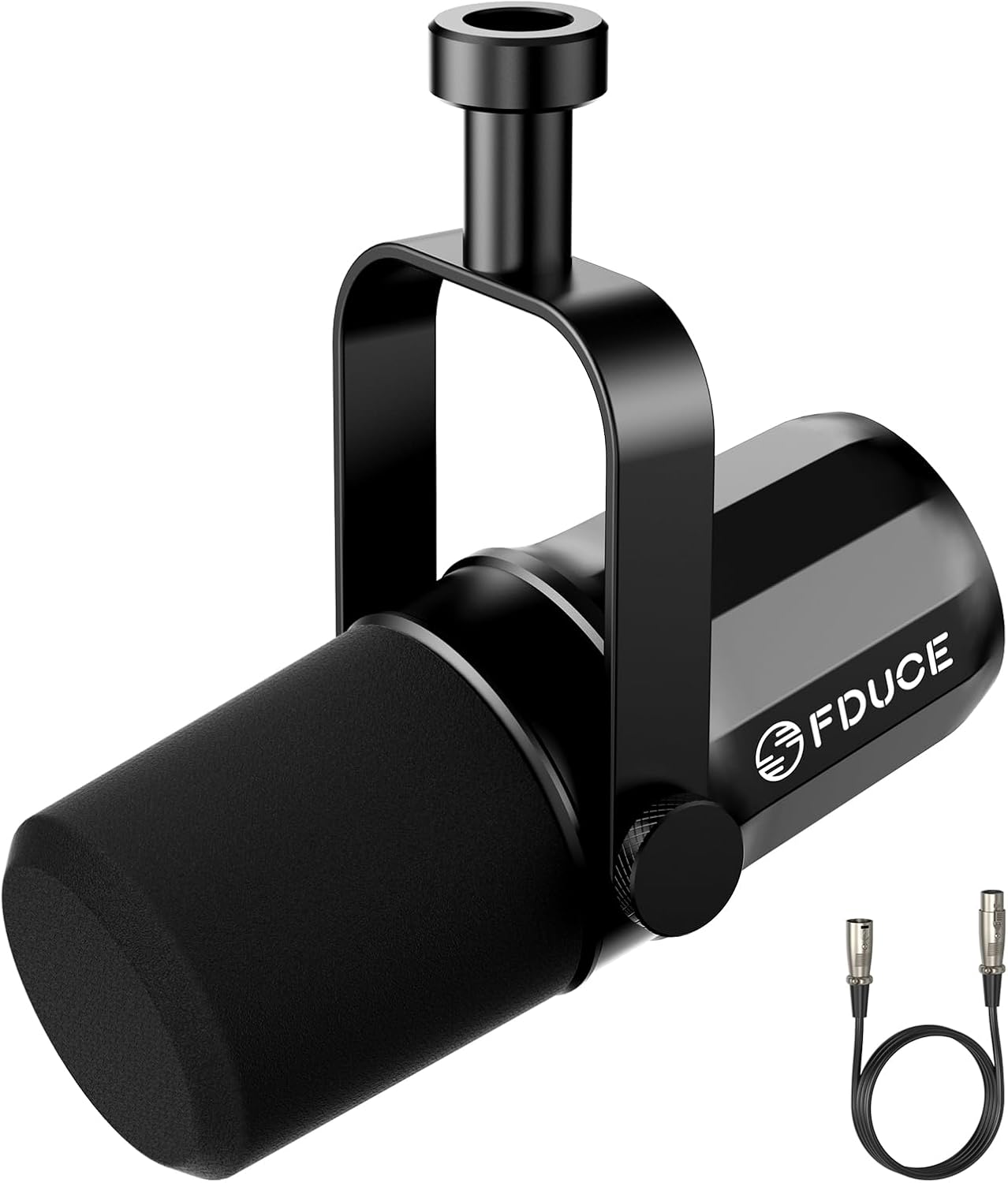
Image: FDUCE SL40X XLR Dynamic Microphone.
The FDUCE SL40X is a professional XLR dynamic microphone designed for high-quality vocal recording, podcasting, gaming, live streaming, and broadcasting. It features an all-metal construction, voice-isolating technology, and a cardioid pickup pattern to deliver clear, pure audio.
This manual provides detailed instructions for setting up, operating, and maintaining your SL40X microphone, ensuring optimal performance and longevity.
2. Package Contents
Verify that all items are present in the package:
- FDUCE SL40X Microphone
- 2m XLR Audio Cable
- Detachable Mic Stand
- User Manual (this document)

Image: Contents of the FDUCE SL40X microphone package.
3. Key Features
- XLR Connectivity: The SL40X connects to professional audio interfaces and mixers via an XLR cable, ensuring high-quality audio signal transmission without the need for an additional built-in preamp for extra gain.
- Voice Isolation Technology: With a wide frequency response range of 50-14000Hz, the SL40X is designed to capture your voice clearly while minimizing unwanted background noise, making your recordings cleaner and purer.
- Cardioid Pickup Pattern: This microphone primarily picks up sound from the front, effectively reducing sound from the sides and rear. This is ideal for isolating the speaker's voice in various environments.

Image: Cardioid pickup pattern illustration.
- All-Metal Construction: The microphone features a rugged and professional all-metal construction, providing durability and reliability. It supports both 3/8" and 5/8" threaded mounts for versatile setup options.

Image: FDUCE SL40X microphone's classic all-metal design.
4. Setup Guide
4.1 Mounting the Microphone
- Unpack the FDUCE SL40X microphone and the detachable mic stand.
- Attach the microphone to the included detachable mic stand. The microphone supports both 3/8" and 5/8" threaded mounts, allowing compatibility with various stands, including desktop stands and boom arms.
- Position the microphone stand on a stable surface or clamp the boom arm securely to your desk.

Image: FDUCE SL40X microphone on a desktop stand.
4.2 Connecting to an Audio Device
- Locate the XLR port on the FDUCE SL40X microphone.
- Connect one end of the provided 2m XLR audio cable to the microphone's XLR port.
- Connect the other end of the XLR cable to an XLR input on your audio interface, mixer, or other compatible audio device.
- Ensure your audio device is powered on and configured to receive input from the connected XLR channel. The SL40X is compatible with most audio interfaces and mixers.

Image: Connecting the XLR cable to the FDUCE SL40X microphone.
5. Operation
5.1 Optimal Microphone Placement
- Position the microphone directly in front of the sound source (e.g., your mouth) to utilize its cardioid pickup pattern effectively.
- Maintain a consistent distance from the microphone, typically 2-6 inches (5-15 cm), for optimal sound quality and to benefit from the voice isolation technology.
- Avoid placing the microphone too far away, as this can lead to lower volume and increased pickup of ambient room noise.

Image: User demonstrating proper microphone usage.
5.2 Adjusting Gain Levels
- The FDUCE SL40X is a dynamic microphone and may require sufficient gain from your audio interface or mixer.
- Adjust the gain (input level) on your audio device until the signal is strong without clipping (distortion). Monitor your audio levels during recording or streaming.
- While the SL40X does not require phantom power, ensure your audio interface or mixer provides adequate clean gain for optimal performance.
6. Maintenance
- Cleaning: Use a soft, dry cloth to wipe the microphone body. Avoid using liquid cleaners or solvents, as they can damage the microphone's finish or internal components.
- Storage: When not in use, store the microphone in a clean, dry place, away from extreme temperatures and humidity.
- Handling: Handle the microphone with care. Avoid dropping it or subjecting it to strong impacts, which can affect its performance and durability.
- Foam Windscreen: The microphone includes a foam windscreen. This helps protect the microphone from saliva and moisture damage, and also blocks unwanted background noises and plosives. Ensure it is properly fitted.

Image: FDUCE SL40X with foam windscreen.
7. Troubleshooting
| Problem | Possible Cause | Solution |
|---|---|---|
| No sound output |
|
|
| Low volume or weak signal |
|
|
| Excessive background noise |
|
|
8. Specifications
| Feature | Detail |
|---|---|
| Model Name | SL40X |
| Brand | FDUCE |
| Microphone Form Factor | Handheld |
| Polar Pattern | Unidirectional (Cardioid) |
| Connectivity Technology | XLR |
| Connector Type | XLR |
| Frequency Response | 50 Hz - 14 kHz |
| Impedance | 600 Ohm |
| Signal-to-Noise Ratio | 95 dB |
| Material | Metal |
| Color | Black |
| Item Weight | 0.46 Kilograms (1.01 pounds) |
| Product Dimensions (L x W x H) | 2.56 x 2.56 x 6.1 inches |
| Power Source | Corded Electric |
| Compatible Devices | Audio Interface, Audio Mixer, Portable PA Systems |
| UPC | 747923843962 |
9. Warranty and Support
For warranty information, technical support, or further inquiries regarding your FDUCE SL40X microphone, please visit the official FDUCE store or contact their customer service.
Official FDUCE Store: FDUCE Store on Amazon
Related documentsSL40X


Ask a question about this manual
Ask about setup, troubleshooting, compatibility, parts, safety, or missing instructions. Manuals+ will review the question and use this page’s manual context to help answer it.