
ENEGON C9015TC
ENEGON Smart Multi-Function Fast Battery Charger User Manual
Model: C9015TC
1. Product Overview
The ENEGON Smart Multi-Function Fast Battery Charger is a versatile and efficient charging solution for various rechargeable battery types. It features independent charging slots, allowing you to charge different battery sizes simultaneously. The intelligent design includes an LCD display for monitoring charging status and multiple safety protections to ensure reliable operation.

Image: ENEGON Smart Multi-Function Battery Charger with various battery types.
2. Package Contents
- 1 x ENEGON Smart Battery Charger
- 1 x USB-C Charging Cable
- 1 x User Manual (this document)

Image: Charger, USB-C cable, and packaging.
3. Setup Guide
Follow these steps to set up your ENEGON Smart Multi-Function Fast Battery Charger:
- Connect Power: Connect the provided USB-C charging cable to the charger's input port. Connect the other end of the cable to a 5V DC power source, such as a USB charger, car charger, PC, or portable charger. The charger's LCD display will illuminate.
- Insert Batteries: Open the transparent cover of the charger. Insert your rechargeable Ni-MH or Ni-CD batteries (AA, AAA, C, D, or 9V) into the appropriate slots, ensuring correct polarity (+ and -). The charger features independent slots, allowing you to charge any number of batteries at a time.

Image: ENEGON Smart Multi-Function Battery Charger with its lid open, showing the battery slots and the included USB cables.

Image: Diagram illustrating various power sources for the charger, including laptop, power bank, car charger, and wall charger, highlighting Micro-USB and USB-C input options.
4. Operating Instructions
4.1. Charging Batteries
The charger supports 1 to 4 AA/AAA/C/D Ni-MH Ni-CD batteries, or 1 to 2 9V Ni-MH Ni-CD batteries. Each slot operates independently.
- AA/AAA/C/D Batteries: Insert these batteries into the larger slots. Ensure the positive (+) and negative (-) terminals align with the markings in the charger.
- 9V Batteries: Insert 9V batteries into the dedicated smaller slots.
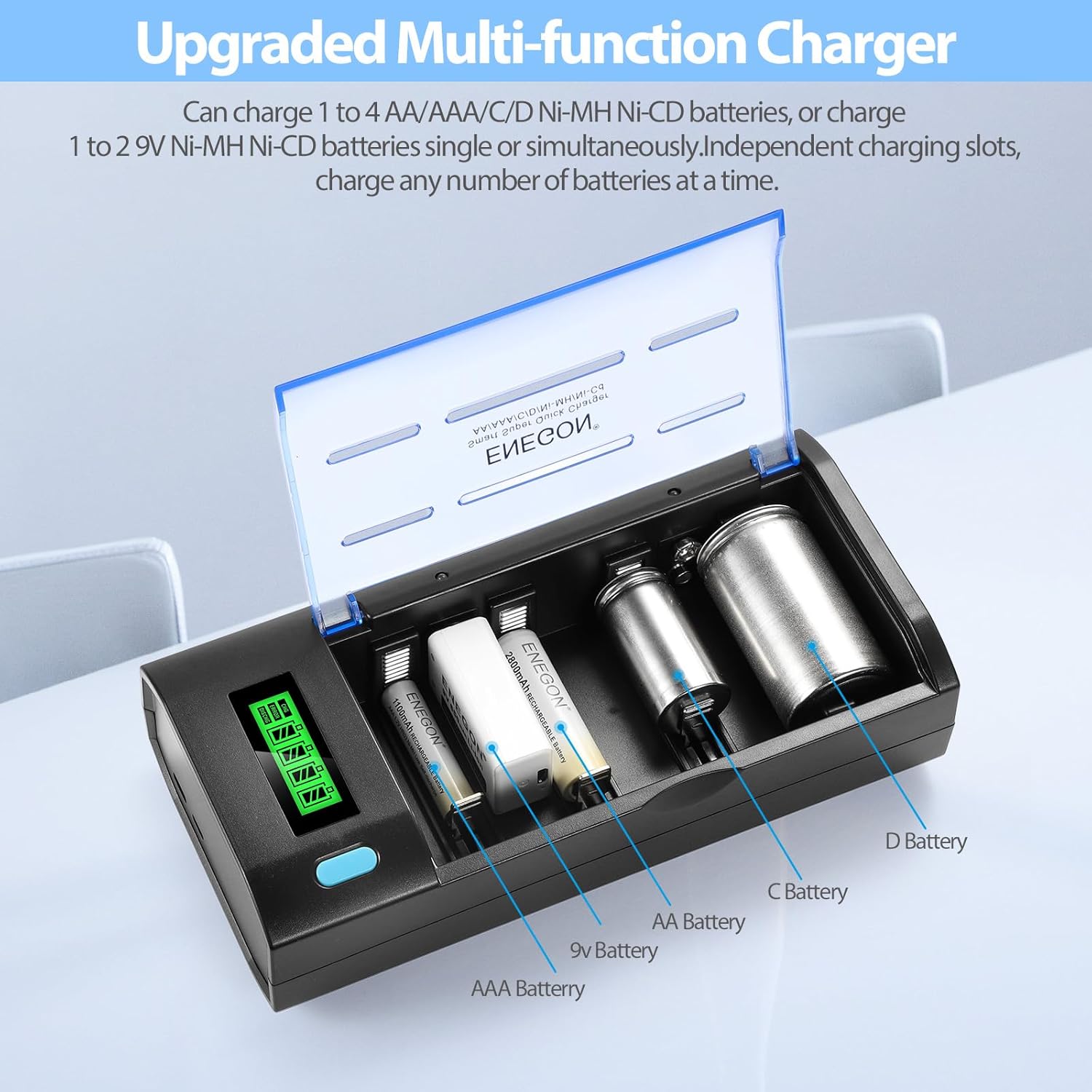
Image: The charger with various battery types (AAA, 9V, AA, C, D) inserted into their respective slots, demonstrating its multi-functionality.
4.2. Understanding the Display
The charger provides real-time status updates:
- LCD Display (for AA/AAA/C/D Batteries): Shows the charging status of each individual battery with a battery icon and progress bar.
- LED Indicator (for 9V Batteries): A red light indicates charging, and a green light indicates fully charged.
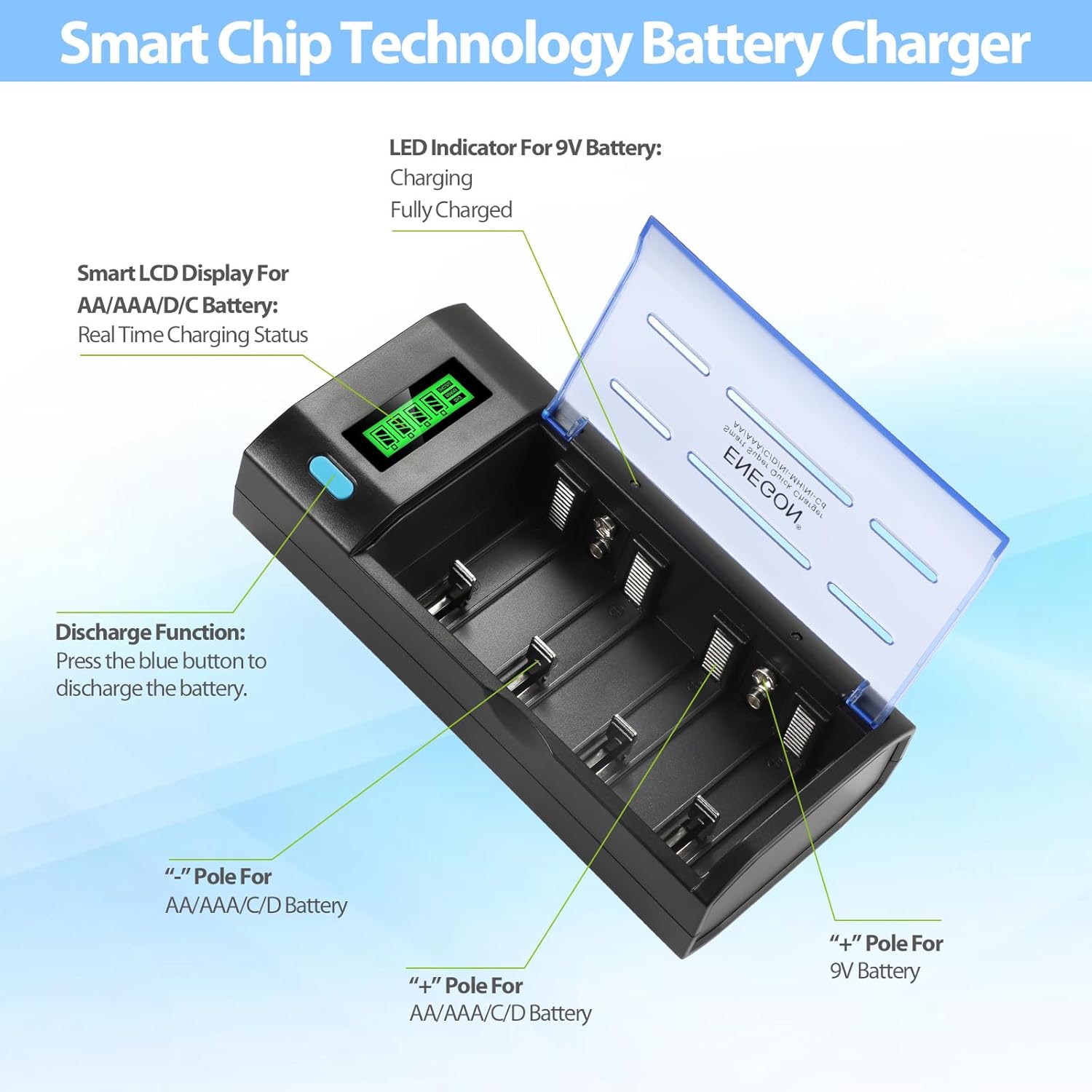
Image: Close-up of the charger's LCD display showing charging status, along with markings for positive and negative poles for different battery types.

Image: Detailed view of the LCD display indicating battery charge levels from 0-25% to 75-100%.
4.3. Discharge Function
For AA/AAA/C/D batteries, press the blue button on the charger to initiate the discharge function. This can be useful for Ni-CD batteries to prevent memory effect. The display will indicate the discharge process.
4.4. Fast Charging
The charger is designed for fast charging with an output current of up to 1000 mA for AA/AAA/C/D batteries.
| Battery Type | Charging Time | Output Current |
|---|---|---|
| AA/AAA/C/D Ni-MH/Ni-CD | 0.5 - 5 hours | 1000 mA |
| 9V Ni-MH/Ni-CD | 2.5 - 10 hours | 80 mA |
Note: Charging times may vary based on battery capacity and remaining charge. This charger is only for 1.2V Ni-MH/Ni-CD AA/AAA/C/D and 9V batteries.

Image: Visual representation of fast charging times and output currents for different battery types.
5. Safety and Protection
The ENEGON Smart Charger incorporates multiple safety features to protect your batteries and the charger itself:
- Over-voltage Protection: Prevents damage from excessive voltage.
- Over-current Protection: Safeguards against high current flow.
- Short-circuit Protection: Automatically cuts off power in case of a short circuit.
- High-temperature Protection: Operates safely between 0℃ and 35℃, with mechanisms to prevent overheating.
- Over-charge Protection: Prevents batteries from being overcharged, extending their lifespan.
The constant current and voltage charging mode further enhances safety and battery longevity.
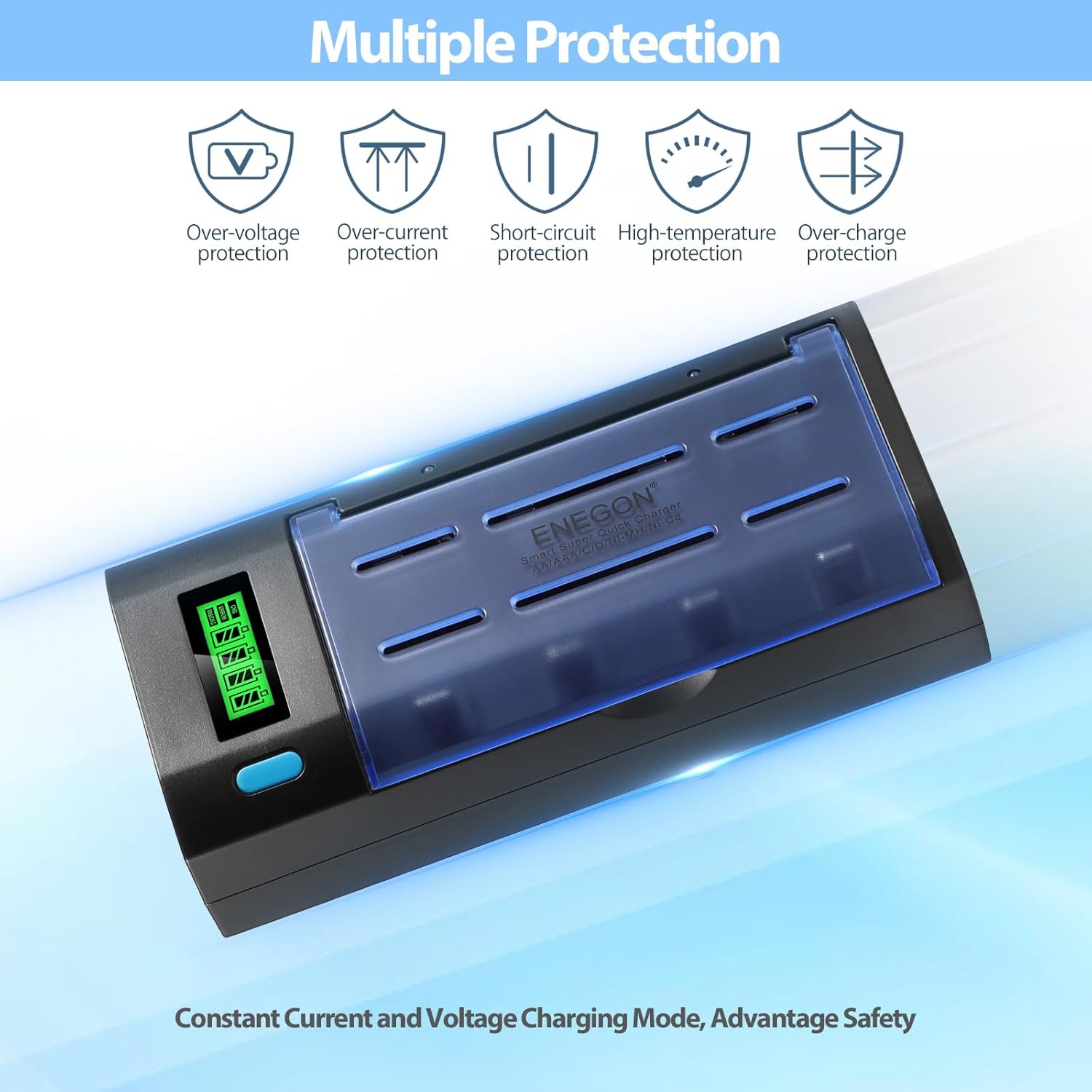
Image: Icons representing the various safety protections: Over-voltage, Over-current, Short-circuit, High-temperature, and Over-charge protection.
6. Maintenance
- Cleaning: Disconnect the charger from power before cleaning. Use a soft, dry cloth to wipe the surface. Do not use abrasive cleaners or immerse the charger in water.
- Storage: Store the charger in a cool, dry place away from direct sunlight and extreme temperatures when not in use.
- Handling: Avoid dropping the charger or subjecting it to strong impacts.
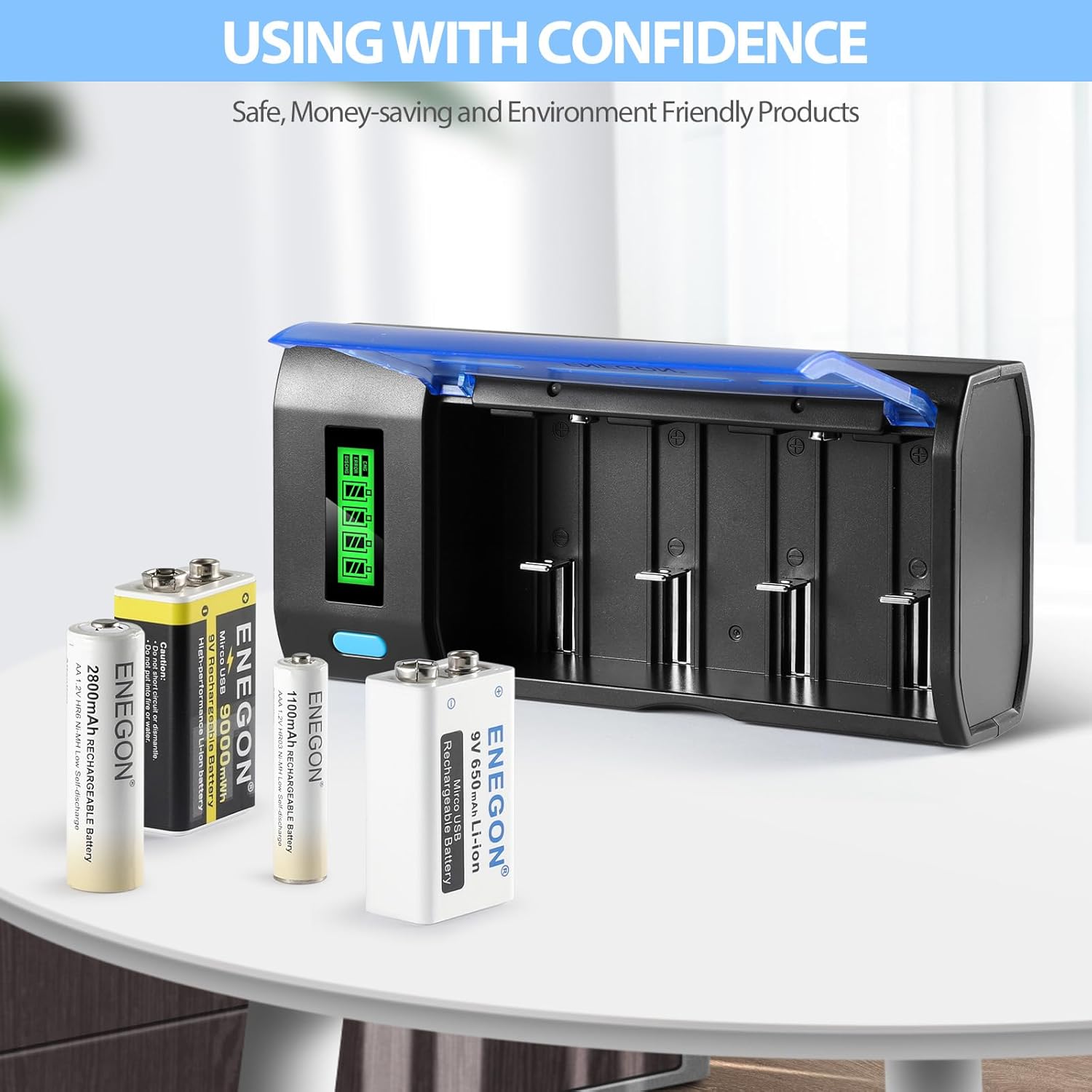
Image: The ENEGON charger on a table with various rechargeable batteries, emphasizing safe and confident usage.
7. Troubleshooting
- Charger not turning on:
- Ensure the USB cable is securely connected to both the charger and the power source.
- Verify that the power source (USB adapter, PC port) is functional.
- Battery not charging/LCD not showing status:
- Check battery polarity. Ensure the battery is inserted correctly according to the +/- markings.
- Ensure the battery is a rechargeable Ni-MH or Ni-CD type. This charger is not compatible with alkaline or lithium batteries.
- Clean battery terminals and charger contacts with a dry cloth to remove any dirt or corrosion.
- Try charging a different battery to determine if the issue is with the battery or the charger slot.
- Slow charging:
- Ensure your power source provides sufficient current (e.g., a 5V/2A USB adapter is recommended for optimal speed).
- High-capacity batteries naturally take longer to charge. Refer to the 'Fast Charging' section for approximate times.
8. Specifications
| Feature | Detail |
|---|---|
| Model | C9015TC |
| Input Voltage | 5 Volts (DC) |
| Output Voltage | 1.2 Volts (DC) |
| Compatible Battery Types | AA, AAA, C, D, 9V Ni-MH Ni-CD Rechargeable Batteries |
| Charging Slots | 4 independent slots for AA/AAA/C/D, 2 independent slots for 9V |
| Max Output Current (AA/AAA/C/D) | 1000 mA |
| Max Output Current (9V) | 80 mA |
| Approx. Charging Time (AA/AAA/C/D) | 0.5 - 5 Hours |
| Approx. Charging Time (9V) | 2.5 - 10 Hours |
| Product Dimensions | 19.5 x 9.3 x 5.2 cm |
| Item Weight | 320 Grams |
| Operating Temperature | 0℃ - 35℃ |
| Manufacturer | DONGGUAN KING POWER DIGITAL TECHNOLOGY CO.,LTD |
| Country of Origin | China |
9. Warranty and Support
ENEGON provides excellent service assurance. If you encounter any issues or have questions regarding your Smart Multi-Function Fast Battery Charger, please contact our customer support team. We offer 24-hour friendly customer support to ensure your satisfaction.
For support, please refer to the contact information provided with your purchase or visit the official ENEGON website.
Ask a question about this manual
Ask about setup, troubleshooting, compatibility, parts, safety, or missing instructions. Manuals+ will review the question and use this page’s manual context to help answer it.