
QNK 1.5KW220V
QNK 1.5KW 2HP AC 220V VFD Converter Instruction Manual
Model: 1.5KW220V
1. Introduction
This manual provides essential information for the safe and efficient operation of your QNK 1.5KW 2HP AC 220V Variable Frequency Drive (VFD) Converter. Please read this manual thoroughly before installation, operation, or maintenance.
2. Safety Information
WARNING: Risk of electric shock. Read manual before installing. Wait 5 minutes for capacitor discharge after disconnecting power supply.
- Always wear personal protective gear (PPE) before powering up the VFD.
- Ensure the rated frequency of the motor is consistent with that of the VFD before running. Adjust parameters F005, F004, and F003 if necessary.
- The VFD cannot be used as a power source for other equipment or to drive a motor with a supply voltage lower than 80V.
- Do not connect the VFD's output terminals with capacitive loads.
- For heavy equipment like cranes or compressors, choose a VFD with a larger power output (e.g., a 5.5 Kw motor should use a 7.5 Kw VFD).
- If a generator powers the VFD, ensure its output voltage is within +/-15%.

Image: Front view of the QNK VFD Converter, showing the control panel and a warning label regarding electric shock and capacitor discharge time.
3. Specifications
| Feature | Value |
|---|---|
| Brand | QNK |
| Model Name | QNK 1.5KW 2HP AC 220V 7A VFD Converter Single to 3 Phase Inverter Variable Frequency Drive CNC Spindle Motor Speed Controller |
| Model Number | 1.5KW220V |
| Input Voltage | 1-phase/3-phase 220 VAC (+/- 15%), 50/60 Hz |
| Input Current | 0-7 A |
| Output Voltage | 3-phase 220 VAC |
| Output Current | 0-7A |
| Output Frequency | 0-2,000 Hz |
| Wattage | 1.5 KW |
| Output Power | 1500 Kilowatts |
| Peak Output Power Watts | 2250 |
| Display Type | LCD or LED |
| Electrical Output Waveform | Pure Sine Wave |
| Color | Black |
| UPC | 729162004779 |

Image: Dimensions of the QNK VFD Converter, showing approximate measurements of 15cm (5.9") height, 9cm (3.5") width, and 11.8cm (4.6") depth.
4. Setup and Installation
4.1 Wiring Instructions
Ensure the power is off before performing any wiring. Use proper safety equipment.
- Power Wires: For a 220V single-phase power supply, tie the power wires to the L1 and L3 terminals.
- Motor Wires: Connect the three motor wires to the U, V, and W terminals.
- Braking Resistor (Optional): This VFD supports connecting a braking resistor (not included). Connect the DC+ and DB connectors of the resistor with the VFD. A braking resistor consumes energy generated by the motor during fast braking, useful for equipment like engraving machine spindles.
- After wiring, ensure all connections are firm and correct.
Video: Demonstrates how to wire the QNK VFD Converter, including connecting power wires, motor wires, and an optional braking resistor. It highlights the importance of secure connections.

Image: Detailed VFD connection diagram showing terminals for power (L1, L2, L3), brake (DC+, DB), motor (U, V, W), multi-function digital input, adjustable resistor, potentiometer, RS485 communication interface, and multi-function relay output.
5. Operating Instructions
5.1 Initial Parameter Settings (for 220V 400Hz 24000RPM motor)
The VFD's default rated frequency is 50 Hz. If your motor's rated frequency is different (e.g., 400 Hz), you must adjust the following parameters:
- Connect power to the VFD.
- Press SET, navigate to F005, and set its value to 400. Press SET to confirm.
- Press SET, navigate to F004, and set its value to 400. Press SET to confirm.
- Press SET, navigate to F003, and set its value to 400. Press SET to confirm.
- Press SET, navigate to F144, and set its value to 24000 (displayed as 24.00 on screen). Press SET to confirm.
- Ensure the motor's rated frequency matches the inverter's rated frequency.
Video: Provides a step-by-step guide on setting up the QNK VFD, specifically demonstrating how to adjust parameters F005, F004, F003, and F144 for a 220V 400Hz 24000RPM motor.
5.2 Adjusting Rated Frequency (Example: 60Hz Motor)
If your motor has a rated frequency of 60Hz and a rated speed of 1850 RPM, follow these steps:
- Power on the VFD.
- Press SET, navigate to F0013, and set its value to 8. Press SET to confirm.
- Press SET, navigate to F005, and set its value to 60. Press SET to confirm.
- Press SET, navigate to F004, and set its value to 60. Press SET to confirm.
- Press SET, navigate to F003, and set its value to 60. Press SET to confirm.
- Press SET, navigate to F144, and set its value to 1850. Press SET to confirm.
- After setting, verify the frequency displayed on the panel is 60 Hz.
Video: A short preview video demonstrating how to change the rated frequency of QNK Inverters, specifically for a motor with a 60Hz rated frequency and 1850 RPM rated speed.
5.3 Motor Direction Adjustment
If the motor rotates in the reverse direction after initial setup, you can change its rotation by exchanging the wiring:
- Turn off the VFD power and wait for it to fully stop.
- Remove the cover of the VFD's terminal block.
- Randomly exchange the locations of any two motor wires (U, V, or W) connected to the output terminals. For example, swap U and W.
- Ensure the wires are tied firmly and replace the cover.
- Power on the VFD and run the motor again. The motor should now rotate in the desired direction.
Video: A short preview video demonstrating how to reverse the rotation direction of a motor connected to the QNK VFD by swapping two of the motor's output wires.
6. Key Features and Protection
- Low-Noise Operation & Low Electromagnetic Interference: Utilizes PMW control technology and component compatibility design.
- V/F Control & Vector Control: Frequency setting modes include digital, analog, serial communication (RS485 with MODBUS), and PID setting.
- Improved Safety & Durability: Features protective functions for overload, fuse, over voltage (DC voltage > 400V), under voltage (DC voltage < 200V), restart, stall, short circuit, and overheat. Constructed with copper coil internals and a nonflammable exterior. Multi-grid design ensures fast heat dissipation and prevents dust/water mist entry.
- Powerful Cooling Fan: Independent air duct design for strong cooling.
- More Capacitors: Equipped with four capacitors for larger capacity, temperature, and pressure resistance.
- Separate Control Panel: Convenient for remote control.
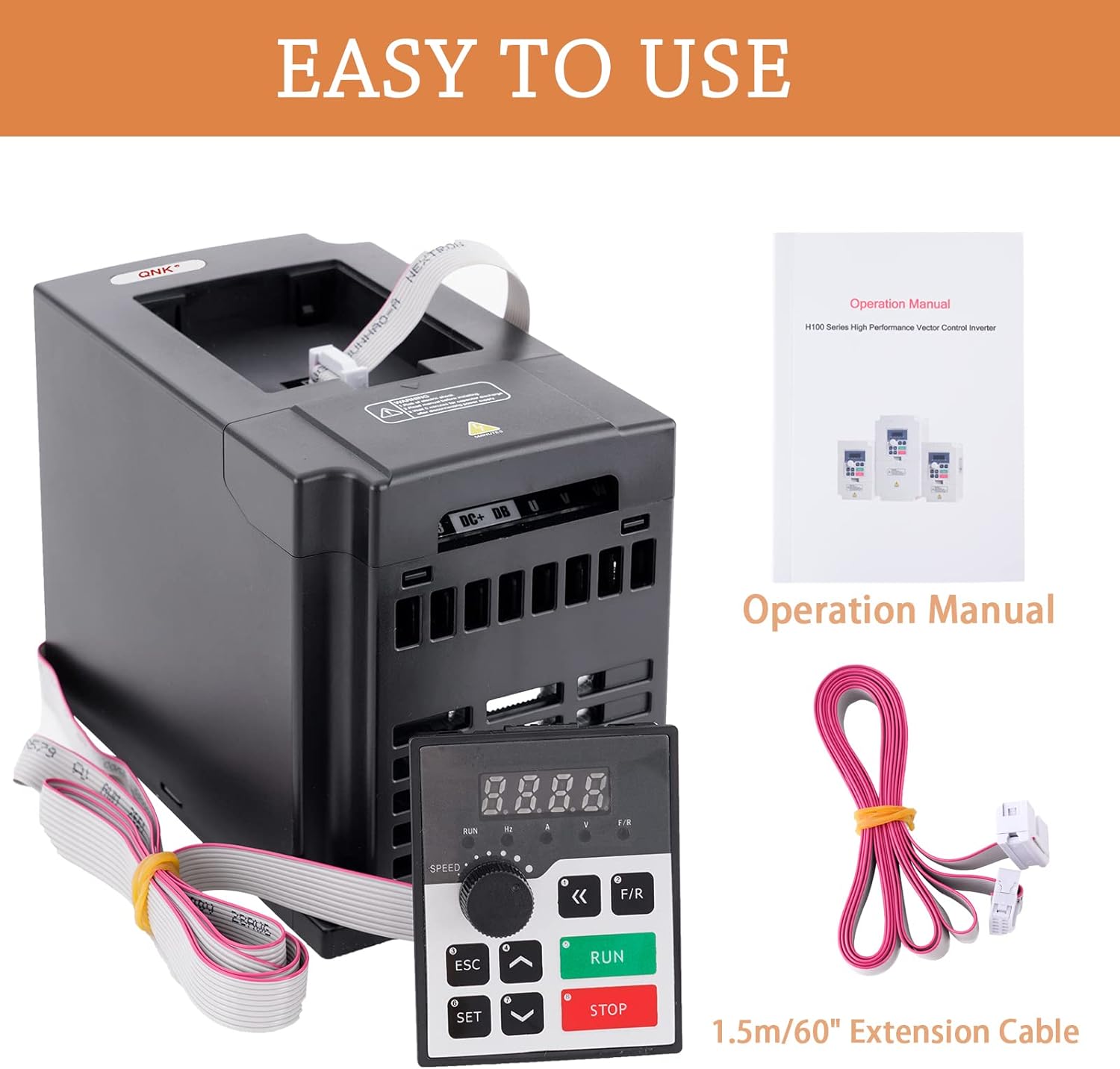
Image: Illustrates the multiple protection features of the QNK VFD, including overload, overheat, over-voltage, low-voltage, fuse, stall, short circuit, and reset protection.

Image: Shows the QNK VFD Converter with its detachable control panel, highlighting its convenience for remote operation.
7. Wide Application
The QNK VFD Converter is suitable for various types of equipment, including but not limited to:
- Spindle Motors
- CNC Routers
- Milling Machines
- Pumps
- Compressors
- Grinders
8. Troubleshooting
If you encounter an error code or have operational questions, please refer to the detailed troubleshooting section in the full product manual or contact customer service for assistance.
9. Customer Service and Support
For any error codes, operational queries, or other product-related questions, please feel free to contact our Customer Support Team. We aim to assist you within 24 hours.
Contact: Refer to your product packaging or the official QNK website for contact details.