
Logistimatics Mobile-200
Logistimatics Mobile-200 4G GPS Tracker User Manual
Model: Mobile-200
Brand: Logistimatics
1. Introduction
The Logistimatics Mobile-200 is a compact, real-time 4G GPS tracker designed for monitoring vehicles, people, and assets. Its magnetic and waterproof design allows for versatile placement, providing live location updates and geofence alerts. This device requires a subscription service for full functionality.

Image: The Mobile-200 GPS tracker shown next to a smartphone displaying its tracking application, with a red car in the background, illustrating its use for vehicle tracking.
2. Key Features
- 4G Connectivity: Operates on the 4G cellular network for reliable tracking.
- Real-Time Tracking: Provides live location updates, typically every 30 seconds.
- Long Battery Life: Up to 7 days between charges with 30-second updates, or up to 10 days with less frequent updates.
- Magnetic Mount: Features a strong built-in magnetic mount for easy and secure attachment to metallic surfaces.
- Waterproof Design: Rated IP67 for dust and water resistance, suitable for outdoor use.
- Geofence Alerts: Receive notifications when the tracker enters or exits predefined areas.
- Mobile & Web Access: Track from iOS, Android devices, or any web browser.
- Historical Data: View past locations and routes.

Image: An infographic highlighting key features: a magnet for attachment, real-time reporting, up to 7-day battery life, and IP67 waterproof rating.

Image: A visual representation of the tracker's ability to show current location (address, latitude, longitude) and provide geofence alerts when entering or exiting an area.

Image: An illustration demonstrating the versatility of the Mobile-200 for tracking various items including cars, loved ones, trucks, boats, assets, and parcels.
3. Setup Guide
- Charge Your Tracker: Connect the charging cable to the Mobile-200 and plug it into an electrical outlet. Ensure the device is fully charged before first use.
- Download the Tracking App: Search for "Logistimatics" in the Apple App Store (for iOS devices) or Google Play Store (for Android devices) and download the official tracking application.
- Activate Subscription: A subscription to the Logistimatics platform is required for the device to function. Follow the instructions provided with your device or on the Logistimatics website to activate your service plan.
- Turn On Your Tracker: Press and hold the power button on the device until the indicator lights flash. This indicates the tracker is powered on and attempting to connect to the network.
- Log In to App/Web Portal: Use your Logistimatics account credentials to log in to the mobile app or the web-based tracking portal. Your device should appear on the map once connected.
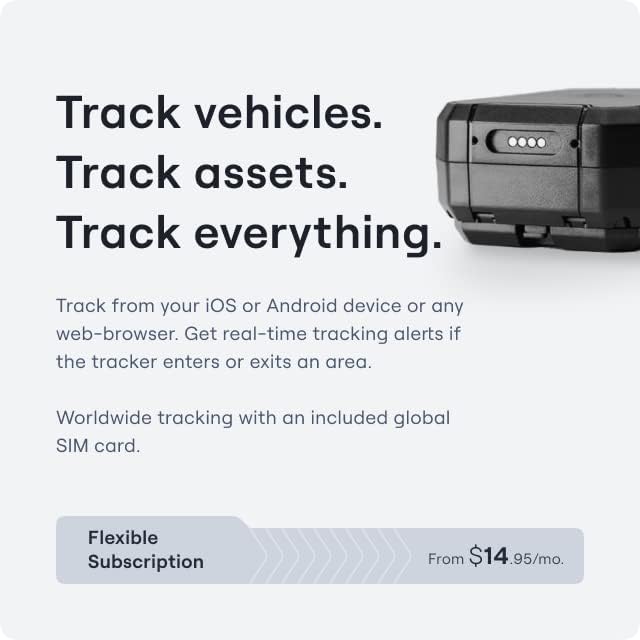
Image: A graphic illustrating the tracker's ability to track vehicles and assets from iOS, Android, or web browsers, along with a note about the required flexible subscription.
Video: A demonstration of the Mobile-200's small size, magnetic attachment, and ease of use for tracking vehicles and assets. This video highlights the device's physical attributes and basic functionality.
4. Operating Instructions
4.1 Placement
The Mobile-200 can be placed discreetly due to its compact size and magnetic mount. For vehicle tracking, it can be attached to the underside of the vehicle or placed inside. Ensure the device is not obstructed by large metal objects that could interfere with GPS signal reception.
Video: A short preview demonstrating how the Mobile-200 can be used to track teen drivers, showing its discreet placement options inside and outside a vehicle. This video highlights a specific use case for the tracker.
4.2 Real-Time Tracking
Once powered on and connected, the device will send location updates to the Logistimatics platform. You can view the current location and movement history through the mobile app or web portal. The frequency of updates can often be configured within the application settings.
4.3 Geofence Configuration
Set up custom geofences (virtual boundaries) within the Logistimatics application. You will receive instant alerts via email or push notification when the tracker enters or exits these defined zones. This feature is useful for monitoring specific areas of interest.
4.4 Historical Data & Reporting
The platform stores historical tracking data, allowing you to review past routes, speeds, and stops. Comprehensive reports can be generated for detailed analysis of movement patterns over time.

Image: A screenshot of the Logistimatics application interface, demonstrating its ability to track history and share location links with others.
Video: A detailed overview of the Mobile-200, highlighting its 4G connectivity, real-time updates, and discreet nature as a hidden GPS tracker. This video emphasizes the comprehensive tracking capabilities.
5. Maintenance
- Charging: Regularly charge the device to maintain optimal battery performance. The app will provide low battery alerts.
- Cleaning: Wipe the device with a soft, damp cloth to remove dirt or debris. Do not use harsh chemicals or abrasive cleaners.
- Storage: If storing the device for an extended period, ensure it is fully charged and then power it off. Store in a cool, dry place.
- Software Updates: Keep the Logistimatics mobile application and device firmware updated to ensure the best performance and access to new features.
6. Troubleshooting
| Problem | Possible Cause | Solution |
|---|---|---|
| Device not tracking / No location updates |
|
|
| Inaccurate location data |
|
|
| Battery drains quickly |
|
|
7. Specifications
- Model: Mobile-200
- Connectivity: 4G Cellular
- Tracking Technology: GPS
- Battery: 1 Lithium Ion battery (included)
- Battery Life: Up to 7 days (30-second updates), up to 10 days (less frequent updates)
- Features: Magnetic mount, Waterproof (IP67)
- Dimensions: Approximately 5.24 x 3.94 x 3.03 inches (Package Dimensions)
- Item Weight: 15.2 ounces
- Manufacturer: Logistimatics
- Country of Origin: USA
- Included in Box: Mobile-200 Tracker, Magnet Mount, Charging Cable (implied from video)
8. Warranty and Support
For warranty information, technical support, or service inquiries, please refer to the official Logistimatics website or contact their customer service directly. Details regarding product registration and warranty claims can typically be found on the manufacturer's support pages.
Logistimatics Brand Store: Visit Logistimatics Store on Amazon
Customer Service: Refer to the contact information provided on the Logistimatics website or within the tracking application.
Ask a question about this manual
Ask about setup, troubleshooting, compatibility, parts, safety, or missing instructions. Manuals+ will review the question and use this page’s manual context to help answer it.