
Introduction
Thank you for choosing the Catler VS 8011 Vacuum Sealer. This appliance is designed to extend the freshness of your food by removing air from specially designed bags and containers, thereby reducing oxidation and preventing freezer burn. This manual provides essential information for the safe and efficient operation, maintenance, and troubleshooting of your new vacuum sealer. Please read all instructions carefully before first use and retain this manual for future reference.
Important Safety Instructions
- Read all instructions before using the appliance.
- Do not immerse the appliance, power cord, or plug in water or other liquids.
- This appliance is not intended for use by persons (including children) with reduced physical, sensory, or mental capabilities, or lack of experience and knowledge, unless they have been given supervision or instruction concerning use of the appliance by a person responsible for their safety.
- Children should be supervised to ensure that they do not play with the appliance.
- Unplug from outlet when not in use and before cleaning. Allow to cool before putting on or taking off parts.
- Do not operate any appliance with a damaged cord or plug or after the appliance malfunctions or has been damaged in any manner.
- Use only attachments recommended or sold by the manufacturer.
- Do not use outdoors.
- Do not let cord hang over edge of table or counter, or touch hot surfaces.
- Do not place on or near a hot gas or electric burner, or in a heated oven.
- Always attach plug to appliance first, then plug cord into the wall outlet. To disconnect, turn any control to 'off', then remove plug from wall outlet.
- Use appliance only for intended household use.
Product Overview
The Catler VS 8011 Vacuum Sealer features a sleek design and intuitive controls for efficient food preservation. Familiarize yourself with the main components:
- Control Panel: Features a large LCD screen with various settings for vacuuming, sealing, and special functions.
- Sealing Bar: Heats to create an airtight seal on vacuum bags.
- Vacuum Channel: Area where air is extracted from the bag.
- Lid Latch/Handle: Used to open and securely close the appliance lid.
- Accessory Port: For connecting a hose to vacuum seal canisters.

Image: Side view of the Catler VS 8011 Vacuum Sealer, highlighting the lever used to open and close the lid. The lever clearly indicates 'Open' and 'Close' positions.

Image: Detailed view of the Catler VS 8011 Vacuum Sealer's control panel. The LCD screen displays various functions like 'Vacuuming & Sealing', 'Sealing', 'Blow', 'Canister', 'Marinate', 'Vacuum Speed', 'Dry/Wet', and 'Pulse'. Buttons for 'Date' and 'Cancel' are also visible.
Setup
- Unpack: Carefully remove the vacuum sealer from its packaging. Retain packaging for storage or future shipping.
- Inspect: Check the appliance for any signs of damage. Do not use if damaged.
- Clean: Wipe down the exterior with a damp cloth. Ensure the sealing bar and vacuum channel are clean and dry.
- Placement: Place the appliance on a flat, stable, and dry surface. Ensure there is enough space around it for proper ventilation.
- Power Connection: Plug the power cord into a grounded electrical outlet. The appliance is now ready for use.
Operating Instructions
The Catler VS 8011 offers professional settings and extensive use for all types of food. Follow these steps for various operations:
1. Basic Vacuum Sealing (Bags)
- Prepare the Bag: Place the food item inside a vacuum sealer bag, leaving at least 3 inches of space from the top edge. Ensure the open end of the bag is clean and dry.
- Position the Bag: Open the lid of the vacuum sealer. Place the open end of the bag into the vacuum channel, ensuring it lies flat over the sealing bar.
- Close the Lid: Firmly press down on the lid until it latches securely. The 'Open/Close' lever on the side should indicate 'Close'.
- Select Mode: On the control panel, choose the appropriate mode:
- Dry: For solid foods with no moisture.
- Wet: For moist or juicy foods.
- Start Vacuuming & Sealing: Press the 'Vacuuming & Sealing' button. The appliance will automatically remove air and then seal the bag.
- Release: Once the process is complete, the vacuum will release, and you can open the lid to remove the sealed bag.

Image: The Catler VS 8011 Vacuum Sealer actively sealing a bag containing a piece of fish with lemon and herbs. A cutting board with shrimp is visible in the background, illustrating food preparation.

Image: The Catler VS 8011 Vacuum Sealer in operation, sealing a bag filled with fresh green asparagus spears. A cutting board with chopped vegetables is in the background.
2. Sealing Only
Use this function to seal bags without vacuuming, such as for snack bags or creating custom-sized bags from a roll.
- Place the open end of the bag over the sealing bar.
- Close the lid securely.
- Press the 'Sealing' button. The appliance will create a seal without removing air.
3. Canister Vacuuming
For vacuum sealing compatible canisters and containers.
- Prepare the canister with food and ensure its lid is properly closed.
- Connect one end of the accessory hose (sold separately) to the appliance's accessory port and the other end to the canister's port.
- Press the 'Canister' button. The appliance will vacuum air from the canister.
- Once complete, remove the hose.
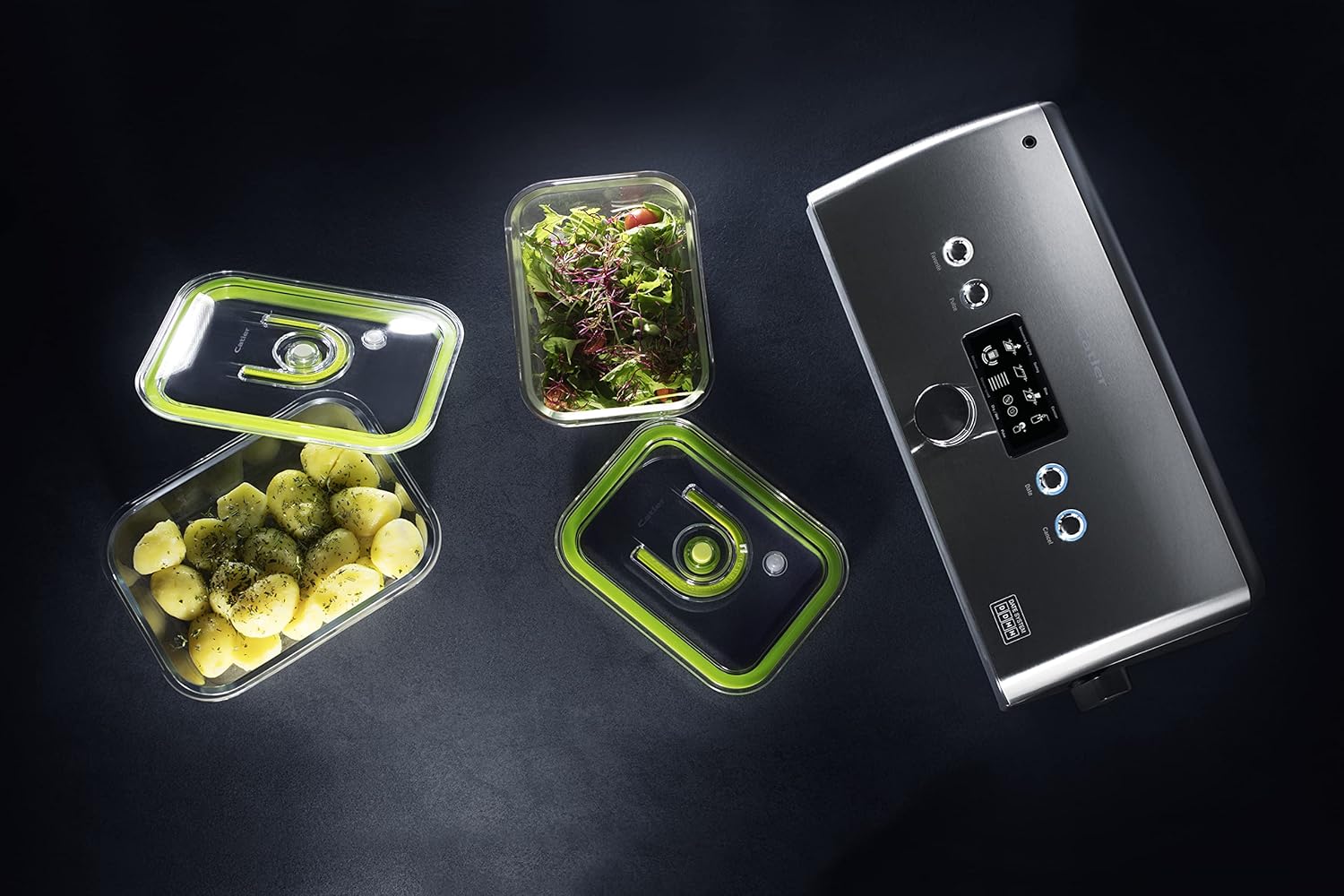
Image: The Catler VS 8011 Vacuum Sealer positioned alongside several clear, vacuum-sealed food containers filled with various foods like salad and potatoes, demonstrating its compatibility with external containers.
4. Marinate Function
This function uses intermittent vacuum cycles to quickly marinate food.
- Place food and marinade in a vacuum bag or canister.
- Follow steps for basic vacuum sealing or canister vacuuming.
- Press the 'Marinate' button. The appliance will cycle through vacuum and release phases to infuse flavor.
5. Pulse Function
For delicate foods where manual control over vacuum pressure is desired.
- Place delicate food in a bag and position it in the vacuum channel.
- Close the lid securely.
- Press and hold the 'Pulse' button to vacuum. Release the button to stop vacuuming.
- Once desired vacuum level is reached, press the 'Sealing' button to seal the bag.

Image: A close-up of the Catler VS 8011 Vacuum Sealer with a bag containing fresh strawberries and blueberries, demonstrating the sealing process for delicate fruits.
6. Setting the Date
Use the 'Date' button to set the current date or a 'packed on' date for your sealed items, aiding in food management.
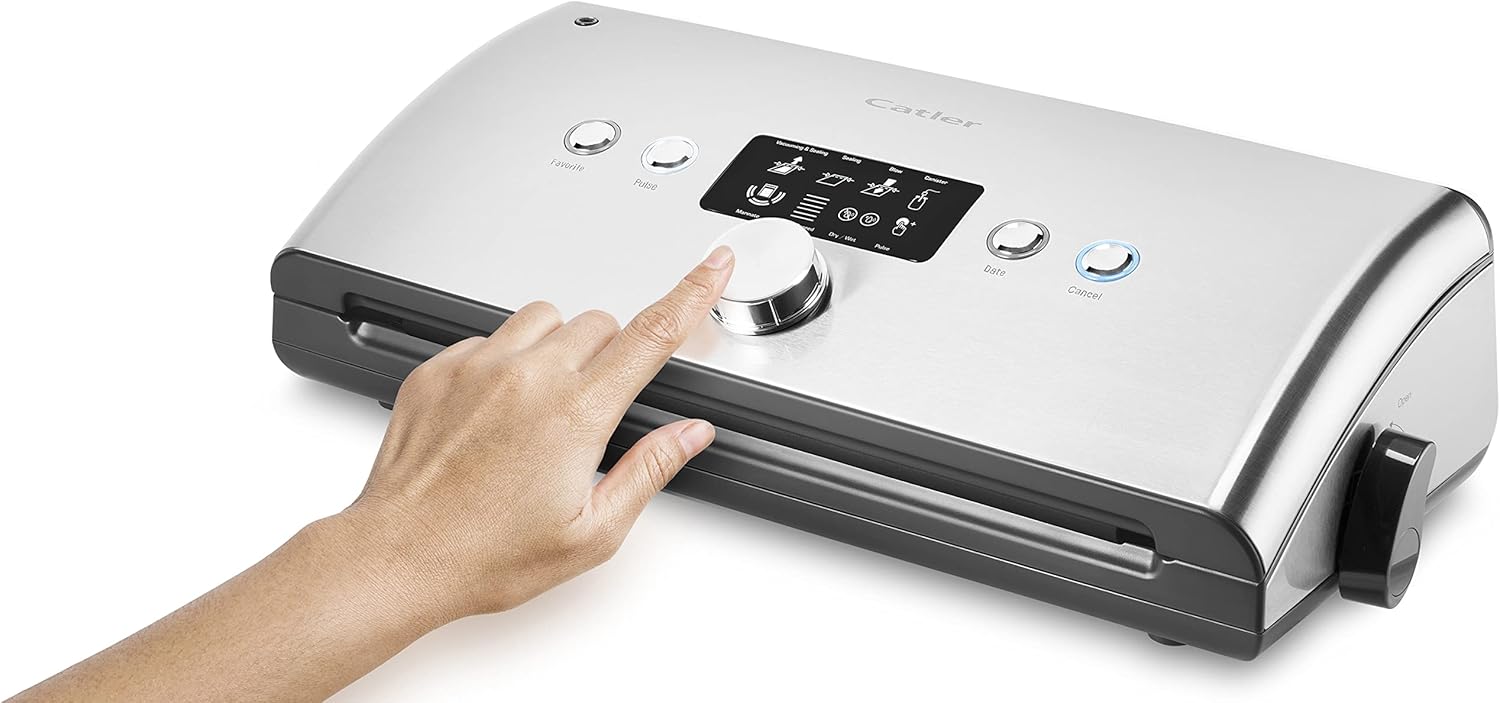
Image: A hand's finger is shown pressing one of the control buttons on the Catler VS 8011 Vacuum Sealer's sleek silver surface, indicating user interaction with the device.
Maintenance and Cleaning
Regular cleaning ensures optimal performance and extends the life of your Catler VS 8011 Vacuum Sealer. The appliance features an easy-to-clean surface.
- Unplug: Always unplug the appliance from the power outlet before cleaning.
- Exterior Cleaning: Wipe the exterior of the appliance with a damp cloth and mild soap. Dry thoroughly.
- Vacuum Channel: Clean the vacuum channel and sealing bar area with a damp cloth to remove any food residue or moisture. Ensure it is completely dry before closing the lid or using the appliance again.
- Gaskets: Check the foam gaskets around the vacuum channel for food particles or damage. Clean gently if necessary.
- Do Not Immerse: Never immerse the appliance in water or any other liquid.
Troubleshooting
If you encounter issues with your Catler VS 8011, refer to the following common problems and solutions:
| Problem | Possible Cause | Solution |
|---|---|---|
| Appliance does not turn on. | Not plugged in; power outlet malfunction. | Ensure the power cord is securely plugged into a working outlet. |
| Appliance vacuums but does not seal. | Sealing bar is dirty or wet; bag not positioned correctly. | Clean and dry the sealing bar. Ensure the bag is flat and extends over the sealing bar. |
| Appliance seals but does not vacuum. | Lid not properly latched; bag not correctly placed in vacuum channel; bag has a leak. | Press down firmly on the lid until it latches. Reposition the bag. Check the bag for holes or tears. |
| Vacuum is weak or inconsistent. | Gaskets are dirty or damaged; food residue in vacuum channel. | Clean the gaskets and vacuum channel. Ensure gaskets are properly seated. |
Specifications
| Feature | Detail |
|---|---|
| Brand | Catler |
| Model Number | VS 8011 |
| Color | Grey |
| Operating Mode | Automatic |
| Item Weight | 4.08 Kilograms |
| Package Dimensions | 48.2 x 26.2 x 17.5 cm |
| Manufacturer | Catler |
| Date First Available | January 10, 2023 |
Warranty and Support
The Catler VS 8011 Vacuum Sealer comes with a standard manufacturer's warranty. Please refer to the warranty card included in your product packaging for specific terms and conditions. For technical support, spare parts availability, or any service inquiries, please contact Catler customer service through their official website or the contact information provided with your purchase. Always provide your model number (VS 8011) when seeking support.


