
Introduction
This manual provides instructions for the safe and efficient use of your Jectse Neckband Headphones, Model Jectse6b9ni7vekz-11. Please read this manual thoroughly before using the product and retain it for future reference.

Figure 1: Jectse Neckband Headphones Overview
Package Contents
Ensure all items are present in the package:
- 1 x Jectse Neckband Earbuds
- 1 x Charging Cable
- 1 x Instruction Manual (this document)

Figure 2: Package Contents
Setup
1. Charging the Headphones
Before first use, fully charge the headphones. Connect the provided charging cable to the charging port on the neckband and to a USB power source.
- The indicator light will be red during charging.
- The indicator light will turn blue when fully charged.
- Charging time is approximately 2 hours.

Figure 3: Charging Indicator Light
2. Powering On/Off
- To power on: Press and hold the multi-function button (usually the center button) until the indicator light flashes.
- To power off: Press and hold the multi-function button until the indicator light turns off.
3. Bluetooth Pairing
To connect your headphones to a device:
- Ensure the headphones are charged and powered off.
- Press and hold the multi-function button for approximately 5-7 seconds until the indicator light flashes red and blue alternately, indicating pairing mode.
- On your device (smartphone, tablet, etc.), enable Bluetooth and search for available devices.
- Select "Jectse Neckband" or a similar name from the list of devices.
- Once connected, the indicator light on the headphones will typically flash blue slowly or turn off.
The headphones support Bluetooth V5.2 for stable wireless connection.
4. Wearing the Headphones
Place the neckband around your neck. The earbuds are designed with ergonomic ear hooks for a comfortable and secure fit. Adjust the earbuds to sit comfortably in your ears.

Figure 4: Ergonomic Earbud Design
Operating Instructions
The neckband features mechanical controls and multi-functional buttons for easy operation.
Button Functions
Figure 5: Control Buttons
| Button | Action | Function |
|---|---|---|
| Multi-function Button (Center) | Press and Hold (approx. 3s) | Power On/Off |
| Press and Hold (approx. 5-7s) | Enter Bluetooth Pairing Mode | |
| Single Press | Play/Pause Music, Answer/End Call | |
| Double Press | Redial Last Number (if supported by device) | |
| Volume Up (+) Button | Single Press | Increase Volume |
| Press and Hold | Next Track | |
| Volume Down (-) Button | Single Press | Decrease Volume |
| Press and Hold | Previous Track |
Sound Quality
The headphones are designed to provide a high dynamic range for clear audio reproduction across various frequencies.

Figure 6: Earbud Internal Structure
Maintenance
Cleaning
Wipe the headphones with a soft, dry cloth. Do not use abrasive cleaners or solvents. Ensure the charging port is dry before charging.
Storage
When not in use, the earbuds feature a magnetic design that allows them to snap together, preventing tangling. Store the headphones in a cool, dry place away from direct sunlight and extreme temperatures.

Figure 7: Magnetic Earbud Design
Water Resistance
The headphones are IPX5 waterproof, meaning they are resistant to splashes and sweat. They are not designed for submersion in water. Avoid exposing them to heavy rain or prolonged water contact.
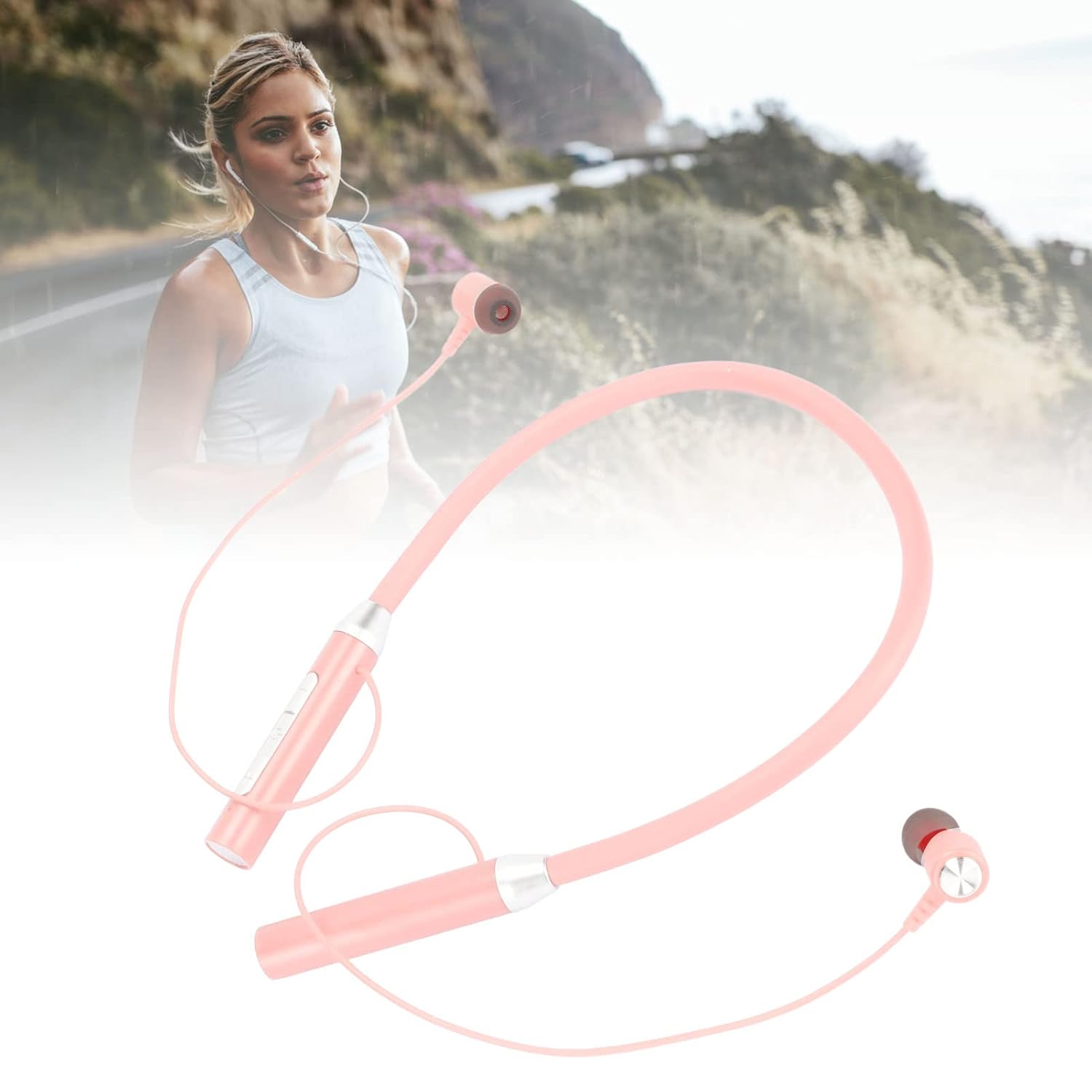
Figure 8: Headphones in Active Use
Troubleshooting
If you encounter issues with your headphones, refer to the following common problems and solutions:
Headphones will not power on or charge.
- Ensure the charging cable is securely connected to both the headphones and the power source.
- Try a different USB charging port or power adapter.
- Verify the charging indicator light is red during charging.
- Allow the headphones to charge for at least 30 minutes before attempting to power on.
Cannot pair with a device.
- Ensure the headphones are in pairing mode (indicator light flashing red and blue).
- Make sure Bluetooth is enabled on your device.
- Move the headphones closer to your device (within 10 meters).
- Turn off and on Bluetooth on your device, then try searching again.
- If previously paired, try "forgetting" or "unpairing" the headphones from your device's Bluetooth settings and then re-pair.
- Ensure no other Bluetooth devices are actively connected to the headphones.
No sound or poor sound quality.
- Check the volume levels on both the headphones and your connected device.
- Ensure the headphones are properly paired and connected to your device.
- Try playing audio from a different application or source.
- Move closer to your device to avoid interference.
- Restart both the headphones and your connected device.
Short battery life.
- Ensure the headphones are fully charged before use (blue indicator light).
- Battery life can vary based on volume level and usage patterns.
- Extreme temperatures can affect battery performance.
Specifications
| Feature | Detail |
|---|---|
| Model | Jectse6b9ni7vekz-11 |
| Bluetooth Version | V5.2 |
| Wireless Modes | A2DP, HFP, HSP, AVRCP |
| Frequency Response | 20Hz to 20KHz |
| Speaker Impedance | 32ohm |
| Battery Capacity | 280mAh Lithium Ion Battery |
| Charging Time | Approximately 2 Hours |
| Music Playback Time | Approximately 8 Hours |
| Standby Time | Approximately 300 Hours |
| Waterproof Performance | IPX5 |
| Material | ABS, Silicone, Plastic |
| Color | Pink |
| Weight | 0.03 Kilograms |
| Bluetooth Range | 10 Metres |
| Noise Control | Active Noise Cancellation |
| Control Method | Mechanical Buttons (Note: Product specifications list 'Touch', but feature bullets and images indicate mechanical controls.) |
Note: Specifications are subject to change without prior notice.
Warranty Information
Specific warranty details for this product are not provided in the available information. Please refer to your purchase documentation or contact the retailer for warranty terms and conditions.
Customer Support
For further assistance or inquiries, please contact the retailer or manufacturer directly. Keep your purchase receipt and product model number (Jectse6b9ni7vekz-11) available when seeking support.