
1. Introduction
This manual provides instructions for the safe and effective use of your Xemz Mini Massager. Please read this manual thoroughly before operating the device and retain it for future reference.

Image 1: The Xemz Mini Massager, featuring a green and white design. A user is shown holding a similar blue massager, demonstrating its compact size and ease of handling.
2. Safety Information
- Do not use the massager while it is charging.
- If the device does not vibrate during use, it may indicate insufficient power. Recharge the device before further use.
- Keep out of reach of children.
- Consult a physician before use if you have any medical conditions, are pregnant, or have a pacemaker.
- Do not use on broken skin, swollen areas, or areas with rashes.
3. Package Contents
The package includes:
- 1 x Portable Mini Massager
- 1 x USB Charging Cable
4. Product Features
- Ergonomic Design: Constructed from high-quality silicone and ABS materials, featuring a 360° rotating flexible head. Designed to fit comfortably in the palm for easy grip and flexible operation.
- 6 Speed Vibration Modes: Offers six distinct vibration speeds, allowing users to select the intensity most suitable for their needs.
- High-Speed Motor: Equipped with a 6000-rpm motor for powerful vibration, designed to assist in muscle relaxation.
- USB Charging: Convenient USB charging capability for use at home or while traveling.
- Portable Design: Lightweight and compact, designed for easy transport in a handbag, backpack, or pocket.

Image 2: The compact size of the Xemz Mini Massager is illustrated by placing it next to a smartphone for a clear size comparison.

Image 3: A hand grasping the Xemz Mini Massager, highlighting its ergonomic shape designed for comfortable and secure handling.

Image 4: An exploded view diagram illustrating the internal components of the massager, emphasizing the high-speed motor responsible for its powerful vibration.
5. Setup
Before first use, ensure the massager is fully charged. Refer to the 'Charging' section for detailed instructions.
6. Operating Instructions
The massager is designed for use on various body parts including the neck, back, legs, feet, and hands to help relieve muscle soreness and fatigue.
- Power On/Off: Press the On/Off button to turn the device on or off.
- Adjust Vibration Speed: Press the vibration button to cycle through the 6 available speed modes.
- Gears 1-2: Gentle vibration for muscle activation.
- Gears 3-4: Moderate vibration for comfortable massage.
- Gears 5-6: Stronger vibration for deep tissue massage.
- Application: Apply the massager head to the desired muscle area. Move it gently in circular motions or hold it on a specific spot for targeted relief.

Image 5: A user demonstrating the application of the mini massager to the neck and shoulder region, illustrating its use for targeted relief.

Image 6: A user demonstrating the application of the mini massager to the back, showing how it can be used for broader muscle areas.
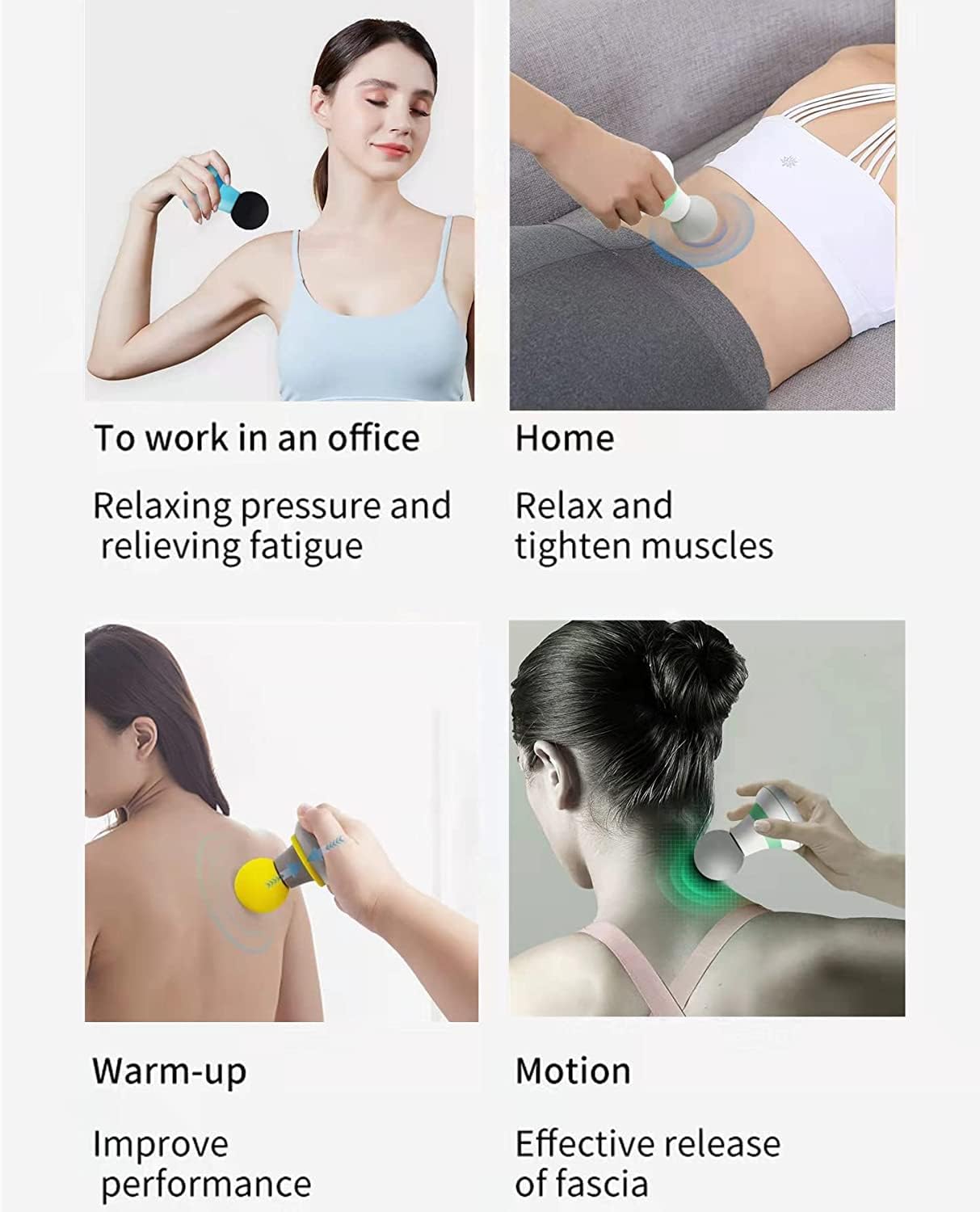
Image 7: A composite image displaying various usage scenarios for the mini massager, including relaxing in an office, unwinding at home, preparing for physical activity (warm-up), and aiding in post-motion recovery.
7. Charging
The massager features a USB charging design for convenience.
- Locate the USB charging port on the device.
- Connect the provided USB charging cable to the massager.
- Plug the other end of the USB cable into a compatible power source, such as a computer's USB port, a wall charger (5V/1A recommended), or a mobile power bank.
- The device will indicate when it is charging (e.g., an indicator light).
- Ensure the device is fully charged before use for optimal performance.
Important: Do not use the massager while it is charging.
8. Maintenance
- Clean the massager with a soft, damp cloth after each use.
- Do not use abrasive cleaners or immerse the device in water.
- Store the massager in a cool, dry place away from direct sunlight.
9. Troubleshooting
- Device does not turn on: Ensure the device is fully charged.
- No vibration during use: This indicates insufficient power. Recharge the device.
- Weak vibration: The battery may be low. Recharge the device.
10. Specifications
| Feature | Detail |
|---|---|
| Brand | Xemz |
| Model | B0BRXYZXFM |
| Color | Green |
| Material | Silicone, ABS |
| Dimensions | 11.5 x 7.5 cm (4.53 x 2.95 inches) |
| Weight | 105 g (3.52 ounces) |
| Charging Port | USB |
| Charging Voltage | 5V/1A |
| Vibration Modes | 6 Speeds |
| Motor Speed | Up to 6000-rpm |
| Power Source | Battery Powered |
| Use For | Whole Body |
| Massager Form | Massage Wand |
11. Warranty and Support
For warranty information or customer support, please refer to the documentation provided with your purchase or contact the manufacturer directly.
12. Legal Disclaimer
Statements regarding dietary supplements have not been evaluated by the FDA and are not intended to diagnose, treat, cure, or prevent any disease or health condition. This product is not intended to diagnose, treat, cure, or prevent any disease.