
1. Introduction
Thank you for choosing the ENEGON 4 Slot Battery Charger. This intelligent charger is designed to efficiently and safely charge AA and AAA Ni-MH/Ni-Cd rechargeable batteries. It features independent charging slots, an LED display, and multiple safety protections to ensure optimal battery performance and longevity. Please read this manual carefully before use to ensure proper operation and to maximize the lifespan of your batteries and charger.

Image: The ENEGON 4 Slot Battery Charger, showing its compact design and the included USB-A to Micro USB cable.
2. Safety Information
To prevent injury or damage, please observe the following safety precautions:
- Only charge 1.2V Ni-MH/Ni-Cd AA/AAA rechargeable batteries. Do not attempt to charge alkaline, lithium, or any other battery types.
- Do not disassemble, modify, or repair the charger.
- Avoid exposing the charger to water, high humidity, or extreme temperatures.
- Do not use the charger if it is damaged or has been dropped.
- Keep out of reach of children.
- Ensure proper ventilation during charging.
- Unplug the charger from the power source when not in use or before cleaning.
- The charger features multiple protection functions including over-voltage, over-current, short-circuit, overheating, and overcharge protection.
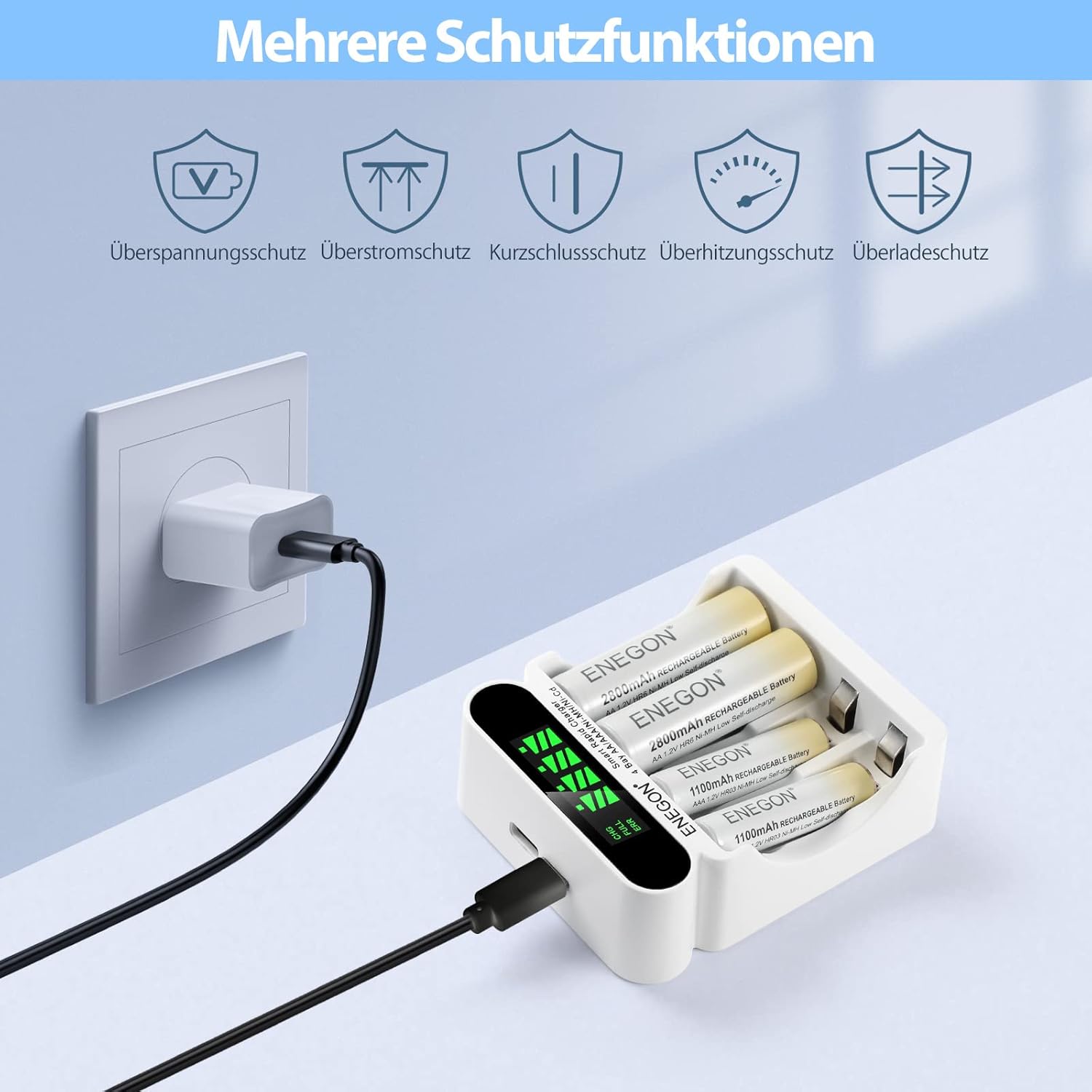
Image: The charger connected to a wall outlet, illustrating its comprehensive safety features such as over-voltage, over-current, short-circuit, overheating, and overcharge protection.
3. Package Contents
Please check the package for the following items:
- 1 x ENEGON 4 Slot Battery Charger
- 1 x Micro USB Cable (Type-C cable not included)
- 1 x User Manual (this document)

Image: The contents of the product package, including the ENEGON 4-slot charger, a Micro USB cable, and the product box.
4. Product Features
- 4 Independent Charging Bays: Supports simultaneous and independent charging of 1 to 4 AA/AAA Ni-MH/Ni-Cd rechargeable batteries.
- Fast Charging: Charges batteries within approximately two hours, with advanced high current mode.
- Intelligent LED Display: Monitors charging status (CHG, FULL, ERR) for each individual battery.
- Dual Input Ports: Equipped with Micro USB and Type-C ports for versatile power input options (e.g., laptop, power bank, car charger, wall adapter). Note: Do not use both input ports simultaneously.
- Automatic Cut-off: Automatically stops charging when batteries reach 80% capacity and switches to trickle charge, then fully stops when 100% charged to prevent overcharging.
- Multiple Safety Protections: Built-in safeguards against short circuits, overheating, overcharging, over-current, over-voltage, deep discharge, and detection of non-rechargeable batteries.
- Universal Compatibility: 100-240V DC input for worldwide use.

Image: A graphic highlighting key features of the ENEGON charger: Fast Charging (up to 1000mA), Smart Auto Cut-off, and Intelligent LCD Display showing real-time charging status.

Image: The ENEGON charger with four batteries inserted, illustrating its intelligent independent charging capability for 1 to 4 AA/AAA Ni-MH/Ni-Cd batteries.
5. Setup
- Connect Power: Use the provided Micro USB cable to connect the charger to a USB power source (e.g., a wall adapter, computer USB port, power bank, or car charger). The charger supports DC 5V 1A input.
- Insert Batteries: Insert 1 to 4 AA or AAA Ni-MH/Ni-Cd rechargeable batteries into the charging slots, ensuring correct polarity (+ and -). The charger will automatically detect the battery type and begin charging.

Image: The ENEGON charger demonstrating its multiple charging possibilities, including via laptop, power bank, car charger, and wall adapter, using either Micro USB or USB-C input.
6. Operating Instructions
Once batteries are inserted and power is connected, the charger will automatically begin the charging process.
- LED Display Status: The LED screen provides real-time status for each battery slot.
- "CHG": Indicates that the battery is currently charging. The battery icon will show a charging animation.
- "FULL": Indicates that the battery is fully charged. The battery icon will show a full charge.
- "ERR": Indicates a problem with the battery (e.g., non-rechargeable, damaged, or incorrectly inserted). Remove the battery and check.
- Charging Time: Charging time varies depending on battery capacity. For example, AA batteries (1.2V 1800mA output) typically take 0.5-4 hours, and AAA batteries (1.2V 900mA output) typically take 0.5-3 hours.
- Automatic Shut-off: The charger will automatically stop charging when batteries are full to prevent overcharging and save energy.

Image: The ENEGON charger's LED display showing charging progress (0-25%, 25-50%, 50-75%, 75-100%) and indicating 'CHG', 'FULL', or 'ERR'. It also lists output specifications for AA and AAA batteries.

Image: The ENEGON charger illustrating its intelligent automatic shut-off function, which prevents overcharging by cutting power when batteries are full.
7. Maintenance
- Cleaning: Disconnect the charger from the power source before cleaning. Use a soft, dry cloth to wipe the surface of the charger. Do not use abrasive cleaners or solvents.
- Storage: Store the charger in a cool, dry place away from direct sunlight and moisture when not in use.
- Ventilation: Ensure the charger has adequate ventilation during operation. Do not cover the charger.

Image: A diagram showing green arrows indicating proper airflow and heat dissipation around the ENEGON charger and inserted batteries, crucial for optimal performance and longevity.
8. Troubleshooting
| Problem | Possible Cause | Solution |
|---|---|---|
| Charger LED is off | No power connection or faulty cable. | Ensure the USB cable is securely connected to both the charger and the power source. Try a different USB cable or power source. |
| "ERR" displayed for a battery | Battery is non-rechargeable, damaged, or inserted incorrectly. | Remove the battery. Check if it's a 1.2V Ni-MH/Ni-Cd rechargeable battery. Reinsert with correct polarity. If "ERR" persists, the battery may be faulty. |
| Batteries not charging fully | Low power input, old batteries, or high ambient temperature. | Ensure power source provides sufficient current (DC 5V 1A). Batteries may have reached end of life. Ensure charger is in a well-ventilated area. |
| Charger feels warm | Normal during charging, or poor ventilation. | Slight warmth is normal. Ensure charger is not covered and has adequate airflow. If excessively hot, unplug immediately and contact support. |
9. Specifications
- Model: C9015TC-DB
- Input: DC 5V 1A (Micro USB & Type-C)
- Output:
- AA: 1.2V 1800mA
- AAA: 1.2V 900mA
- Compatible Battery Types: AA/AAA Ni-MH/Ni-Cd rechargeable batteries
- Dimensions (L x W x H): Approximately 11 x 9 x 3.9 cm (4.33 x 3.54 x 1.54 inches)
- Weight: Approximately 0.11 kg (0.24 lbs)
- Color: White

Image: A detailed view of the ENEGON charger with its key dimensions (length, width, height) clearly labeled in millimeters.
10. Warranty and Support
ENEGON products are designed for reliability and performance. For any questions, technical support, or warranty claims, please contact ENEGON customer service through the retailer where you purchased the product or visit the official ENEGON website for contact information.
Please retain your proof of purchase for warranty purposes.

