
1. Introduction
Thank you for choosing the Moon Helix Pro Rechargeable Bicycle Rear Light. This manual provides essential information for the safe and efficient use of your new bicycle light. Please read it thoroughly before operation and keep it for future reference.
The Moon Helix Pro rear light is designed to enhance your visibility to other road users, especially in urban environments. It features variable light output, intelligent lighting modes, and a convenient Garmin-style quick-release mount.
2. Safety Information
- Always ensure the light is securely mounted before riding.
- Do not look directly into the light beam to avoid temporary vision impairment.
- Keep the light away from children.
- Do not disassemble or modify the light, as this may void the warranty and create safety hazards.
- Charge the battery only with the provided charging cable or a compatible USB charger.
- Operating temperature range: -10°C to 40°C (14°F to 104°F).
- The light is IPX4 water-resistant, meaning it is protected against splashing water from all directions. It is not designed for submersion.
3. Package Contents
Please check the package for the following items:
- Moon Helix Pro Rear Light
- Mounting Accessories (e.g., seatpost strap, Garmin-style mount)
- USB Charging Cable
- User Manual (this document)
4. Product Overview
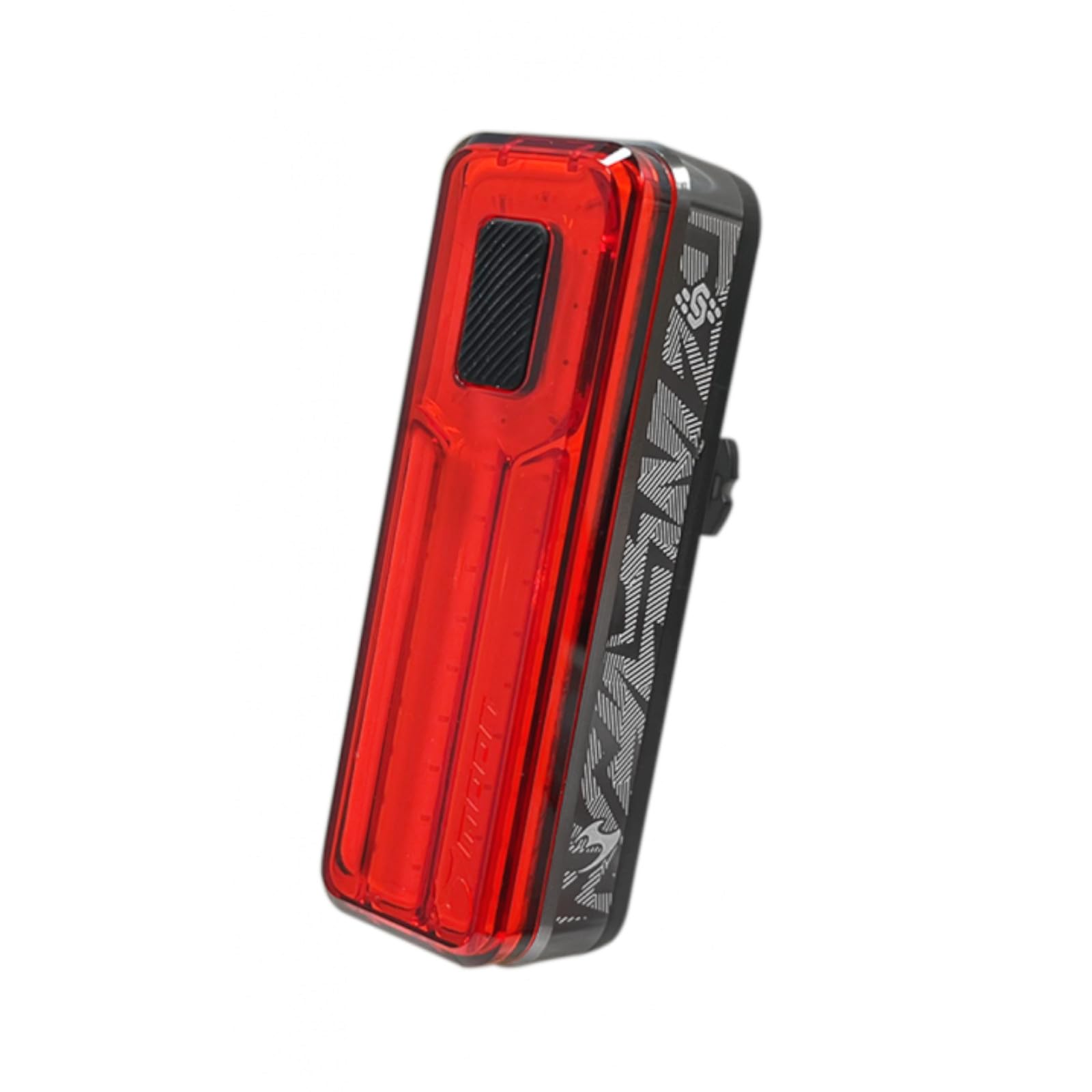
Figure 1: Moon Helix Pro Rear Light. This image shows the compact design of the rear light, highlighting its red COB LED panel and the power button on top.
The Moon Helix Pro features a bright red COB LED for maximum visibility. Its compact and durable plastic housing is designed for reliability in various weather conditions.
Key Features:
- Red COB LED
- Max Output: 150 lumens (FL1 tested)
- Max Runtime: 80 hours (FL1 tested)
- Max Standby Runtime: 100 hours
- Battery Type: Integrated LiPO
- Water Resistance: IPX4
- Garmin-style quick-release mount
5. Setup and Installation
5.1 Initial Charging
Before first use, fully charge the Moon Helix Pro light. Connect the provided USB charging cable to the light's charging port and to a USB power source (e.g., computer, wall adapter). The charging indicator will show the charging status (e.g., red for charging, green for fully charged).
5.2 Mounting the Light
The Moon Helix Pro uses a Garmin-style quick-release mount, typically attached to the bicycle's seatpost or frame.
- Attach the mounting bracket to your bicycle's seatpost or frame using the provided strap. Ensure it is tight and stable.
- Slide the Moon Helix Pro light onto the mounting bracket until it clicks securely into place.
- Verify that the light is firmly attached and facing directly backward, visible to traffic approaching from the rear.

Figure 2: Moon Helix Pro Rear Light. This image illustrates the light's design, which integrates with a quick-release mount for easy attachment to a bicycle seatpost or frame.
6. Operating Instructions
6.1 Power On/Off
- To turn on the light: Press and hold the power button (located on top of the light) for approximately 1 second.
- To turn off the light: Press and hold the power button for approximately 1 second.
6.2 Changing Modes
Once the light is on, short press the power button to cycle through the available lighting modes. The Moon Helix Pro typically offers various steady and flashing modes to suit different riding conditions and preferences.
6.3 Intelligent Modes (if applicable)
Some models feature intelligent modes that adjust brightness based on ambient light or detect braking. Refer to the specific mode sequence for details on activating these features.

Figure 3: Moon Helix Pro Beam Angle. This diagram illustrates the wide visibility angles (up to 300 degrees) provided by the light, enhancing safety from various directions.
7. Charging
The Moon Helix Pro is equipped with an integrated LiPO battery. To charge:
- Locate the USB charging port on the light (usually protected by a rubber cover).
- Open the rubber cover and insert the small end of the provided USB cable into the light's port.
- Connect the larger end of the USB cable to a powered USB port (e.g., computer, USB wall adapter, power bank).
- The charging indicator will illuminate (e.g., red) to show that charging is in progress.
- Once fully charged, the indicator will change color (e.g., green) or turn off. Disconnect the cable and securely close the rubber cover to maintain water resistance.
Charging time may vary depending on the power source. Avoid leaving the light charging unattended for extended periods.
8. Maintenance
8.1 Cleaning
Wipe the light's body and lens with a soft, damp cloth. Do not use abrasive cleaners or solvents, as they may damage the light's finish or lens.
8.2 Storage
If storing the light for an extended period, charge it to approximately 50% every 3-6 months to prolong battery life. Store in a cool, dry place away from direct sunlight.
8.3 Battery Care
The integrated LiPO battery is not user-replaceable. Do not attempt to open the light to access the battery.
9. Troubleshooting
| Problem | Possible Cause | Solution |
|---|---|---|
| Light does not turn on. | Battery is depleted. | Charge the light fully. |
| Light does not charge. | Faulty cable or power source. | Try a different USB cable or power adapter. Ensure the charging port is clean. |
| Light flickers or turns off unexpectedly. | Low battery or loose connection. | Charge the battery. Ensure the light is securely mounted. |
| Mount is not secure. | Strap is loose or incorrect installation. | Re-tighten the mounting strap. Ensure the light is clicked into the mount properly. |
If you encounter issues not listed here, please contact customer support.
10. Specifications
- Model Number: MN90310320101
- Brand: Moon
- Light Source: Red COB LED
- Max Lumens: 150 lm (FL1 tested)
- Max Runtime: 80 hours (FL1 tested)
- Max Standby Runtime: 100 hours
- Battery Type: Integrated LiPO
- Power Source: Battery Powered
- Dimensions (L x W x H): 2.2 x 2.2 x 6.6 cm
- Item Weight: 200 Grams
- Material: Plastic
- Water Resistance Rating: IPX4 (Waterproof)
- Mounting Position: Rear (Seatpost/Frame Mount)
- Included Components: Light, Mounting Accessories, USB Charging Cable
- International Article Code: 04897029985212
11. Warranty and Support
Moon products are manufactured to high standards and are warranted against defects in materials and workmanship. For specific warranty terms and conditions, please refer to the warranty card included with your product or visit the official Moon website.
For technical support, troubleshooting assistance, or warranty claims, please contact your local dealer or the official Moon customer service. Keep your proof of purchase for warranty service.


