
Onforu 55W Smart LED Security Light (Model BDB55WF-3) User Manual
Model: BDB55WF-3
1. Introduction
Thank you for choosing the Onforu 55W Smart LED Security Light. This manual provides detailed instructions for the installation, setup, operation, and maintenance of your new smart floodlight. This device is designed to provide reliable and customizable outdoor lighting with advanced features such as motion detection, adjustable color temperature, app control, and voice assistant integration. Please read this manual thoroughly before installation and use, and retain it for future reference.
2. Product Features
- WIFI APP Control: Connects via 2.4GHz Wi-Fi to the Onforu app for comprehensive control over settings.
- Adjustable Color Temperature & Brightness: Features a stepless dimming system with a range of 2500K (warm white) to 6500K (cold white) and 5-level brightness adjustment. Includes a memory function for preferred settings.
- Smart Voice Activated: Compatible with Alexa and Google Assistant for convenient voice control. Supports group control for managing multiple lights simultaneously.
- Enhanced Motion Sensor: Upgraded PIR sensor with a 180° detection angle and up to 72.7 ft (22.16 m) detection distance. Adjustable delay-off time from 6 seconds to 60 minutes. Offers 3-level sensing distances and 5 surrounding brightness modes for precise detection.
- Timing Setting: Program specific schedules for automatic on/off times, and customize color temperature or brightness for different periods.
- Durable Design: IP65 waterproof rating, frost-resistant, and heat-resistant for reliable outdoor performance.
- Adjustable 3-Head Design: Three independently adjustable light heads for flexible illumination coverage.
3. Package Contents
Please check the package for the following items:
- Onforu 55W Smart LED Security Light (Model BDB55WF-3)
- Mounting Hardware (screws, wire nuts)
- User Manual
Note: The package includes an LED Lens as part of the light fixture.
4. Safety Information
WARNING: Risk of electric shock. Disconnect power at the fuse or circuit breaker before installation or servicing.
- This product must be installed in accordance with the applicable installation code by a person familiar with the construction and operation of the product and the hazards involved.
- Ensure the supply voltage is 120 Volts AC, 60 Hz.
- Do not install near combustible materials.
- Do not connect to a dimmer switch unless specifically designed for smart lighting control.
- Ensure all electrical connections are secure and properly insulated.
- Do not look directly into the LED light source when illuminated.
5. Installation
5.1 Mounting
The Onforu Smart LED Security Light is designed for wall-mounted installation. The ideal mounting height is between 8.2 ft (2.5 m) and 9.84 ft (3 m) for optimal motion detection coverage.

Image: Smart Motion Activated Floodlight showing ideal mounting height (8.2-9.84FT) and 180° detection angle.

Image: Illustration of soffit mount and wall mount installation methods.
5.2 Wiring
Ensure power is disconnected at the circuit breaker before proceeding. Connect the light fixture's wires to your household wiring as follows:
- Black Wire: Connect to the Live Wire.
- White Wire: Connect to the Neutral Wire.
- Green/Yellow Wire: Connect to the Ground Wire.
Use appropriate wire nuts to secure all connections. After wiring, carefully tuck the wires into the junction box and secure the fixture to the mounting surface.

Image: Detailed wiring diagram (Live, Neutral, Ground) and product dimensions (10.7"L x 5.8"W x 4.7"H).
5.3 Adjusting Light Heads
The three light heads are independently adjustable to direct illumination where needed:
- The main light head can rotate up to 350°.
- The side light heads can tilt up to 135° and rotate up to 90°.
Loosen the small screws on the joints to adjust the angle, then tighten them securely to fix the position.

Image: Close-up view of the adjustable light heads, illustrating 350° rotation, 135° tilt, and 90° side adjustment capabilities.
6. App Setup and Wi-Fi Pairing
6.1 Downloading the App
Download the "Onforu" app from the Apple App Store or Google Play Store. Ensure your smartphone is connected to a 2.4GHz Wi-Fi network.
6.2 Wi-Fi Pairing
- Power on the security light. The light should begin blinking, indicating it is in pairing mode.
- Open the Onforu app and follow the on-screen instructions to add a new device.
- Select your 2.4GHz Wi-Fi network and enter the password.
- The app will guide you through the connection process. Once successfully paired, the light will stop blinking and remain steadily on.
Troubleshooting Tip: If the light does not blink initially or fails to pair, try power cycling the light multiple times (turn off for a few seconds, then on) until it enters pairing mode (blinking). It is recommended to pair the light before final mounting if possible.
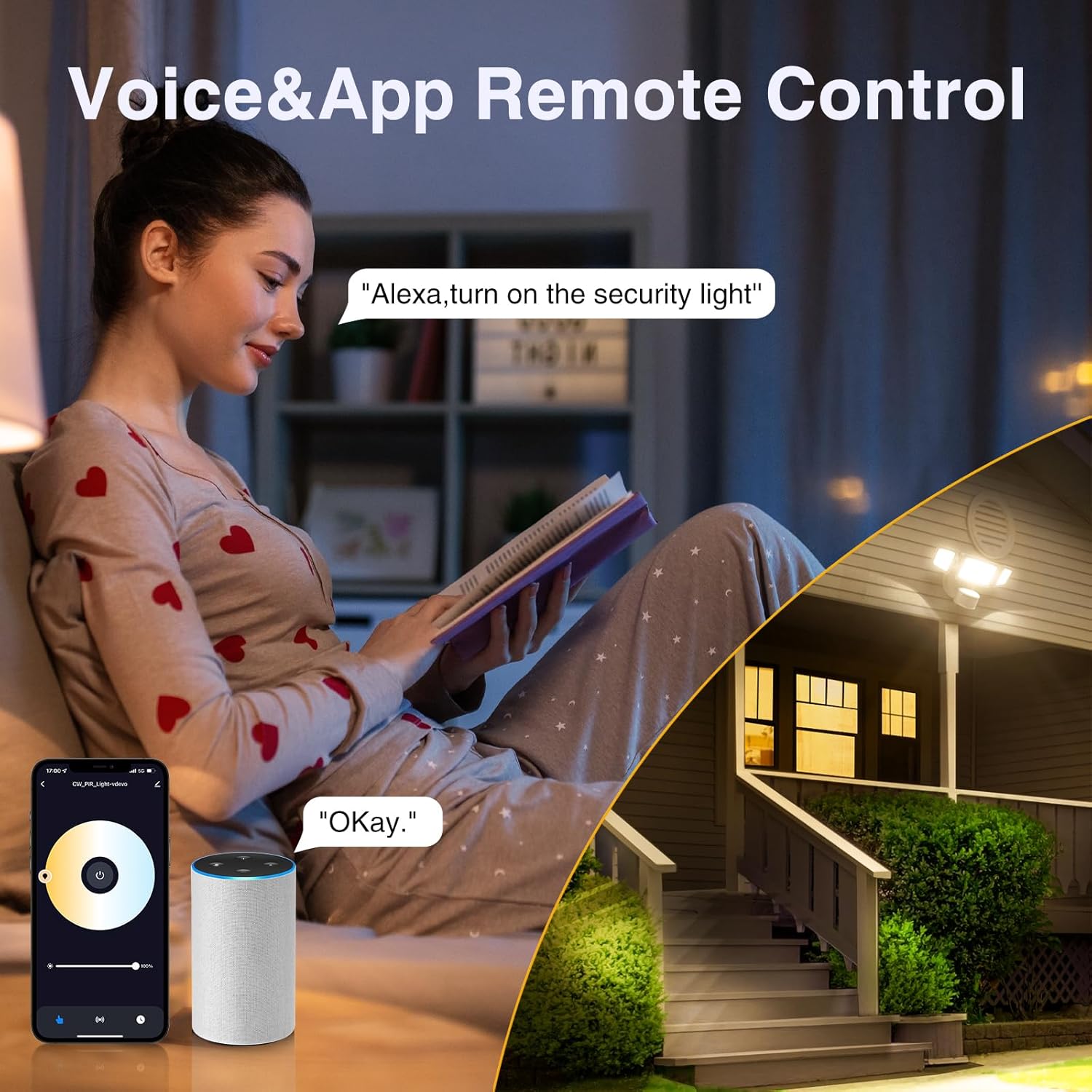
Image: Demonstrates app and voice control functionality, showing a smartphone with the Onforu app interface and an Alexa device.
7. Operation
7.1 Adjusting Color Temperature and Brightness
Using the Onforu app, you can precisely control the light output:
- Color Temperature: Adjust from 2500K (warm, yellowish light) to 6500K (cool, bluish-white light) using the stepless dimming system.
- Brightness: Select from 5 levels of brightness to suit your needs.
The light features a memory function, retaining your last settings even after power cycles.

Image: Visual representation of adjustable color temperature from 2700K (warm) to 6500K (cold).
7.2 Motion Sensor Settings
Customize the motion detection behavior through the Onforu app:
- Sensing Distance: Choose from 3 levels (Low, Medium, High) to adjust the detection range up to 72.7 ft.
- Delay-Off Time: Set how long the light remains on after motion is detected, from 6 seconds to 60 minutes.
- Surrounding Brightness Modes: Select from 5 modes to define when the motion sensor should activate based on ambient light levels (e.g., Dusk, Evening, Night, Dark).

Image: App screenshot illustrating options for 3-level adjustable sensing distance and adjustable lighting delay time (5s-60min).
7.3 Timing Schedules
The app allows you to create custom schedules for your light:
- Automatic On/Off: Set specific times for the light to turn on and off daily.
- Customized Lighting: Program different color temperatures or brightness levels for various periods within your schedule.

Image: App interface showing timing settings for automatic light operation based on a schedule.
7.4 Voice Control
Integrate your security light with Amazon Alexa or Google Assistant for hands-free control. Once connected, you can use voice commands such as "Alexa, turn on the security light" or "Hey Google, set the security light to warm white."
7.5 Group Control and Linkage
If you have multiple Onforu smart lights, you can group them within the app to control them simultaneously. Additionally, the motion sensor linkage feature allows several lights to trigger and illuminate together when motion is detected by any linked sensor.
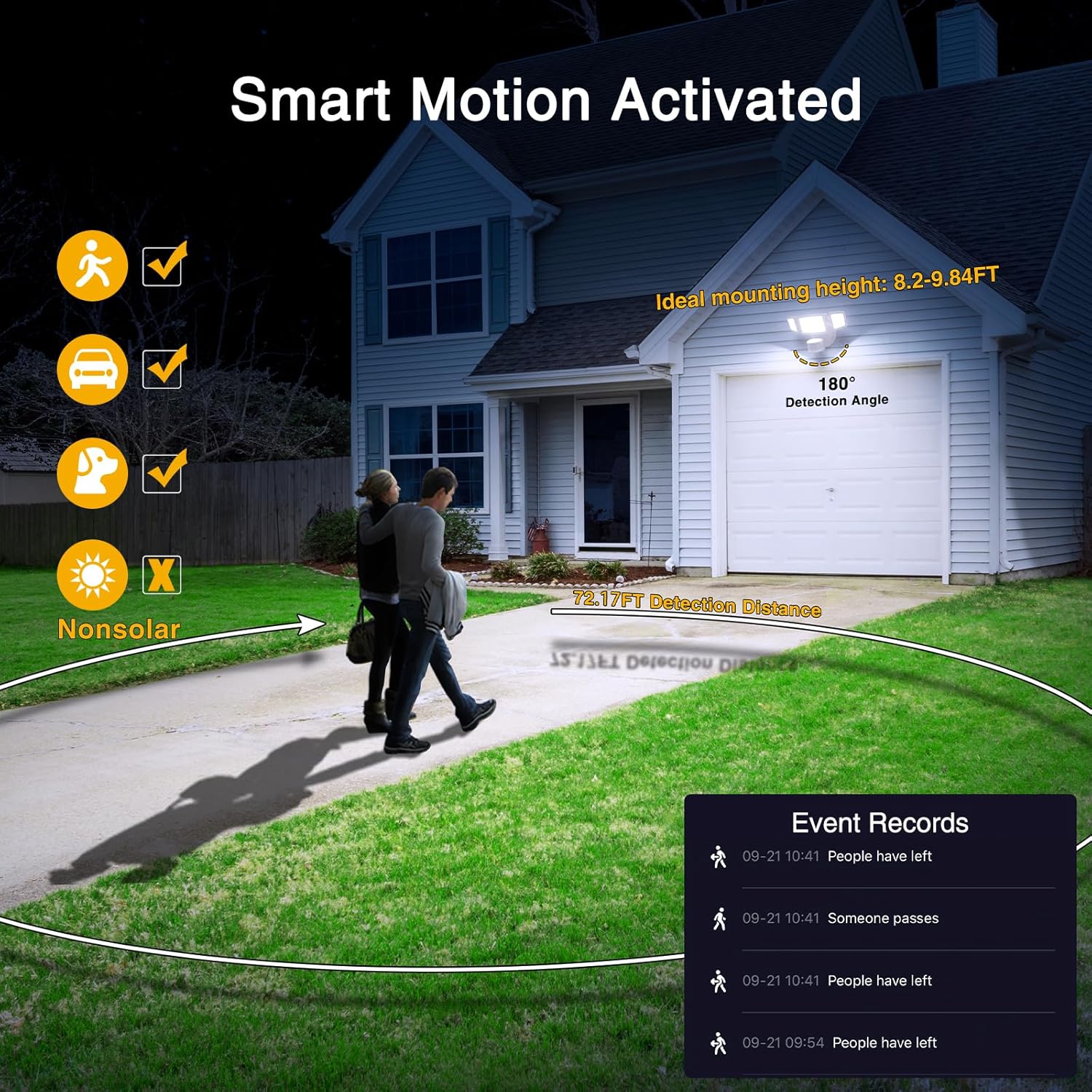
Image: Illustration of motion sensor linkage, where detection by one light triggers other grouped lights.
7.6 Weak Light Mode
The app offers a "Weak Light Mode" which allows the light to stay on at a low brightness level during specific periods, providing continuous ambient light and saving energy. This can be configured under the luminance detection settings.

Image: App interface showing "Weak Light Mode" and luminance detection settings.
8. Maintenance
The Onforu Smart LED Security Light is designed for minimal maintenance due to its durable construction and IP65 waterproof rating.
- Cleaning: Periodically clean the light fixture with a soft, damp cloth to remove dirt and debris. Do not use abrasive cleaners or solvents.
- Inspection: Regularly check the mounting and wiring for any signs of damage or loosening.
- Environmental Resistance: The light is built to be frost-resistant and heat-resistant, ensuring performance in various weather conditions.

Image: Demonstrates the IP65 waterproof rating, frost resistance, and heat resistance of the light fixture.
9. Troubleshooting
If you encounter issues with your Onforu Smart LED Security Light, refer to the following common problems and solutions:
- Light does not turn on:
- Check the power supply at the circuit breaker.
- Ensure all wiring connections are secure.
- Verify the light is not in an "off" schedule or mode via the app.
- Light does not respond to motion:
- Adjust the motion sensor sensitivity settings in the app (3 levels).
- Check the surrounding brightness mode settings; ensure it's set to activate in current light conditions (e.g., "Night" or "Dark").
- Ensure the sensor is not obstructed.
- Confirm the ideal mounting height (8.2-9.84FT) for optimal detection.
- Light stays on constantly or turns off too quickly:
- Adjust the "Delay-Off Time" setting in the app (6 seconds to 60 minutes).
- If the light stays on all night, check the luminance detection settings and ensure it's not set to "Day" or a mode that keeps it active during daylight.
- Cannot connect to Wi-Fi or app:
- Ensure your router is broadcasting a 2.4GHz Wi-Fi signal. The light does not support 5GHz Wi-Fi.
- Confirm your phone is connected to the 2.4GHz network during pairing.
- Try power cycling the light multiple times (turn off/on) to re-enter pairing mode (blinking light).
- Ensure your Wi-Fi password is entered correctly in the app.
- Dawn-to-Dusk function not working as expected:
- This function relies on the light sensor. Verify the "Luminance Detection" settings in the app are configured correctly for your environment (e.g., "Dusk" or "Night").
- If issues persist, consider using the "Timing Setting" feature as an alternative to schedule on/off times.
10. Specifications
| Brand | Onforu |
| Model Number | BDB55WF-3 |
| Wattage | 55 Watts |
| Brightness | 5500 Lumens |
| Color Temperature | 2500K - 6500K (Adjustable) |
| Voltage | 120 Volts |
| Control Method | App, Voice (Alexa, Google Assistant) |
| Connectivity Protocol | Wi-Fi (2.4GHz) |
| Motion Sensor Angle | 180° |
| Motion Detection Distance | Up to 72.7 ft (22.16 m) |
| Water Resistance Level | IP65 Waterproof |
| Material | Metal, Glass |
| Product Dimensions | 10.7"L x 5.8"W x 4.7"H (27.18 cm x 14.73 cm x 11.94 cm) |
| Item Weight | 2.16 pounds (0.98 kg) |
| Installation Type | Wall-Mounted |
11. Warranty and Support
Onforu products are designed for quality and reliability. For warranty information, technical support, or customer service inquiries, please refer to the official Onforu website or contact their customer support directly. Keep your purchase receipt as proof of purchase for warranty claims.
For the most up-to-date information and support, please visit: www.onforuled.com


