
eAhora M1P Pro
eAhora M1P Pro Electric Motorcycle User Manual
Model: M1P Pro
1. Setup & Assembly
The eAhora M1P Pro electric motorcycle comes 85% pre-assembled. Follow these steps for final assembly and initial setup.
1.1 Unboxing and Inspection
Carefully open the packaging and remove all components. Inspect for any shipping damage.

Image: eAhora M1P Pro Electric Motorcycle, Dull Black variant.
Ensure all parts listed in the packing list are present. The package includes: Key, Remote Control, Phone Holder, Handlebar Mount Clamp, Charger, Toolkit & Manual, Rearview Mirror, Fender, Tire, and Footrest.
Video: eAhora M1P Pro Assemble Instructions. This video provides a comprehensive guide to unboxing and initial assembly steps.
1.2 Handlebar Installation
Position the handlebar onto the risers. Ensure the threads are aligned in the middle. Secure the handlebar using the provided handlebar mount clamp and tighten the screws with the hex key from the toolkit.

Image: Front view of the M1P Pro, showing the handlebar and front wheel assembly.
1.3 Front Wheel Installation
Carefully remove the anti-deformation plastic gasket from the brake pad. Align the brake disc to the center of the brake pads. Install the long bushing first, then the short bushing. Ensure the concave side of the spacer faces out. Insert the axle through the fork and wheel hub, then secure it with the nut. Rotate the front wheel after installation to ensure there is no noise; if silent, the installation is successful.
1.4 Front Fender Installation
Attach the front fender to the front fork using the designated screws. Ensure it is securely fastened and does not interfere with wheel rotation.
1.5 Footrest Installation
Install the footrests on both sides of the motorcycle frame. Use the provided screws and hex key to secure them firmly.
1.6 Rearview Mirror Installation
Screw the rearview mirrors into their designated mounts on the handlebars. Adjust the mirrors to provide a clear view of the rear.
1.7 Phone Holder Installation
Mount the phone holder onto the handlebar. Rotate the gear to adjust the length of the phone holder to fit your device. The phone holder includes a charging port at the bottom for convenience.
1.8 Battery Installation & Initial Charge
Unlock the battery compartment using the key. Turn off the air switch inside the compartment. Carefully insert the 60V 42Ah lithium battery. Connect the battery cables, ensuring a secure connection. Turn the air switch back on. Close and lock the battery compartment. Fully charge the battery before first use (3-4 hours with the 67.2V 10A fast charger).
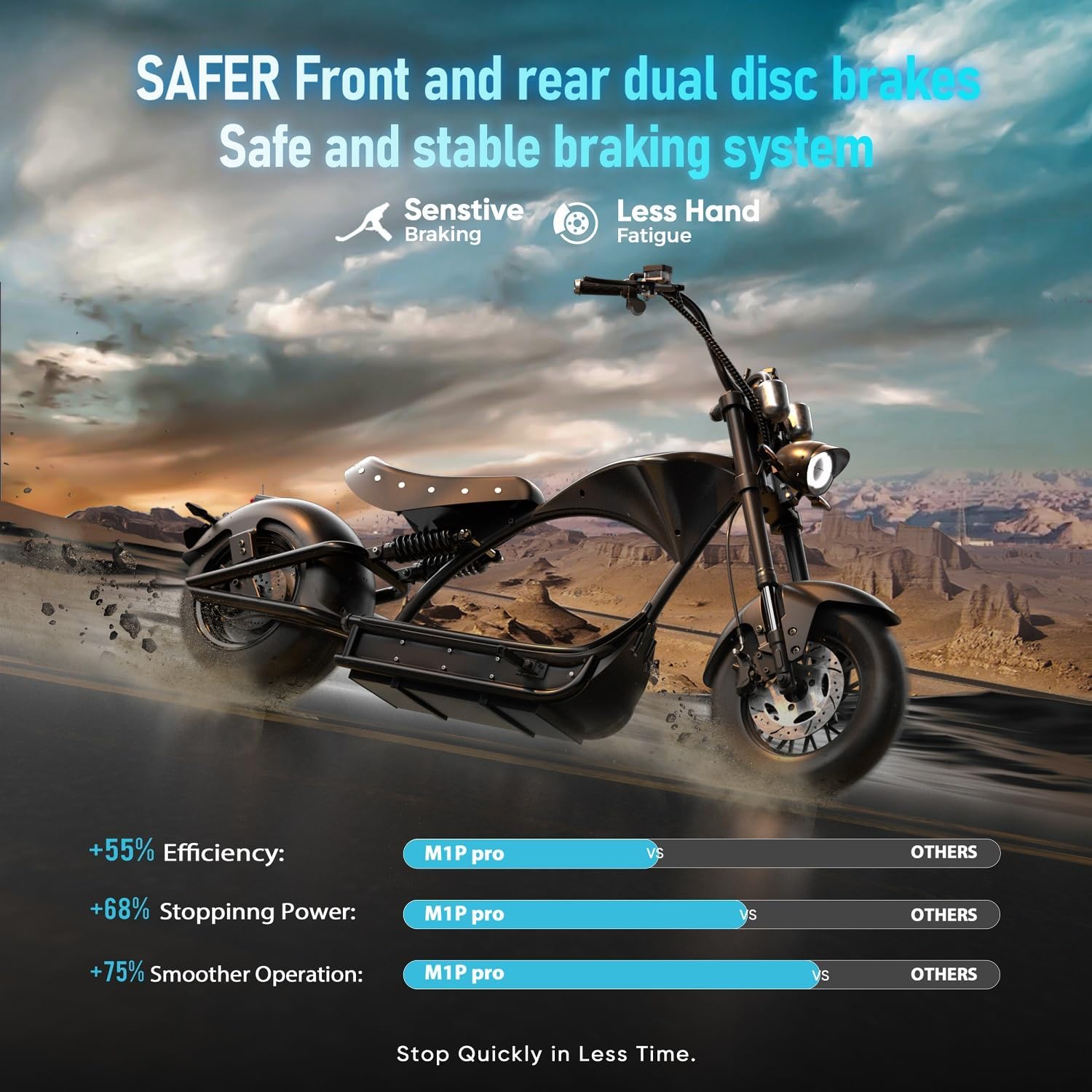
Image: Side view of the M1P Pro, highlighting the battery compartment location.
2. Operating Instructions
Familiarize yourself with the controls and features of your eAhora M1P Pro for a safe and enjoyable ride.
2.1 Starting the Motorcycle
Open the scooter with the key. Double-click the Start Button on the remote to turn on the scooter. The dual digital display will illuminate, showing speed, battery level, and mileage.

Image: Close-up of the M1P Pro's dual digital display and ignition.
2.2 Controls and Features
- Headlights: Left button to turn on, Right button to turn off. Features High/Low beam.
- Turn Signals: Left and Right turn signals for indicating direction.
- Brake Light: Activates when brakes are applied.
- Speed Gears: Switch between 3 speed gears for different riding conditions.
- Warning Light: For emergency signaling.
- Horn: For alerting others.

Image: Side view of the M1P Pro, showing the overall design and controls.
2.3 Riding the Motorcycle
The M1P Pro features a powerful 4000W motor, dual hydraulic suspension, and dual hydraulic brakes for a smooth and safe ride. Always wear appropriate safety gear, including a helmet.
Video: eAhora M1P Pro Electric Motorcycle City Road Riding Details. Demonstrates the motorcycle's performance in urban environments.
Video: Eahora M1P-Riding Series-Video 1. Showcases the riding experience and capabilities of the M1P Pro.
Video: eAhora M1P Pro Riding Show 2. Further demonstration of the motorcycle in action.
Video: eAhora M1P Pro Riding Show 1. Another perspective of the motorcycle's riding performance.
2.4 Parking and Power Off
Park safely using the P gear and auto power-off kickstand. Press the Unlock Button on the remote to turn off the scooter. Press the Lock Button to lock the scooter and activate the alarm.
3. Maintenance
Regular maintenance ensures the longevity and optimal performance of your eAhora M1P Pro.
3.1 Battery Care
- Always use the provided 67.2V 10A fast charger.
- Avoid overcharging or completely draining the battery to prolong its lifespan.
- Store the battery in a cool, dry place when not in use.
3.2 Tire Maintenance
The tubeless tires are designed for durability and puncture resistance. Regularly check tire pressure and inspect for wear or damage. Replace tires if wear exceeds safe limits (rated for 6214 miles).
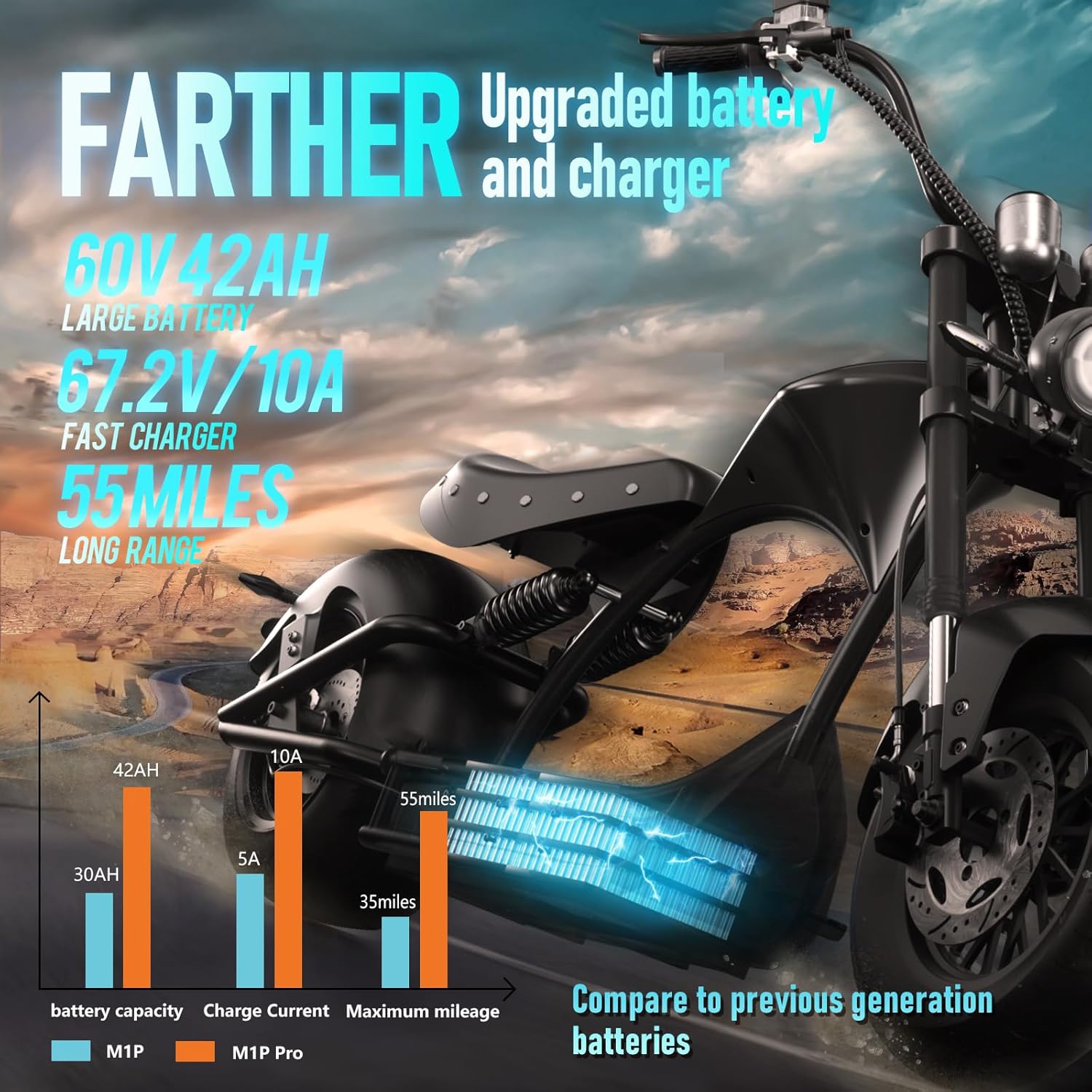
Image: Rear view of the M1P Pro, showing the robust rear tire and fender.
3.3 Brake System Check
Periodically inspect the 220mm front and 180mm rear hydraulic disc brakes. Ensure brake fluid (DOT 4) levels are adequate and brake pads are not excessively worn. Consult a professional for brake system maintenance if unsure.
3.4 General Care
- Keep the motorcycle clean and free from dirt and debris.
- Regularly check all bolts and fasteners for tightness.
- Inspect the dual suspension system for any signs of wear or damage.
4. Troubleshooting
This section provides solutions to common issues you might encounter with your eAhora M1P Pro.
4.1 Power Issues
- Motor not engaging: Check if the P gear is disengaged and the auto power-off kickstand is fully retracted. Ensure the battery is properly connected and the air switch is on.
- Motor not turning on: Verify the battery is charged. Double-check the remote's Start Button function.
4.2 Performance Issues
- Reduced range: Ensure the battery is fully charged. Check tire pressure. Riding conditions (e.g., inclines, heavy loads) can affect range.
- Braking inefficiency: Inspect brake pads for wear. Check DOT 4 brake fluid levels. Ensure brake disc is centered.
4.3 Other Issues
- Unusual noises: Check for loose components, especially around wheels and suspension. Inspect brake disc alignment.
- Lights not working: Check connections and ensure the correct buttons are pressed.
For any persistent issues or complex repairs, please contact eAhora customer support directly via Amazon.
5. Specifications
| Feature | Detail |
|---|---|
| Brand | eAhora |
| Model Name | M1P Pro |
| Bike Type | Electric Motorcycle |
| Motor Power | 4000W (170NM Torque) |
| Max Speed | 50 Mph |
| Battery | 60V 42Ah Lithium Battery with BMS |
| Max Range | Up to 55 Miles (100 Miles with optional 2nd battery) |
| Charging Time | 3-4 Hours (with 67.2V 10A fast charger) |
| Suspension Type | Dual (735mm front, 270mm rear hydraulic) |
| Brake Style | Dual Hydraulic Disc Brakes (220mm front, 180mm rear) |
| Frame Material | Seamless Steel Tube Body |
| Wheel Size | 12 Inches |
| Tires | TNT Straight-Pattern Vacuum Tubeless Tires |
| Max Weight Recommendation | 400 Pounds |
| Included Components | Battery, Charger, Assembly Instructions, USB Charging Port, Tool Kit |
6. Warranty & Support
Your eAhora M1P Pro electric motorcycle comes with a 1-year manufacturer warranty.
6.1 Warranty Coverage
The 1-year warranty covers manufacturing defects. Please refer to the detailed warranty description in your manual for full terms and conditions.
6.2 Customer Support & FAQs
For any questions or support needs, please contact eAhora directly via Amazon. You can also refer to the frequently asked questions below:
- Why do you need the customer's phone number after placing an order?
Please check your email after placing your order and let us know your phone number, as electric motorcycles require a phone number to arrange trucking and schedule a delivery appointment! - When will I receive my electric motorcycle?
1. Handling times: (2-3 business days) 2. Delivery times: California & New Jersey (2-3 days) Lower 48 States (3-10 days, excluding CA & NJ) - How does the associated repair work?
Just contact our after-sales team in Amazon.
Related documentsM1P Pro

Ask a question about this manual
Ask about setup, troubleshooting, compatibility, parts, safety, or missing instructions. Manuals+ will review the question and use this page’s manual context to help answer it.