
Introduction
Thank you for purchasing the KOIOS H13 True HEPA Air Purifier, Model P40. This manual provides essential information for the safe and efficient operation, maintenance, and troubleshooting of your air purifier. Please read this manual thoroughly before use and retain it for future reference.
Important Safety Instructions
- Always place the air purifier on a firm, level surface.
- Keep the unit away from heat sources, direct sunlight, and moisture.
- Do not block air inlets or outlets.
- Use only the provided USB-C cable and a compatible 5V/2A power adapter (not included).
- Unplug the air purifier before cleaning or performing any maintenance.
- Do not operate the unit with a damaged cord or plug.
- Keep out of reach of children and pets.
- Do not insert any objects into the air vents.
- This appliance is for indoor use only.
Package Contents
- KOIOS Portable Air Purifier (Model P40)
- 3-in-1 Filter (Pre-installed, sealed in protective packaging)
- USB-C Cable
- Instruction Manual
Product Overview
The KOIOS P40 Air Purifier features a compact design with a 3-stage filtration system and user-friendly controls.

Figure 1: Front view of the KOIOS P40 Air Purifier with its control panel and blue night light illuminated.
Key Components:
- Control Button: Power On/Off, Fan Speed, Timer, Night Light.
- Air Inlet: Located around the lower circumference of the unit.
- Air Outlet: Located at the top of the unit.
- USB-C Port: For power input.
- Filter Compartment: Located at the bottom of the unit.
- Handle: For portability.

Figure 2: Dimensions of the KOIOS P40 Air Purifier, measuring 5.3 inches in diameter and 7.6 inches in height.
Setup
- Unpack the Air Purifier: Carefully remove the air purifier and all accessories from the packaging.
- Remove Filter Packaging:
- Turn the unit upside down.
- Twist the base counter-clockwise to unlock and remove the filter cover.
- Take out the 3-in-1 filter, remove its protective plastic bag, and place it back into the unit.
- Replace the filter cover and twist clockwise to lock it securely.
- Position the Unit: Place the air purifier on a stable, flat surface, ensuring at least 15 cm (6 inches) of clearance from walls or other objects for optimal airflow.
- Connect Power: Insert the USB-C cable into the port on the air purifier and connect the other end to a 5V/2A USB power adapter (not included) or a compatible USB port.

Figure 3: Connecting the USB-C power cable to the KOIOS P40 Air Purifier.
Operating Instructions
The KOIOS P40 Air Purifier features a single control button for all functions.

Figure 4: The single control button for operating the air purifier.
Power On/Off and Fan Speed:
- Power On: Press the control button once to turn on the air purifier at Low fan speed (Speed 1).
- Adjust Fan Speed: Press the button repeatedly to cycle through fan speeds:
- 1st Press: Low Speed (1)
- 2nd Press: Medium Speed (2)
- 3rd Press: High Speed (3)
- 4th Press: Power Off
- Power Off: Continue pressing the button until the unit turns off, or press and hold the button for 3 seconds.
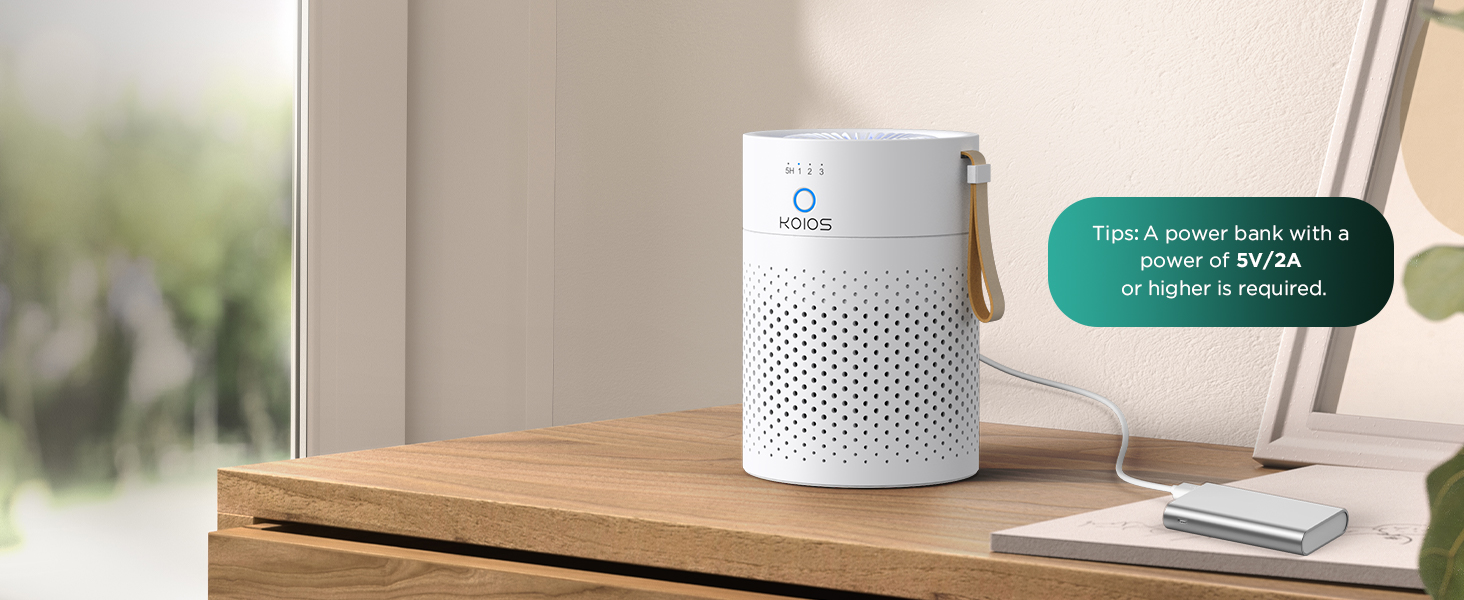
Figure 5: Visual representation of airflow at different fan speeds (Low, Medium, High).
Night Light Function:
- When the air purifier is on, press and hold the control button for 3 seconds to toggle the blue night light on or off.
Timer Function:
- While the air purifier is operating, press the control button until the "5H" indicator lights up. The unit will automatically turn off after 5 hours.
Maintenance
Filter Replacement:
The filter lifetime indicator will illuminate when it's time to replace the filter. For optimal performance, replace the filter every 3-6 months, depending on usage and air quality.
- Unplug the air purifier from the power source.
- Turn the unit upside down.
- Twist the base counter-clockwise to unlock and remove the filter cover.
- Remove the old filter and dispose of it properly.
- Insert a new, genuine KOIOS replacement filter (ensure protective plastic is removed).
- Replace the filter cover and twist clockwise to lock it securely.
- Plug in the air purifier. To reset the filter lifetime indicator, press and hold the control button for 5 seconds until the indicator light turns off.

Figure 6: Comparison of a new filter and a filter after 3 months of use, indicating when replacement is needed.
Cleaning the Exterior:
- Wipe the exterior of the air purifier with a soft, dry cloth.
- Do not use abrasive cleaners or solvents.
Troubleshooting
| Problem | Possible Cause | Solution |
|---|---|---|
| Air purifier does not turn on. | No power connection. | Ensure the USB-C cable is securely connected to both the unit and a working 5V/2A power adapter. |
| Weak airflow or unusual noise. | Filter is dirty or blocked. | Check and replace the filter if necessary. Ensure no obstructions are blocking air inlets or outlets. |
| Filter indicator light remains on after filter replacement. | Filter lifetime indicator not reset. | Press and hold the control button for 5 seconds to reset the indicator. |
| Night light does not turn off. | Incorrect operation. | Press and hold the control button for 3 seconds to toggle the night light. |
Specifications
| Feature | Detail |
|---|---|
| Model Number | P40 |
| Dimensions | 5.3"D x 5.3"W x 7.6"H |
| Weight | 1.74 Pounds |
| Filtration System | 3-Stage (Pre-filter, H13 True HEPA, Activated Carbon) |
| Coverage Area | Up to 300 sq ft (in 60 minutes) |
| Power Input | USB-C, 5V/2A |
| Fan Speeds | 3 (Low, Medium, High) |
| Noise Level | As low as 20dB (Sleep Mode) |
| Timer | 5-hour auto-off |
| Certifications | FCC Certified, CE Certified, ETL Certified, CARB Certified, DOE Certified |
Warranty and Support
KOIOS provides a 2-year warranty for this product. For warranty claims, technical support, or replacement filters, please contact KOIOS customer service through the retailer where the product was purchased or visit the official KOIOS website.
Note: Use only genuine KOIOS replacement filters to ensure optimal performance and maintain warranty validity.


