
1. Product Overview
This manual provides instructions for the assembly, operation, and maintenance of your WLIVE White 5-Drawer Dresser with an integrated charging station and open shelves. Please read this manual thoroughly before assembly and use to ensure safe and correct operation.
Key Features:
- Integrated Charging Station: Equipped with 3 AC sockets and a 1.5m flexible cable, UL/ETL certified for electrical safety.
- Ample Storage: Features 5 detachable fabric drawers and open shelves for organized storage and display.
- Durable Construction: Made with P2 grade artificial wood desktop, high-quality fiberboard, and breathable non-woven fabric drawers.
- Sturdy Frame: 15mm thickened metal steel frame with cross support rods for enhanced stability.
- Premium Details: Smooth slide tracks, ergonomic curved handles, and 4 adjustable feet for stability on various surfaces.
- Safety Assured: Includes anti-tipping components to secure the dresser to a wall.

Image 1.1: Front view of the WLIVE White Dresser with Charging Station, showcasing the drawers, open shelves, and the integrated power strip.
2. Safety Information
Please observe the following safety precautions to prevent injury or damage to the product.
- Anti-Tipping Device: Always install the included anti-tipping device to secure the dresser to a wall. This is crucial to prevent the dresser from falling over, especially in households with children or pets.
- Weight Capacity: Do not exceed the recommended weight capacity for the top surface (50 lbs) and shelves (25 lbs). Overloading can compromise stability.
- Placement: Place the dresser on a flat, level surface. Uneven surfaces can lead to instability.
- Electrical Safety: The charging station is UL/ETL certified. Do not attempt to modify or repair the electrical components. Ensure the power cord is not pinched or damaged.
- Assembly: Assemble the product according to the instructions. Do not skip steps or use unauthorized parts.
- Children: Keep small parts and packaging materials away from children during assembly.

Image 2.1: Illustration of the sturdy steel frame, anti-tilt device, solid drawer slides, and adjustable feet, highlighting key safety and stability features.
3. Setup and Assembly
Assembly is required for this product. It is recommended to have two people for assembly. Ensure all parts are present before beginning.
3.1. Package Contents
Verify that all components listed in the assembly guide (not provided in this document, refer to the physical guide included with your product) are present. Typically includes:
- Metal frame components
- Wooden top panel
- Fabric drawers (5 units)
- Charging station unit with power cord
- Adjustable feet
- Anti-tipping kit
- Assembly hardware (screws, bolts, Allen wrench)
3.2. Assembly Steps (General Guide)
- Unpack and Organize: Carefully unpack all components and lay them out on a clean, soft surface to prevent scratches. Identify each part using the provided assembly guide.
- Assemble the Frame: Connect the metal frame components using the provided screws and tools. Ensure all connections are secure but do not overtighten until the frame is fully assembled.
- Install Shelves: Attach the wooden top panel and any internal shelves to the assembled metal frame.
- Integrate Charging Station: Secure the charging station unit into its designated slot on the dresser. Route the power cord as instructed in the assembly guide, ensuring it is not pinched.
- Insert Drawers: Assemble the fabric drawers by inserting the bottom panel and handles. Slide the assembled drawers into their respective slots in the frame.
- Attach Adjustable Feet: Screw the adjustable feet into the bottom of the dresser frame. Adjust them to ensure the dresser is level and stable.
- Install Anti-Tipping Device: Securely attach the anti-tipping device to the back of the dresser and to a wall stud, following the specific instructions in your assembly guide. This step is critical for safety.

Image 3.1: The fully assembled WLIVE dresser positioned in a room, demonstrating its functional design.
4. Operating Instructions
4.1. Using the Drawers
- Opening/Closing: Use the ergonomic handles to smoothly pull out and push in the fabric drawers.
- Storage: Utilize the 5 detachable fabric drawers for organizing clothing, accessories, or other personal items. The open shelves provide additional space for display or frequently accessed items.
- Weight Distribution: Distribute weight evenly within the drawers and on the shelves to maintain stability.

Image 4.1: The dresser with its drawers and open shelves filled with various household items, illustrating its storage capacity.
4.2. Using the Charging Station
- Power Connection: Plug the dresser's power cord into a standard wall outlet.
- Device Charging: The integrated charging station features 3 AC sockets. Plug your electronic devices (e.g., phone chargers, lamps, small appliances) into these outlets.
- Power Switch: Use the controllable switch on the charging station to turn the power on or off to the outlets.
- Cable Management: Utilize the open shelf space to manage cables and keep the area tidy.

Image 4.2: A detailed view of the integrated charging station, showing the 3 AC outlets, controllable switch, and a 5-foot power cord, with devices charging.
5. Maintenance
Proper care will extend the life and appearance of your dresser.
- Cleaning the Surface: Wipe the P2 grade artificial wood desktop with a damp cloth. For tougher spots, use a mild cleaner and then wipe dry immediately.
- Cleaning Fabric Drawers: The fabric drawers can be spot cleaned with a damp cloth and mild detergent. Allow to air dry completely before reinserting. Do not machine wash.
- Frame Cleaning: Wipe the metal frame with a dry cloth to remove dust.
- Avoid Harsh Chemicals: Do not use abrasive cleaners or strong chemicals, as they can damage the finish.
- Regular Checks: Periodically check all screws and connections to ensure they remain tight. Re-tighten if necessary.
- Power Cord Inspection: Regularly inspect the power cord for any signs of damage. If damaged, discontinue use of the charging station and contact customer support.
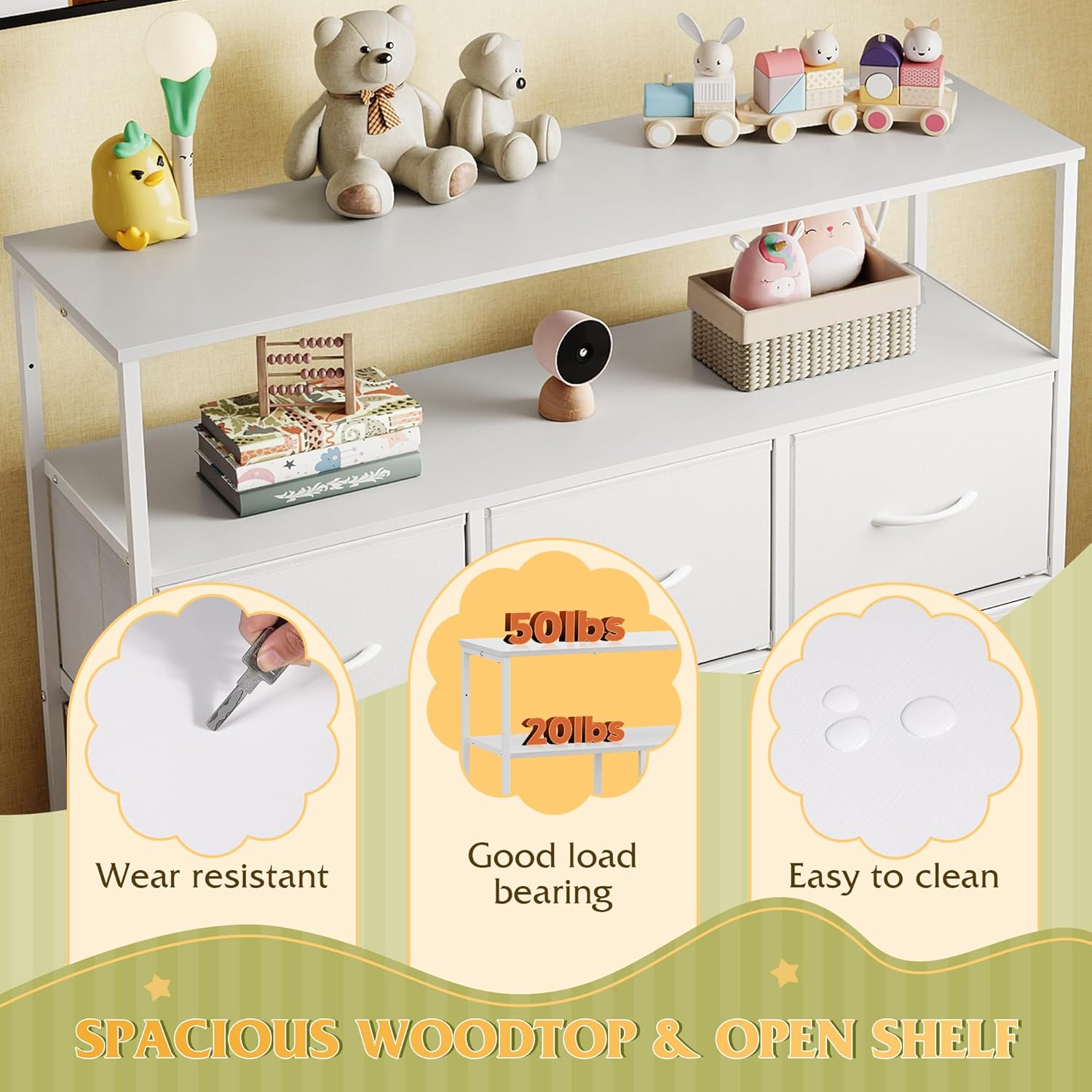
Image 5.1: Visual representation of the dresser's top surface, highlighting its wear-resistant, good load-bearing capacity (50 lbs), and easy-to-clean properties.
6. Troubleshooting
If you encounter issues with your dresser, refer to the following common problems and solutions.
- Dresser is Unstable/Wobbly:
- Ensure the dresser is placed on a flat, level surface.
- Adjust the 4 adjustable feet at the bottom of the frame to level the dresser.
- Check all assembly screws and bolts to ensure they are tightened securely.
- Verify the anti-tipping device is correctly installed and secured to the wall.
- Drawers Do Not Slide Smoothly:
- Check if the drawers are correctly assembled and inserted into their respective slots.
- Ensure the drawer contents are not overloaded or unevenly distributed.
- Inspect the drawer slides for any obstructions or damage.
- Charging Station Not Working:
- Ensure the dresser's main power cord is securely plugged into a functional wall outlet.
- Check if the controllable switch on the charging station is in the "ON" position.
- Test the wall outlet with another device to confirm it has power.
- Inspect the power cord for any visible damage. If damaged, discontinue use and contact customer support.
- Missing Parts During Assembly:
- Carefully re-check all packaging materials.
- Contact WLIVE customer support with your product model and a description of the missing parts.
7. Specifications
| Brand | WLIVE |
| Model Name | ASNG103WXF |
| Product Dimensions | 39.4"D x 11.8"W x 30.7"H (Approx. 100cm D x 30cm W x 78cm H) |
| Color | White |
| Material | Wood, Steel, Fabric (P2 grade artificial wood, metal steel frame, non-woven fabric drawers) |
| Number of Drawers | 5 |
| Item Weight | 30.3 pounds (Approx. 13.7 kg) |
| Assembly Required | Yes |
| Charging Station | 3 AC Outlets (125V/2A), 1 Controllable Switch, 5-foot Power Cord, UL/ETL Certified |
| Included Components | Shelves, Anti-tipping kit |

Image 7.1: Diagram illustrating the overall dimensions of the dresser and the individual drawer sizes.
8. Warranty and Support
WLIVE is committed to providing quality products and customer satisfaction. While specific warranty details are not provided in this manual, WLIVE offers professional after-sales support.
- For any questions regarding assembly, missing parts, or product issues, please contact WLIVE customer service.
- Refer to your purchase documentation or the WLIVE official website for the most up-to-date warranty information and contact details.