
1. Introduction
This manual provides essential information for the safe and effective use of your UpBright 5V Micro USB AC/DC Adapter. This power supply is designed to provide reliable charging for compatible portable Bluetooth PA speaker systems and karaoke machines.
The adapter features a Micro USB connector and is engineered with OVP (Over Voltage output Protection), OCP (Over Current output Protection), and SCP (Short Circuit output Protection) to ensure the safety of your devices.

Figure 1: The UpBright 5V Micro USB AC/DC Adapter with its attached Micro USB cable.
2. Product Components
The UpBright 5V Micro USB AC/DC Adapter consists of two primary components:
- AC/DC Adapter Unit: This is the main power brick that converts household AC power to the required DC voltage. It features a standard US plug for wall outlets.
- Integrated Micro USB Cable: A permanently attached cable with a Micro USB connector at its end, designed to plug into your compatible electronic device.

Figure 2: Close-up view of the Micro USB connector, which connects to your device.
3. Compatibility
This adapter is specifically designed to be compatible with various Earise portable Bluetooth PA speaker systems and karaoke machines that utilize a 5V Micro USB input for charging. Compatible models include, but are not limited to:
- Earise Model T15 (3.7V/2400mAh Lithium Li-ion Battery 9W Karaoke Machine Portable Bluetooth PA Speaker System)
- Earise Model T26, T26U, T26RGB (3.7V/3600mAh Lithium Li-ion Battery 12W Karaoke Machine Portable Bluetooth PA Speaker System)
- Earise Model T26 Pro (3.7V/4400mAh Lithium Li-ion Battery 12W Karaoke Machine Portable Bluetooth PA Loudspeaker Speaker System)
- Earise R18 (3.7V 3600mAh Li-ion Battery Adults Kids Party Karaoke Machine 8" Subwoofer & 1" Tweeter Portable Bluetooth PA System Speaker)
- Earise V30 (3.7V 3600mAh Lithium Li-ion Battery 8W Portable Outdoor Party Karaoke Machine 8 Inch Small Bluetooth PA Speaker System)
- Earise M62 (3.7V 3600mAh Li-ion Battery 20W 400W Peak Bluetooth Karaoke Machine Outdoor Indoor Party Portable PA Speaker System)
Always verify the power requirements of your device before connecting this adapter to ensure compatibility.
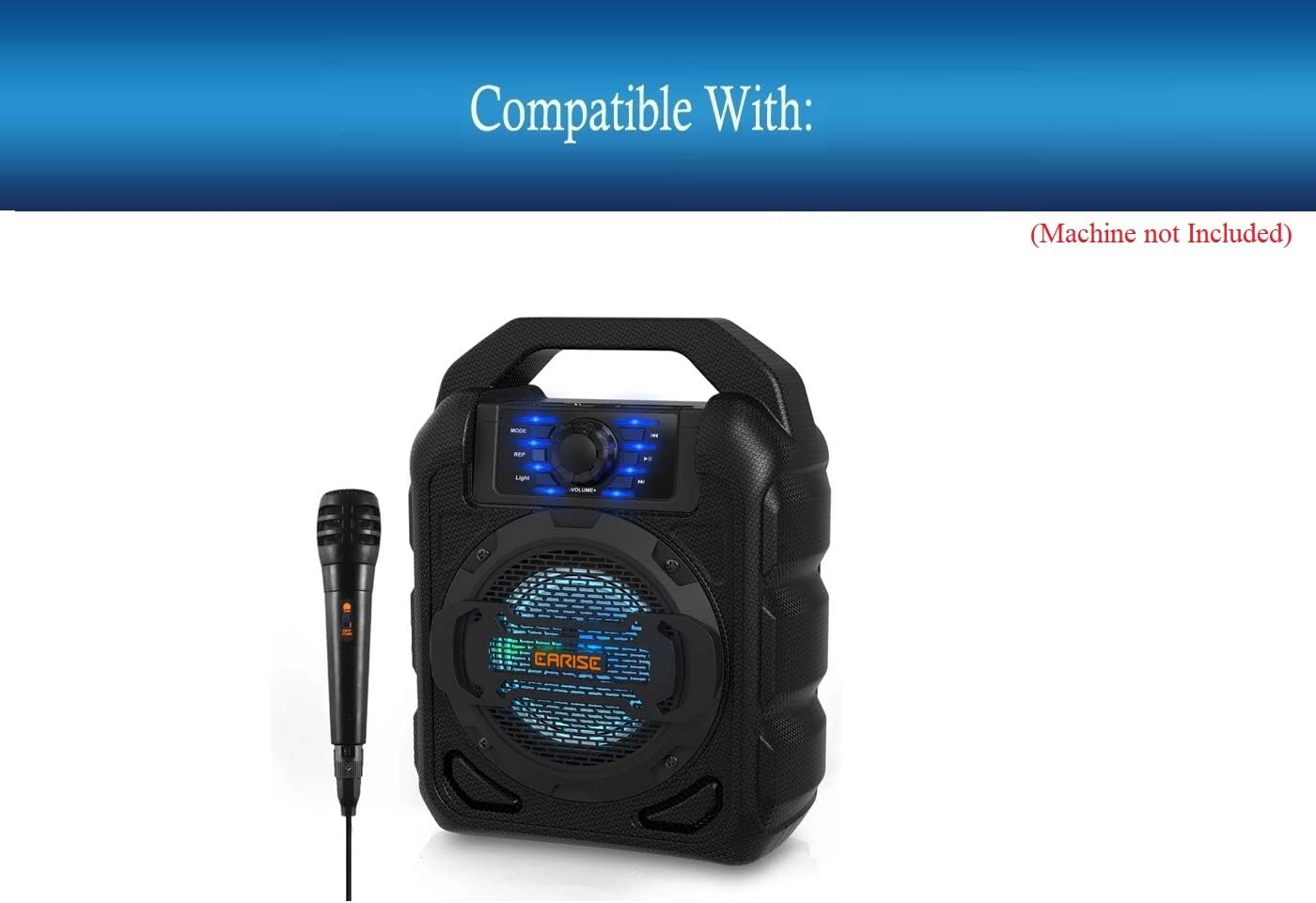
Figure 3: Example of a compatible Earise portable Bluetooth PA speaker system.

Figure 4: Various Earise speaker models that can be powered by this adapter.
4. Setup and Connection
- Identify Charging Port: Locate the Micro USB charging port on your compatible Earise device. This port is typically found on the back or side panel of the speaker system.
- Connect Adapter to Device: Carefully insert the Micro USB connector of the UpBright adapter into the charging port of your device. Ensure the connector is oriented correctly to avoid damage. Do not force the connection.
- Plug into Power Outlet: Insert the AC plug of the adapter into a standard 100-240VAC 50/60Hz wall power outlet.
- Verify Charging: Most compatible devices will indicate charging status via an LED indicator light. Refer to your device's manual for specific charging indicators.
For international orders, the product may come with a suitable outlet adapter (AU, EU, or UK) to fit your country/area. Ensure you use the correct adapter for your region.

Figure 5: Example of international outlet adapters that may be included with the product.
5. Operation
Once connected to a power source and your device, the UpBright adapter will automatically begin providing power or charging the device's internal battery. The adapter is designed for continuous use within its specified voltage and current limits.
- Charging: The adapter supplies 5V DC at 2A (10W) to charge your device's battery. Charging time will vary depending on the device's battery capacity and current charge level.
- Power Supply: The adapter can also power your device directly while it is in use, provided the device's power consumption does not exceed the adapter's 10W output capacity.
6. Maintenance and Care
To ensure the longevity and proper functioning of your UpBright AC/DC Adapter, follow these maintenance guidelines:
- Cleaning: Disconnect the adapter from the power outlet and your device before cleaning. Use a soft, dry cloth to wipe the exterior. Do not use liquid cleaners or abrasive materials.
- Storage: Store the adapter in a cool, dry place away from direct sunlight and extreme temperatures. Avoid tightly winding the cable to prevent damage.
- Handling: Do not drop, bend, or expose the adapter to excessive force. Avoid pulling the cable to disconnect it from the wall or device; always grasp the plug or connector.
- Environment: Do not expose the adapter to water, moisture, or high humidity. It is designed for indoor use only.
7. Troubleshooting
If you encounter issues with your UpBright AC/DC Adapter, refer to the following common troubleshooting steps:
| Problem | Possible Cause | Solution |
|---|---|---|
| Device not charging/powering on. |
|
|
| Adapter feels warm during use. | Normal operation. | A slight warmth is normal during operation. If it becomes excessively hot or emits smoke/odor, immediately unplug and discontinue use. |
| Charging is slow. |
|
|
If problems persist after following these steps, please contact customer support.
8. Specifications
| Feature | Detail |
|---|---|
| Input Voltage | 100-240VAC, 50/60Hz |
| Output Voltage | 5V DC |
| Output Current | 2A (2000mA) |
| Power Output | 10W |
| Connector Type | Micro USB |
| Protection Features | OVP (Over Voltage Protection), OCP (Over Current Protection), SCP (Short Circuit Protection) |
| Product Dimensions | 3 x 3 x 1 inches |
| Item Weight | 4 ounces |
| Color | Black |
9. Warranty and Support
UpBright products are designed for reliability and performance. This adapter comes with a limited warranty to cover manufacturing defects.
- Refund Policy: UpBright offers a 30-day refund policy from the date of purchase.
- Exchange Policy: The product is eligible for a 24-month exchange for issues covered under warranty.
For warranty claims, technical support, or any inquiries regarding your UpBright product, please refer to the contact information provided with your purchase or visit the official UpBright website. Please have your product model number and purchase details ready when contacting support.
Figure 6: Representation of the UpBright Limited Warranty Certificate.
